Small businesses face unique considerations when choosing a webinar platform. They should look for a solution that:
- Is easy to use — You shouldn’t need extensive training just to get up and running.
- Helps you scale without adding headcount — Small teams need to do more with less. The right platform lets you run webinars at scale (more sessions, more topics, more attendees) without hiring additional team members or burning out your current ones.
- Maintains engagement and personalization at scale — Scaling shouldn’t mean sacrificing the attendee experience. Look for features that keep webinars interactive and relevant, even when you’re running hundreds of sessions per month.
- Supports long-term growth — Choose a flexible platform that adapts to evolving strategies, audiences, and goals so you don’t have to switch systems later.
You should also consider your use case — why are you interested in webinar software, and what types of webinars will you run?
There are two main types of webinar platforms: live (for real-time events) and automated (for pre-recorded webinars that run on autopilot).
- Live is best when you need real-time feedback that shapes the webinar itself — like internal alignment meetings, one-time special events, AMAs, town halls, or virtual conferences with panel discussions.
- Automated is best when you're delivering the same content repeatedly — like onboarding new customers, training sessions, educational courses, or product demos. Automation lets small teams scale their reach dramatically without hosting webinars nonstop: some eWebinar customers with just one or two team members run hundreds of hours of webinars per month across nearly 100 different topics.
A common misconception about automated webinars is that they're "just recordings." In reality, automated webinar platforms include robust engagement features — live chat, polls, Q&A, CTAs, and more — so you can design interactive experiences that keep viewers engaged. We'll show you how this works in the sections below.
We compiled this guide with the best webinar software for small businesses — with both live and automated options — and walk through each platform's strengths, limitations, and pricing so you can make an informed decision.
To explore eWebinar further after reading, start a 14-day free trial or tune into our demo below!
1. eWebinar
Automated webinar software to effortlessly scale your webinar strategies
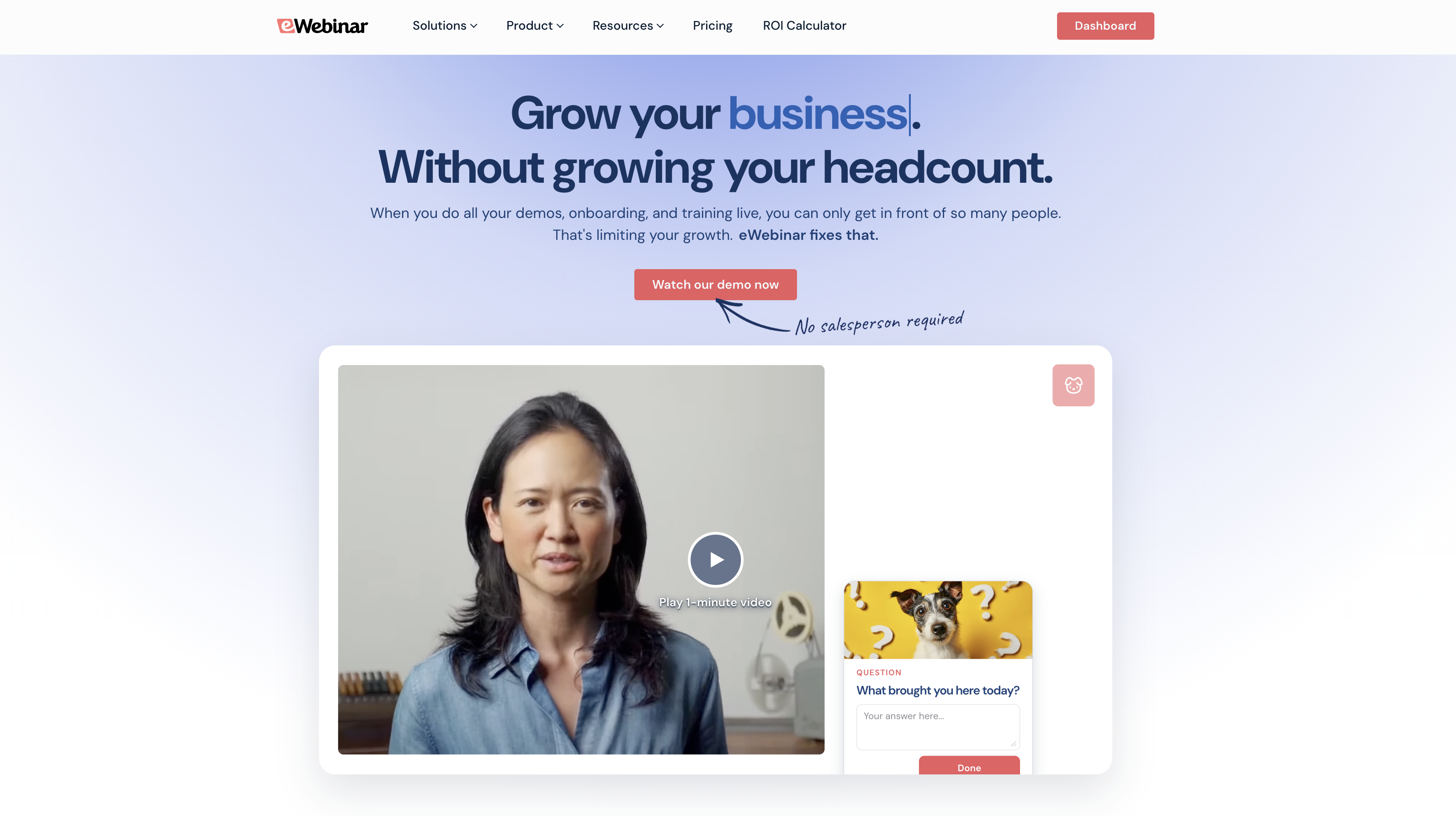
eWebinar is one of the most highly rated webinar solutions (with a solid 4.9-star rating since our debut) and a top choice for small businesses because it checks all of the criteria we discussed above. Our platform:
- Is user-friendly, so anybody can join eWebinar and immediately start building professional webinars. No training required!
- Offers advanced automation to run webinars on autopilot 24/7 without requiring an army of round-the-clock hosts or moderators.
- Touts the largest gallery of interactive features (20+!) and a flexible chat that gives webinars a personal touch and keeps users engaged from beginning to end — without a host having to initiate all of that engagement themselves.
- Scales with your webinar strategies and audiences to support teams, no matter how many webinars they run per month or attendees they serve.
With eWebinar, webinar creators can record webinars once, build interactivity into the entire experience, schedule them to run at any frequency — whether that’s weekly, daily, or even hourly — and offer convenient on-demand viewing options.
For small businesses in particular, eWebinar eliminates the biggest webinar bottleneck: needing someone available to host every single webinar. Our automation makes it possible for a two-person team to deliver the same webinar experience as a 20-person team — and actually use webinars however they want, whenever they want, and squeeze every benefit out of their webinar strategy.
We have over 5 years of experience working with small businesses across a variety of industries and use cases — customer success teams hosting onboarding and training webinars, marketers running lead generation campaigns, sales teams delivering product demos, educators offering online courses, HR departments conducting company-wide training, and more.
In the following sections, we’ll review our core toolkit so you can get a sneak peek at how eWebinar works. You can also skip right to our 14-day free trial to explore the webinar features yourself, or tune into our demo below.
How to create engaging webinars with our user-friendly webinar builder & interactions editor
Our system walks you through every step to create compelling, high-quality webinars that keep attendees hooked.
When you first jump into our webinar builder, it lets you choose between building with templates or creating webinars from scratch.
You can choose templates by use case (e.g., training or sales), and they come with predefined goals, suggested interactions, and prebuilt registration pages to guide the process and support your webinar strategies.
But for the sake of this article, let’s say you’re building from scratch. Our webinar builder prompts you to:
- Upload your recording: You can add files from your device, import videos from Zoom or Descript, or paste URLs from video-hosting sites like Wistia.
- Name your webinar and choose its language.
- Choose how often it plays: As a one-time event, a recurring webinar, or available on demand.
Note: Our scheduler also lets you combine viewing options so you can pair recurring schedules with on-demand viewing and provide attendees several ways to tune in.
- Specify the goal of your webinar (a.k.a., the action you want attendees to take at the end of the session). You may want them to schedule a meeting with you, sign up for a trial, purchase a product, or advance to another webinar.
- Add brand elements, like logos and custom colors. Our system displays your branding in webinar rooms, on registration pages, and throughout webinar experiences. You only have to import these once, and they’re stored for future webinars.
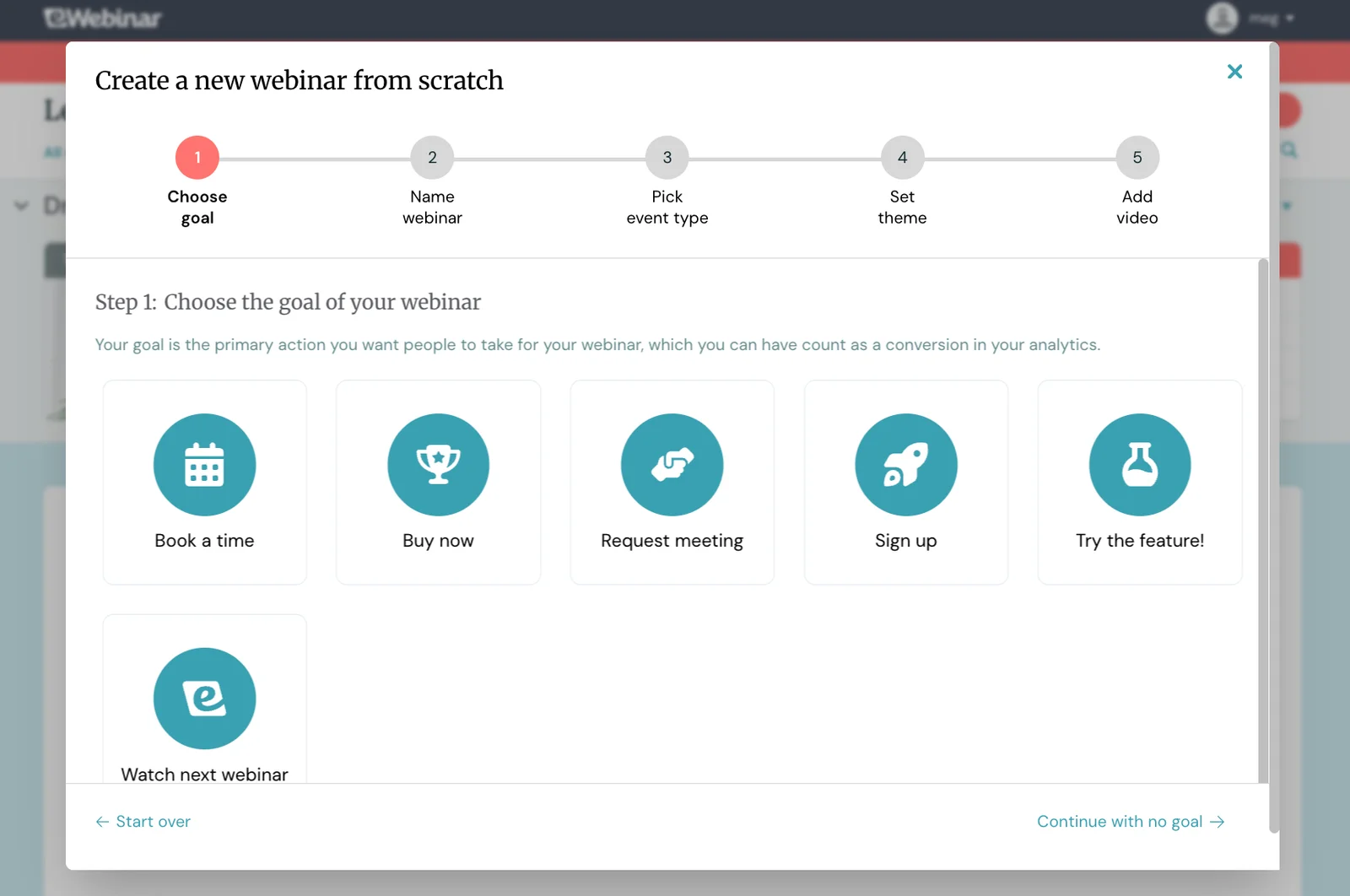
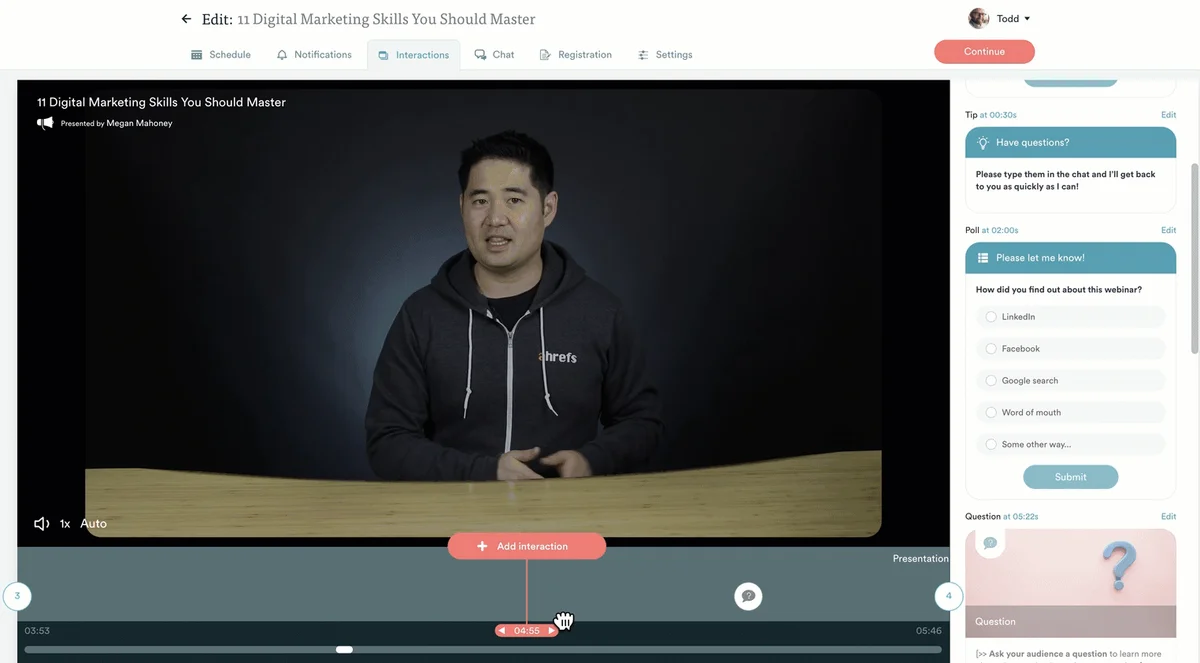
After these steps, you’ll move on to building interactivity within your webinar. We have a user-friendly interactions editor that makes this as easy as can be. All you have to do is:]
- Scroll to the moment in your recording where you want interactions to appear
- Select the interactions you want to place
- Complete the copy
- Hit “Save”
From there, you can preview interactions to ensure they appear exactly when you want them to.
Check it out below:
Our platform provides an extensive gallery of interactions to support various webinar goals and engage users in different ways, so you’re not constantly throwing polls at attendees throughout the entire experience. You can mix things up with quizzes, polls, Q&As, CTAs, feedback requests, tips, handouts, special offers, and more.
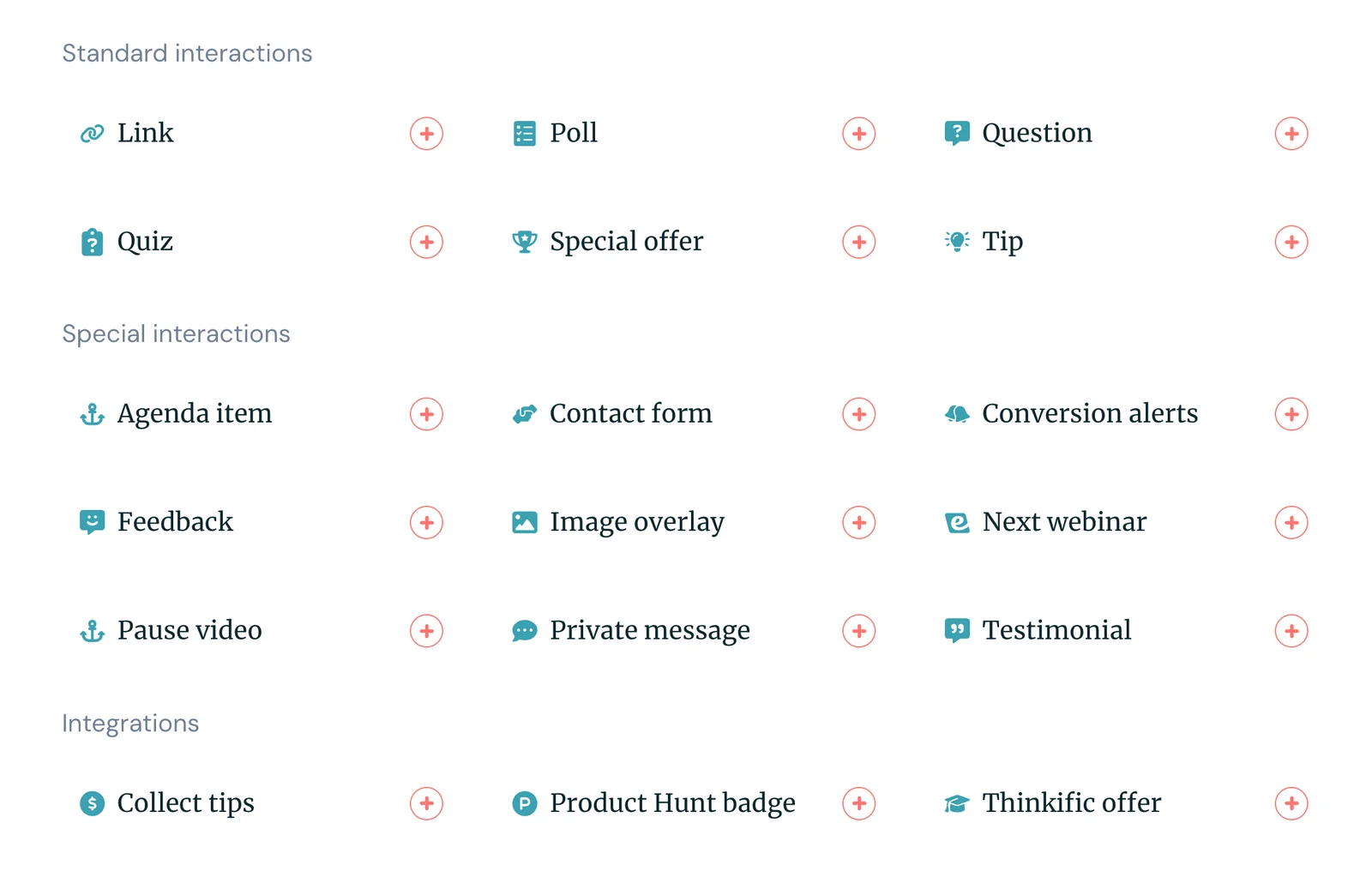
We also offer handy AI-powered interactions to guide you here. Our system can transcribe your recording to understand the material and goal of your webinar, suggest interactions to use throughout, and tell you exactly where to place them. AI interactions even come with pre-written copy, so you can see exactly how to engage attendees.
After you place interactions, the “hard” part is done! 🎉 You can then adjust chat settings, add more viewing options, build registration pages, and enable webinar reminders and follow-ups. And we’ll show you how eWebinar supports those steps in the sections below.
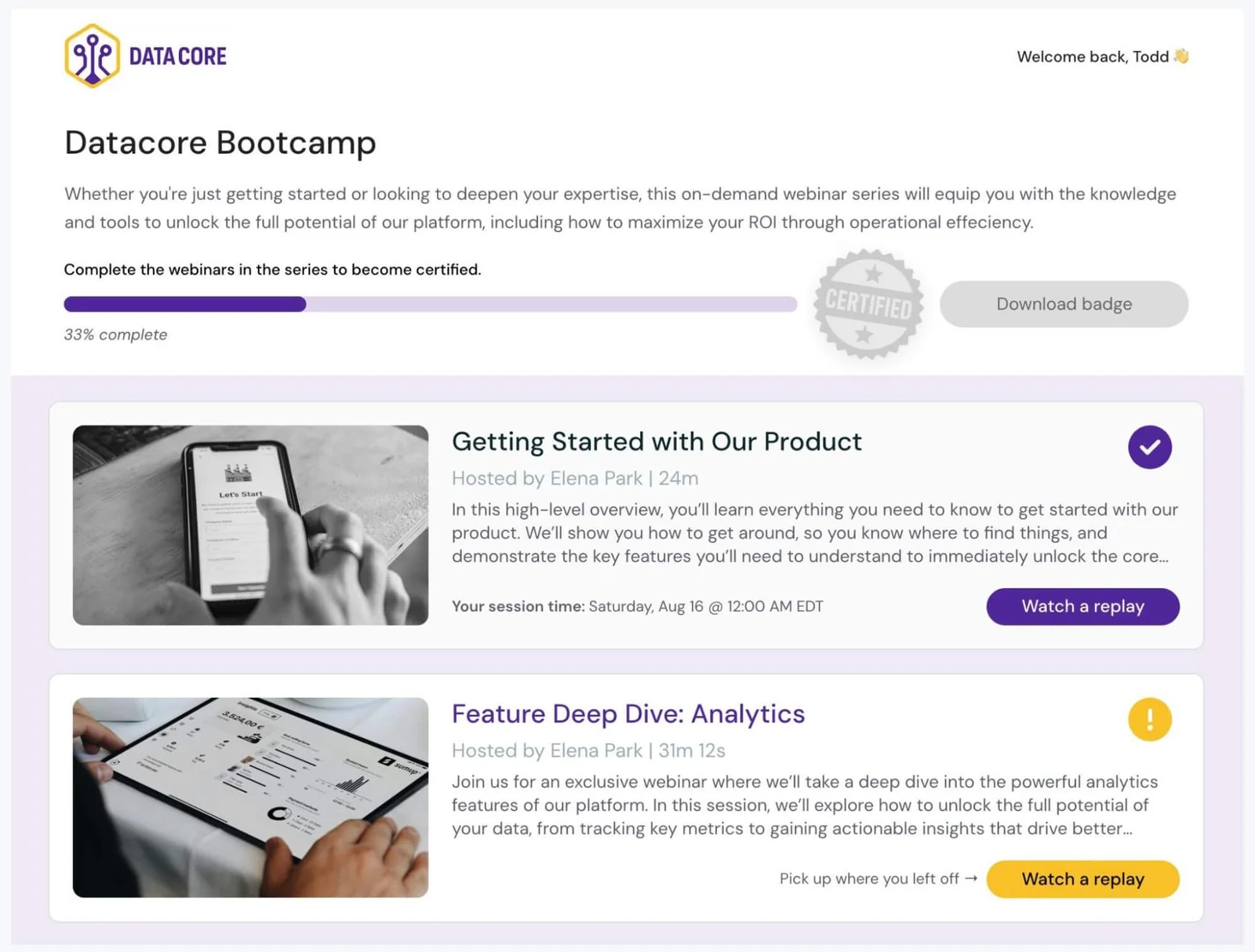
Our system also lets you compile webinars into comprehensive multi-webinar series. Our Webinar Series tool makes it easy to design experiences, set completion criteria, see who’s attending, and track registrants' progress. Here’s how it works:
Our Webinar Series tool also supports registrants with personalized Series dashboards, where they can view all webinars in the course, access replays, monitor their progress, and download certificates upon completion.
|
How our flexible chat frees you from monitoring webinar sessions 24/7
Our flexible chat model is also crucial for freeing small teams from the burden of round-the-clock hosting. It solves the major pain point of: how do you stay responsive without being glued to your webinars?
This tool lets moderators enable real-time chat, AND email replies together — they don’t have to choose between real-time chat and risk missing conversations, or email replies and disabling chat altogether.
And this is totally unique to eWebinar. All other webinar software makes you pick one or the other. Which, quite frankly, sucks.
Moderators — especially small business teams — aren’t going to be available 24/7 to monitor chats, so most teams feel the best option is to use email. But only offering email communications makes the experience clunky. Attendees want to quickly chat with your team without having to submit contact forms. As a result, they don’t reach out to your team as much, so you lose out on conversations before they can even start.
eWebinar combines both options seamlessly. All chats appear in a central hub for moderators so they can reply in real time if they’re available, or get back to attendees later if they’re not. Those later replies go straight to attendees' email addresses, so they can continue the conversation with your team. And you can set auto-responders for hours you won’t be available, so attendees know you’ll get back to them when you can.
We also offer Slack integrations so teams can manage chat conversations directly in their workspace — no need to jump between tools.
How our scheduling tools let you capture the largest possible audience
As mentioned above, eWebinar lets you combine a variety of scheduling options so attendees can tune in to your webinars when it’s most convenient for them.
This is a huge advantage over live webinars, as they’re only hosted on certain days and times — so those days and times have to work with attendees’ schedules, and they have to remember (and care enough) to tune in later.
With automation, attendees can choose when they want to watch, and you can capture audiences at their peak moment of interest.
When creating webinars, you can set one scheduling option — say, on-demand — and later add a recurring schedule so it plays on the same days and times automatically, and just-in-time viewing, so a session starts within a few minutes of users finding your webinars.
You can also offer instant replays. Attendees can opt for a replay link when registering — they don’t have to attend a session first; they just get the replay link sent to their email to watch anytime.
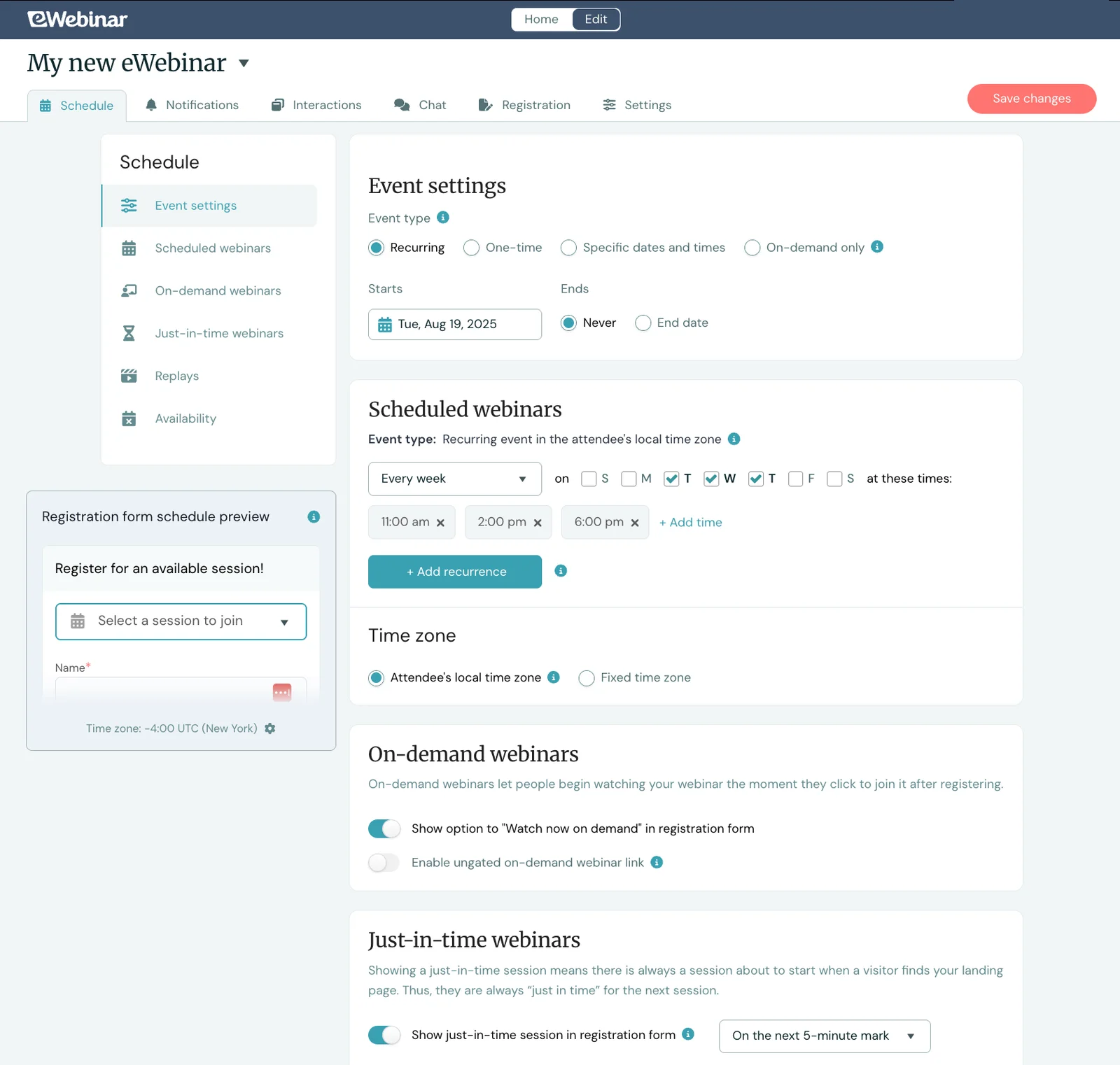
Our platform also supports automatic time zone adjustments for recurring schedules, meaning it’ll adjust your webinar’s schedule for attendees’ local times. If you schedule webinars to play at 11 a.m., 2 p.m., and 6 p.m., it’ll play at those times for everybody, regardless of where they’re located.
This is also a huge win for small businesses because it lets their webinars reach global audiences without requiring teams to host them at all hours of the night.
Sales and marketing teams can break into new markets and win more customers, HR teams can onboard remote employees across time zones, and educators can serve students worldwide.
You can go global without needing a global team.
Automatic registration page builders to guide & streamline this process
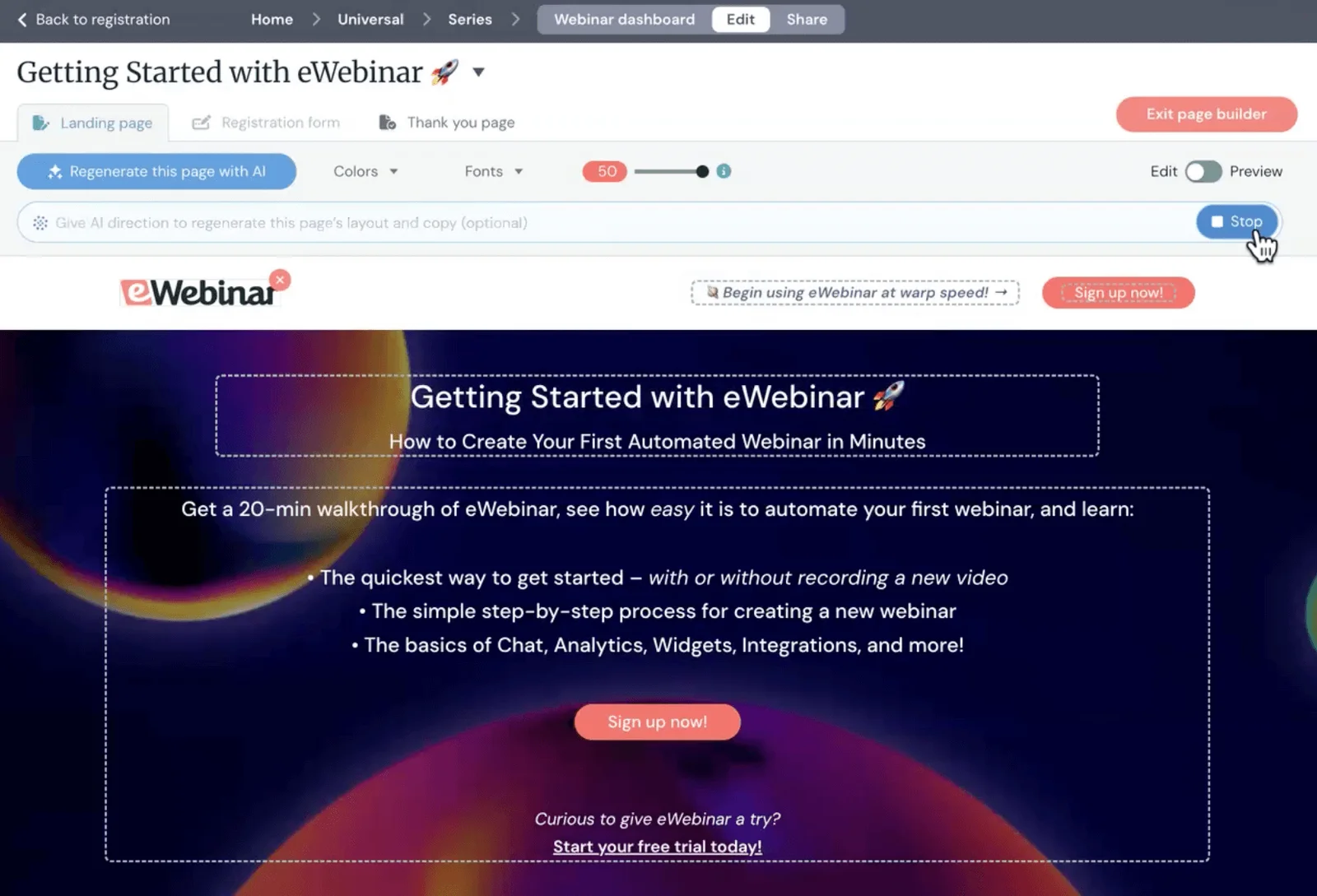
Our solution offers AI-powered tools that take all the effort out of building registration pages, so small teams don’t have to spend hours on this task.
The platform automatically builds your registration page, handling the full page design and writing the copy for you.
Like the AI-powered interactions mentioned above, it reviews your webinar recording to understand what you're covering — which is how it generates comprehensive pages tailored to your content.
You can adjust the copy if you like, or ask the AI to generate new options, but most teams use the original version as-is. The whole process is super quick.
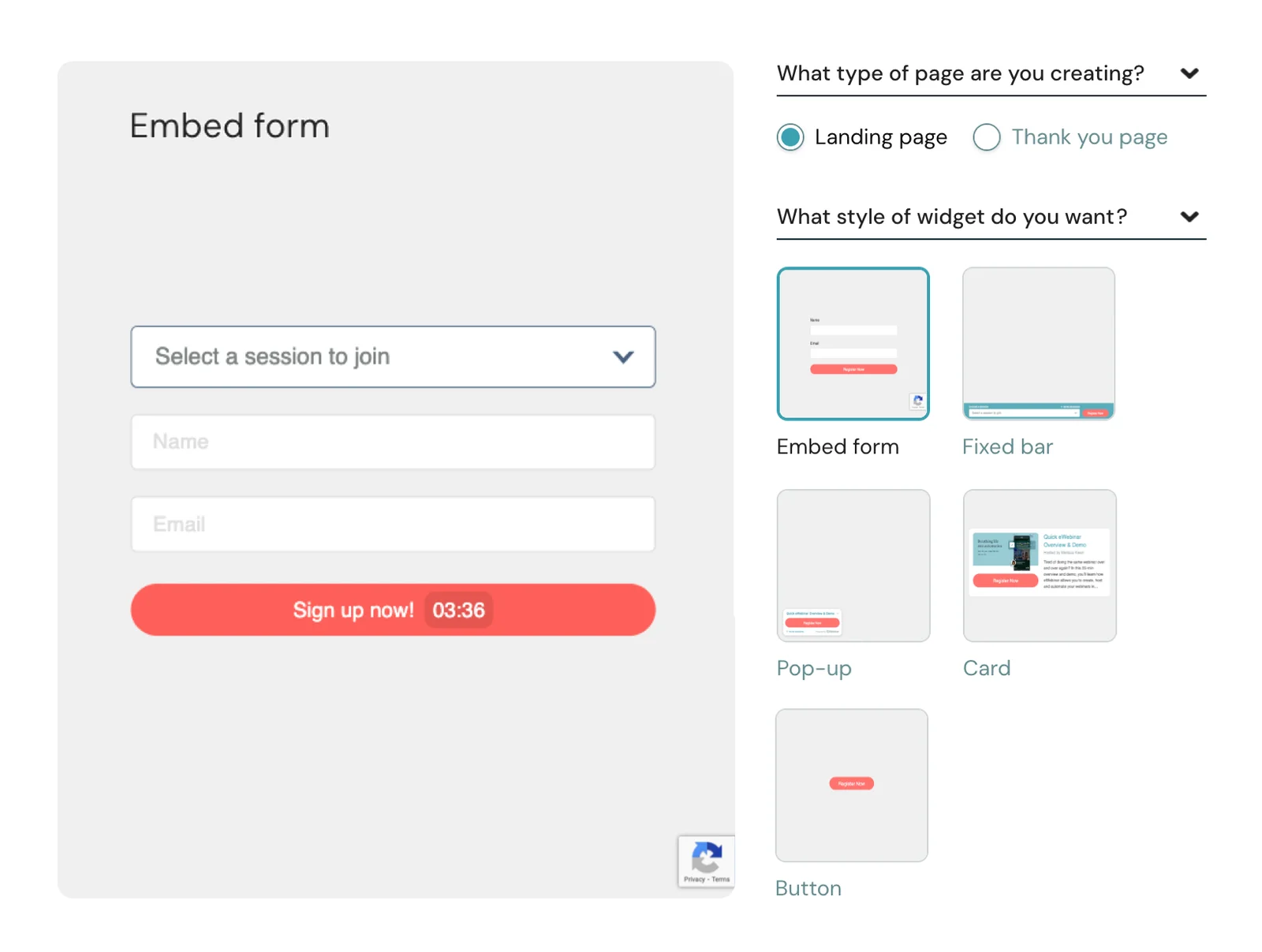
We also offer a variety of registration widgets that you can customize and embed on your website or on other online platforms (e.g., employee onboarding portals or SaaS products). This makes it super easy for attendees to find and register for your webinars.
Our platform also lets you automate webinar reminders and follow-ups. It includes preset schedules sending reminders 1 day and 1 hour before webinars start, and follow-ups 5 minutes and 1 day after webinars end. You can modify these or add to this queue.
We also provide templates with pre-written copy for reminders and follow-ups. But, of course, you can customize these as well.
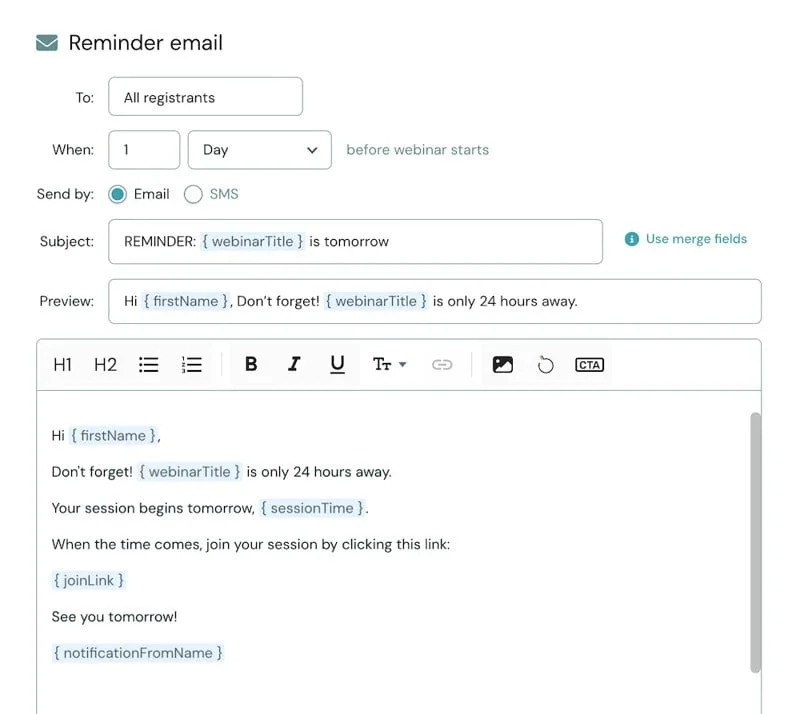
These communications nudge attendees who register for scheduled sessions so they don’t forget to join, helping improve your registration-to-attendance rates and ensuring everybody who finds your webinar makes it to the session.
Then, follow-ups help reinforce your webinar's CTA, share replay links, and guide attendees to the next step — whether that's booking a demo, starting a trial, or downloading additional resources. eWebinar also integrates with CRM systems, so you can export registrant details and attendee engagement data to segment leads and guide further retargeting.
How our detailed analytics tools tell you how webinars are performing (& where to improve)
Our solution gives you all of the insights to understand exactly how your webinars perform — where you’re hitting it out of the park, and where you can still improve.
Our reporting tools capture:
- The total number of visitors to registration pages
- Registration rates
- Attendance rates
- Registration-to-attendance rates
- How users tuned in — if they registered for a scheduled session, viewed on demand, or watched via replay
- Audience engagement rates — including average watch times, how many stayed til the end of webinars, and how many times attendees interacted with webinars
- Interaction engagement — how many interactions users responded to, and their actual responses
- Conversion rates — how many users completed the webinar goal
Then, to fuel further analysis, we offer webinar heatmaps that show you exactly where users engaged with content. You can see when users join (or leave) webinars, when they react, and when they send chats. So you know exactly what the webinar was covering when users engaged.
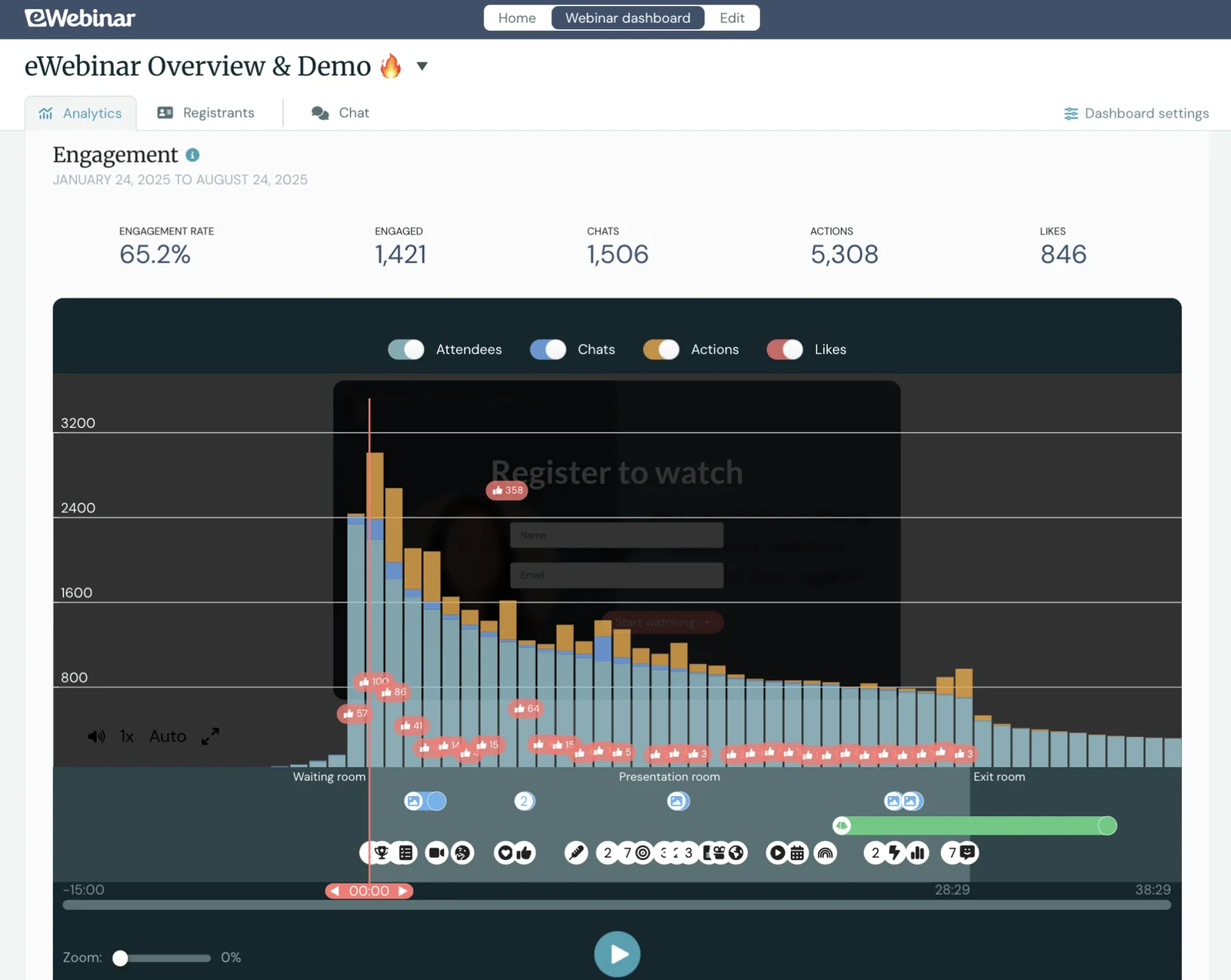
This lets you zoom in beyond broad analytics and understand how your webinar content resonates with users. You know what topics were popular and which ones weren’t as much, so you can use these insights to create even more compelling webinars in the future.
Packages & getting started
We offer a 14-day free trial so you can test-drive the platform before jumping into a paid plan.
The packages are simple — they’re based on the number of webinars you run and attendee seats:
- Level 1 ($99/month) supports one active webinar and 3k registrants per month
- Level 2 ($199/month) supports five active webinars and 6k registrants per month
- Level 3 ($299/month) supports 15 active webinars and 12k registrants per month
You can also build upon packages to accommodate more attendees — you can add increments of 1k attendees for $49/month.
Join our full demo to see why eWebinar is the most top-rated automated webinar software!
2. WebinarNinja
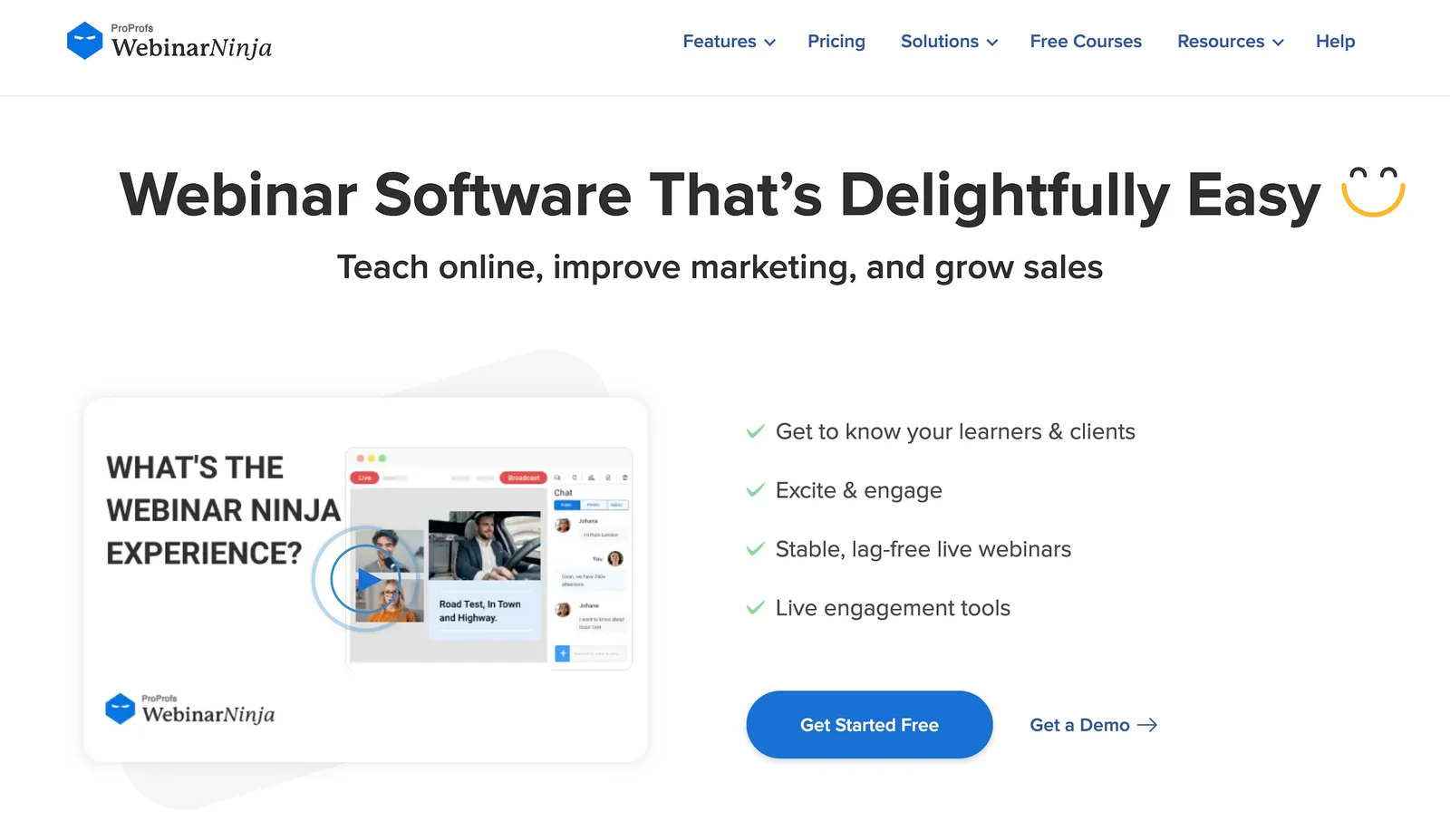
WebinarNinja is a popular platform for both live and automated webinars, used by sales teams, marketers, HR teams, and online educators. It appeals to small businesses for its flexibility, ease of use, and 24/7 customer support — teams can use both live and automated webinars in their strategies, set up webinars quickly without a steep learning curve, and get help from WebinarNinja’s team at any time of day.
The platform offers a couple of nice engagement tools to boost interactivity during webinars, such as polls, Q&A with upvoting, handouts, emoji reactions, and offers. And live sessions support both public and private chat.
WebinarNinja also offers paid webinar support, allowing users to charge for webinar access (accepting payments via Stripe) and monetize their content, which could be especially appealing to educators selling online courses.
Though there are a few downsides here. Engagement tools aren’t overly robust; you get a handful of options, but that’s about it. And there is no live chat in automated webinars — only email communication.
The other potential issue here is pricing, as WebinarNinja charges per attendee ($1.20/attendee). This can be affordable for small teams with small audiences, but it can quickly become pricey as you scale. For example, if 500 people register monthly, that's $600/month, which is far more expensive than flat-rate platforms like eWebinar.
Find WebinarNinja reviews here.
Features
- Automated and on-demand webinar hosting with unlimited automated attendees
- Customizable registration and thank-you pages, fully branded
- Interactive polls, Q&A (with upvoting), sales offers, handouts, and emoji reactions for pre-recorded content
- Public and private chat during live sessions only
- Automated email sequences for reminders, follow-ups, and thank-yous
- Integrations with Stripe, Zapier, Mailchimp, HubSpot, and others
- Ability to charge for paid webinars with seamless payment processing
- Unlimited webinar recording storage with replay playback controls
- Analytics on registrations, attendance, engagement, and sales
- 24/7 customer support via chat, email, and phone
Pricing
WebinarNinja charges $1.20 per attendee per month.
All users get access to the full feature set. WebinarNinja also offers custom enterprise plans for larger teams.
3. WebinarGeek
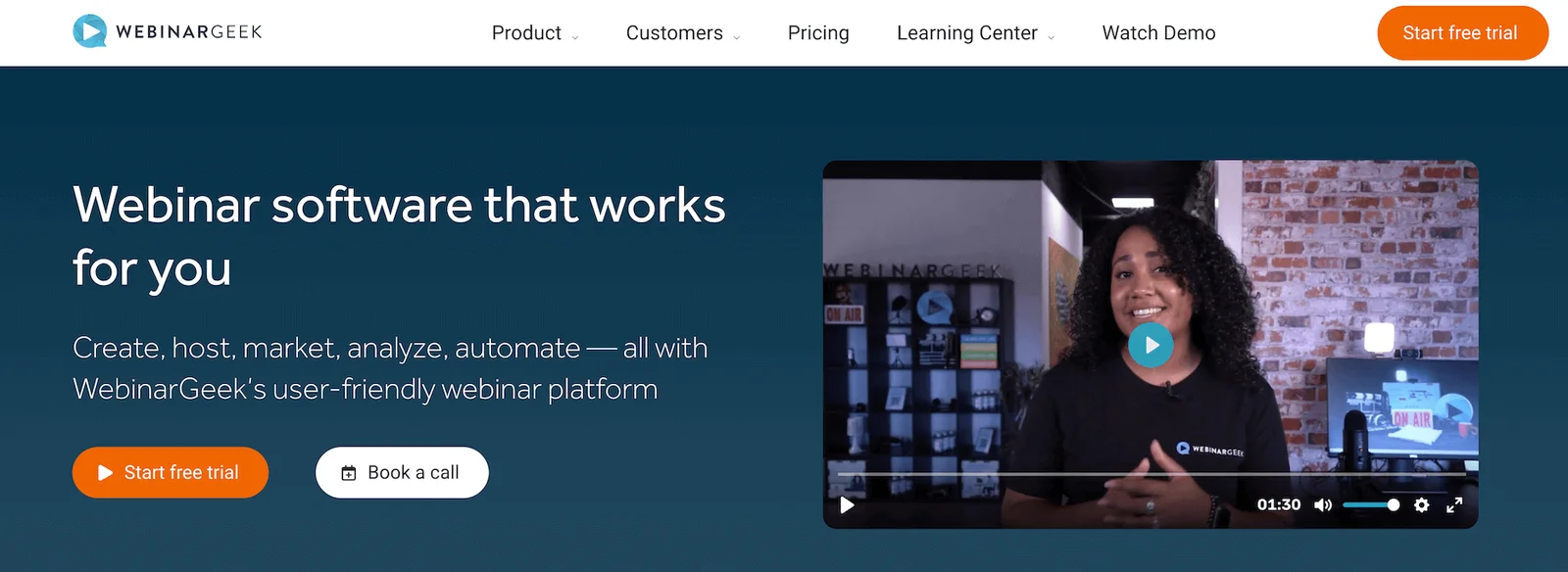
WebinarGeek is another solid option for small businesses because the platform is super user-friendly. It’s completely browser-based, so there are no downloads required (for you or your attendees), and set-up is quick and simple. Most teams can be up and running on the platform in an afternoon.
WebinarGeek supports both live and automated webinars, with engagement tools and chat available for all sessions. It offers standard engagement tools like polls, quizzes, and Q&A sessions across the board, as well as screensharing for live sessions, so hosts can present slideshows or videos during webinars.
The thing to mention here, though, is that chat is only available during webinars — there is no getting back to attendees afterward. So hosts still need to be on call during webinars to interact with attendees and turn off chat when they’re unavailable.
WebinarGeek also supports small teams with intuitive customization tools — including templates and a drag-and-drop editor — to create branded registration pages, reminders, and follow-ups.
This solution can support teams as they scale. It offers over 6k integrations with outside tools — CRM systems, marketing software, learning management systems, and more — so you can use and promote webinars in a variety of ways. And its top-tier package supports 5k attendees per month. They also offer custom enterprise packages for teams that need even more seats.
Pricing is also a note here. The Basic package is pretty affordable for small teams — only $81/month — but lacks many essential features. Most teams need the Premium package, and that can cost them anywhere between $116 to $469 per month — a pretty big difference.
Check out more WebinarGeek reviews here.
Features
- Live, automated, on-demand, and hybrid webinar hosting
- Paid webinars
- HD video streaming (browser-based, no downloads needed)
- Automated replays and session recordings
- Custom branding tools and webinar channels (custom pages listing upcoming and on-demand webinars)
- Extensive customization options — real-time page editor, custom domains, and custom CSS
- Engagement features — chat, Q&A, polls, quizzes, CTAs
- Scheduling options and time zone adjustments
- Marketing automation tools like automated and customizable email reminders
- Analytics dashboards
- Integrations with 6k+ outside tools, including CRM, marketing, and workflow apps
- GDPR-compliant data processing and attendee privacy
- Mobile-friendly experience
Pricing
WebinarGeek offers three plans based on features and attendee capacity:
- The Basic plan ($81/month) supports live and on-demand webinars, as well as 50 viewers.
- The recommended Premium plan ($116 to $469 per month) includes everything in the Basic plan, plus automated webinars, interactions, and custom branding.
- The Enterprise plan (starting at $410/month, with custom quotes as you upgrade) unlocks full-feature access and supports up to 5k attendees.
4. Demio
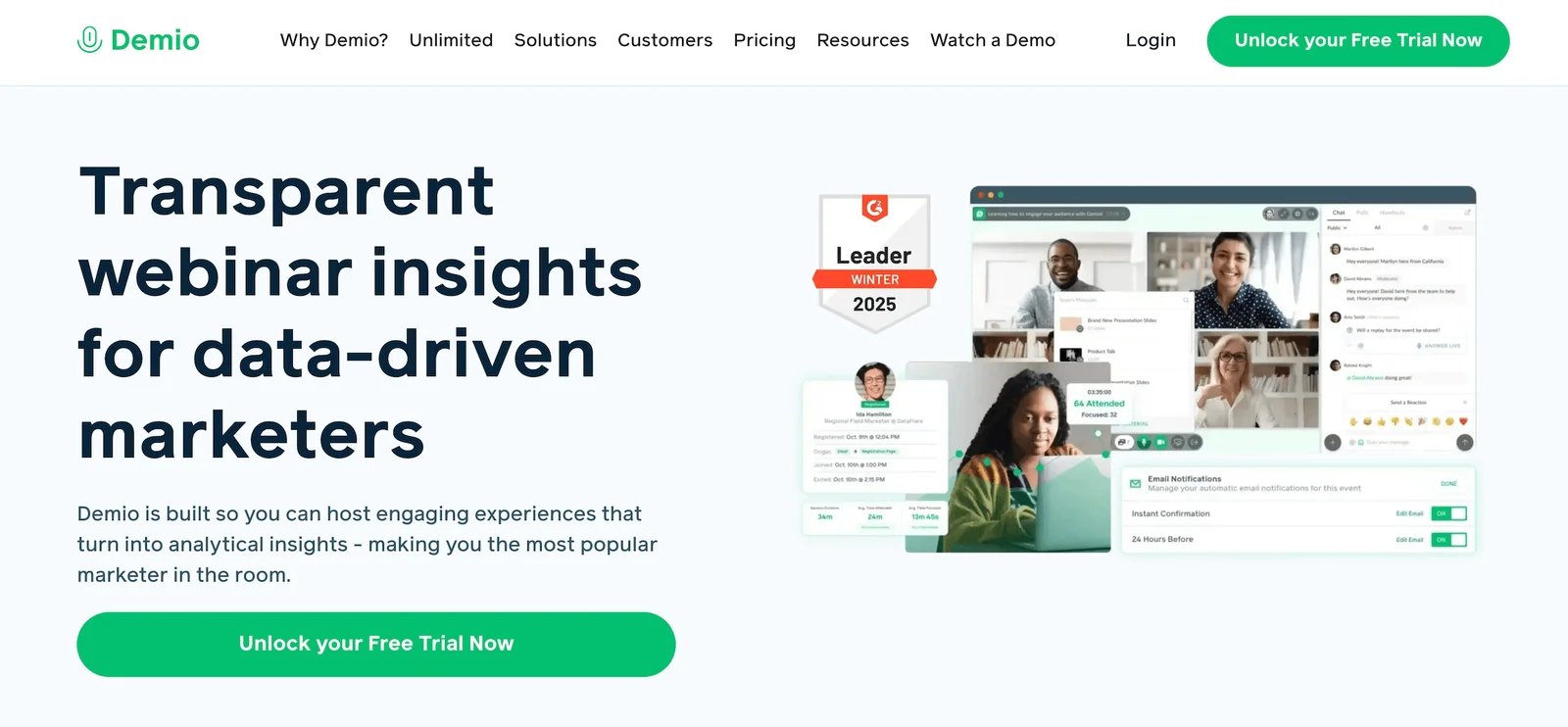
Demio is another straightforward, browser-based webinar platform that supports both live and automated webinars.
This solution is most appealing to sales teams and marketers looking to drive lead generation through webinars because it offers built-in marketing tools, dozens of integrations, and detailed analytics.
The analytics let you see exactly who attended, how long they stayed, when they dropped off, which resources they downloaded, and how they answered polls — so you can better understand audiences and identify wins and losses. Then, that data integrates with your CRM (HubSpot, Salesforce, ActiveCampaign, etc.), so you can segment leads and follow up appropriately.
Demio makes it easy to build and run webinars, whether you’re hosting live or setting webinars to play on autopilot. It comes with some nice engagement features, too — Q&As, polls, CTAs, offers, links, and chat. Live sessions also support attendee participation, so hosts can bring attendees “to the stage” and let them ask questions or join discussions.
Another standout benefit here is the mobile experience. Users can join webinars on the go, tuning in from their cell phones or tablets, and Demio focuses attendees on one thing at a time instead of cramming everything onto a tiny screen.
However, the chat tool in Demio is a bit limited. Moderators can’t get back to attendees after sessions end, and chat is totally disabled for on-demand sessions. Those watching on demand can’t get in touch with your team unless they email you separately (and who’s going to do that?), so on-demand viewing is a pretty passive experience for attendees.
And not to sound like a broken record, but pricing could also be an issue here, as Demio is a little expensive for small teams. Most teams need the Growth plan, costing between $117 to $855 per host per month, and that plan only supports 3k seats. For context, eWebinar’s basic plan at $99/month supports 3k seats; the next tier up, which is closer to Demio’s pricing, supports 6k seats.
Features
- Live, automated, and on-demand webinars
- Replays and recordings
- Customization options and branding tools
- Interactions — chat (public/private), Q&A, polls, offers, links, CTAs, and attendee participation (where they can use mics and cameras to interact with webinar moderators)
- Scheduling tools (single or recurring events, time zone adjustments)
- Marketing tools like automated email reminders
- Analytics dashboards
- Integrations with marketing and CRM software
- Mobile apps (for iOS and Android)
Pricing
Demio offers a 14-day free trial and three packages (differentiated mainly by attendee room capacities):
- The Starter plan ($63/month) supports a single host and 50 attendees. This plan is recommended for small businesses and solo entrepreneurs.
- The Growth plan ($117 to $855 per host per month) supports multiple hosts and up to 3k attendees. This is the most popular package.
- The Premium plan (starts at $196 per host per month) also supports multiple hosts and up to 3k attendees, and comes with dedicated account support.
Read more: Best Demio Alternatives
5. BigMarker
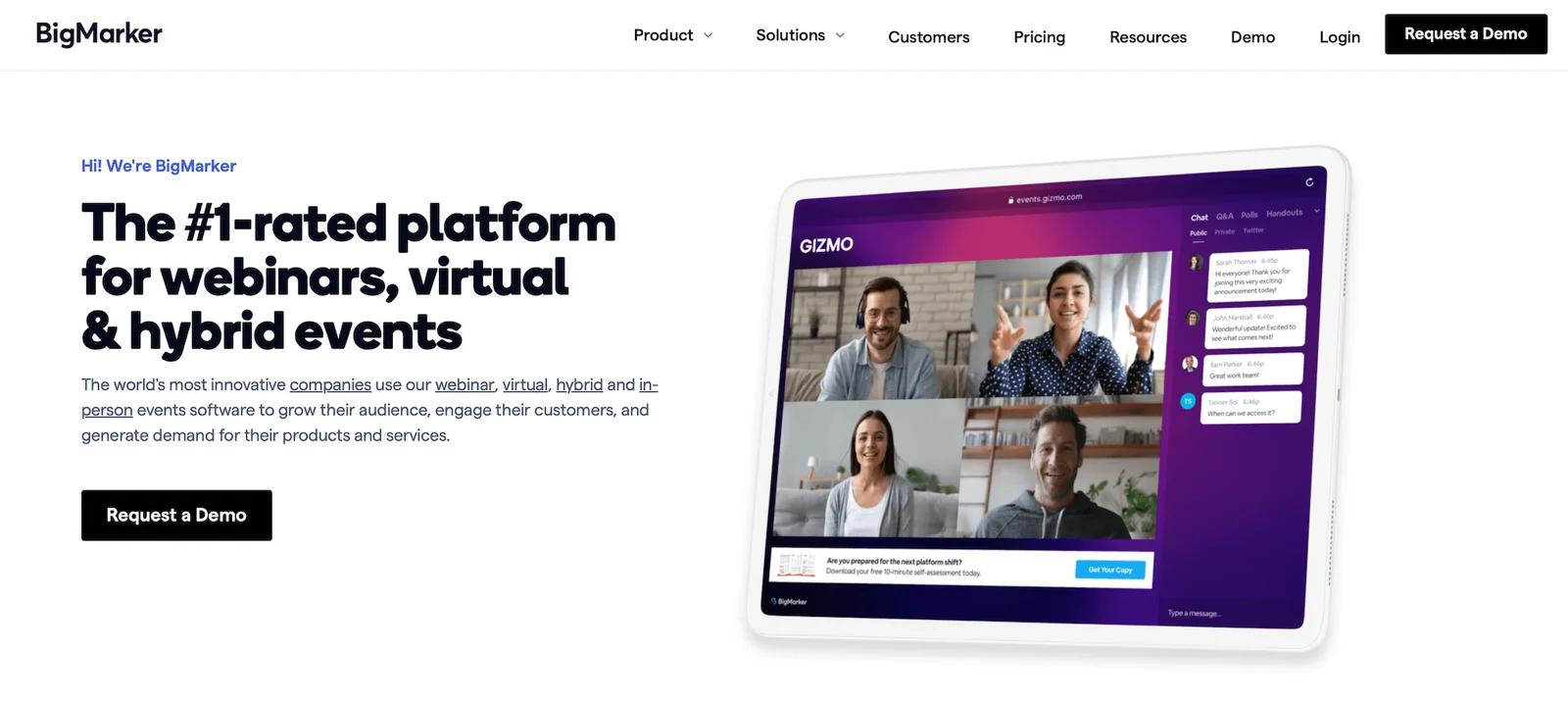
Another option for small business sales and marketing teams is BigMarker.
This platform supports both live and automated webinars, but is especially popular for its live tools to run virtual events and conferences. It also boasts a unique feature that lets teams build a webinar channel (similar to a YouTube channel) and create a library of webinars for users to watch on demand. They can post this library on their website’s resources page, so customers can browse all their different webinars and watch the ones they’re most interested in.
Small businesses also like BigMarker for its:
- Summits and Series tool to create multi-webinar experiences and promote them through a single registration page.
- Paid webinar support to monetize content.
- Engagement tools, including chat, polls, Q&A, offers, handouts, surveys, file sharing, breakout rooms, and roundtables.
- Customization tools to offer a fully branded experience in registration pages, emails, and webinar rooms.
- Multi-language support and automatic time zone adjustments to serve global audiences.
- Detailed analytics dashboards.
- Integrations with marketing platforms like HubSpot, Salesforce, and Mailchimp.
- Strong security features.
However, BigMarker presents a steep learning curve. It can be hard to customize the platform, connect integrations, build professional webinars, and make the most of its features. And pricing isn’t disclosed here — but based on user reviews and the fact that everything is a custom quote, we expect it to be on the pricier side.
Read more BigMarker user reviews here.
Features
- Live, automated, on-demand, and hybrid webinar hosting
- Multi-presenter support with video and screen sharing
- Live streaming and restreaming to multiple social media platforms like YouTube and Facebook
- Custom branding — registration pages, email templates, event room customization, and virtual backgrounds
- Engagement tools — chat, polls, Q&A, offers, handouts, surveys, and file sharing
- Breakout rooms and roundtables
- Scheduling — one-time, recurring, just-in-time, on-demand
- Automated email sequences — registration confirmations, reminders, and follow-ups
- Analytics dashboards with detailed reporting on attendance, engagement, and conversion funnels
- Integrations with CRM, marketing, automation tools, Zapier, and API access
- Ticketing and payment processing for paid webinars
- Security features — SOC 2 Type 2 certification, TLS encryption, GDPR-compliance, role-based permissions
- Multi-language support, dial-in options, and AI-powered networking tools
Pricing
BigMarker offers a variety of plans and packages under the Webcast, Event Packages, and Media Hub umbrellas. All pricing requires a custom quote.
Read more: Best BigMarker Alternatives
6. Livestorm
Next up is Livestorm — also popular with marketing and sales teams and a go-to for customer success teams. Small businesses love it because it's incredibly easy to use; setup is quick and straightforward, so teams can get webinars running without spending days learning the platform or dealing with technical headaches.
Livestorm supports both live and automated webinars, with strong engagement tools and solid marketing automation built directly into the platform.
Its engagement tools include polls, Q&A with upvoting, chat, file sharing, and virtual whiteboards.
Livestorm’s marketing tools also let you create custom registration pages, automate email sequences, and track minute-by-minute engagement to see exactly when attendees drop off or interact most. The platform integrates with major CRMs like HubSpot, Salesforce, and Marketo, so webinar data flows directly into existing workflows.
However, there are some drawbacks here:
- The engagement tools can't be pre-configured before the webinar — you have to set them up as drafts in the webinar room itself, and nothing launches automatically.
- CTAs open as pop-ups that can't be reopened once closed.
- Customization options are limited unless you're on a higher-tier plan.
The other thing to note is that Livestorm continues to increase pricing — they’ve just bumped the entry-level Pro plan from $99/month to $105/month (not crazy). But a bunch of small bumps over time can add up to something significant. They also don’t disclose all pricing details; you can’t see rates for the Business or Enterprise plans, so it’s hard to gauge costs as you scale.
Find more Livestorm reviews here.
Features
- Live, automated, on-demand, and hybrid webinar hosting
- Multi-presenter support with video and screen sharing
- Restreaming to multiple social media platforms like YouTube and Facebook
- Custom branding — registration pages, email templates, and event room customization
- Engagement tools — chat, polls, Q&A, file sharing, calls-to-action
- Breakout rooms
- Scheduling — one-time, recurring, just-in-time, and on-demand events
- Automated email sequences — registration confirmations, reminders, and follow-ups
- Analytics dashboards
- Integrations with CRM, marketing, automation tools, and Zapier
- Security features — TLS encryption, GDPR-compliance
- Multi-language support and dial-in options for global audiences
Pricing
Livestorm offers a free version and three paid plans, but the site doesn’t provide much detail on how they differ.
The Pro plan (their first paid tier) starts at $105/month, while Business and Enterprise plans require a custom quote.
Read more: Best Livestorm Alternatives
7. ClickMeeting
ClickMeeting is another option for small teams because it doubles as a video conferencing tool and a webinar platform, allowing them to host internal meetings and larger online events. It’s most popular for:
- Teams looking to run paid events and monetize their knowledge — with a user-friendly ticketing system, promotional tools like discounts for those who register early, and support for online payments (via PayPal).
- Online course instructors offering educational content — with interactive classrooms, templates to create lessons, and whiteboards.
- Sales and marketing teams looking to drive new customers through webinars — with built-in marketing tools, automated communications, detailed analytics, integrations with CRM and marketing platforms, and support for up to 10k attendees.
ClickMeeting supports both live and automated webinars. Users also like that it offers multistreaming to broadcast simultaneously on YouTube, Facebook, LinkedIn, or Twitch.
It offers a range of engagement tools, including chat, polls, surveys, Q&A, virtual whiteboards, screen sharing, and breakout rooms (up to 20 rooms with 40 people each). And users say the timeline builder for automated webinars is pretty easy to use — you can string together videos and interactive elements to create a structured experience.
However, there are some limitations here. Multiple users report technical issues — specifically with screen sharing, which can be quite glitchy. Some users also report connection problems and lag when hosting larger audiences. And many say it’s hard to get assistance from ClickMeeting’s team when these issues arise, noting slow and unhelpful customer support.
Find more ClickMeeting reviews here.
Features
- Live, automated, and on-demand webinar hosting
- Recording and automatic transcription services
- Custom branding for registration pages, waiting rooms, and webinar rooms
- Engagement tools — chat, Q&A, polls, surveys, whiteboard
- Screen sharing and presentation tools
- Breakout rooms for smaller group discussions
- Scheduled webinars with recurring event options
- Automated email reminders and follow-ups
- Monetization with paid webinar support and payment processing
- Analytics dashboard tracking attendance and basic engagement metrics
- Integrations with CRM and marketing platforms via Zapier
- Security features — password protection, waiting rooms
- Mobile apps for iOS and Android
- Multi-language support
Pricing
ClickMeeting offers a free trial with up to 25 attendees and basic features. After the trial, you can upgrade to a paid plan: Live, Automated, or Enterprise.
- The Live plan ($32 to $335 per month) supports live webinars and 25 to 1,000 attendees.
- The Automated plan ($48 to $385 per month) supports automated and on-demand webinars for 25 to 1,000 attendees.
- The Enterprise plan (custom quotes) supports all webinar types and up to 10,000 attendees.
8. GoTo Webinar
GoTo Webinar is a well-known industry name, recognized for its ease of use, flexibility, and reliability. The platform supports both live and automated webinars, but is favored among those hosting large-scale live events.
This solution stands out for its robust analytics tools — GoTo Webinar provides detailed insights into which channels drove the most registrants, engagement rates, and conversions. And it integrates with popular CRM and marketing platforms like Salesforce, HubSpot, and Mailchimp, so teams can export engagement data and create targeted follow-ups or retargeting campaigns.
These tools can be especially valuable to growing businesses for identifying winning promotional channels and webinar strategies, so they can double down on what’s working for them.
GoTo Webinar also offers some strong engagement tools and customization options. It includes Q&A, polls, handouts, automated surveys, hand-raising, and emoji interactions during webinars, and has simple tools for creating branded registration pages, emails, and webinar experiences.
The downside here is that there's no traditional chat for attendees. Instead, GoToWebinar offers a question panel that can be turned on or off. When it's on, attendees can submit questions, and presenters can respond via chat (or answer out loud during live webinars). But there's no way to get back to attendees after webinars end.
While GoTo Webinar is easy to use once you get accustomed to the platform, many users say it can be challenging to learn the ropes. They also note that the interface feels outdated compared to newer platforms, and some mention occasional connection issues and glitches.
Another issue here is pricing. The lower-tier plans are affordable for small businesses, but they cap user seats at 500 attendees. The Pro plan ($149/month) supports only 1k participants, and the top-tier plan ($499/month) supports only 3k. And these prices increase as you add organizers — if you have two presenters instead of one, you pay double. So a small team with multiple presenters can quickly see costs balloon.
As we mentioned earlier, this is far more expensive than a tool like eWebinar, where you pay only $99/month for 3k attendee seats.
Read more GoTo Webinar reviews here.
Features
- Live, automated, on-demand, and hybrid webinar hosting
- Unlimited cloud recordings and automatic replays
- GoToStage for post-event on-demand hosting
- Custom branding and registration page customization
- Engagement tools: chat, public/private Q&A, polls, handouts, surveys, attendee participation (raise hand, emoji reactions)
- Breakout rooms
- Multi-presenter support (up to 6 video feeds)
- Scheduling: one-time events, recurring series, and on-demand webinars
- Analytics dashboards
- Source tracking links for campaign attribution
- CRM, marketing, and workflow integrations (Salesforce, HubSpot, Marketo)
- Robust security: end-to-end encryption, GDPR compliance, SSO
- Mobile apps for iOS and Android (hosting and participation)
Pricing
GoTo Webinar offers four plans based on webinar room capacities:
- The Lite plan ($59 per organizer per month) supports up to 250 participants.
- The Standard plan ($129 per organizer per month) supports up to 500 participants.
- The Pro plan ($249 per organizer per month) supports up to 1k participants.
- The Enterprise plan ($499 per organizer per month) supports up to 3k participants.
9. Zoom Webinars
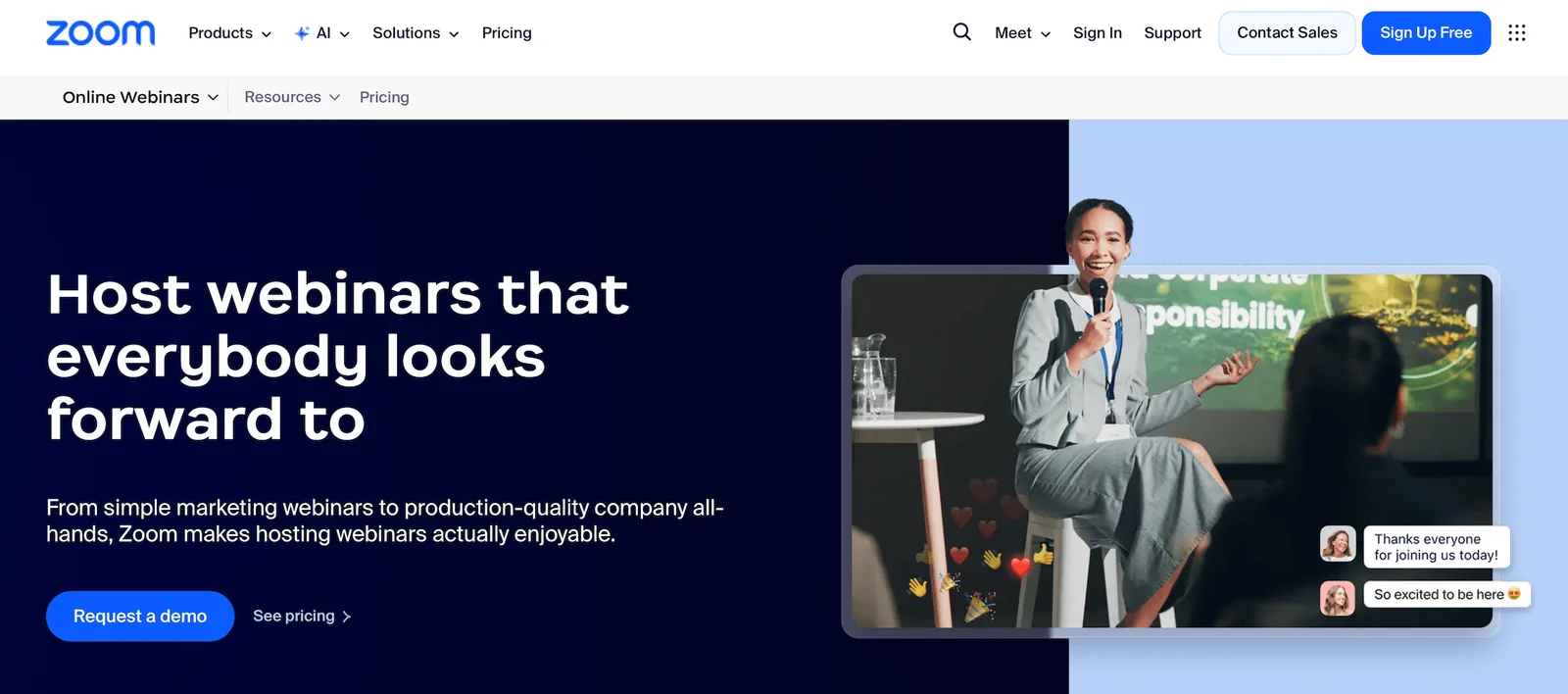
Now, Zoom is a name that we’re sure everybody has heard before. They’re popular for small businesses because many teams already use Zoom for online meetings. It’s a familiar, easy-to-use platform — so adding their webinar solution, Zoom Webinars, to your existing package feels like a natural solution.
Zoom is mostly popular for teams hosting live webinars, but it also offers Simulive — its automated webinar solution — that lets teams pre-record content and schedule it to broadcast on specific days or times. These are a little different from truly automated webinars, though, because hosts still need to be available to sit in so they can trigger interactions and chat with attendees.
Zoom Webinars offers a couple of engagement tools for both live and Simulive sessions — chat, Q&A, polls, hand raising, and reactions. It also offers breakout rooms and screensharing for live sessions.
While Zoom feels like a straightforward, familiar solution, there are (a lot of) downsides here.
- Zoom doesn’t really let teams automate webinars to scale their strategies. Even if you run automated webinars on Zoom, you still need a host to sit in and engage with attendees, or attendees are just passively watching a recording.
- Zoom’s engagement tools are pretty weak. The emphasis here is on live experiences where hosts can chat directly with attendees and engage with them that way. There aren’t many ways to pre-program interactivity.
- Zoom is one of the most expensive solutions on this list. Packages can cost thousands of dollars, and even then, they only support up to 5k seats. Teams that need to host larger audiences require a custom plan, and those come with even higher ticket prices.
Find more Zoom Webinar reviews here.
Features
- Live webinars and Simulive (pre-recorded content broadcast at scheduled times with live host participation)
- Multi-presenter support with video and screen sharing
- Recording and replay capabilities
- Custom branding for registration pages and emails
- Engagement tools — chat, Q&A, polls, hand raising, reactions
- Breakout rooms for smaller group discussions
- Scheduled webinars with calendar integrations
- Automated email reminders for registrants
- Analytics dashboard tracking registrations, attendance, and poll engagement
- Integrations with CRM and marketing platforms via Zapier
- Security features — waiting rooms, passcodes, encryption
- Mobile apps for iOS and Android
- Multi-language support and closed captioning
Pricing
Zoom offers three packages: Webinars, Webinars Plus, and Events. You need the Webinars Plus plan to access Simulive sessions.
- The Zoom Webinars plan is $89 to $2,490 per month and supports up to 5,000 attendees. You can choose between a monthly and an annual subscription here.
- The Zoom Webinars Plus plan starts at $99/month for 100 attendees. To accommodate more viewers, you have to opt for an annual plan. These range from $82.50 to $1665.83 per month and support 100 to 3,000 attendees. They also provide options to pay per attendee.
- The Zoom Events plan starts at $149/month for 100 attendees. As with Webinars Plus above, you just choose an annual plan to unlock more seats. Annual plans range from $124.17 to $2,207.50 and support 100 to 3,000 attendees. They also offer a pay-per-attendee option here.
Read more: Zoom Alternatives for Engaging, Interactive Automated Webinars
10. WebinarJam
Last on our list is WebinarJam — we include them because they’re a long-standing industry name that small businesses are likely to come across when comparing webinar platforms, but they’re far from a top recommendation because the platform supports some sketchy, disingenuous practices.
WebinarJam is designed for sales teams, course creators, coaches, and solopreneurs running online selling events — both live and automated. It offers standard engagement tools like chat, polls, and Q&A, but the real focus is on driving immediate conversions through offers, countdown timers, and social proof features that show how many people are attending and purchasing. The whole vibe is infomercial-style urgency: buy now before seats run out or the special offer expires.
The problem here is that WebinarJam shows fake engagement throughout webinar experiences. They show bloated attendee counts, fake chats or likes, and fake purchases to create the illusion that other interested buyers are attending. This can light a fire for other attendees to “Act now!” before it’s too late.
The other fake-out here is that automated webinars display as LIVE, so attendees always think they’re attending a real-time sales event.
All of this is really dishonest, and it’s not the way to get customers (or retain loyal ones). And most of the time, attendees catch on to this scam. They get the idea that something isn’t right and leave the webinar, with total distrust in your team. At that point, you kill webinar attendance and engagement rates, and lose those potential customers for good. This is especially harmful to small businesses trying to build and keep a customer base.
Check out more WebinarJam reviews here.
Features
- Live webinar hosting for up to 5,000 attendees
- Multi-presenter support with up to six people on camera
- Screen sharing and presentation tools
- Streaming to YouTube and Facebook simultaneously
- Engagement tools — chat, polls, Q&A, offers, countdown timers
- One-click purchase buttons with PayPal and Stripe integration
- Live purchase notifications to create social proof
- Automated email reminders for registrants
- Recording and replay capabilities
- Basic analytics tracking attendance and engagement
- Integrations via Zapier for CRM and email marketing platforms
- Mobile-friendly attendee experience
- Whiteboard and annotation tools
Pricing
WebinarJam has four plans: Starter, Basic, Professional, and Enterprise.
- The Starter plan ($49/month) supports one host and 100 attendees.
- The Basic plan ($99/month) supports two hosts and 500 attendees.
- The Professional plan ($299/month) supports four hosts and 2,000 attendees.
- The Enterprise plan ($499/month) supports six hosts and 5,000 attendees.
Getting started with eWebinar
eWebinar is an all-in-one automated webinar solution with the tools you need to design attention-grabbing webinars, run them around the clock, and scale your reach without adding headcount. Whether you're onboarding customers, training employees, generating leads, or selling courses, eWebinar frees your team from repetitive hosting and lets you repurpose one webinar recording into hundreds of sessions — so you can focus on growing your business.
Explore our webinar tools with a 14-day free trial, or join our demo below for a closer look.