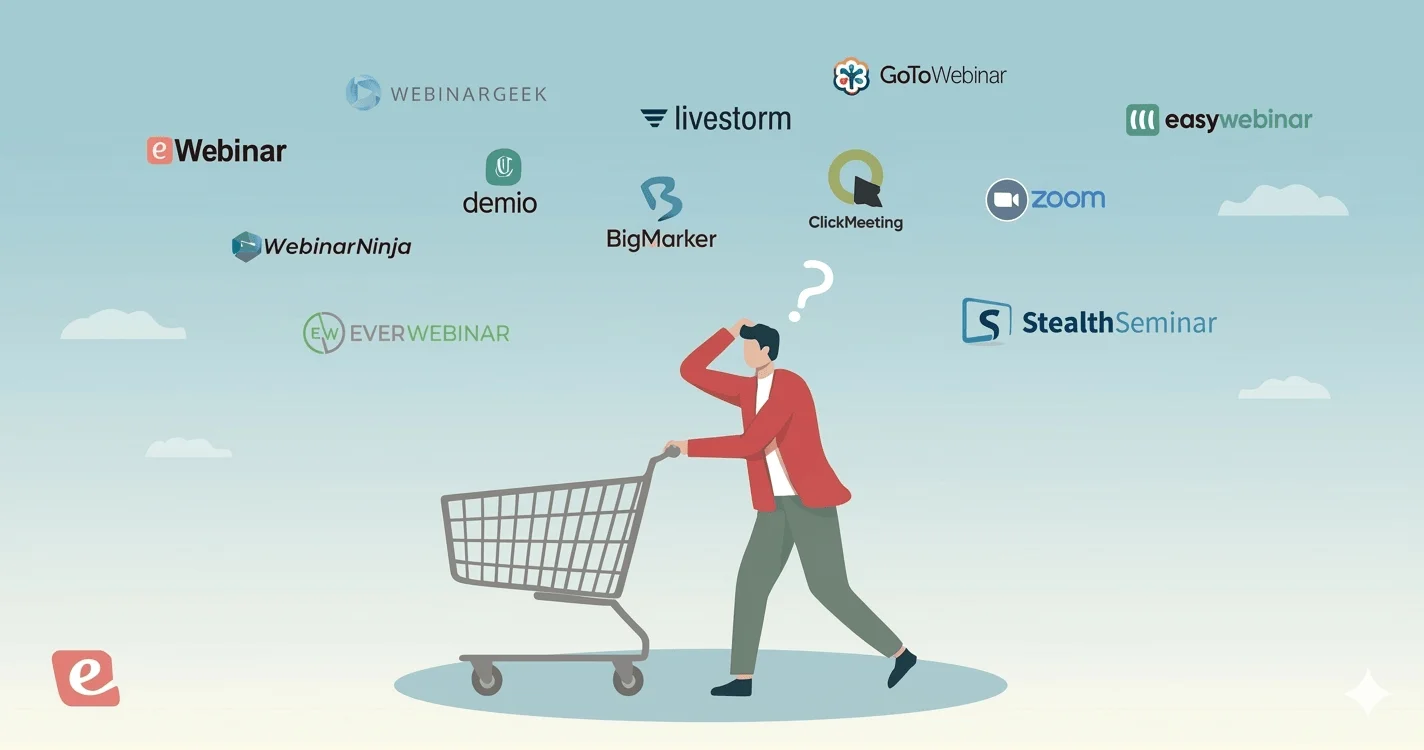
Quick Summary
Eight webinar platforms evaluated for educators in 2026, covering live classes, on-demand lessons, and structured multi-session courses. The right choice depends on how you deliver your curriculum and whether your students need a fixed schedule or flexible access.
Our top three picks at a glance:
# | Platform | Best For |
1 | eWebinar | Automated onboarding and product training |
2 | WebinarGeek | GDPR-compliant marketing broadcasts |
3 | BigMarker | White-labeled marketing event experiences |
Three Questions Worth Answering First
There are three key considerations for educators when comparing webinar software systems:
- How you plan to run your classes. Will you host every class live, or prepare recordings you can reuse from session to session, semester to semester? Are you only delivering material once, or do you need to offer content on a recurring schedule or on demand? Are you looking to combine multiple webinars into a structured course?
- Interactivity during classes. How should students engage with the material? What tools do you need for chat, Q&A, polls, or more personalized 1:1 guidance?
- Where students are located. Are all students on the same campus or in the same region, or are they spread across the country or even the globe?
Only once you understand these factors can you effectively compare webinar platforms and identify the right fit for your teaching model.
To help simplify the process, we've compiled a list of top-rated webinar platforms that tend to work particularly well for educators, including both live and on-demand options.
Teaching the same material on repeat rewards the right tooling. See our picks for software built for interactive training.
Why Listen to Us
We built eWebinar for teams delivering the same session repeatedly to different audiences, and that describes most educators perfectly. Over six years working with instructors, course creators, and training teams, we’ve developed a clear picture of where webinar platforms succeed in learning environments and where they fail students.
We also run our own onboarding through eWebinar, so we understand firsthand what it means to deliver a consistent, engaging session without showing up live every time.
Here is what a customer has experienced:
Top 8 Webinar Platforms for Education: Full Comparison Table
# | Tool | Best For | Format Focus | Async Chat | Capterra Rating | Starting Price |
1 | eWebinar | Automated onboarding and product training | Automated | Yes | ⭐ 4.9 | From $99/mo |
2 | EdinsonOS | All-in-one course management | Hybrid | No | ⭐N/A | From $999/90 days |
3 | WebinarGeek | GDPR-compliant marketing broadcasts | Live/Hybrid | Yes | ⭐ 4.6 | From €81/mo |
4 | LiveWebinar | Fully embeddable browser rooms | Live/Hybrid | Yes | ⭐ 4.7 | From $32/mo |
5 | EasyWebinar | Converting live events to evergreen funnels | Hybrid | Yes | ⭐ 4.4 | From $59/mo |
6 | Demio | Frictionless B2B lead generation | Hybrid | Yes | ⭐ 4.7 | From $63/mo |
7 | BigMarker | White-labeled marketing event experiences | Hybrid | Yes | ⭐ 4.8 | Custom |
8 | Zoom Webinar | Familiar, large-scale enterprise broadcasts | Live | No | ⭐4.7 | From $500/mo |
Demio Alternatives for On-Demand Webinars
1. eWebinar
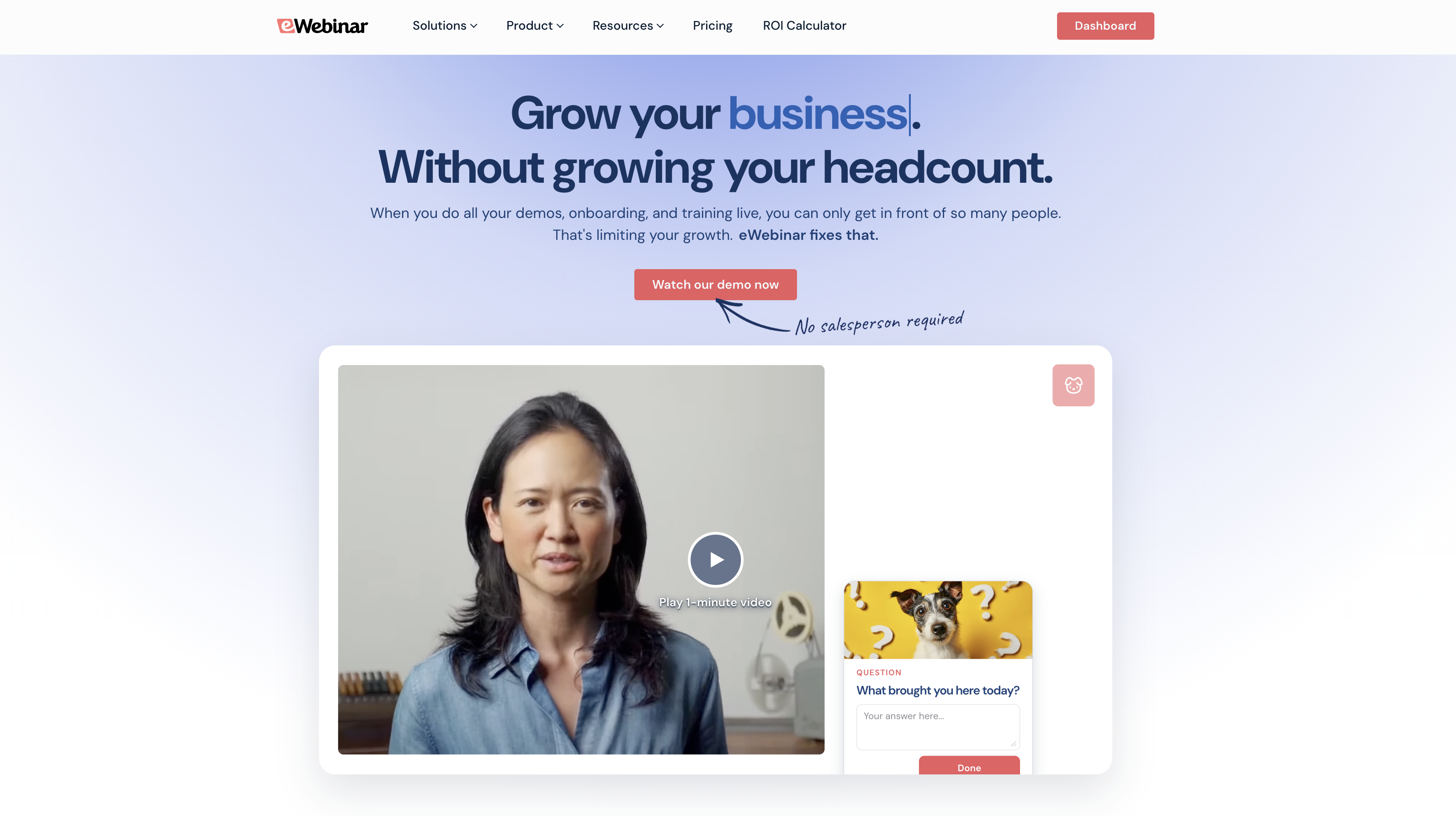
Best for: Automated onboarding and product training
eWebinar is an on-demand video platform with chat, built for educators who teach the same curriculum on repeat.
Live sessions can only reach the students who happen to be free at the scheduled time, and the only way to reach more is to run more. At some point, you simply run out of hours in the day to keep delivering the same content to every new student who needs it. That’s the point where most educators start looking for a way off live.
eWebinar fixes this by letting you record your lesson once and make it available around the clock, on your students’ schedule, with the same interactions and chat that make a live class worth attending.
Our average on-demand attendance rate is 83%, compared to the live webinar average of 40%. For educators working with students across time zones or with unpredictable schedules, that difference is the gap between a lesson that reaches everyone and one that only reaches those who can make the scheduled time.
Chat works throughout every session. Students message directly from the webinar, and instructors respond when available. If they are not available, the reply goes to the student’s email. No question goes unanswered regardless of when the session runs.
Key Features:
- Webinar Series for structured multi-session courses with progress tracking and completion certificates
- 25+ pre-programmed interactions, including polls, quizzes, Q&As, tips, and handouts
- Async chat that works during and after sessions with Slack and email notifications
- On-demand, just-in-time, recurring, and instant replay scheduling run simultaneously
- AI-generated registration pages and interaction suggestions
- Per-student analytics and heatmaps showing drop-off points and engagement depth
- Time zone adjustments so sessions display at each student's local time
Pros:
- 83% average on-demand attendance vs the live webinar average of 40%
- Webinar Series is the only structured multi-session course feature on this list
- Async chat means students can reach instructors at any time without requiring live presence
- 25+ interaction types keep students engaged throughout self-paced sessions
Cons:
- Not built for live classes where real-time audience participation is the primary goal
- $99/month entry point is higher than some platforms on this list
Capterra Rating
⭐ 4.9
eWebinar packages + pricing
We offer a 14-day free trial so you can give our platform a test run before committing. After the trial ends, you can opt into one of our packages.
Our plans are based on the number of webinars you run and the number of attendee seats:
- Level 1 ($99/month) supports one active webinar and 3k registrants per month
- Level 2 ($199/month) supports five active webinars and 6k registrants per month
- Level 3 ($299/month) supports 15 active webinars and 12k registrants per month
You can also build upon packages to accommodate larger classrooms and you can add increments of 1k attendees for $49/month.
See how eWebinar works by joining our on-demand demo here.
2. EdisonOS
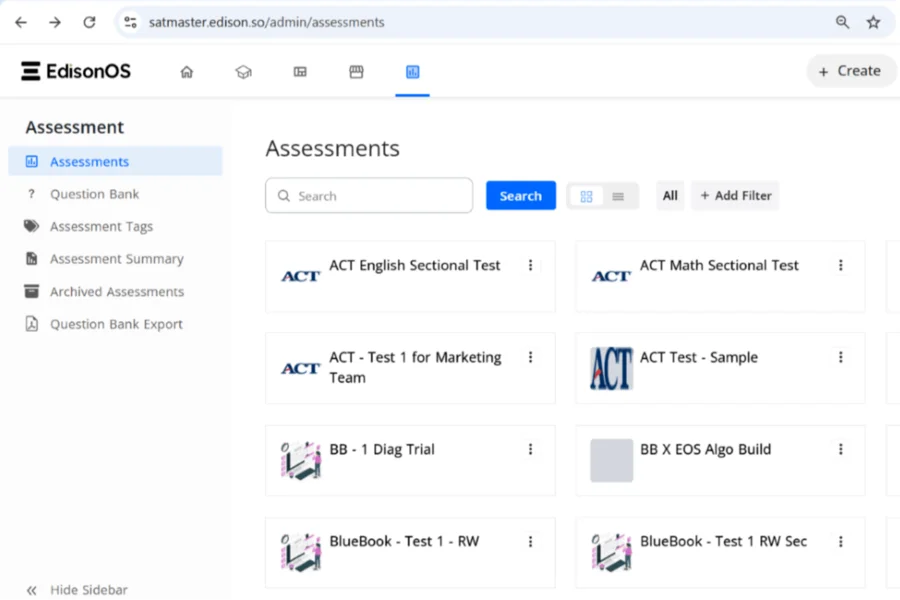
Best for: All-in-one course management with robust interactive assessment tools.
EdisonOS is not a specific webinar software; instead, it’s an all-in-one learning management system with a variety of tools to offer interactive, engaging experiences. It lets educators host both live and on-demand classes, create realistic mock tests and assessments, and manage course content from a single platform.
EdisonOS does not yet have online reviews, but you can read more about it on Capterra.
Notable features for educators:
- Live class hosting via Zoom integration
- Interactive whiteboards for live sessions
- Pre-recorded video content with interactive elements
- Over 50 interactivity tools options, including flashcards, quizzes, games, matching exercises, multimedia presentations
- Mock test and assessment builder with 5100+ premade test questions
- Discussion forums for student-instructor engagement
- Custom learning paths & course management tools
- e-Commerce capabilities for selling courses and coaching services
- Email marketing tools
- Custom branding options such as white labeling, custom domains, website builder
- API and WebHooks for custom integrations
- Analytics dashboards to track student progress & performance
- Mobile apps for iOS & Android
Pros:
- Over fifty built-in interaction tools
- Massive library of pre-made questions
- Comprehensive student progress tracking dashboards
Cons:
- Requires Zoom for live classes
- No independent online user reviews
- Not dedicated standalone webinar software
Capterra Rating
⭐ 4.3
Pricing
EdisonOS offers three plans and custom enterprise packages.
- The Starter plan ($999 every 90 days + $549 one-time setup fee) supports 2 admins, grants access to 5,100+ pre-made test questions, and includes 100 test attempts. You also pay $9.99 per test in this plan.
- The Growth plan ($2,499 every 180 days + $549 one-time setup fee) supports 3 admins, grants access to 5,100+ pre-made test questions, and includes 360 test attempts. In this plan, you pay $6.95 per test.
- The Scale plan ($4,999 per year + $549 one-time setup fee) supports 5 admins, grants access to 5,100+ pre-made test questions, and includes 1,000 test attempts. This plan brings the cost per test to $4.99.
Enterprise plans support unlimited admins, custom reports, and deep customizations via web development tools, API, and WebHooks. These plans also include a dedicated account manager to assist with onboarding and support your success on the platform. You must contact EdisonOS for a custom quote if interested in this plan.
3. WebinarGeek
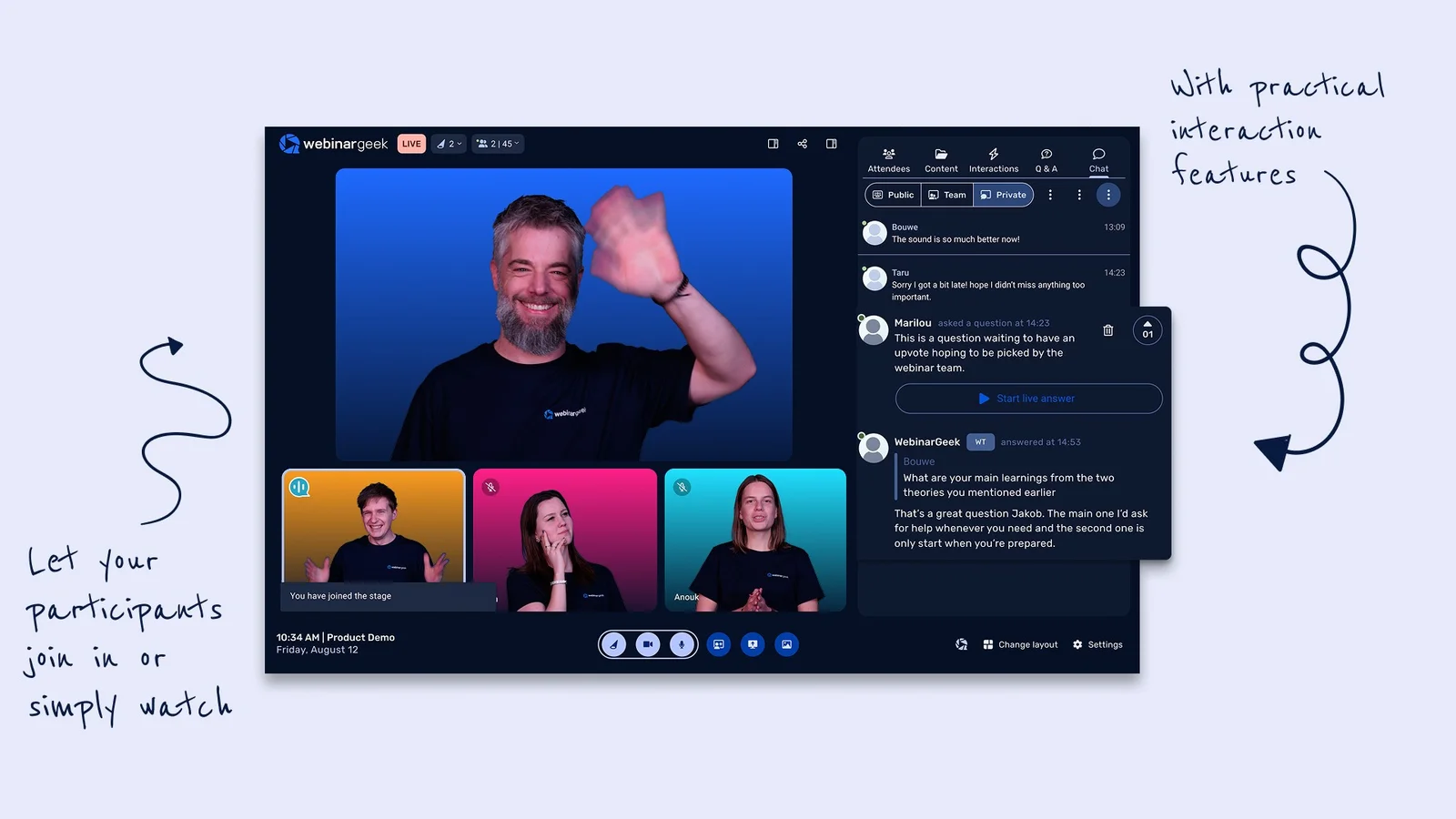
Best for: GDPR-compliant marketing broadcasts
WebinarGeek is a popular webinar platform that emphasizes ease of use and quick setup. The platform is particularly popular with educators because it doesn't require any downloads for students or instructors, as everything runs in the browser.
Notable features for educators:
- Notable features for educators
- Live, automated, on-demand, and hybrid webinar hosting
- HD video streaming (browser-based, no downloads needed)
- Automated replays and session recordings
- Engagement features, including chat, Q&A, polls, quizzes, CTAs
- Scheduling options and time zone adjustments
- Automated and customizable email reminders
- Analytics dashboards
- Custom branding tools and webinar channels (custom pages listing upcoming and on-demand webinars)
- Extensive customization options such as real-time page editor, custom domains, and custom CSS
- Integrations with 6k+ outside tools, including CRM, marketing, and workflow apps
- GDPR-compliant data processing and attendee privacy
- Mobile-friendly experience
Pros:
- Fully browser-based for students and instructors
- GDPR-compliant for EU-based institutions
- 6,000+ integrations, including LMS platforms
Cons:
- Chat only works during sessions, not after
- No structured multi-session course feature
- Automated features require the Premium plan
Capterra Rating
⭐ 4.6
Pricing
WebinarGeek offers three plans based on features and attendee capacity:
- The Basic plan ($81/month) supports live and on-demand webinars and 50 viewers. The recommended
- Premium plan ($116 to $469 per month) includes everything in the Basic plan, plus automated webinars, interactions, and custom branding.
- The Enterprise plan unlocks full feature access and supports up to 5k attendees. Plans start at $410/month and require custom quotes as you upgrade.
4. LiveWebinar
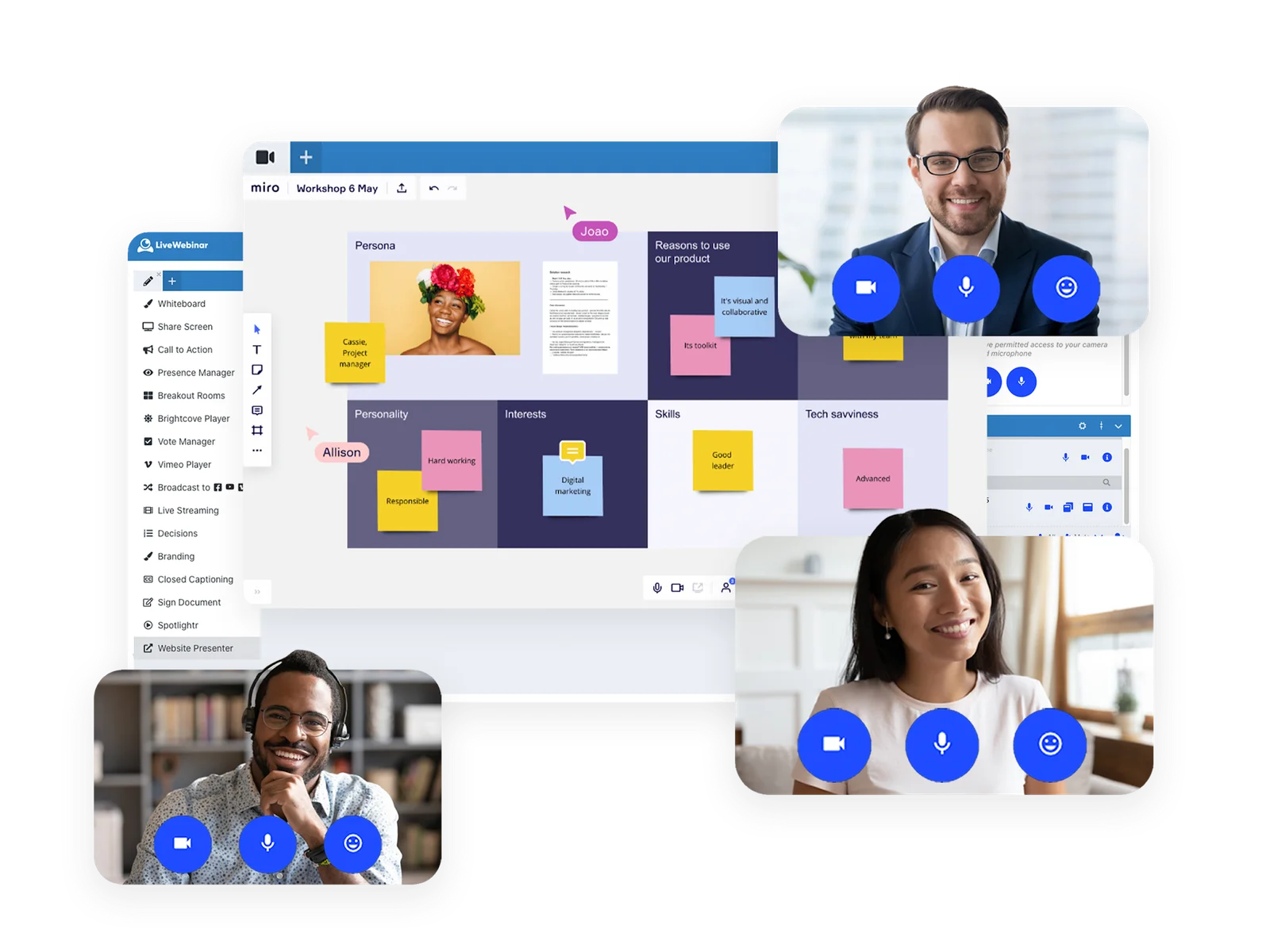
Best for: Fully embeddable browser rooms
LiveWebinar's platform supports live, automated, on-demand, and hybrid webinars, and it's designed to handle everything from small-group sessions to large-scale lectures with up to 1,000 attendees, depending on your plan.
Notable features for educators:
- Live, automated, on-demand, and hybrid webinar hosting
- Multi-presenter support with video and screen sharing
- Engagement tools, including live chat, Q&A, polls, surveys, voting, CTAs, file sharing, interactive whiteboards, hand raising, emoji reactions
- Breakout rooms for smaller group discussions
- Scheduling options for one-time, recurring, and on-demand webinars
- Time zone adjustments
- Automated email reminders and follow-ups
- Custom branding, including logos, room colors, registration pages, and email designs
- Analytics dashboards with detailed reports on attendance, engagement, devices used, locations, and session timing
- Security features such as password protection, waiting rooms, role-based access controls
- API access for custom integrations
- Multi-language support
- Browser-based access (no downloads required for attendees)
- Mobile apps for iOS and Android
Pros:
- Multiple classroom modes, including 1:1 for private student discussions
- Breakout rooms built in for group activities
- Completion certificates without a separate LMS
Cons:
- Complex pricing tiers across attendee capacities
- No structured multi-session course feature
- No async chat after sessions end
Capterra Rating
⭐ 4.7
Pricing
LiveWebinar offers a free trial to explore the platform before upgrading to a paid plan.
Paid packages include:
- The Basic plan with limited feature access. This plan costs between $32 and $335 per month and supports 25 to 1,000 attendees.
- The Plus plan with more advanced tools, like recurring webinars, webinar landing pages, text message invitations, and more collaboration features. This plan costs between $42 and $483 per month and supports 25 to 1,000 attendees.
- The Premium plan with full feature access. This plan costs between $62 and $589 per month and supports 25 to 1,000 attendees.
LiveWebinar also offers custom enterprise plans.
5. EasyWebinar
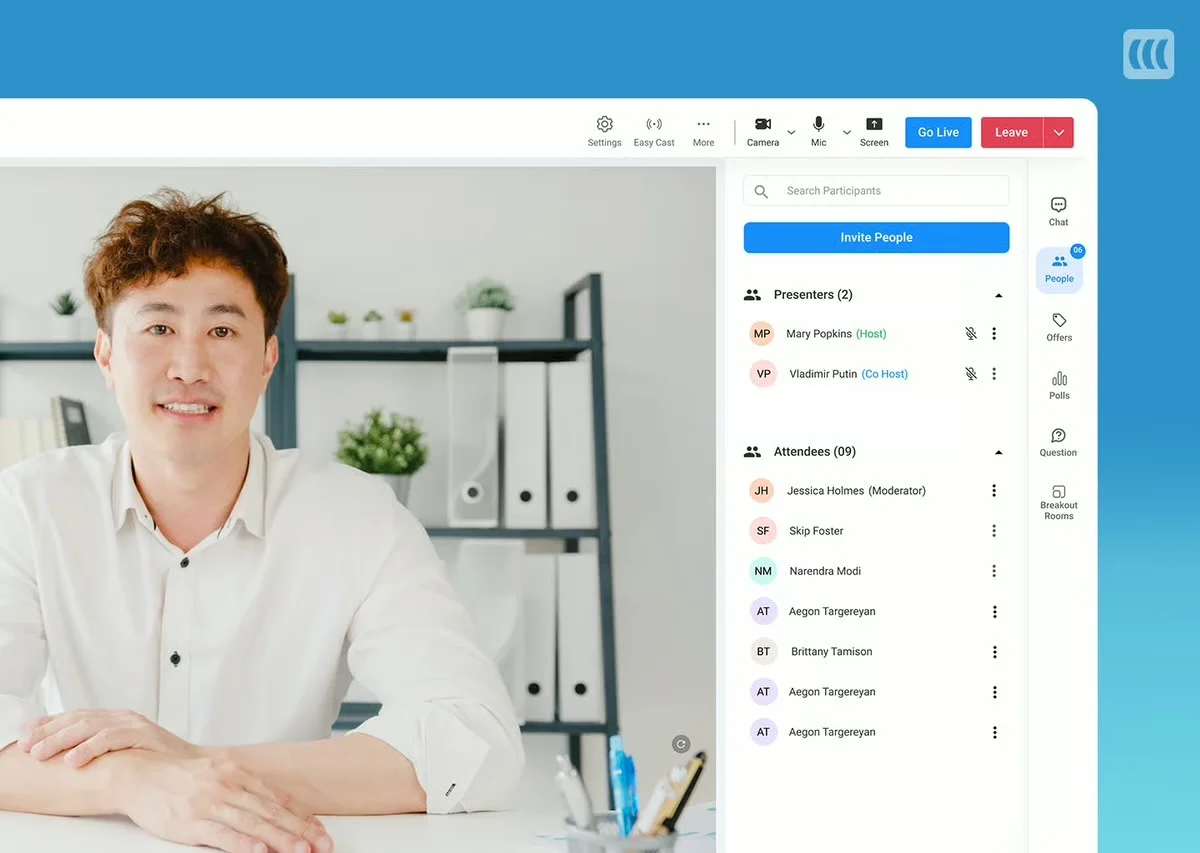
Best for: Converting live events to evergreen funnels
EasyWebinar is a webinar platform designed for users who want to run both live and automated webinars. It's particularly popular with course creators, coaches, and businesses focused on delivering training sessions, but it also works well for educators who need a flexible solution for online classes.
Notable features for educators:
- Live, automated, and on-demand webinar hosting
- Automatic replays and session recordings
- Engagement tools, including public and private chat, emoji reactions, Q&A, polls, special offers, clickable links, CTAs, monetization tools like "Buy Now" buttons, and attendee participation with mic and camera controls
- Breakout rooms for smaller group discussions within webinars
- Contact box for automated webinars, allowing attendees to leave messages
- Scheduling tools, including one-time, recurring, just-in-time, or on-demand webinars, plus automatic time zone adjustment
- Branding customization options
- Scheduled email reminders and customizable follow-up sequences
- Comprehensive analytics dashboards
- Integrations with LMS, CRM, marketing software, and more
- Mobile-friendly attendee experience
Pros:
- Live and automated under one roof
- EasyCast streams to YouTube and Facebook simultaneously
- One-click conversion of live sessions to automated
Cons:
- No live chat during automated sessions
- Manual timestamp entry for interactions
- Automated features are locked behind a separate plan
Capterra Rating
⭐ 4.4
Pricing
EasyWebinar offers four plans. Pricing varies by feature, number of supported webinars, and attendee capacities.
- The Automated Webinars plan supports 200 to 10k attendees and costs between $59 and $399 per month.
- The Automated + Live plan supports between 50 and 2k live webinars and 200 to 10k automated webinars. It starts at $79 per month, and EasyWebinar provides custom quotes as you move into upgraded plans.
- The Enterprise plan supports up to 500k attendees and includes advanced security features (such as SSO and GDPR compliance tools), full white-labeling, and support for large-scale global events. EasyWebinar provides custom quotes in this plan.
The Live Webinar plan costs between $39 and $299 per month.
Read more: Best EasyWebinar Alternatives
6. Demio
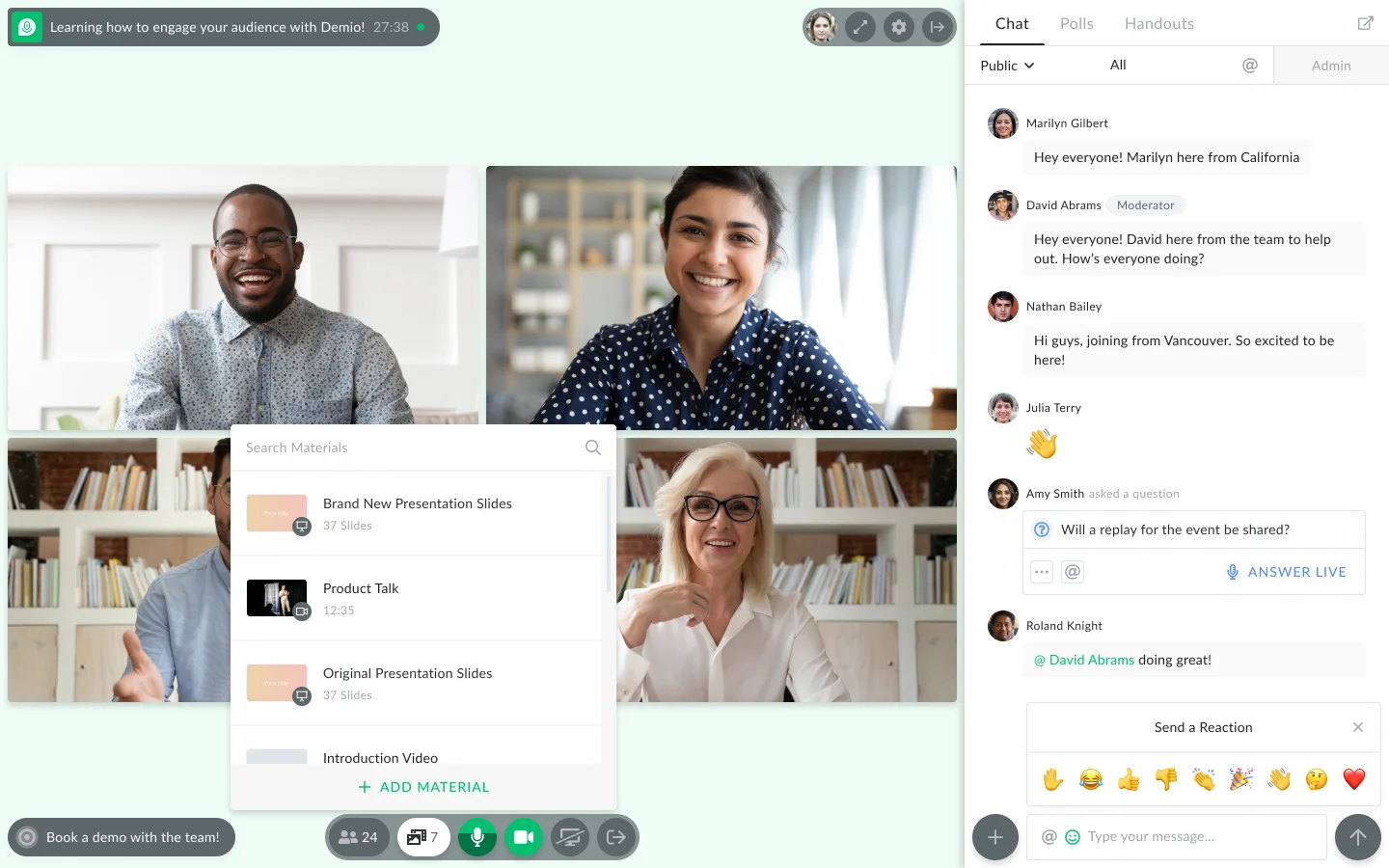
Best for: Frictionless B2B lead generation
Demio is a simple, straightforward webinar software that supports both live and automated webinars. They typically advertise their solution to marketers, but many educators also like Demio for its flexibility and ease of use.
Notable features for educators:
- Live, automated, and on-demand webinars
- Replays and recordings
- Interactions, including chat (public/private), Q&A, polls, offers, links, CTAs, and attendee participation (where they can use mics and cameras to interact with webinar moderators)
- Scheduling tools (single or recurring events, time zone adjustments)
- Customization options and branding tools
- Automated email reminders
- Analytics dashboards
- Integrations with marketing and CRM software
- Mobile apps (for iOS and Android)
Pros:
- Clean interface with a fast setup process
- Strong CRM integrations, including HubSpot
- Good engagement tools for live sessions
Cons:
- No chat available for on-demand sessions
- No structured multi-session course feature
- Limited automated features compared to dedicated platforms
Capterra Rating
⭐ 4.7
Pricing
Demio offers a 14-day free trial and three packages (differentiated mainly by attendee room capacities):
- The Starter plan ($63/month) supports a single host and 50 attendees. This plan is recommended for small businesses and solo entrepreneurs.
- The Growth plan supports multiple hosts and up to 3k attendees. Packages range from $117 to $855 per host per month. This is the most popular package.
- The Premium plan also supports multiple hosts and up to 3k attendees, and comes with dedicated account support. Demio doesn’t reveal all pricing info here, but we can see this plan starts at $196 per host per month.
Read more: Best Demio Alternatives
Bonus: EasyWebinar vs Demio vs eWebinar: Detailed Comparison Guide
7. BigMarker
Best for: White-labeled marketing event experiences
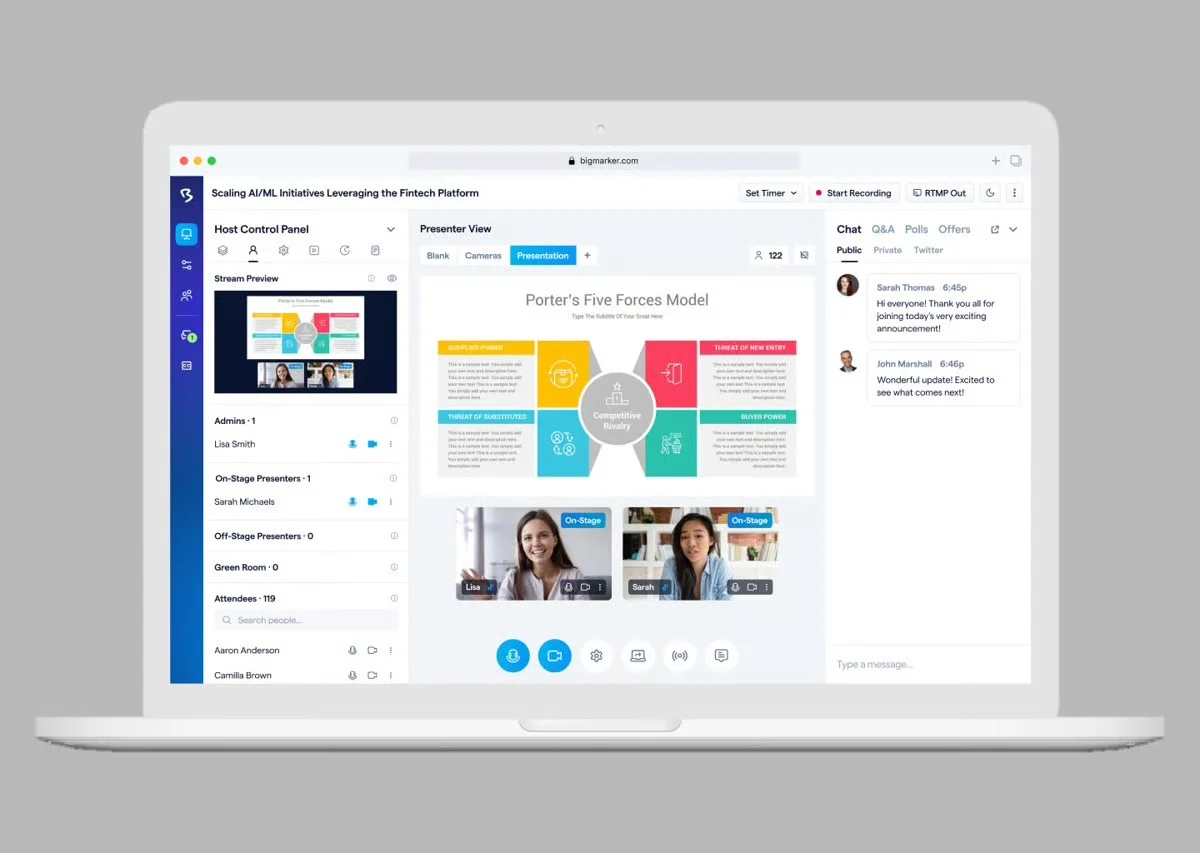
BigMarker stands out from other webinar platforms because it's designed as an end-to-end solution for running webinars and building an ongoing content library. So instead of just hosting one-off webinars, BigMarker lets you create a channel to store all your webinars and make content available on demand.
Notable features for educators:
- Live, automated, on-demand, and hybrid webinar hosting
- Multi-presenter support with video and screen sharing
- Engagement tools, including chat, polls, Q&A, offers, handouts, surveys, and file sharing
- Breakout rooms and roundtables
- Scheduling for one-time, recurring, just-in-time, on-demand
- Custom branding such as registration pages, email templates, event room customization, and virtual backgrounds
- Automated email sequences for registration confirmations, reminders, and follow-ups
- Analytics dashboards with detailed reporting on attendance, engagement, and conversion funnels
- Integrations with CRM, marketing, automation tools, Zapier, and API access
- Security features, including SOC 2 Type 2 certification, TLS encryption, GDPR-compliance, role-based permissions
- Multi-language support
Pros:
- Content library channel for a permanent curriculum hub
- Enterprise security, including SOC 2 Type 2
- Handles university-scale audiences and events
Cons:
- No publicly listed pricing
- On-demand is a gated recording with no interactions
- Better suited for live events than structured on-demand learning
Capterra Rating
⭐ 4.8
Pricing
BigMarker offers a variety of plans and packages under the Webcast, Event Packages, and Media Hub umbrellas. All pricing requires a custom quote.
Read more: Best BigMarker Alternatives
8. Zoom Webinars
Best for: Familiar, large-scale enterprise broadcasts
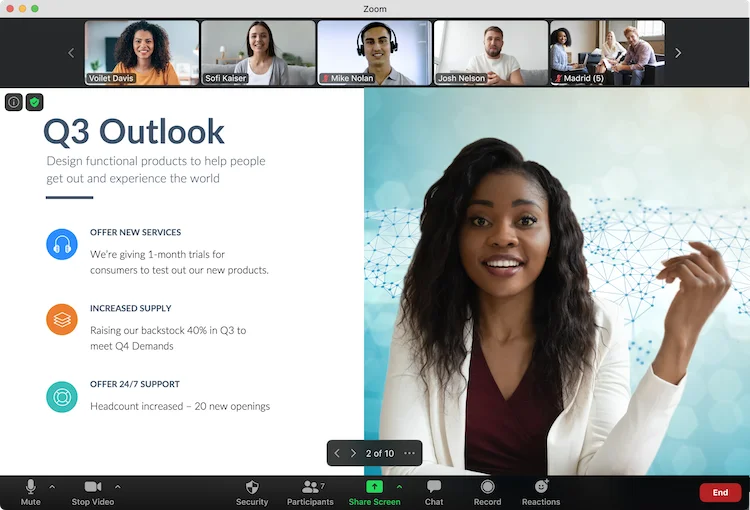
The last name on our list, Zoom Webinars, is a name most already know. Zoom offers one of the most popular video conferencing tools around, but has also expanded its offerings to include webinar software. The main appeal of Zoom Webinars for educators is familiarity, as many students and instructors are already using Zoom Meetings for classes or office hours.
Notable features for educators:
- Live webinars and Simulive (pre-recorded content broadcast at scheduled times with live host participation)
- Multi-presenter support with video and screen sharing
- Recording and replay capabilities
- Engagement tools, including chat, Q&A, polls, hand raising, reactions
- Breakout rooms for smaller group discussions
- Custom branding for registration pages and emails
- Automated email reminders for registrants
- Analytics dashboard tracking registrations, attendance, and poll engagement
- Integrations with CRM and marketing platforms via Zapier
- Security features such as waiting rooms, passcodes, encryption
- Mobile apps for iOS and Android
- Multi-language support and closed captioning
Pros:
- Familiar to educators and students already using Zoom
- Simulive allows pre-recorded lectures at scheduled times
- Strong security with waiting rooms and encryption
Cons:
- Simulive requires the Webinars Plus plan
- Webinar features cost extra on top of Zoom subscription
- No async chat for on-demand sessions
Capterra Rating
⭐ 4.7
Pricing
Zoom offers three packages: Webinars, Webinars Plus, and Events. You need to opt for Webinars Plus for access to Simulive sessions.
- The Zoom Webinars plan ranges from $89 to $2,490 per month and supports up to 5,000 attendees. You can choose between a monthly and an annual subscription here.
- The Zoom Webinars Plus plan starts at $99/month for 100 attendees. To accommodate more viewers, you have to opt for an annual plan. These range from $82.50 to $1,665.83 per month and support 100 to 3,000 attendees. They also provide options to pay per attendee.
- The Zoom Events plan starts at $149/month for 100 attendees. As with Webinars Plus above, you just choose an annual plan to unlock more seats. Annual plans range from $124.17 to $2,207.50 and support 100 to 3,000 attendees. They also offer a pay-per-attendee option here.
Read more: Zoom Alternatives for Engaging, Interactive Automated Webinars
How We Evaluated the Best Webinar Platforms for Education
Most platforms are built for marketing, not education. We evaluated alternatives based on criteria that directly impact student learning, engagement, and retention:
On-demand flexibility: Whether lessons can be accessed on any schedule without the instructor's live presence, ensuring equal access for students across different time zones.
Student interaction quality: Whether students can use asynchronous chat to ask questions and get support long after a live window closes, preventing on-demand viewers from being stuck or dropping off.
Course structure support: Whether the platform supports the multi-session tracks, content sequencing, progress tracking, and completion certificates required for complex subjects.
Accessibility: Whether students can join instantly from any device without software downloads or mandatory logins, removing technical friction that drives drop-offs.
How to Choose the Right Webinar Platform for Education
Start with how you deliver your curriculum.
- Recurring and On-Demand: If you teach the same lessons repeatedly and want to find a way to scale so you can stop hosting live, eWebinar is the only platform with async chat, a built-in Webinar Series, and flexible on-demand scheduling. For assessment-heavy programs needing a deep question library, EdisonOS combines both in one platform.
- Live and Hybrid Classes: For browser-based delivery without downloads, WebinarGeek handles live and on-demand cleanly and is GDPR-compliant for EU institutions. If you need 1:1 classroom modes and built-in breakout rooms, LiveWebinar is the stronger choice. EasyWebinar suits educators running live and automated formats together.
- Large-Scale and Familiar Platforms: For university-scale events and a permanent content library, BigMarker provides the infrastructure. If students are already in the Zoom ecosystem, Zoom Webinars reduces adoption friction. Demio works for simple, clean live delivery without complexity.
Getting Started in Your Best Webinar Software
Every session you host live is one more hour that could have been spent on the students who actually need your attention. eWebinar lets you record once, reach everyone on their schedule, and stay connected through async chat without being present for every session.
At the end of the day, the right webinar platform for you really depends on your specific requirements: how you plan to run classes, how students need to engage with material, and where your students are located.
But in our experience, we’ve found the reality for most educators is that they’re delivering the same curriculum on repeat, whether they’re teaching the same lessons multiple times a week or every new semester. Which is why automating webinars is often their best course of action.
That's where eWebinar shines. We're the most top-rated automated webinar software (with a glowing 4.9-star rating) because we give educators the flexibility to run webinars on any schedule, the most extensive gallery of interactions to keep students engaged, and a unique asynchronous chat that frees them from having to sit in on every single lesson. This way, instructors can make lessons available to students 24/7 while still providing the 1:1 engagement they need to succeed.
See how eWebinar can save you countless hours when building and delivering your online curriculum by starting a 14-day free trial. You can also watch our demo below for a sneak peek of eWebinar before starting.
FAQs
What is the best webinar platform for online teaching?
The right platform depends on how you deliver your curriculum. For recurring lessons that run without live hosting, eWebinar is the strongest option. For browser-based live and on-demand hybrid delivery, WebinarGeek handles both cleanly. For large university events and content libraries, BigMarker provides the infrastructure.
Can I use a webinar platform instead of an LMS for education?
For simple, standalone lessons, yes. For structured courses with gradebooks, assignments, and compliance tracking, an LMS handles that better. Many educators use both together, an LMS for course management and a webinar platform like eWebinar for the interactive video delivery layer, integrated with an LMS as a module.
How do I keep students engaged in on-demand lessons?
Program interactions directly into the session timeline rather than hoping students stay focused, these are features unique to eWebinar. Polls, quizzes, and prompts that fire automatically at specific moments make passive watching structurally difficult. eWebinar’s Smart Pause feature stops playback until the student completes a required task, ensuring engagement rather than just hoping for it.
What is the difference between a webinar platform and a video hosting platform?
A video hosting platform stores and plays content. A webinar platform delivers it as an experience or event, with registration, scheduling, interactions, and chat built in. For education, the difference matters because a hosted video gives students no way to ask questions or engage with the material beyond hitting play.
Do students mind watching pre-recorded lessons instead of attending live?
Consistently no. What students care about is whether the content is useful and whether their questions get answered. Pre-recorded lessons on eWebinar average 83% attendance compared to 40% for live sessions, because students can watch when it actually fits their schedule rather than when the instructor is available.
Curious to see how eWebinar can help run your demos, onboarding, and training sessions on autopilot?
Watch a one-minute explainer video for a quick overview of the eWebinar platform. Or, better yet, join our on-demand demo to learn more!