See all features









Quick Summary
We reviewed six Canvas LMS alternatives evaluated, covering K-12, higher education, and corporate training use cases. Plus how eWebinar works with your preferred platform to solve the interactive delivery gap that Canvas and every alternative on this list shares.
Our top three picks at a glance:
# | Platform | Best For |
1 | Moodle | Tech-savvy institutions that want open-source control |
2 | D2L Brightspace | Higher education institutions that need advanced learning design |
3 | Schoology | K-12 district-wide deployment |
Looking For The Best Alternatives to Canvas LMS?
If you’re looking for an alternative to Canvas, you’re likely fighting one of a few specific battles. Maybe the pricing has become difficult to justify. Maybe the interface feels dated. Or maybe you've run into limitations when building and managing courses.
Whatever's driving the search, there are plenty of strong alternatives available. We've reviewed the best options to help you find a platform that fits your budget, teaching style, and workflow.
Why Listen to Us
We work closely with organizations that rely heavily on Learning Management Systems, including Canvas. That’s because eWebinar integrates with LMS platforms to solve the critical engagement and delivery layer (more on that in a sec).
As a result, we know exactly where Canvas excels, where it falls short, and how the other options on the market stack up. We are bringing those real-world operational insights directly to this guide.
How eWebinar Works Alongside Canvas LMS or Your Preferred Canvas Alternative
On average, online course completion rates are notoriously low, but that rarely has anything to do with Canvas itself. Instead, it is a byproduct of how traditional LMS platforms deliver content. When training relies entirely on self-paced, flat video files, the experience becomes incredibly isolating.
Without interactive elements or a direct line to help, it is easy for learners to lose momentum during dense or dry sections of a course. When that engagement drops, students often just pause the video with the intention of returning to it later—but once that learning rhythm is broken, returning to finish the module becomes much harder. This natural loss of momentum is why maintaining active learning is a constant challenge within a traditional LMS.
That’s where eWebinar comes in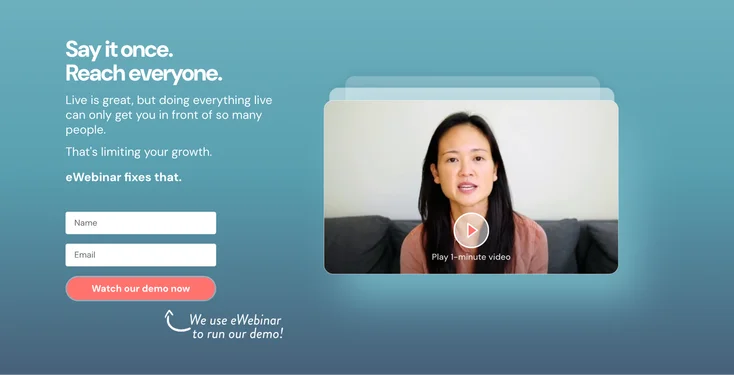
eWebinar is an on-demand video platform with chat that complements your preferred LMS, rather than trying to replace it. It fills the traditional engagement gap by turning standard training videos into interactive experiences. You can layer polls, quizzes, and resources directly into the video timeline to keep learners focused, all while keeping conversations open via chat so students can reach your team on their own schedule.
Depending on your current setup and goals, there are three great ways to use eWebinar:
- Embedded directly within your LMS: You can insert an eWebinar session right into your existing course timeline as an interactive module. Learners log into your LMS as usual, encounter the eWebinar, and interact with the video and chat without ever leaving the platform.
- Running in parallel with your LMS: This allows you to offer two distinct learning paths for different types of learners. Your LMS handles the static, self-paced courses for people who want to work through material entirely on their own, while eWebinar handles the on-demand, interactive sessions for those who prefer a guided experience with a human on the other end of the chat.
- As a standalone solution for smaller teams: If you do not have a traditional LMS— because your training needs are purely video-based and you do not require a heavy, compliance-driven system—you can use eWebinar to run your entire training journey.
Top 6 Canvas LMS Alternatives Video: Full Comparison Table
# | Tool | Best For | Primary Sector | Key Differentiator (vs. Canvas) | Capterra Rating | Starting Price |
1 | Moodle | Tech-savvy institutions that want open-source control | Higher Ed & K-12 | Open-source architecture providing complete data ownership | ⭐ 4.3 | From$130/year (up to 50 users) |
2 | D2L Brightspace | Universities that need advanced learning design tools | Higher Ed & K-12 | Generative AI course-building tools and deeper analytics | ⭐ 4.3 | Custom |
3 | Blackboard Learn | Institutions in need of highly structured academic management | Higher Ed | Extensive administrative controls and deep academic tracking | ⭐ 4.1 | Custom |
4 | Edsby | K-12 districts needing a unified learning ecosystem | K-12 | Built strictly for K-12 with native parent communication and deep SIS integration | ⭐ 4.3 | From $5/user/year |
5 | Schoology | K-12 districts that want strong student engagement | K-12 | Familiar, social media-style interface that engages younger students | ⭐ 4.4 | Custom |
6 | Google Classroom | Schools that need simple assignment management | K-12 | Seamless, free integration with the Google Workspace ecosystem | ⭐ 4.6 | Free for qualifying educational institutions. Paid plans from $6/user/year |
1. Moodle
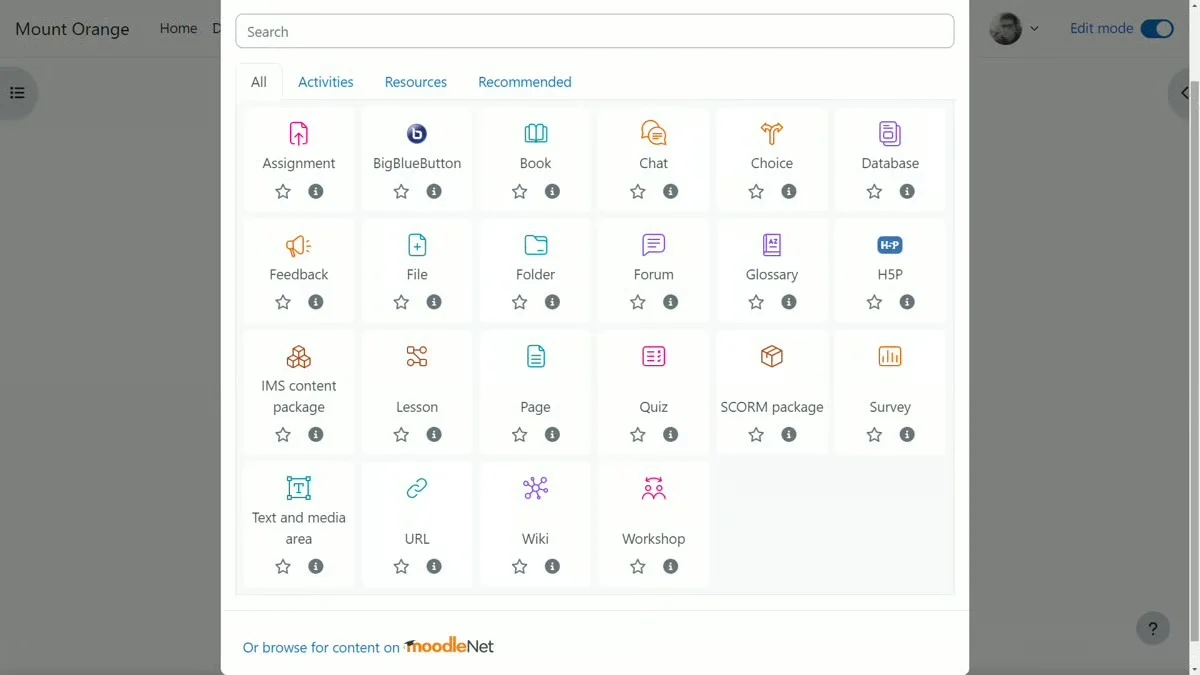
Best for: Organizations wanting full platform control without licensing costs
Moodle is a widely used open-source LMS popular for teams moving away from Canvas due to its deep customization options. While the core software is free, it requires technical resources to host, configure, and maintain. For self-sufficient institutions, complete data ownership is a major advantage.
However, organizations without dedicated IT staff may find that the operational maintenance overhead outweighs the initial software savings.
Key Features:
- Open-source core allows full customization
- Vast community ecosystem provides extensive plugins
- Complete data ownership avoids vendor lock-in
Pros:
- Zero licensing fees lower organizational costs
- Flexible architecture supports complex tool integrations
- Massive plugin library extends platform functionality
Cons:
- Requires technical resources to deploy effectively
- Base interface feels less polished than commercial alternatives
- Plugin quality varies and requires manual vetting
Capterra Rating
⭐ 4.3
Pricing
Free to self-host. MoodleCloud plans start at $130/year for up to 50 users, scaling up to $1,730/year for up to 750 users.
2. D2L Brightspace
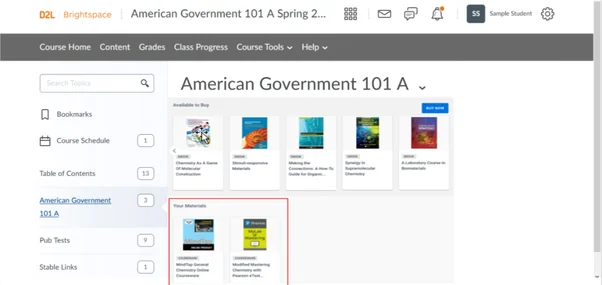
Best for: Higher education institutions needing advanced learning design tools
D2L Brightspace is a direct competitor to Canvas, highly rated for its learning design capabilities, competency tracking, and advanced analytics. Its generative AI tools easily build course structures, quiz questions, and discussion prompts directly from uploaded materials to save faculty time.
However, this robust functionality results in a steeper onboarding learning curve for instructors.
Key Features:
- Advanced analytics track long-term student progress
- Competency-based tools map out accreditation compliance
- Generative AI automates custom quiz building
Pros:
- Robust instructional tools handle complex courses
- Built-in AI reduces content development time
- Deep outcomes alignment simplifies administrative audits
Cons:
- Complicated initial setup slows down deployment
- Platform interface demands significant administrator training
- Canvas data migrations require extensive planning
Capterra Rating
⭐ 4.3
Pricing
Custom pricing only. Contact vendor for a quote, with estimated costs starting around $10/user/month for basic plans.
3. Blackboard Learn
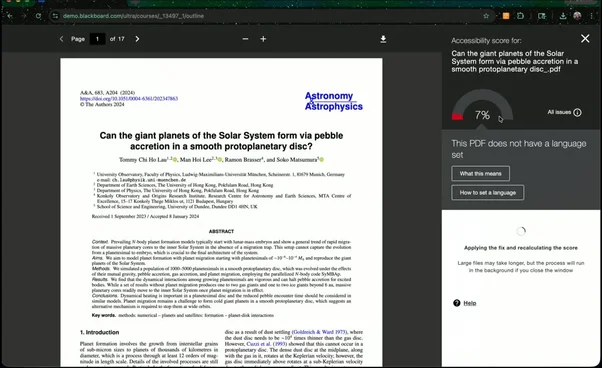
Best for: Enterprise higher education institutions that need AI-powered course design and accessibility tools
Blackboard Learn, now part of Anthology, remains a powerful Canvas alternative for large enterprise higher education institutions. The built-in AI Design Assistant efficiently generates automated course structures and initial assessments.
Furthermore, the robust platform boasts exceptional accessibility tools offering diverse alternative format downloads, alongside superior multi-level threaded discussion forums designed to effortlessly manage massive student enrollments simultaneously.
Key Features:
- AI automates assessments and courses
- Generates alternative reading format downloads
- Threaded discussions organize large forums
Pros:
- AI accelerates course development significantly
- Top accessibility serves diverse learners
- Discussion boards handle massive volumes
Cons:
- Requires more clicks than Canvas
- Mobile apps and grading lag
- Enterprise setups need lengthy implementations
Capterra Rating
⭐ 4.1
Pricing
Custom pricing only. Contact vendor for a quote, with typical ranges starting around $9,500/year depending on institution size.
4. Edsby
Best for: K-12 school districts needing comprehensive ecosystem integration
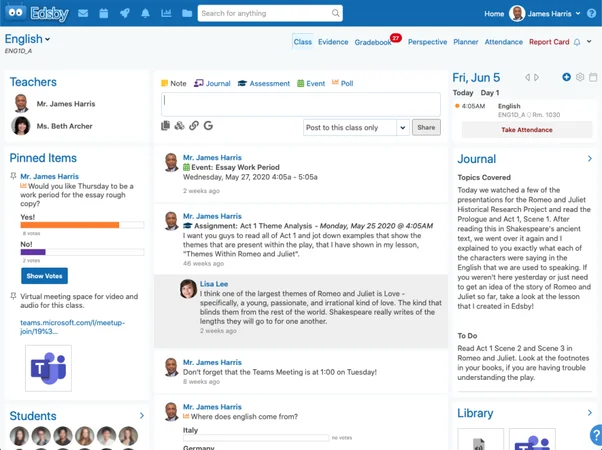
Edsby is a highly effective Canvas alternative designed specifically for K-12 school districts rather than higher education institutions. It seamlessly combines learning management, parent communication, and powerful analytics into one unified ecosystem.
By integrating directly with existing student information systems, Edsby provides district-wide visibility and maintains consistent daily workflows across all grade levels for administrators, teachers, and parents.
Key Features:
- Integration connects student information systems
- Excellent parent and student engagement
- Dashboards manage district workflow processes
Pros:
- Interface design simplifies school operations
- Seamless communication engages parents effectively
- Comprehensive tools track student progress
Cons:
- Limited features complicate larger classes
- Occasional software bugs hinder access
- Initial setup requires steep learning
Capterra Rating
⭐ 4.3
Pricing
Custom pricing based on student count, with an upfront integration fee plus annual costs; starts at $5/user/year.
5. Schoology
Best for: K-12 districts that want a Canvas-like experience with stronger district-level administration
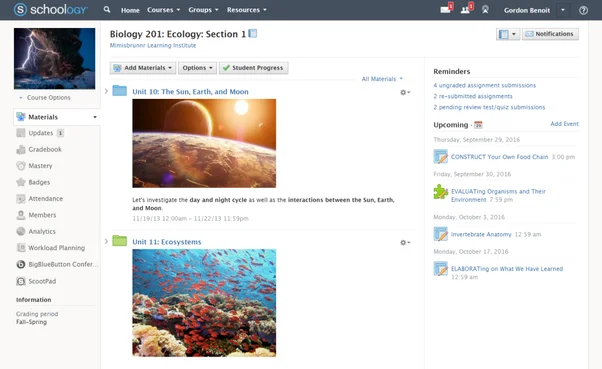
Schoology is a popular Canvas alternative for K-12 districts seeking a familiar interface without disrupting instructor workflows. It excels in district-level administration, offering superior curriculum management, widespread reporting, and seamless student information system integration.
While ideal for administrators managing at scale, its primary focus remains classroom-centric, lacking the deep institutional analytics found in advanced higher education platforms.
Key Features:
- District curriculum management across schools
- Familiar Canvas-style course structures
- Connects student information systems easily
Pros:
- Familiar interface reduces instructor retraining
- Strong district-wide curriculum administration tools
- Connects major student information systems
Cons:
- Pricing is not publicly available
- Reporting relies on software integrations
- Unsuitable for higher education contexts
Capterra Rating
⭐ 4.4
Pricing
Free for individual educators; enterprise pricing is custom and varies by implementation. Contact vendor for a quote.
6. Google Classroom
Best for: K-12 schools already using Google Workspace that need a simple, free alternative
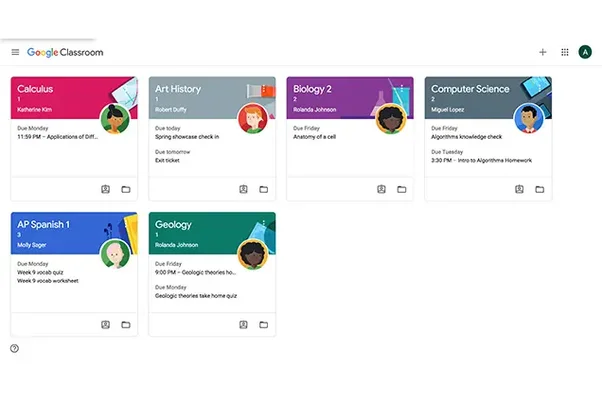
Google Classroom is the most accessible Canvas alternative for K-12 schools heavily invested in the Google ecosystem. It seamlessly integrates Docs, Drive, and Meet into a centralized, cost-free assignment and communication hub.
Its profound simplicity drives rapid adoption, though it lacks the advanced reporting, SCORM support, and curriculum management features required for comprehensive institutional operations.
Key Features:
- Integrates apps into communication hubs
- Simplifies assignment creation and submission
- Enables fast inline grading easily
Pros:
- Free for Google Workspace schools
- Zero learning curve for users
- Fastest deployment among listed platforms
Cons:
- Lacks native SCORM integration support
- Missing advanced curriculum management tools
- Unsuitable for primary corporate training
Capterra Rating
⭐ 4.6
Pricing
Free for qualifying institutions through Education Fundamentals. Paid plans start at $6/user/year for Education Plus.
How We Evaluated
Canvas has a large installed base for a reason. Switching away from it is a real decision with real migration costs. We evaluated each alternative based on the criteria that actually determine whether the switch is worth making.
- Ease of migration: Whether existing Canvas course content can be moved efficiently without significant, manual rebuilding that adds months to the transition.
- Instructor and admin usability: Whether the platform is genuinely easier for teams to manage daily, rather than just looking clean in sales presentations.
- Learner experience: Whether the interface feels modern, intuitive, and accessible to students on any device, which directly impacts course engagement and completion.
- Pricing transparency: Whether software costs are public and predictable, rather than hidden entirely behind friction-filled enterprise sales conversations.
- Fit for use case: Whether the system matches your specific domain (K-12, higher education, or corporate training) since workflows differ vastly across these spaces.
How to Choose the Right Canvas Alternative
Identifying why Canvas isn’t working dictates your ideal alternative. Here is how to align your specific challenges with the right platform:
- For budget constraints or simplicity: Moodle provides free, full-featured hosting if you have IT resources, while Google Classroom offers seamless integration for K-12 schools using Google Workspace.
- For academic institutions needing more depth: D2L Brightspace and Blackboard deliver advanced learning design and accessibility, whereas Schoology provides superior district-level administration for K-12 environments.
- For corporate training use cases: TalentLMS ensures fast and affordable deployment for most businesses, while Docebo scales effectively to manage complex, multi-audience enterprise learning requirements.
Final Word
Regardless of the platform you choose, learners still need their questions answered when they’re working through course content on their own. While the LMS handles course structure and tracking, eWebinar delivers on-demand, interactive sessions where students can engage directly with a real person.
Join our on-demand demo to see how it works.
FAQ
Why do organizations look for Canvas alternatives?
Organizations typically seek Canvas alternatives due to high institutional costs or specific needs. They switch to find better corporate training tools, advanced learning design features, or superior district-level administration and reporting capabilities.
What is the best free Canvas alternative?
Moodle and Google Classroom are top free choices. Moodle suits institutions requiring a comprehensive LMS. Google Classroom offers a simpler, accessible option for K-12 schools needing basic assignment management within the Google ecosystem.
How long does it take to migrate from Canvas to another LMS?
Migration timelines depend on organizational size. Simple transitions for small institutions take a few weeks. Enterprise migrations involving large course catalogs and complex integrations typically require three to six months alongside platform support.
Can eWebinar replace a Canvas alternative?
No. eWebinar is an interactive video platform, not an LMS. It handles training sessions but doesn't manage courses or grading. It is designed to complement your chosen LMS platform, not replace it entirely.
How does eWebinar work alongside a Canvas alternative?
Once your Canvas alternative is in place, eWebinar handles the engagement layer that the LMS cannot. Instructors record sessions once and make them available on demand. Students watch on their own schedule, engage with built-in interactions, and message instructors directly from the session without logging into a separate portal.
Do students know eWebinar sessions are pre-recorded?
Yes, and it rarely affects engagement. What students care about is whether the content is useful and whether their questions get answered. eWebinar’s async chat handles the second part on the instructor’s schedule, not a live clock, so the experience feels responsive even when no one is presenting live.
Curious to see how eWebinar can help run your demos, onboarding, and training sessions on autopilot?
Watch a one-minute explainer video for a quick overview of the eWebinar platform. Or, better yet, join our on-demand demo to learn more!