Quick Summary
We reviewed seven LMS platforms for medical staff training, covering compliance, certification tracking, mobile access, and ease of use. Plus how eWebinar works alongside these platforms to handle the training gaps LMSs were not built to fill.
Our top three picks at a glance:
# | Platform | Best For |
1 | TalentLMS | Affordable, fast-to-deploy medical staff training |
2 | Docebo | Enterprise healthcare organizations with AI-driven learning paths |
3 | HealthStream | Healthcare organizations that require strict regulatory alignment |
What is a Medical Staff Training Learning Management System (LMS)?
A medical training LMS is software that helps healthcare organizations manage the training requirements tied to clinical work, compliance, certifications, and continuing education. A good medical training LMS helps you:
- Deliver required training in self-paced, instructor-led, or blended formats
- Assign courses based on roles, departments, locations, or credential requirements
- Track who has completed training, who is overdue, and what still needs attention
- Manage certifications, renewals, CE/CME credits, and competency records
- Keep reliable documentation for compliance, accreditation, audits, and internal reporting
In this guide, we’ll walk through seven LMS options that best fit these categories. We’ll also show where eWebinar can sit alongside your LMS by helping you deliver a more engaging, repeatable training experience for medical staff.
But first…
Why Listen to Us
eWebinar is not an LMS, so we are not trying to sell you one. But we work with training teams every day who use video to teach complex topics to busy audiences, including healthcare and health tech teams training practitioners, customers, and reps. That gives us a practical view of where LMSs help, where they fall short, and what teams often need around them to make medical training easier to complete, understand, and support. That’s the insight we bring to this topic.
Where eWebinar Fits in Your Medical Training Stack
An LMS is often the right foundation for medical training. But it’s not without its weak spots. To be clear, this isn't a knock against LMS platforms. But in working with dozens of teams, we’ve noticed that relying only on an LMS for medical training usually leads to a few avoidable hurdles like:
- Low engagement, especially when learners are left alone with a self-paced module and no real reason to stay involved
- Low adoption, because many people only open the LMS when they absolutely have to. In some cases, we’ve seen LMS adoption drop as low as 0.5%.
- Too much friction, especially when learners need another login, another portal, or another password reset
- A heavy user experience, where people need help just to find the training they are supposed to complete
That’s where eWebinar comes in.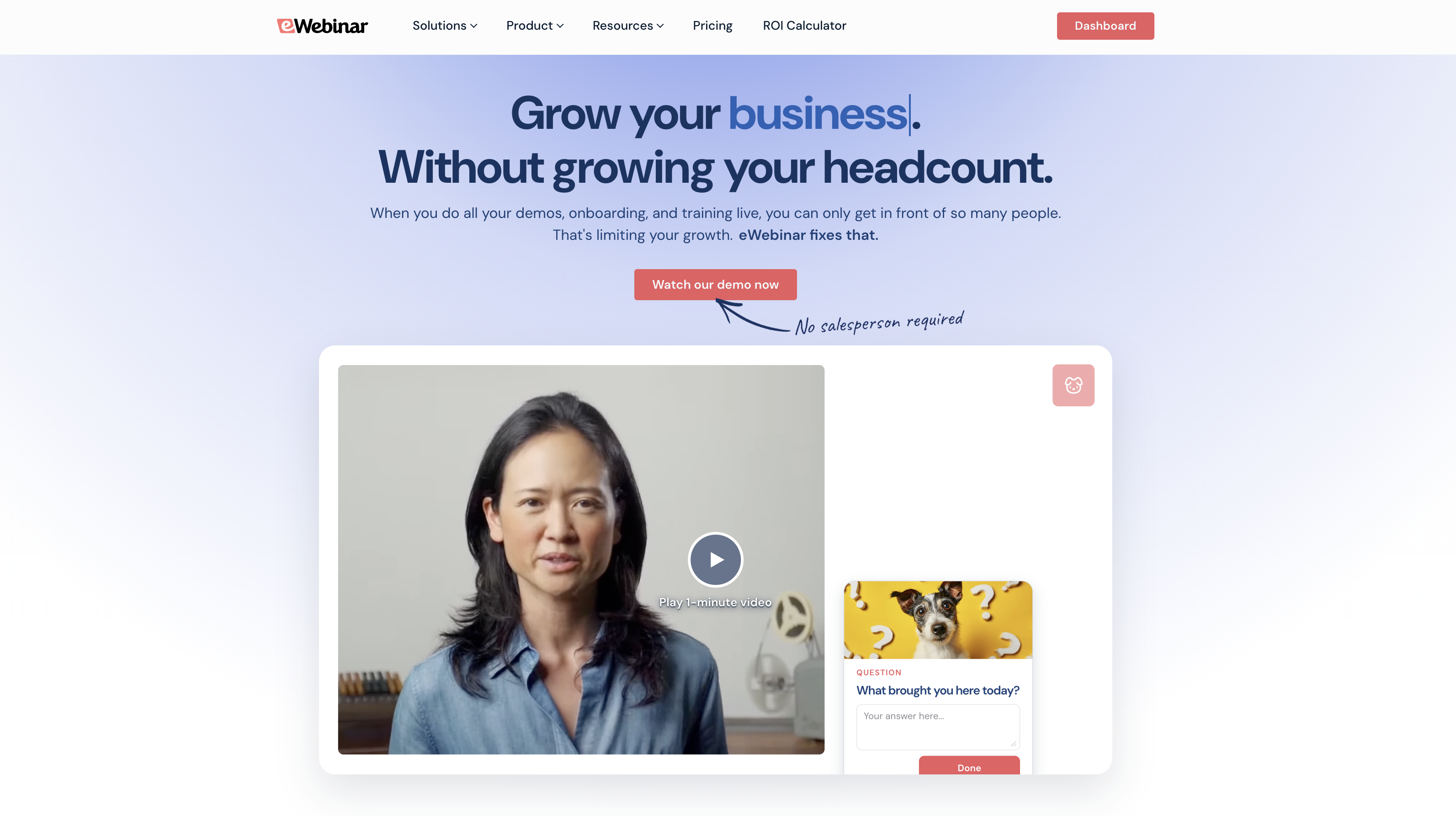
eWebinar is an on-demand video platform with chat that complements the administrative strengths of an LMS with a more interactive, lower-friction training experience. You can turn a pre-recorded video into an interactive session, schedule it 24/7, and still have real two-way conversations with viewers as they watch.
With eWebinar, you can:
- Let learners ask questions during the session, then respond asynchronously from any device when you are available
- Make access easier, because viewers can register once and join from their email without dealing with SSO, portals, or password resets
- Improve attendance, with eWebinar reporting an average on-demand attendance rate of 83%, compared with the typical live webinar range of 30 to 40%
- Make video training feel participatory, using polls, quizzes, tips, handouts, CTAs, feedback, and other built-in interactions
We’ve seen teams get super creative with how they pair eWebinar with their LMS. But here are the three setups we often recommend:
First, you can embed eWebinar right inside your LMS.
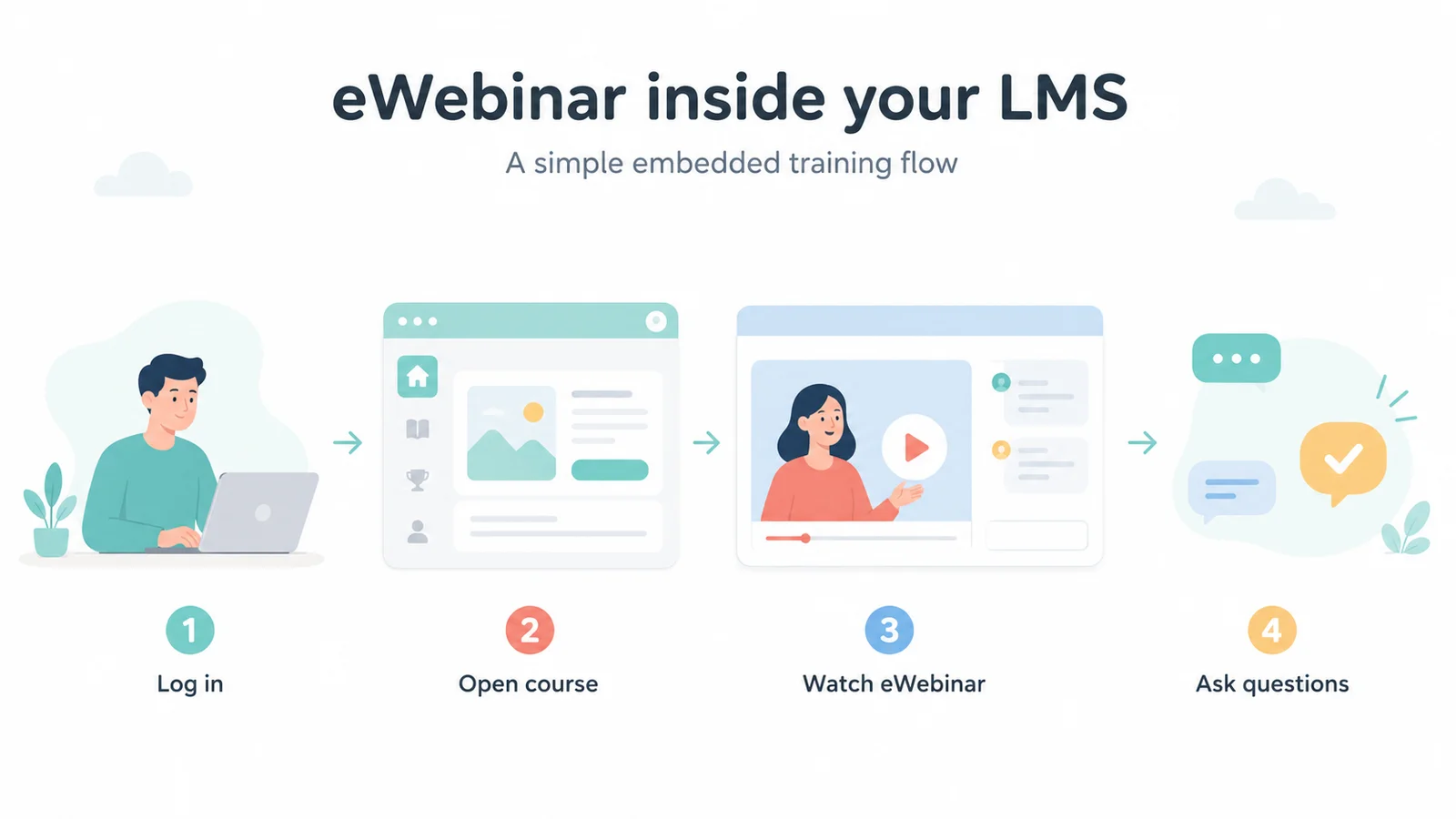
Your LMS stays the main training hub, but eWebinar lives inside it as a course module. This is perfect for topics that need a bit more explanation or nuance, like complex workflow changes, policy updates, product education, or case-based training.
You can also run eWebinar alongside your LMS.
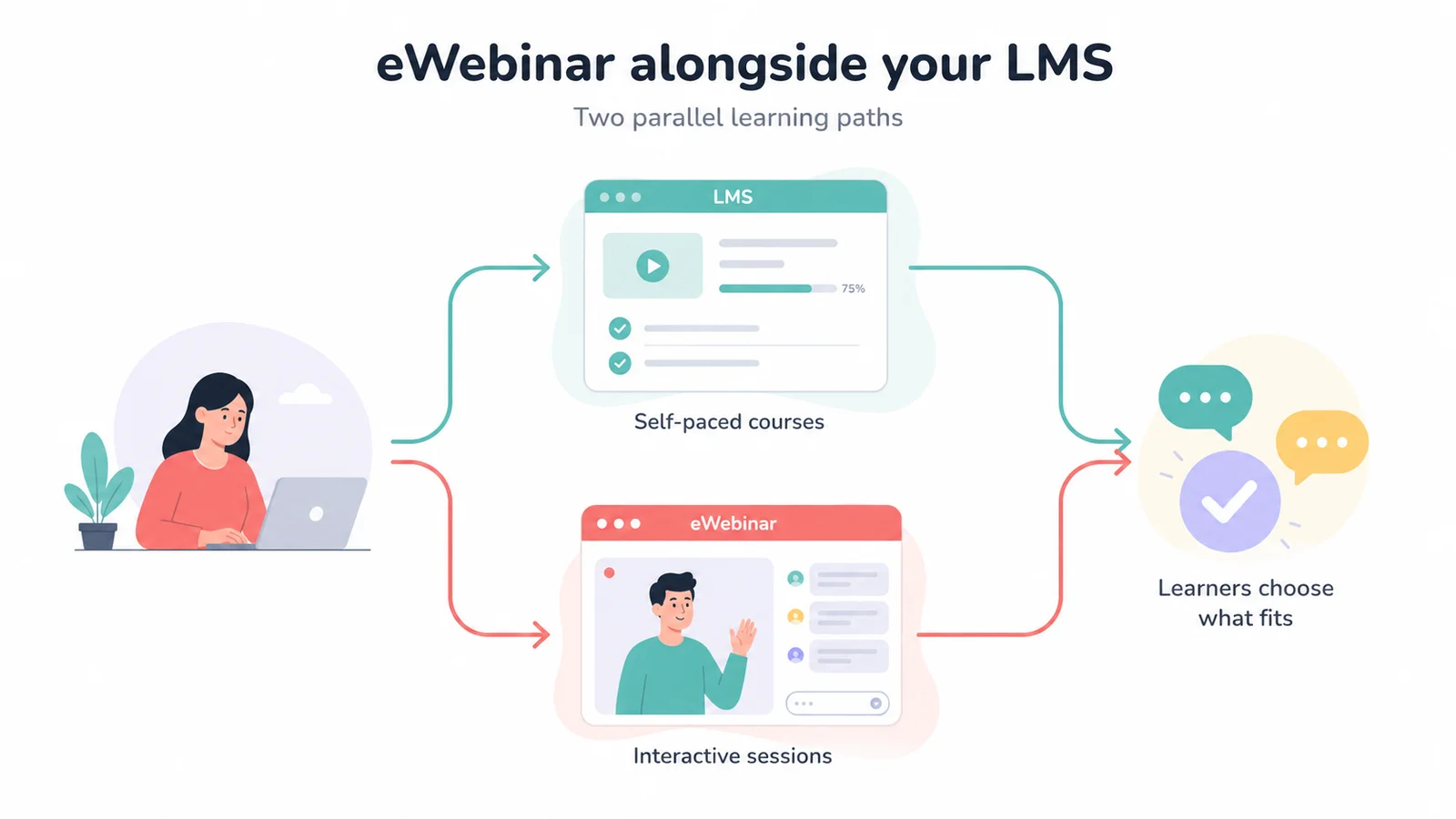
Basically, let your LMS do what it does best: self-paced courses, tracking, reporting, and compliance. Then, let eWebinar handle the human, interactive elements—like virtual office hours, "ask-the-expert" sessions, refresher training, or post-course Q&As.
Last but not least, use eWebinar as an "LMS-Light."
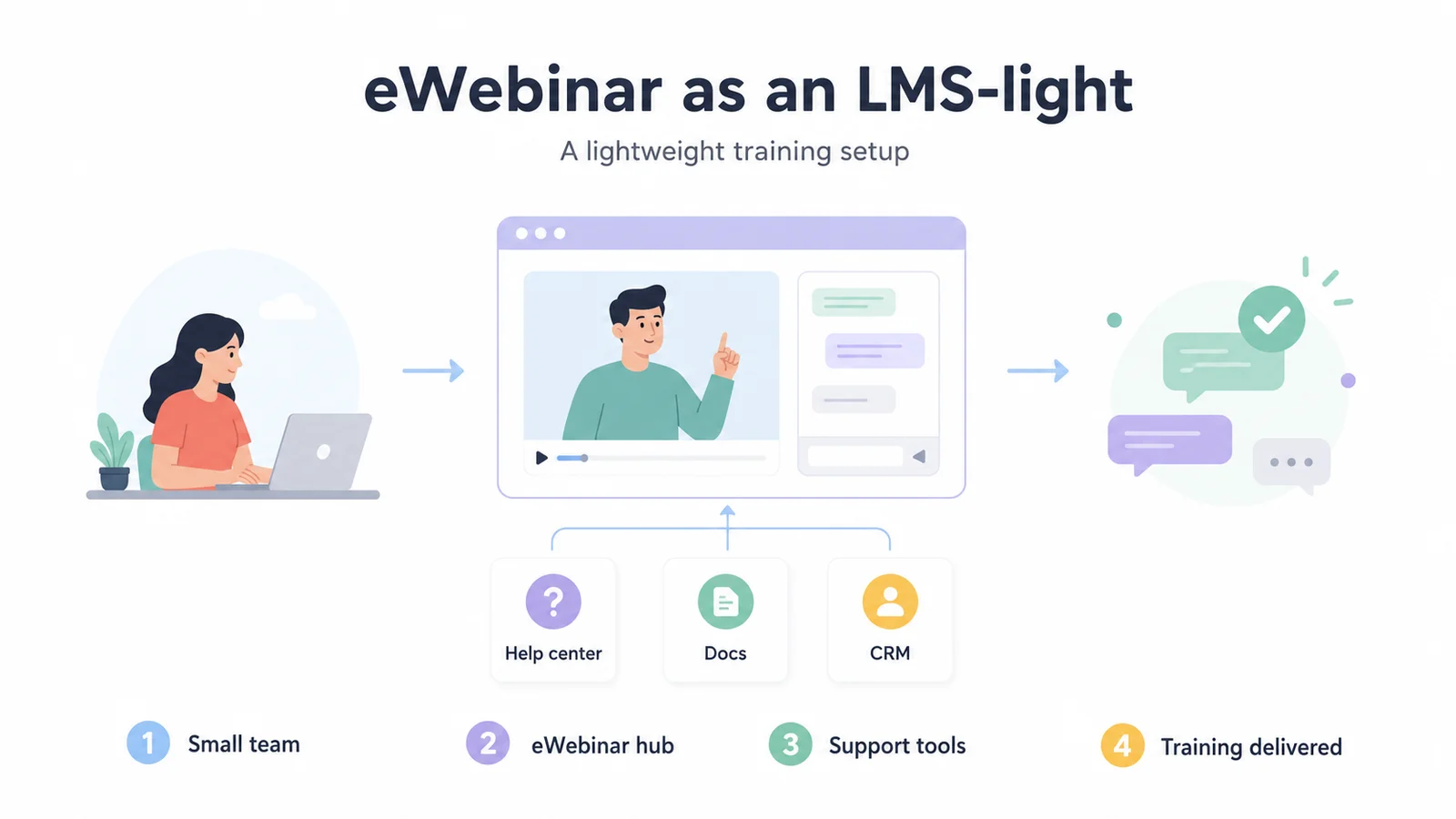
If you're a smaller team without a full LMS yet, you can use eWebinar as your main video training layer, backed up by a simple help center or CRM.
(Just keep in mind: if you need strict audit trails, official accreditations, or heavy compliance reporting, you’ll still want a true LMS in your corner.)
Top 7 Training Software for Medical Staff: Full Comparison Table
# | Tool | Best For | Healthcare Specific | HIPAA Compliant | CME Tracking | Capterra Rating | Starting Price |
1 | TalentLMS | Affordable, fast-to-deploy medical staff training | No | Yes | No | ⭐ 4.7 | Free plan for up to five users. Paid starts at $149/mo for up to 40 users |
2 | Docebo | Enterprise healthcare organizations with AI-driven learning paths | No | Yes | No | ⭐ 4.4 | Custom |
3 | HealthStream | Strict regulatory alignment | Yes | Yes | Yes | ⭐ 4.3 | Custom |
4 | Relias | Healthcare-specific compliance and professional development | Yes | Yes | Limited | ⭐ 3.8 | Custom |
5 | Absorb LMS | Automating administrative workflows | No | Yes | No | ⭐ 4.5 | Custom |
6 | Moodle | Deep open-source customization | No | Yes (Configurable) | Via plugins | ⭐ 4.3 | From $130/year for up to 50 users |
7 | MedBridge | Rehabilitation and physical therapy | Yes | Yes | Yes | ⭐ 4.7 | From $299/user/year |
1. TalentLMS
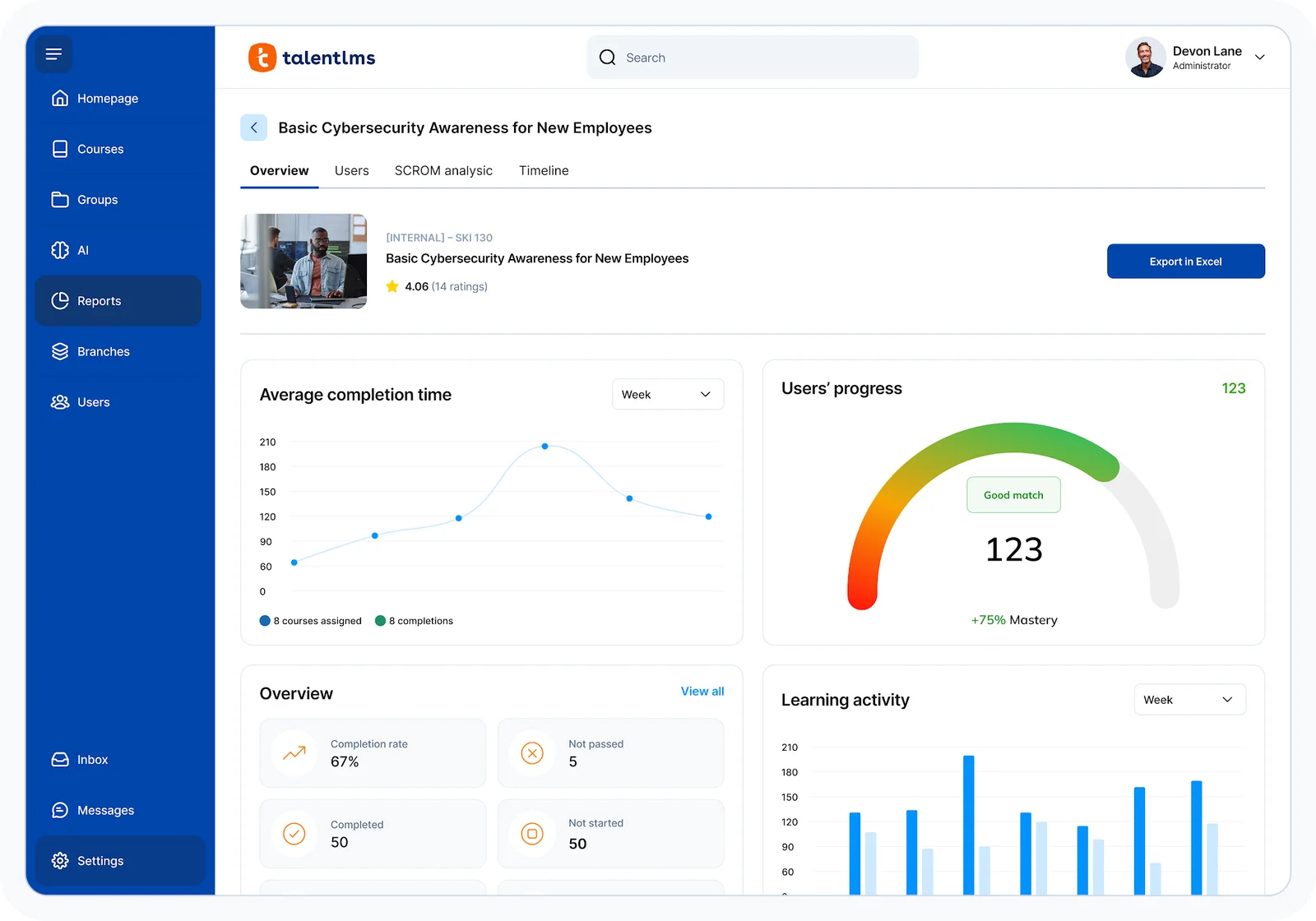
Best for: Mid-sized healthcare organizations needing fast deployment without enterprise complexity
TalentLMS consistently appears in medical training evaluations because it deploys quickly and costs a fraction of enterprise systems. For medical device companies or clinics needing infrastructure without massive budgets, it delivers core functionality in days rather than months.
The trade-off is depth. It lacks healthcare-specific content and native CME tracking. It is ideal for straightforward training needs but inadequate for enterprise health systems with complex compliance requirements.
Key Features:
- Rapid deployment system for immediate course creation
- Customizable progress tracking and automated certifications
- HIPAA compliance available on configured plans
- Mobile app for on-the-go staff training
Pros:
- Fastest implementation timeline of any platform listed
- Highly affordable entry point for smaller organizations
- Clean, intuitive interface requiring minimal admin training
Cons:
- No pre-built healthcare-specific content
- CME tracking and Joint Commission reporting require workarounds
- Not suited for complex enterprise health system needs
Capterra Rating
⭐ 4.7
Pricing
Free plan for up to five users; paid plans start around $149/month for 40 users.
2. Docebo
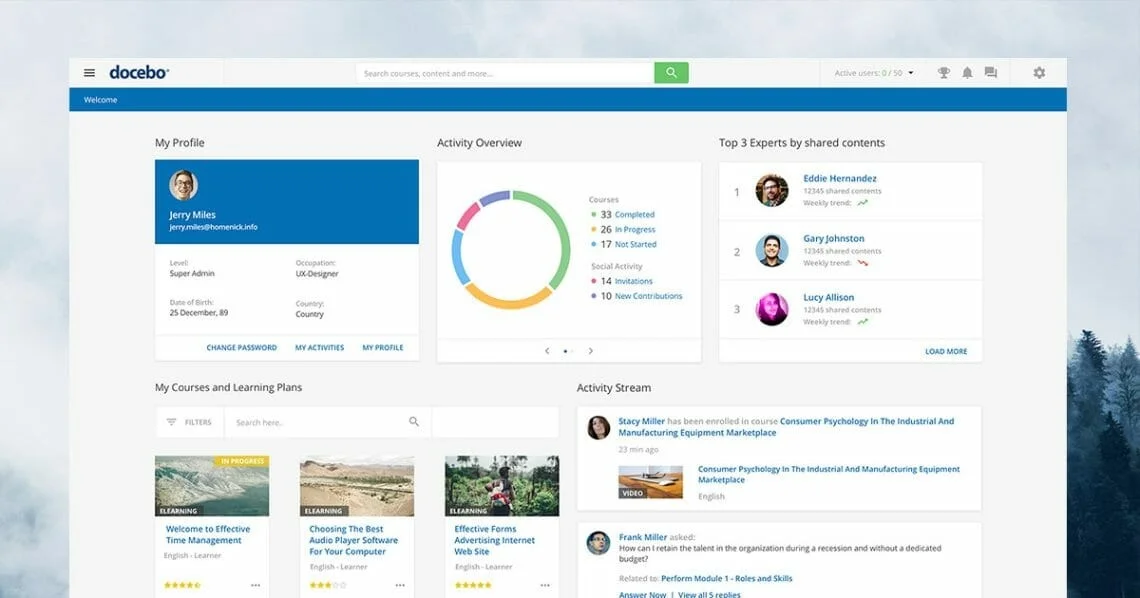
Best for: Enterprise healthcare organizations needing AI-driven learning at scale
Docebo excels in large healthcare networks managing training across multiple facilities. Its AI-driven paths adapt to learner behavior, reducing administrative burdens for large L&D teams. It effectively handles internal staff and external partner education with strong certification tracking and HIPAA compliance.
However, its enterprise pricing and complex implementation require dedicated IT resources, making it unsuitable for smaller organizations.
Key Features:
- AI-driven learning paths adapting to user behavior
- Scalable training for internal staff and external partners
- Advanced compliance and certification tracking
- Robust reporting for enterprise-level audits
Pros:
- AI reduces manual administration at enterprise scale
- Deep reporting supports rigorous compliance audits
- Handles both employee and external partner education
Cons:
- Enterprise pricing excludes small to mid-sized clinics
- Implementation takes weeks or months to complete
- Demands dedicated administrative and IT resources
Capterra Rating
⭐ 4.4
Pricing
Custom pricing only. Enterprise contracts typically run into five to six figures annually, contact vendor for a quote.
3. HealthStream
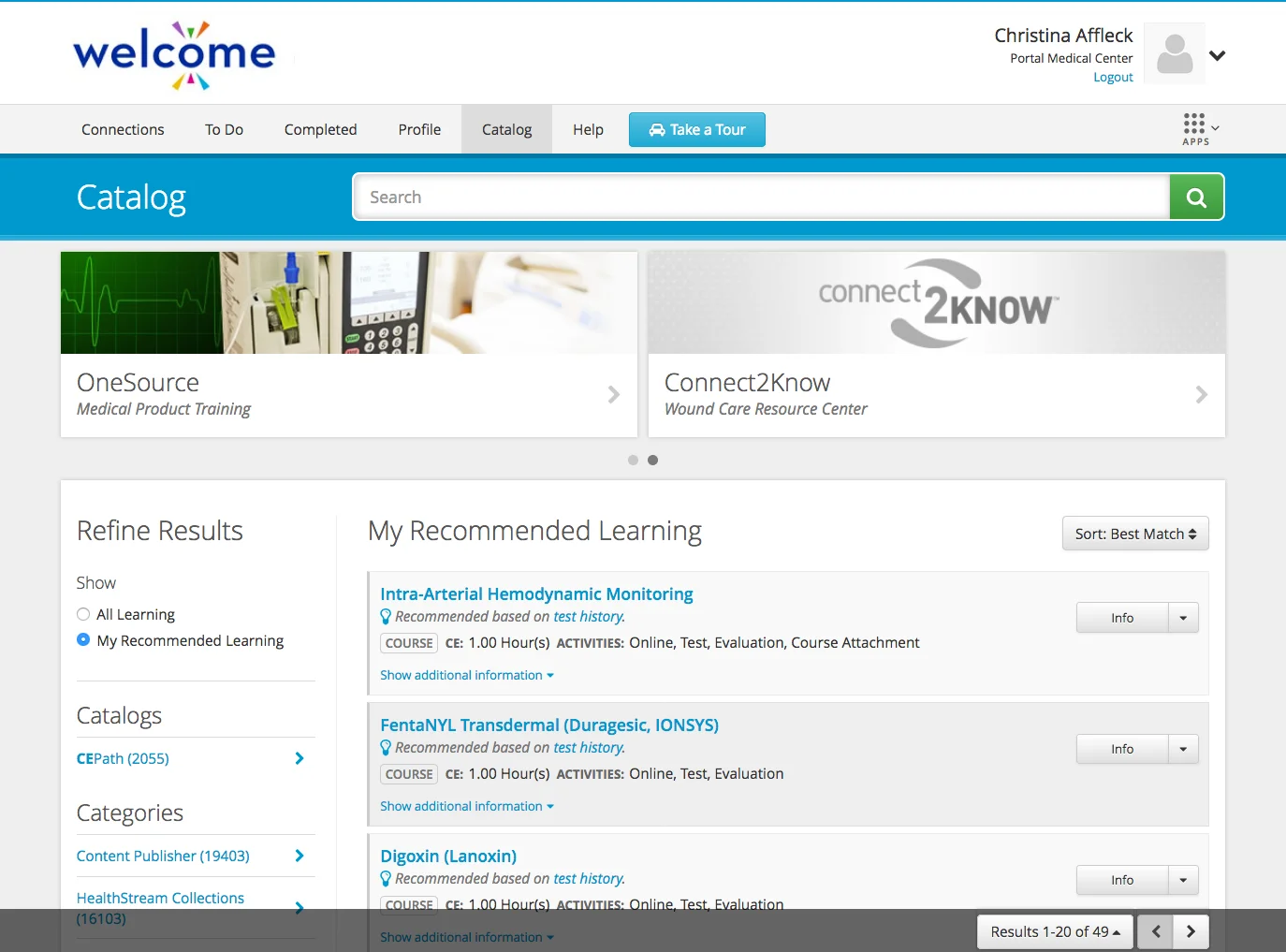
Best for: Hospital systems needing deep clinical content integration
HealthStream serves as a purpose-built hospital LMS with deep integrations into EHRs, credentialing, and HR platforms. Its pre-built clinical library covers mandatory compliance and continuing education across all medical roles. This operational connectivity makes it invaluable for systems tying training directly to job eligibility.
However, organizations should note its US-centric focus and an interface users frequently describe as outdated and difficult to navigate.
Key Features:
- Purpose-built hospital LMS with native EHR integrations
- Pre-built clinical library for mandatory statutory training
- Deep credentialing connections tied to job eligibility
- Automated compliance reporting for Joint Commission audits
Pros:
- Designed specifically for complex healthcare system requirements
- Extensive pre-built clinical and statutory content library
- Robust audit reporting ensures strict regulatory compliance
Cons:
- User interface is frequently cited as outdated
- Limited customization for course branding and structure
- Primarily US-focused with limited international support
Capterra Rating
⭐ 4.3
Pricing
Custom pricing only. Contact vendor for a quote, with independent estimates suggesting starting costs around $4,599/year depending on organization size.
4. Relias
Best for: Healthcare-specific compliance training and professional development
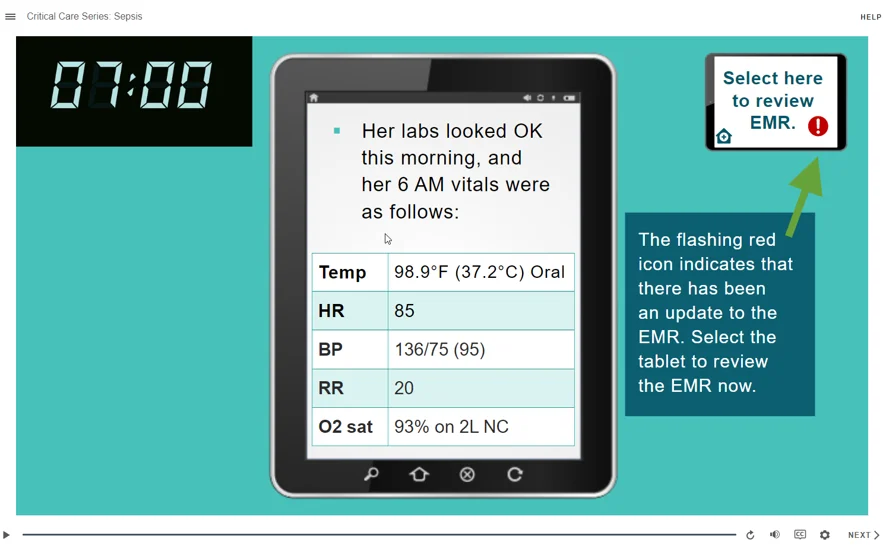
Relias is a dedicated learning platform built entirely for the healthcare industry. Its primary advantage is a massive pre-built library containing thousands of accredited clinical courses covering HIPAA, infection control, and patient safety, eliminating the need to develop custom medical modules from scratch.
The system excels at compliance management through automated certification reminders and audit-ready reporting.
Where Relias draws criticism is customer service consistency and auto-renewal contract practices, which users frequently flag in reviews. For organizations evaluating long-term contracts, those terms are worth scrutinizing carefully before signing.
Key Features:
- Pre-built library of accredited clinical courses
- Automated compliance tracking with certification reminders
- Role-based learning paths guiding medical staff
- Native integrations with healthcare HR systems
Pros:
- Largest pre-built clinical content library available
- Strong regulatory compliance tracking built in
- Seamless integrations with existing credentialing systems
Cons:
- Inconsistent customer service quality reported by users
- Auto-renewal contract terms create unexpected costs
- Limited support for partial credit claiming
Capterra Rating
⭐ 3.8
Pricing
Custom pricing only. Contact vendor for a quote, with costs typically starting around $25/license and scaling based on organization size and content needs.
5. Absorb LMS
Best for: Healthcare organizations needing a flexible platform with strong reporting
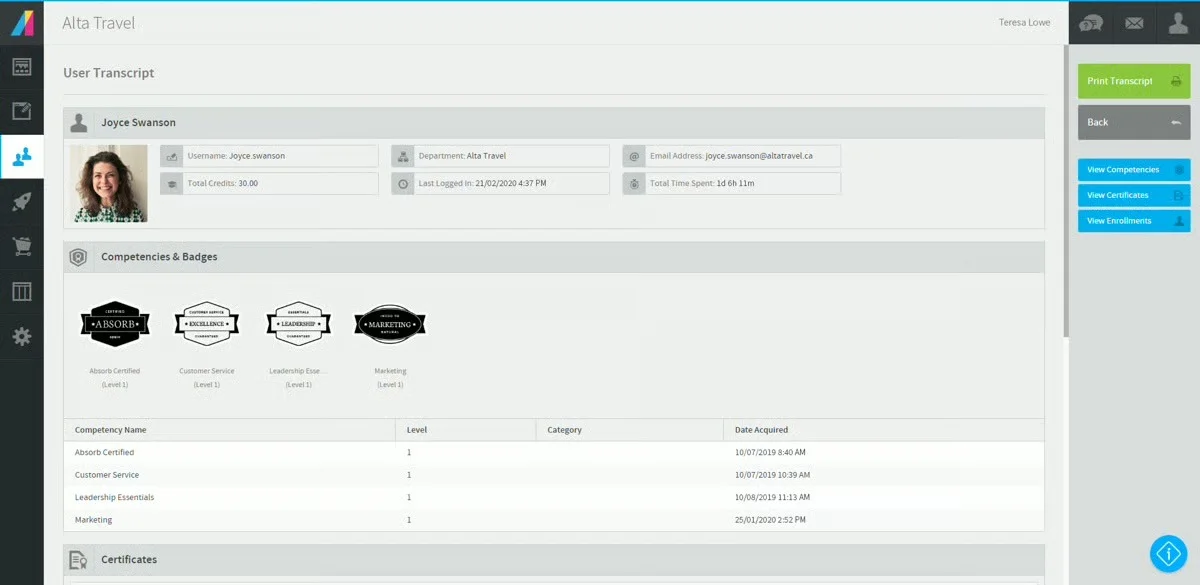
Absorb LMS sits in the mid-to-enterprise range, offering a clean, modern interface that drives significantly higher user adoption than legacy systems. The platform excels at automating compliance workflows, tracking certification renewals, and delivering audit-ready reports without manual effort.
While it fully supports HIPAA compliance, organizations must bring their own training materials, as it lacks a pre-built healthcare content library.
Key Features:
- Modern interface maximizes learner adoption
- Automated compliance and renewal reminders
- Advanced reporting satisfies regulatory audits
Pros:
- Intuitive UI boosts platform engagement
- Automation simplifies compliance workflows
- Scales seamlessly to enterprise
Cons:
- Lacks built-in healthcare content library
- Custom pricing complicates budget planning
- CME tracking requires manual workarounds
Capterra Rating
⭐ 4.5
Pricing
Custom pricing only. Contact vendor for a quote based on user count and feature requirements.
6. Moodle
Best for: Organizations with technical resources needing full platform control
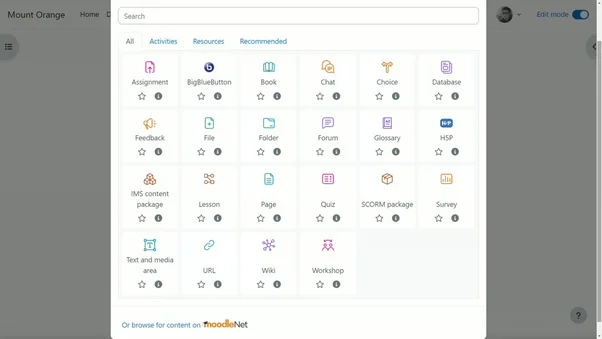
Moodle is a widely used open-source LMS popular in healthcare for its deep customization without enterprise licensing costs. While free, it requires technical resources to host, configure, and maintain. For self-sufficient organizations, its flexibility is a major advantage.
However, healthcare-specific features like CME tracking require plugins, making it less ideal for teams lacking dedicated IT support.
Key Features:
- Open-source platform offering deep customization
- Global community and extensive plugin library
- Highly adaptable for unique compliance needs
Pros:
- Zero licensing fees lower total costs
- Open-source code allows full customization
- Vast plugin library extends functionality
Cons:
- Requires technical resources to maintain
- Healthcare features require custom development
- Lacks dedicated enterprise customer support
Capterra Rating
⭐ 4.3
Pricing
Free to self-host; MoodleCloud plans start at $130/year for up to 50 users, scaling to $1,730/year for up to 750 users.
7. MedBridge
Best for: Clinical healthcare organizations training allied health professionals
Medbridge is built specifically for clinical education rather than general-purpose training. The platform’s extensive content library focuses on physical therapy, occupational therapy, and speech-language pathology, offering accredited continuing education courses for these specialties.
While it excels at clinical competency development and structured onboarding, its narrow focus makes it unsuitable for general administrative or compliance training outside its core clinical disciplines.
Key Features:
- Specialized library for allied health disciplines
- Accredited continuing education for clinical specialties
- Structured learning paths for competency development
- Mobile friendly for clinicians on the go
Pros:
- Deepest clinical content library for specialists
- Accredited courses meet strict licensing requirements
- Proven outcomes like reduced staff attrition
Cons:
- Narrowly focused on allied health clinical skills
- Not suited for general administrative training needs
- Custom pricing complicates budget planning
Capterra Rating
⭐ 4.7
Pricing
Individual plans start at $299/user/year for the Education tier and $349/user/year for Premium; enterprise pricing is custom.
How We Evaluated
Medical staff training has requirements that general corporate LMS platforms were never designed to meet. We evaluated each platform based on the criteria that actually determine whether training reaches practitioners and sticks.
- Healthcare compliance support: Whether the platform natively handles HIPAA, OSHA, Joint Commission, and CME requirements without requiring risky workarounds or third-party plugins.
- Ease of access for clinical staff: Whether busy practitioners with chaotic schedules can launch training seamlessly between shifts or rounds without multi-step logins or desktop restrictions.
- Certification and credential tracking: Whether the system completely automates expiration alerts and maintains audit-ready certification histories without requiring manual administrative data entry.
- Mobile experience: Whether the interface is fully optimized for smartphones and tablets, which ultimately dictates compliance and completion rates for a non-desk workforce.
How to Choose the Right LMS for Medical Staff Training
No single platform on this list does everything well. The right choice depends on the size of your organization, the complexity of your compliance requirements, and whether your priority is specialized healthcare content or fast, affordable deployment.
To choose the right LMS, separate your compliance needs from your engagement goals.
- Compliance & Scale: For strict HIPAA tracking, audits, and healthcare content, use specialized platforms like Relias, HealthStream, or Medbridge. For massive enterprise scale and AI-driven paths across multiple facilities, Docebo is the premier choice.
- Speed & Customization: If you need rapid, budget-friendly deployment for mid-sized teams, choose TalentLMS. If you require total customization without licensing fees and have technical resources, Moodle provides unmatched flexibility.
- Adoption & Engagement: To fix low platform engagement, Absorb LMS is your best option. Its modern, highly intuitive interface prioritizes user experience over dense features, making it ideal for overcoming past adoption hurdles.
Final Word
Whichever platform you choose, consider adding eWebinar to your training stack for the sessions that go beyond compliance checkboxes. Your LMS handles certifications, structured course libraries, and the audit trail that regulators require.
eWebinar adds the interactivity and two-way communication that keeps practitioners engaged with product education, device demonstrations, and onboarding content that an LMS was never built to deliver well.
Join our on-demand demo to see how it works.
FAQ
What is a healthcare LMS?
A healthcare LMS is a training platform configured for medical compliance. Unlike general corporate tools, it includes pre-built clinical content, CME tracking, and audit-ready reporting for regulatory bodies like HIPAA, OSHA, and the Joint Commission.
Can a general-purpose LMS work for medical training?
Yes, but only if you are honest about the job. General-purpose LMSs can work very well for medical training when the use case is onboarding, partner/customer education, or scalable delivery across audiences. They become weaker when you need built-in healthcare accreditation logic, competency management, credential workflows, or tightly healthcare-specific compliance content.
Why is traditional LMS adoption low among medical staff?
LMS adoption is often low because the experience asks too much from the learner and gives too little back. The content is usually static, the software can feel heavy to adopt, and learners have to remember to go back on their own. There are rarely timely reminders, prompts, or communication loops that pull them back into the learning experience.
So practitioners complete mandatory modules because they have to, but the experience gives them little reason to return voluntarily. There is nothing to interact with, no easy place to ask questions, and no feedback in the moment.
What should healthcare organizations look for in an LMS to ensure HIPAA compliance?
Look for platforms that offer Business Associate Agreements, encrypted data storage, role-based access controls, and audit-ready reporting. Not all LMS platforms are HIPAA compliant by default. Relias, HealthStream, and MedBridge were built with these requirements in mind, while general platforms like TalentLMS require specific configuration to meet them.
Can eWebinar replace a traditional healthcare LMS?
No, they complement each other. An LMS handles structured compliance tracking, certifications, and course libraries. eWebinar delivers the flexible, interactive, on-demand video sessions that busy practitioners can watch and ask questions from on their phones.
How does eWebinar solve medical device training challenges?
Device training requires more than a completion checkbox. Clinicians need to see demonstrations, ask questions about specific use cases, and get answers that apply to their situation. eWebinar hosts interactive on-demand sessions where clinicians watch device demonstrations and ask questions through chat, with responses from your team when they are available.
Curious to see how eWebinar can help run your demos, onboarding, and training sessions on autopilot?
Watch a one-minute explainer video for a quick overview of the eWebinar platform. Or, better yet, join our on-demand demo to learn more!