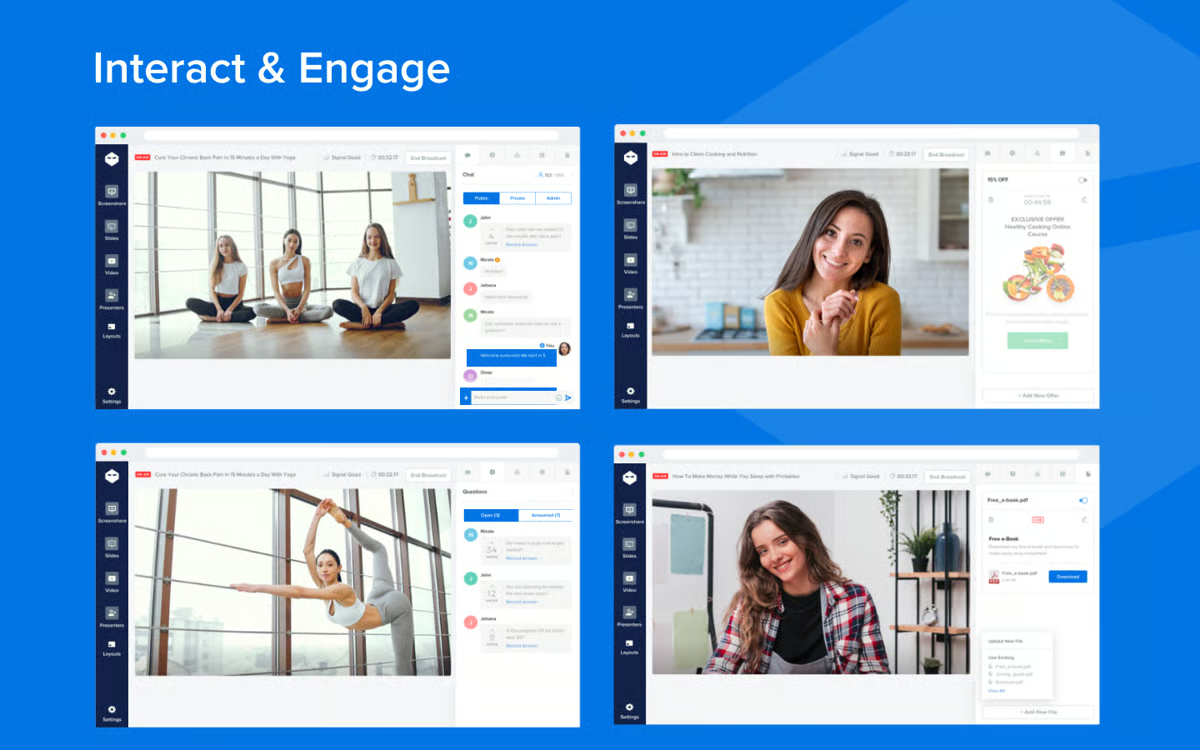
There's a window when someone discovers your webinar where their interest is at its peak — they just found you, they want to learn more, and they're ready to watch right now. Most on-demand webinar platforms waste that moment. They hand the attendee a recording, leave them to watch alone, and hope they convert somewhere on the other side.

That's not an on-demand webinar. That's a video on a landing page.

A real on-demand webinar meets attendees in that moment, with an interactive experience where attendees can engage with the content, ask questions in real time, and actually hear back from the host. It should feel as close to a live experience as possible.

That's the standard we're using to evaluate the platforms in this guide. We cover 10 of the most popular webinar software and how they handle on-demand webinars. eWebinar is our product, so we put it first — but we'll let you decide for yourself whether it's the right fit.

To learn more about eWebinar after reading, start a 14-day free trial or watch our demo below.

1. eWebinar

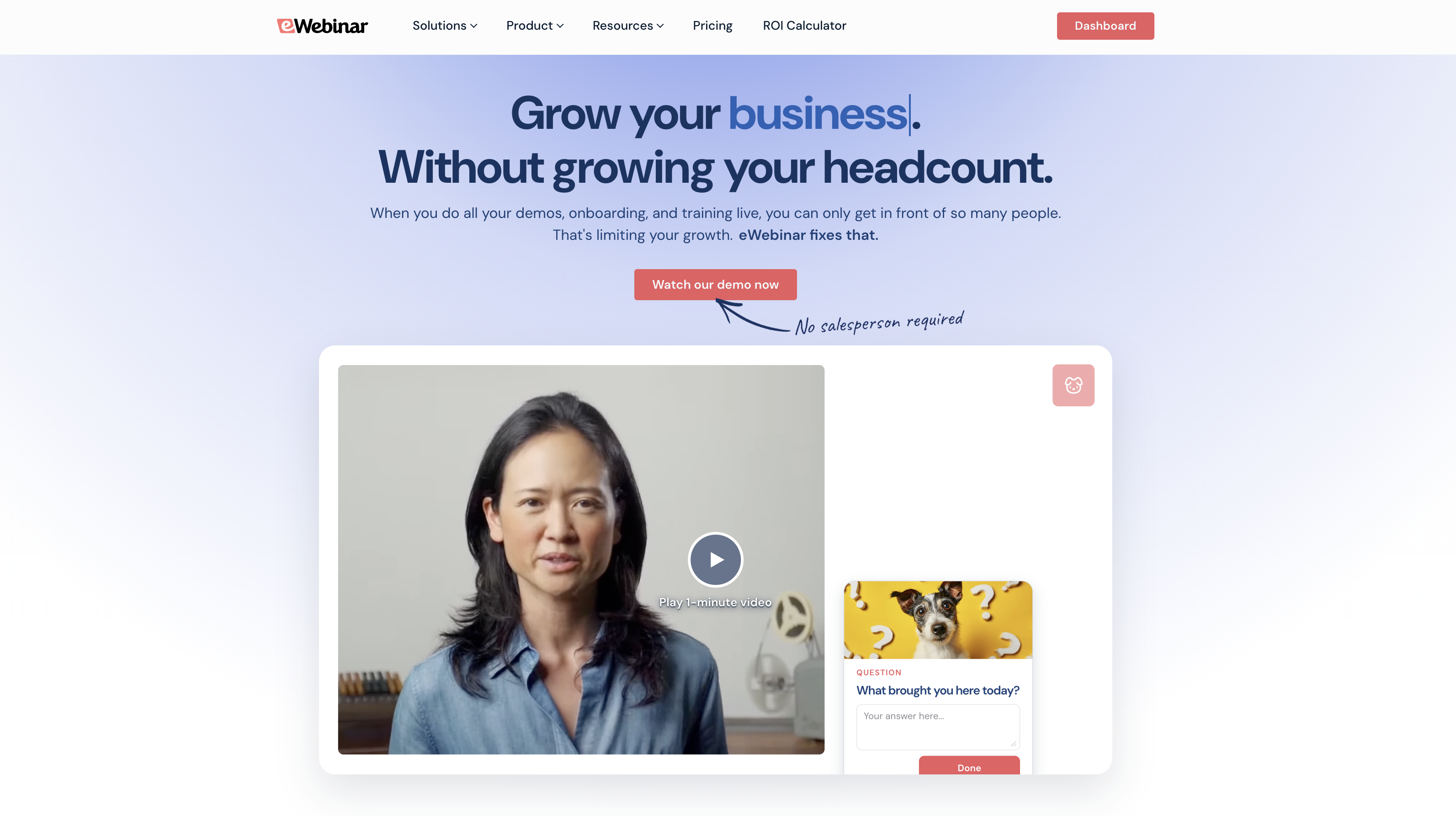
eWebinar homepage: Automate 100s of onboarding and training webinars without losing your personal touch.


We built eWebinar because we believed on-demand webinars could be so much more than a recording with a registration page in front of it. The platform is purpose-built for automation — designed from day one to let you make webinars available on demand without sacrificing any of the engagement that makes them worth attending in the first place.

That means attendees get the same interactions, the same chat, the same experience they'd get in a live session. They just get to show up on their own schedule. And eWebinar gives them multiple ways to do that:

  • On-demand: Watch immediately after registering

  • Just-in-time: Register and jump into a session that starts within minutes

  • Instant replays: Request a replay link delivered straight to their inbox to watch any time (and our replays maintain all of the same interactive elements and chat as any other session)

  • Recurring sessions: Join at a scheduled time that works for them, in their local time zone

But there are a few other things that make eWebinar stand out from the other automated webinar software:

#1. Flexible scheduling

eWebinar lets you enable all of those viewing options above simultaneously on the same webinar — which means more ways to tune in, fewer barriers, and higher attendance rates. Most other platforms only let you pick one.

#2. Live + async chat

One thing everyone expects from a webinar is the ability to chat with the host. Most platforms make that impossible for on-demand webinars — you either have to show up for every session to reply in real time, or turn off chat altogether and ask attendees to submit questions via a form.

eWebinar is the only platform that gives you both real-time chat and async email replies.

When an attendee sends a message, moderators get notified and can jump in to chat live if they're available. If they're not, an auto response lets the attendee know someone will get back to them — and when a moderator replies later, the response is automatically sent to the attendee's email. Your webinar runs 24/7, and nobody's question goes unanswered.

#3. The largest gallery of interactions of any platform on this list

eWebinar offers 20+ interactions — polls, quizzes, CTAs, special offers, contact forms, and more — that you can pre-program in your webinar experience so they fire automatically at exactly the right moment, every single time. No manually triggering anything mid-session.

Since our debut five years ago, we’ve held a solid 4.9-star rating and helped thousands of teams make their webinars available — and worth attending — any time someone's ready to watch.

We offer a 14-day free trial for all new customers so they can explore our all-in-one platform, build their first on-demand webinar, and see if we’re the right fit. But we’ll also review our core features in the following sections, so you can get a sneak peek before you start.

Webinar builder

Getting a webinar up and running in eWebinar takes less than an hour. Here's how it works:

  • Upload your recording. Grab a video from your device, pull in a recording from Zoom, Vimeo, or Descript, or drop in a link from wherever your video is stored, like Google Drive.

  • Name your webinar. Give it a title that makes it immediately clear to attendees what they're signing up for.

  • Choose your schedule. Pick how you want it to run — on-demand, recurring sessions, or specific dates. You can always layer in more scheduling options later.

  • Set your goal (conversion event). Tell eWebinar what you want attendees to do when the webinar ends — book a call, complete an action item, or move on to the next webinar in a series.

  • Add your branding. Upload your logo and drop in your brand colors so they appear on registration pages, in webinar rooms, and during webinar experiences. You only have to upload these once, and eWebinar carries them forward automatically across every webinar you create.

Create a new eWebinar from scratch: Upload file, share link, Vimeo, Zoom


If you'd rather not start from scratch, eWebinar's template library offers prebuilt webinar setups — for common use cases like SaaS onboarding, sales demos, training, and more — so you can streamline your workflow and skip straight to customizing your webinar.

Interactions

eWebinar includes a wide variety of interactions, from polls, quizzes, surveys, Q&A prompts, and action items, to feedback requests, CTAs, special offers, links, and more. This way, you can drop a mix of interactions throughout webinars to keep attendees engaged til the end. Test knowledge, gather feedback, prompt attendees to take action, reinforce key takeaways, or spark conversation. Any data you collect can be sent to your CRM.

We typically recommend adding an interaction every three to five minutes.

eWebinar's Standard Interactions, Special Interactions & Integrations


And adding them is straightforward. The timeline editor lets you drag the playhead to exactly the right moment in your video, drop in whichever interaction you want, and preview how it'll look before you publish.

eWebinar interactions timeline editor


We also offer handy AI-powered interactions if you’re not sure which interactions to add or where. Our system can analyze your content and recommend interactions — complete with pre-written copy — that you can tweak or approve in a couple of clicks.

Live + asynchronous chat

eWebinar's chat system is built to handle both live and asynchronous conversations — something no other platform on this list does.

Here's how it works in practice: when an attendee joins, they're greeted with a personalized welcome message that invites them to reach out. Chat is private rather than public, so attendees feel comfortable asking questions they might not ask in a group setting.

From there, moderators get notified the moment a message comes in — via email, browser notification, or Slack. If someone's available, they can reply live from their desktop or phone. If not, an auto-response lets the attendee know when to expect a reply, and when a moderator follows up later, that response goes straight to the attendee's email.

You can also add as many moderators as you need and manage everything from a centralized chat admin so your team can see all chats in one view — what’s been replied to and what hasn’t — without anything slipping through the cracks.

Flexible scheduling

Setting up your schedule in eWebinar is straightforward. From your webinar event settings, you can enable any combination of the four session types and configure each one independently.

  • For on-demand, attendees go straight into a session the moment they sign up. No extra setup is required on your end here.

  • For just-in-time, you set the interval — every 5, 10, or 15 minutes — and eWebinar automatically queues the next available session the moment someone registers.

  • For instant replays, attendees request a link at registration, and it's delivered straight to their inbox (with all interactions and chat features intact).

  • For recurring sessions, you choose the days and times you want sessions to run. eWebinar automatically displays them in each attendee's local time zone, so there's no confusion about when to show up, regardless of where they are in the world.

My new eWebinar: Schedule and Event Settings


You can turn any of these on or off at any time and layer in additional options as your needs change. Most teams start with one or two and expand from there.

Read more: Best Days & Times to Schedule Webinars (Across Time Zones)

Registration pages + automated reminders

Every eWebinar comes with an AI-generated registration page, so you don't have to worry about designing landing pages or writing copy. Our system reviews your webinar to understand what it covers, who's speaking, and its intended goal — then generates a fully designed page with benefit-driven copy that explains the value and gives people a reason to sign up. Most pages are ready to go as is, but you can tweak the copy however you want or ask the AI to generate new versions.

eWebinar: Creating a landing page (Getting started with eWebinar)


We also offer a variety of registration widgets — forms, pop-ups, button widgets, fixed bars, card widgets — so you can embed these anywhere online. Across your website, on blog posts, or anywhere else your audiences are already working (like employee onboarding dashboards, your company intranet, or within your SaaS product).

registration - widgets v3


After registration, eWebinar automatically handles all reminders and follow-ups.

  • Registrants get a confirmation email with a calendar invite immediately after signing up

  • Reminders go out one day and one hour before sessions

  • Follow-ups are sent after webinars end — we even segment these by attendance and behavior (so webinar attendees and no shows get different emails, and those who converted vs. those who didn't get different emails)

eWebinar: Automated Reminder Email for Upcoming Webinar


All of these emails come with pre-written copy, but you can customize them any way you like and include additional emails in this flow. We also integrate with Twilio to send WhatsApp reminders as part of this sequence.

You can also connect your CRM — we integrate with HubSpot, Salesforce, ActiveCampaign, Mailchimp, Marketo, and more — to export attendee data and engagement metrics and guide future follow-ups and retargeting.

Webinar Series

Webinar Series is eWebinar's newest feature — and one that doesn't exist anywhere else in the on-demand webinar space. It lets you string together multiple webinars into a single, structured learning flow, with controls in place to make sure attendees are actually engaging with the content rather than just clicking through it.

You can build a series from existing webinars or from scratch. Between sessions, you can add minimum watch times, quizzes, and action items that attendees must complete before advancing — so there's no skipping ahead without actually absorbing the material. And because eWebinar's chat works throughout the entire series, attendees can reach out with questions at any point as they work through it. Moderators reply live if they're available, or via email if they're not.

You can also offer completion certificates for attendees once they finish the series. Use our out-of-the-box certificates or upload your own designs. You can also add links to gift cards or other rewards to give users even more motivation to cross the finish line.

After registering for a series, users gain access to all webinars in the Series and can watch them on demand, allowing them to move at their own pace.

We also provide registrants with their own personal hubs to track progress, access replays of completed sessions, review past chat conversations, and download their completion certificate once they've finished the series.

Webinar Series is ideal for onboarding, product training, educational courses, certification programs, and anything else that benefits from a structured, step-by-step experience. You can learn more about it in our guide here.

Analytics + heatmaps

eWebinar's detailed analytics dashboard tracks everything that matters across your webinars. For each webinar, you can see:

  • Registration rates and total registrants
  • Attendance rates
  • Registration-to-attendance rates (how many registered vs. how many actually showed up)
  • How attendees chose to watch — on-demand, scheduled sessions, or replays
  • Average watch times — including how many stayed until the end vs. dropped off early
  • Audience engagement rates — how many viewers interacted with polls, quizzes, and other interactions (you can also see analytics for each interaction and look at actual responses)
  • Conversion rates — if you set a specific goal when creating your webinar

But the most useful tool in the dashboard — and what really sets our analytics toolkit apart — is the heatmap. Heatmaps show you exactly what's happening moment-by-moment during your webinar. You can see when attendees dropped off, reacted to content, sent chat messages, and engaged with interactions.

That granularity tells you things high-level numbers can't — like whether people are consistently bailing at a specific point in your presentation, or whether a particular section is sparking the most conversation — so you have the details to optimize webinars continually.

eWebinar Overview and Demo: Engagement Analytics


We also provide analytics for the Webinar Series within the Universal Dashboard.

Each series is paired with a dedicated Universal Dashboard where you can track performance across the entire series, drill into analytics for individual webinars within it, and monitor individual participant engagement — seeing each person's complete journey from start to finish, who's completing the full course, who dropped off between sessions, and who earned a certificate.

See eWebinar in action

Watch our one-minute demo video below for a peek inside eWebinar’s platform.


For a personalized walkthrough, start a 14-day free trial or register for our full 20-minute demo below.

 
eWebinar Overview & Demo 🔥
Hosted by Melissa Kwan, Todd Parmley | 28m 29s
Tired of doing the same webinar over and over? In this 25-min overview and demo, you'll learn how eWebinar lets you automate your sales demos, onboarding, and training webinars in minutes.


Once you’re ready to get started, we offer three packages:

  • Level 1 ($99/month) supports one active webinar and 3k registrants per month
  • Level 2 ($199/month) supports five active webinars and 6k registrants per month
  • Level 3 ($299/month) supports 15 active webinars and 12k registrants per month

Packages scale to support your needs — you can add attendees in increments of 1,000 for $49/month.

2. EasyWebinar

EasyWebinar homepage: Built to Engage. Designed to Convert.


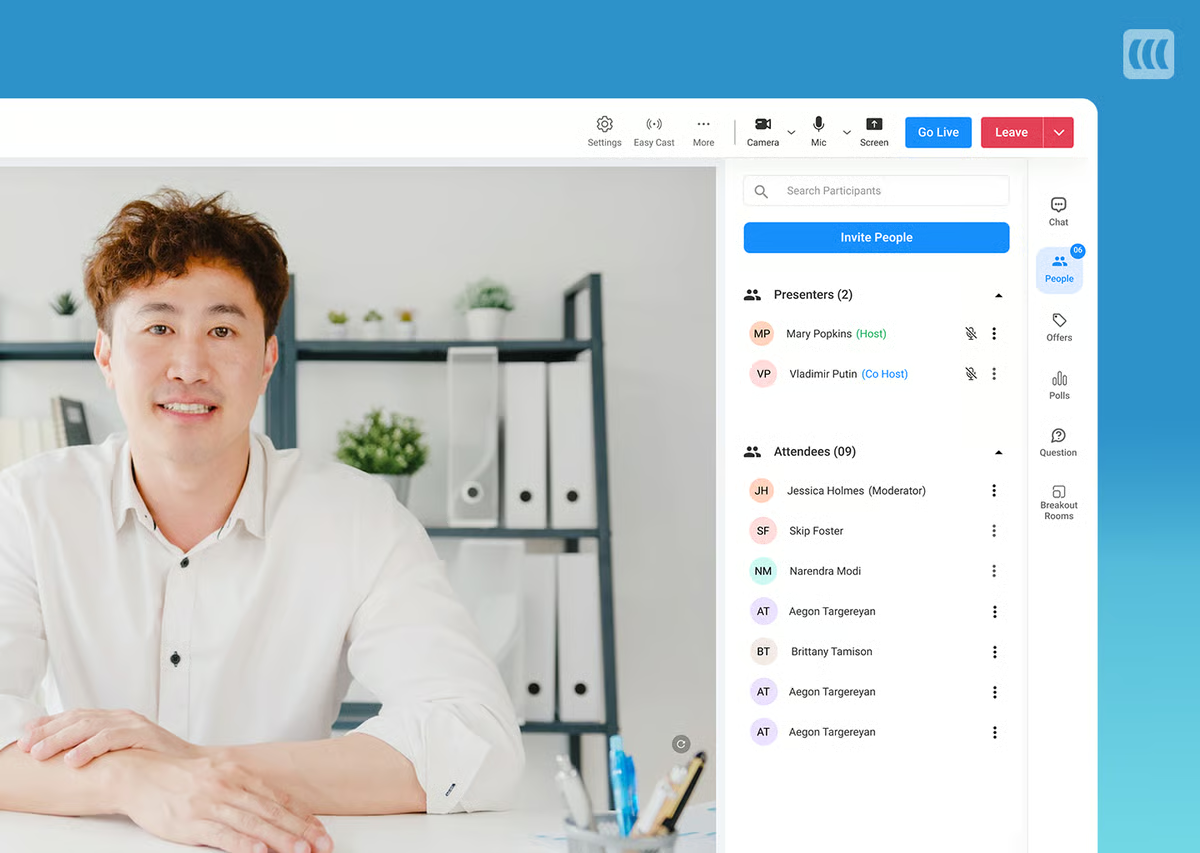
EasyWebinar is built for marketers, coaches, and course creators who want live and automated webinars under one roof — and it does a pretty good job of bridging the two. One of its more useful features is EasyCast, which lets you live stream your webinar to YouTube Live and Facebook Live simultaneously, extending your reach without any extra effort. Repurposing a live session into an automated one is also seamless — just a few clicks, and you’re all set.

Scheduling is solid here. EasyWebinar offers on-demand viewing, just-in-time sessions that start every 15 to 60 minutes, as well as recurring sessions with automatic time zone adjustments.

The marketing automation side is a notable strength, too. Behavior-based email segmentation and deep CRM integrations with HubSpot, Mailchimp, and ActiveCampaign provide sales-focused teams with useful tools to nurture leads after the webinar ends.

The actual on-demand experience is where EasyWebinar falls short of what this guide is really evaluating.

Live chat isn't available during automated sessions — attendees use a contact box and get a reply via email, which isn't the same thing. Interactions are limited to polls and special offers, and adding them is more cumbersome than it should be: you manually enter the exact timestamp for each interaction to appear and disappear, rather than dragging them onto a timeline. Users consistently flag this as tedious.

So while EasyWebinar is a high-quality solution, it’s not an ideal option for teams who want the most engaging, interactive on-demand webinars.

Find EasyWebinar reviews here.

Features

  • Live, automated, and on-demand webinar hosting
  • EasyCast streaming (to broadcast your webinar simultaneously on platforms like YouTube Live and Facebook Live)
  • Automatic replays and session recordings
  • Branding customization options
  • Engagement tools: Public and private chat, emoji reactions, Q&A, polls, special offers, clickable links, CTAs, monetization tools like "Buy Now" buttons, and attendee participation with mic and camera controls
  • Breakout rooms for smaller group discussions within webinars
  • Contact box for automated webinars, allowing attendees to leave messages
  • Scheduling tools, including one-time, recurring, just-in-time, or on-demand webinars, plus automatic time zone adjustment
  • Marketing automation features like scheduled email reminders and customizable follow-up sequences
  • Comprehensive analytics dashboards
  • Integrations with CRM, marketing software, LMS, and more
  • Mobile-friendly attendee experience

Pricing

EasyWebinar offers three plans, but you need the Pro or Growth plan to access automated webinar features.

  • The Pro plan ($116/month) supports 200 live and 1,000 automated attendees.

  • The Growth plan ($198/month) supports 500 live and 2,500 automated attendees.

Both plans include the full EasyWebinar feature set, with optional add-ons for their built-in CRM or paid webinar support at $49/month each.

Read more:

3. EverWebinar

EverWebinar homepage: Turn Your Winning Webinar into a 24/7 Conversion Machine


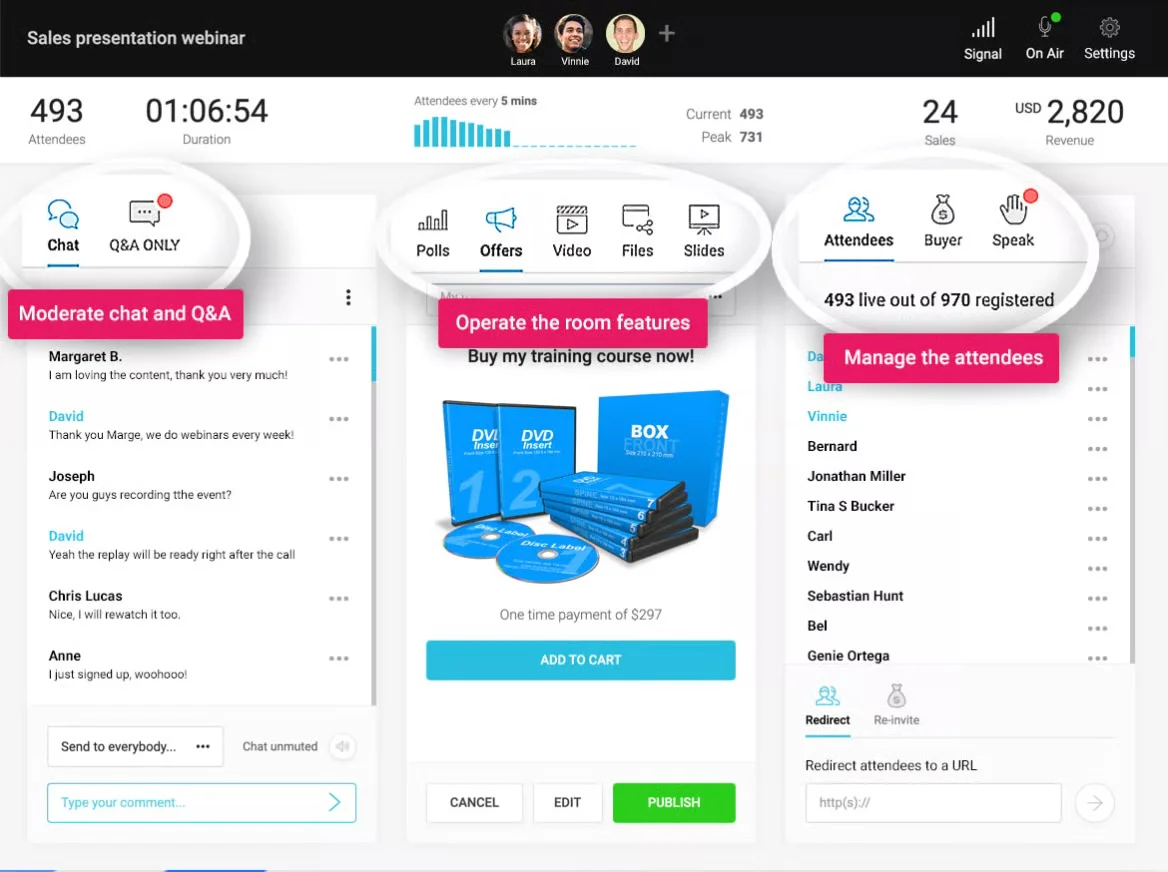
EverWebinar is the automated counterpart to WebinarJam — built by the same company, designed specifically for pre-recorded webinars — and the natural next step if you're already running live sessions on WebinarJam. The Replica Replay feature makes that transition simple: import your live session recording, and your chat timestamps, polls, offers, and handouts carry over automatically.

On the scheduling front, EverWebinar covers the bases well. It supports on-demand webinars; just-in-time sessions that start 15, 30, or 60 minutes after someone registers; instant replay so attendees can jump straight in without waiting; and recurring sessions on a daily, weekly, or custom schedule. You can run all of these simultaneously on the same webinar, which, as we’ve mentioned, is useful for maximizing attendance.

The problem is how EverWebinar handles chat and engagement.

Polls, offers, and handouts fire during on-demand sessions — so there's some interactivity — but chat is a different story entirely. The platform is explicitly built around simulation: pre-scheduled fake chat messages designed to look like they're coming from other attendees. They also display artificial attendee counts that fluctuate to create the impression of a crowd. EverWebinar's own marketing describes this as making it "impossible for anyone to tell if it's a live webinar."

Not only is this deceptive, but it also eliminates any real opportunity for hosts to engage with their audiences. Real attendee messages can't be captured through the simulated chat, so audiences speak into a void, and moderators can't reply to anything. With on-demand webinars, attendees are essentially watching a polished recording with timed pop-ups.

Read EverWebinar reviews here.

Features

  • Automated webinar scheduling with recurring, scheduled, or just-in-time sessions
  • Automatic time zone adjustments for global audiences
  • Replica Replay to convert live WebinarJam events into automated webinars
  • Engagement tools including real-time chat, polls, surveys, Q&A, offers, handouts, and clickable CTAs
  • Countdown timers for limited-time offers
  • Pre-scheduled chat messages and simulated attendee interaction
  • Customizable, branded registration and thank-you pages
  • Email and SMS reminder notifications
  • Integrations with major email marketing platforms and CRMs via Zapier
  • Analytics and reporting dashboards
  • Payment integrations with PayPal and Stripe for paid webinars
  • Mobile-friendly experience

Pricing

EverWebinar offers three plans by billing cycle. Plans include access to all of EverWebinar’s features listed above.

  • $199 per month on the monthly plan
  • $1,188 on the annual plan
  • $1,896 every two years on the biennial plan

4. Demio

Demio homepage


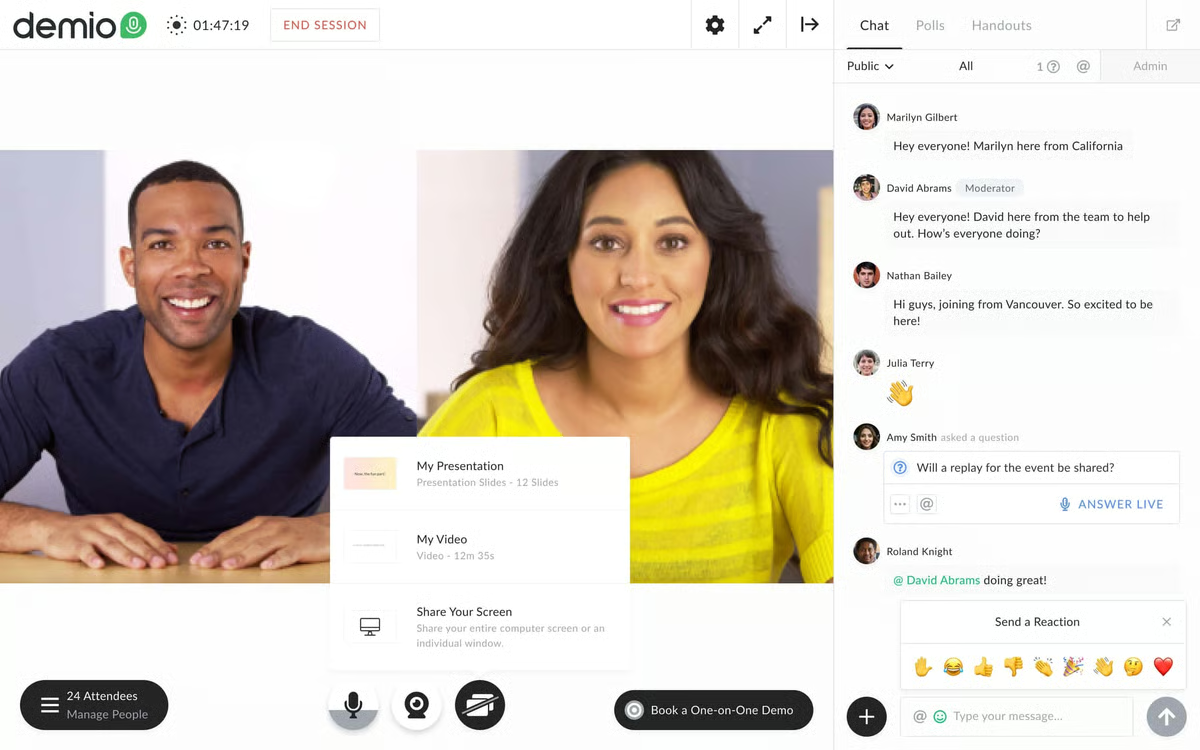
Demio is a super popular, top-rated webinar software because it’s modern-looking, browser-based (no downloads for attendees), and user-friendly, with a setup process so fast that teams can launch a webinar in under an hour, with minimal hand-holding.

For live webinars, Demio holds up well. Real-time chat, public and private messaging, emoji reactions, polls, Q&A, and attendee participation via mic and camera all work smoothly.

But Demio’s automated features are seriously limited (no live chat, basic interactions), and it doesn’t support on-demand webinars at all.

Read Demio reviews here.

Features

  • Live, automated, and on-demand webinars
  • Replays and recordings
  • Customizable branding and design options
  • Engagement tools including public/private chat, Q&A, polls, offers, links, CTAs, and attendee participation (mic and camera access)
  • Scheduling tools for single or recurring events with time zone adjustments
  • Automated email reminders and marketing tools
  • Analytics dashboards
  • Integrations with marketing and CRM platforms
  • Mobile apps for iOS and Android

Pricing

Demio offers a 14-day free trial and three paid packages:

  • The Starter plan ($63/month) supports a single host and 50 attendees.

  • The Growth plan ($117 to $855 per host per month) supports multiple hosts and up to 3k attendees.

  • The Premium plan (starting at $196 per host per month) includes everything in the Growth plan plus dedicated account support.

Read more: Best Demio Alternatives

5. Livestorm

Livestorm homepage: Where marketing teams run webinars

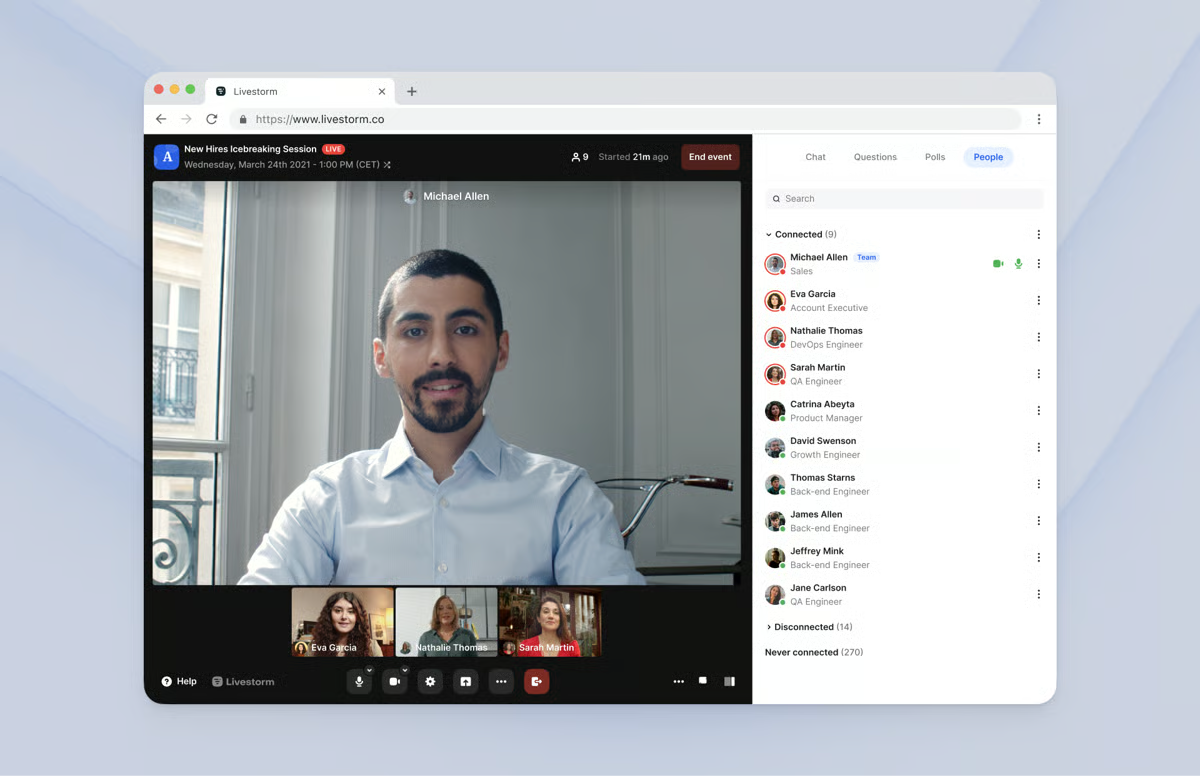
Livestorm is a sleek webinar solution that's become a popular choice for B2B SaaS teams running live events and product demos. The interface is clean and intuitive, it's fully browser-based, and multi-presenter support with screen sharing and restreaming to YouTube and Facebook works well out of the box.

Where the on-demand story gets complicated is that Livestorm is, at its core, a live-first platform. The automation features feel like they were added on top of a live product rather than built from the ground up for async delivery.

Polls and Q&A have to be manually triggered by a presenter during a session — there's no way to pre-program interactions on a timeline to fire automatically. That means someone needs to be present and actively running the show during every session. This limits how “on-demand” interactive webinars can be. You can technically run on-demand webinars here, but if no one is around to power interactions, attendees are just watching a recording.

Chat works, but again, because a live host is there, not because the platform has solved for async replies.

For teams that want to build an on-demand webinar that genuinely runs itself — with attendees watching, engaging, asking questions, and getting answers without anyone manning the controls — Livestorm isn't the right fit.

Find more Livestorm reviews here.

Features

  • Live, automated, on-demand, and hybrid webinar hosting
  • Multi-presenter support with video and screen sharing
  • Restreaming to multiple social media platforms like YouTube and Facebook
  • Custom branding — registration pages, email templates, and event room customization
  • Engagement tools — chat, polls, Q&A, file sharing, calls-to-action
  • Breakout rooms
  • Scheduling — one-time, recurring, just-in-time, and on-demand events
  • Automated email sequences — registration confirmations, reminders, and follow-ups
  • Analytics dashboards
  • Integrations with CRM, marketing, automation tools, and Zapier
  • Security features — TLS encryption, GDPR-compliance
  • Multi-language support and dial-in options for global audiences

Pricing

Livestorm offers a free trial, the Pro plan, and custom enterprise plans.

The Pro plan is attendee-based, starting at $3 per attendee for up to 400 attendees.

The per-attendee rate drops as you upgrade to larger packages.

For example, Livestorm charges $2.90 per attendee up to 1k attendees, $2.75 per attendee up to 1.5k attendees, $2.60 per attendee up to 2.5k attendees, and $2.40 per attendee up to 4k attendees.

If you need more than 4,000 seats, you’ll have to opt for an enterprise package.

Read more: Best Livestorm Alternatives

6. BigMarker

BigMarker homepage: The #1-rated platform for webinars

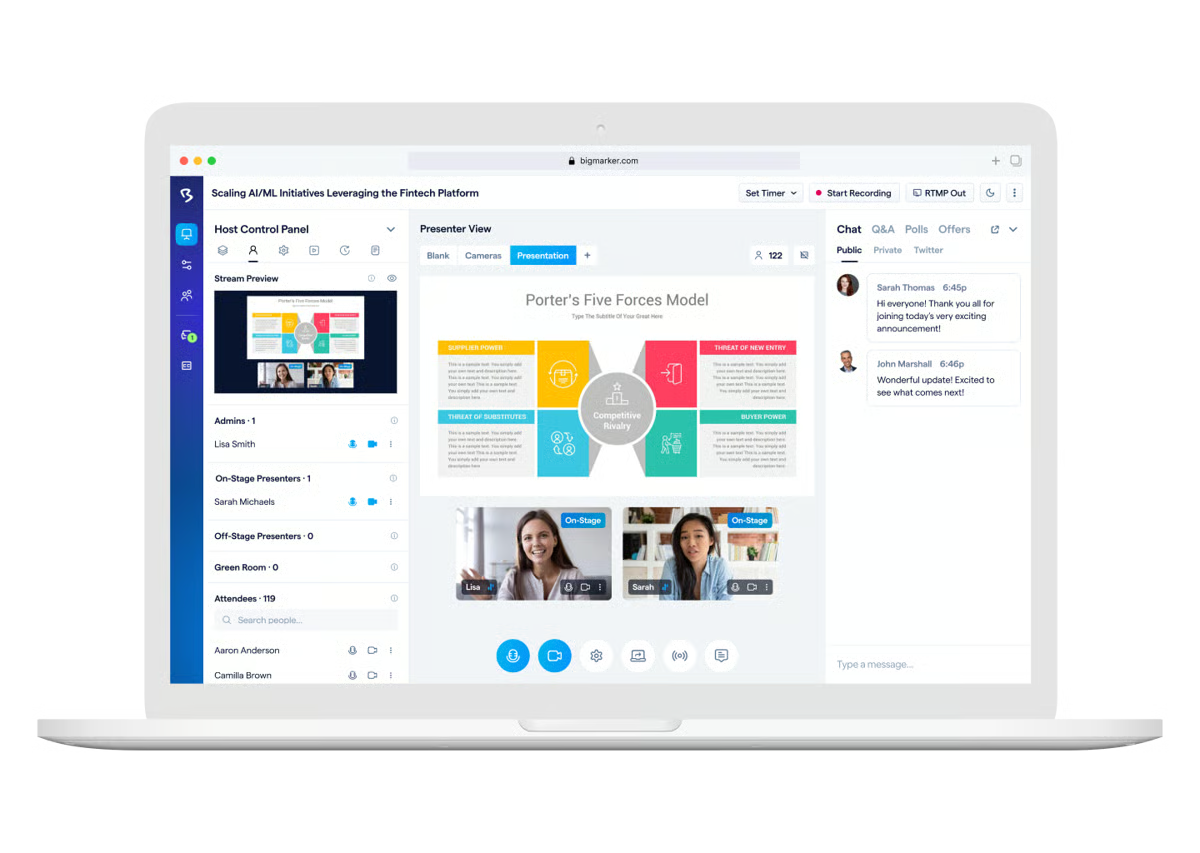
BigMarker is built for organizations that need to go big — virtual summits, multi-day conferences, large-scale online events with up to 500k attendees. The feature set reflects that: deep customization tools, breakout rooms, roundtables, virtual lobbies, hybrid event support, ticketing, and a ton of CRM and marketing integrations. For enterprise marketing teams running virtual events with large audiences, it's one of the more capable platforms available.

For automated webinars, BigMarker supports on-demand viewing, just-in-time sessions that run every 30 minutes, and recurring sessions — simultaneously.

However, BigMarker's on-demand format is essentially a gated recording — no interactions, no live or async chat.

Read BigMarker reviews here.

Features

  • Live, automated, on-demand, and hybrid webinar hosting
  • Multi-presenter support with video and screen sharing
  • Restreaming to multiple social media platforms like YouTube and Facebook
  • Custom branding: Registration pages, email templates, event room customization, and virtual backgrounds
  • Engagement tools: Chat, polls, Q&A, offers, handouts, surveys, and file sharing
  • Breakout rooms and roundtables
  • Scheduling: One-time, recurring, just-in-time, on-demand
  • Automated email sequences: Registration confirmations, reminders, and follow-ups
  • Analytics dashboards with detailed reporting on attendance, engagement, and conversion funnels
  • Integrations with CRM, marketing, automation tools, Zapier, and API access
  • Ticketing and payment processing for paid webinars
  • Security features: SOC 2 Type 2 certification, TLS encryption, GDPR compliance, role-based permissions
  • Multi-language support, dial-in options, and AI-powered networking tools

Pricing

BigMarker offers custom quotes for all packages.

7. WebinarKit

WebinarKit homepage: The modern, AI powered automation webinar platform.


WebinarKit has grown quickly by positioning itself as the AI-forward, budget-friendly alternative for solo marketers and course creators running automated sales funnels.

Scheduling flexibility here is solid: instant-watch lets attendees jump in immediately after registering, just-in-time sessions run every 15, 30, or 60 minutes, and recurring daily, weekly, and monthly sessions are all supported.

And the AI tools — which generate webinar titles, funnel copy, and interaction suggestions — are genuinely useful for marketers who want to move fast without having to write everything from scratch. Split testing for registration pages is also available, which you don't typically find at this price point.

The limitations here show up around chat.

As with several platforms on this list, you can use live chat or an email question box, but not both simultaneously in the same webinar. WebinarKit also offers a chat simulator with pre-scheduled fake messages — similar to EverWebinar's approach — which can give the impression of interactivity but, in reality, doesn't lend to real engagement.

Interactions like polls, offers, and handouts do fire during on-demand sessions, so attendees get some engagement — just not the conversational kind.

All in all, WebinarKit is a good enough platform for marketers who want an affordable automated webinar tool and aren't prioritizing a deeply interactive attendee experience.

Find WebinarKit reviews here.

Features

  • Live, automated, and on-demand webinar hosting
  • Unlimited webinar events and unlimited attendees
  • Recording and automatic replay capabilities
  • Custom branding for registration pages, thank you pages, and webinar rooms
  • Engagement tools: Chat (live and email question box), polls, surveys, handouts, offers with countdown timers, CTAs
  • Scheduling options: One-time, recurring (daily, weekly, monthly), just-in-time (every 15, 30, or 60 minutes), and instant-watch webinars
  • Time zone adjustments for global audiences
  • Marketing automation with automated and customizable email sequences and SMS text messages
  • Custom registration fields to collect additional attendee data
  • Analytics dashboard tracking registrations, attendance, engagement, watch time percentages, and conversion metrics
  • Integrations with 1,000+ apps via Zapier and direct CRM connections
  • Multi-language support for all webinar pages and communications
  • Embeddable registration forms and webinar players for existing websites
  • Chat simulator with pre-scheduled messages
  • AI-powered tools for webinar titles and funnel copy
  • Video hosting
  • Split testing for registration pages and webinar funnels
  • Mobile-friendly attendee experience

Pricing

WebinarKit offers a 7-day trial for $1 as well as two paid plans. Both plans support evergreen webinars.

  • Standard ($67/month): This plan offers a wide range of WebinarKit’s tools but doesn’t include registration page templates, webinar widgets, and certain interactive tools (such as polls and handouts).

  • Pro ($97/month): This plan provides access to all of WebinarKit’s features.

WebinarKit offers lower rates for annual plans. They also offer a one-time payment option: pay $1997 for full lifetime access to the platform (Pro plan).

8. StealthSeminar

StealthSeminar homepage: Automated Webinar Software to Get Leads and Sales Faster


StealthSeminar is a long-standing automated webinar platform popular with marketers who run ads to promote their webinars. It's particularly known for split testing — you can A/B test your registration pages and webinar funnels, which is useful if you want to figure out what's converting and what isn't.

Scheduling covers the essentials: on-demand, just-in-time, and recurring (with time zone adjustments) are all supported.

Interactions — polls, surveys, Q&A, offers, handouts, and CTAs — are preprogrammed and automatically appear during on-demand sessions. And the custom HTML interaction builder gives technically inclined users more control over how those look and behave than most platforms allow.

What StealthSeminar can't do is give on-demand attendees a real conversation. The chat is simulated, with pre-scripted messages that make sessions feel busy. But real attendee questions go nowhere. To actually respond to someone live, you'd have to register for your own webinar as an attendee — while on-demand users are tuning in — and join from the attendee side. Most teams can’t and won't do that.

On top of that, Starter and Professional plans are unusually restrictive — both cap at 100 attendees, so many teams are pushed into the significantly pricier Growth plan pretty quickly.

For most teams, the attendee caps and chat workarounds are hard to get past.

Find more StealthSeminar reviews here.

Features

  • Live, automated, and hybrid webinar hosting
  • Recording and replay capabilities
  • Custom branding for registration pages, thank you pages, countdown pages, and webinar rooms
  • Engagement tools — chat (live or simulated), polls, surveys, Q&A, offers, handouts, CTAs
  • Multi-presenter support with screen sharing
  • Scheduling — one-time, recurring, just-in-time, and on-demand events
  • Time zone adjustments for global audiences
  • Automated email sequences — registration confirmations, reminders, and follow-ups
  • Analytics dashboard tracking attendance, engagement, and revenue
  • Integrations with CRM and email marketing platforms (additional fees may apply for some integrations)
  • Split testing for registration pages and webinar funnels
  • Custom HTML interaction builder with WYSIWYG editor
  • Simulated chat messages and attendee counts
  • Mobile-friendly attendee experience

Pricing

StealthSeminar offers four paid plans:

  • Starter ($69.95/month): This plan supports 100 attendees, live and automated webinars, interactive features, and analytics.

  • Professional ($99.95/month): This plan also supports 100 attendees and includes more advanced functionality, such as customizable registration forms, white-label custom domains, and white-label custom emails.

  • Growth ($175 to $280 per month): This plan supports 300 to 500 attendees and includes white-glove support.

  • Plus (Custom Quote): This is StealthSeminar’s enterprise plan that supports over 25k attendees.

9. ClickMeeting

ClickMeeting homepage: Run meetings with confidence


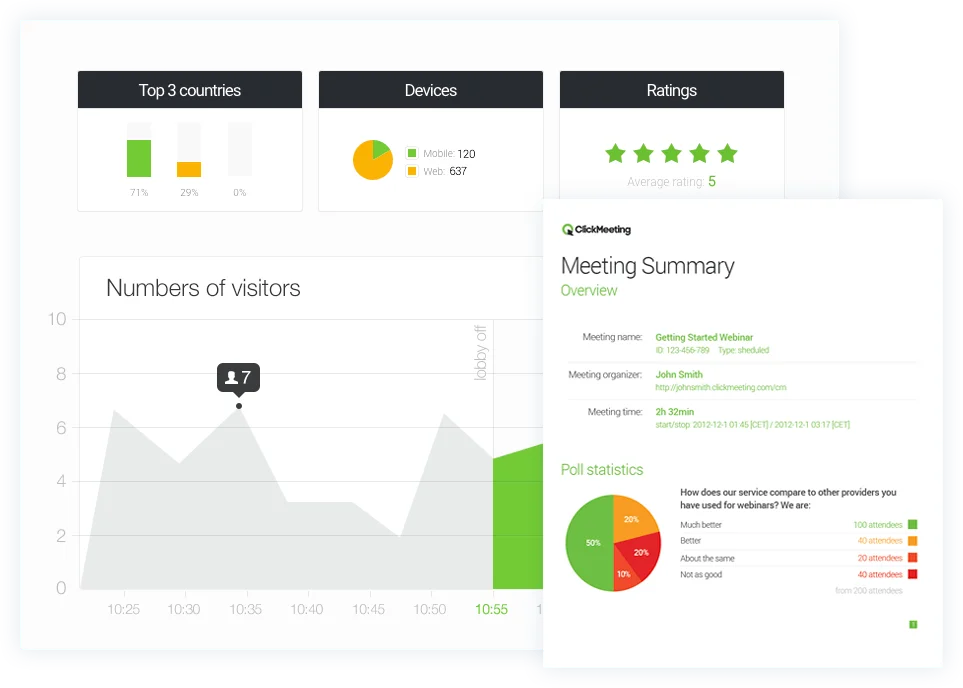
ClickMeeting covers a lot of ground: live webinars, automated webinars, on-demand webinars, video conferencing, and large-scale webcasts for up to 10k attendees. It’s particularly popular in the training and education space — its whiteboard tools, polls, and classroom-style features make it a natural fit for teams running instructional content. And teams that want to charge for access to webinars or courses like ClickMeeting for its built-in monetization features.

But since we’re on the topic of on-demand webinars, it’s worth noting how ClickMeeting distinguishes between its two pre-recorded formats, as they're quite different.

Automated webinars run at scheduled times — recurring sessions that start and run on a timeline automatically, without you needing to be there. They support polls, surveys, CTAs, and an "answer later" chat option where attendees can leave messages you respond to after the session.

On-demand webinars, on the other hand, are basically gated recordings — attendees watch whenever they want, but there are no interactions or chat, just the video and an optional message box.

No just-in-time scheduling exists in either format.

So, depending on which format you use, the experience is pretty different. Automated gets you more engagement tools, but requires a set start time. On-demand is truly watch-anytime, but strips out interactivity entirely.

Find more ClickMeeting reviews here.

Features

  • Live, automated, and on-demand webinar hosting
  • Recording and automatic transcription services
  • Custom branding for registration pages, waiting rooms, and webinar rooms
  • Engagement features — chat, Q&A, polls, surveys, whiteboard
  • Screen sharing and presentation tools
  • Breakout rooms for smaller group discussions
  • Scheduled webinars with recurring event options
  • Automated email reminders and follow-ups
  • Monetization with paid webinar support and payment processing
  • Analytics dashboard tracking attendance and basic engagement metrics
  • Integrations with CRM and marketing platforms via Zapier
  • Security features — password protection, waiting rooms
  • Mobile apps for iOS and Android
  • Multi-language support

Pricing

ClickMeeting offers a free trial with up to 25 attendees and basic features. After the trial, you can choose from three paid plans: Live, Automated, or Enterprise.

  • The Live plan ($48 to $335 per month) supports live webinars and 25 to 1,000 attendees.

  • The Automated plan ($58 to $385 per month) supports automated and on-demand webinars for 25 to 1,000 attendees.

  • The Enterprise plan (custom quotes) supports all webinar types and up to 10,000 attendees.

10. WebinarNinja

WebinarNinja homepage


WebinarNinja is designed for simplicity — solopreneurs, educators, and small teams who want to get a webinar live fast without a steep learning curve. Setup is quick, the interface is clean, and the per-attendee pricing ($1.20/attendee/month) keeps costs low at smaller volumes. And all features are available on every plan, which is a nice change from platforms that gate tools behind higher tiers.

For on-demand webinars, interactions hold up reasonably well — polls, Q&A with upvoting, offers, handouts, and emoji reactions all work on pre-recorded content.

But chat is only available during live sessions. For on-demand webinars, it's replaced by a question submission box — attendees leave messages, you reply via email, and that's the extent of it. By the standard we set at the top of this guide, that gap matters.

Find WebinarNinja reviews here.

Features

  • Automated and on-demand webinar hosting with unlimited automated attendees
  • Fully branded, customizable registration and thank-you pages
  • Interactive polls, Q&A (with upvoting), sales offers, handouts, and emoji reactions for pre-recorded content
  • Public and private chat available during live sessions only
  • Automated email sequences for reminders, follow-ups, and thank-yous
  • Integrations with Stripe, Zapier, Mailchimp, HubSpot, and more
  • Ability to charge for paid webinars with seamless payment processing
  • Unlimited webinar recording storage with replay playback controls
  • Analytics on registrations, attendance, engagement, and sales
  • 24/7 customer support via chat, email, and phone

Pricing

WebinarNinja charges $1.20 per attendee per month.

All users have access to all of their features. WebinarNinja also offers custom enterprise plans for larger teams.

FAQs

What is on-demand webinar software?

On-demand webinar software lets you pre-record a presentation and make it available for people to watch the moment they register — no waiting for a scheduled session, no coordinating time zones, no host required.

The best webinar platforms don't just host the recording — they keep the experience personal and engaging, with pre-programmed interactions that fire automatically and chat that works even when you're not around.

What's the difference between on-demand, evergreen, and automated webinars?

They're largely the same, but there is some nuance.

  • "On-demand" describes the viewing experience — watch immediately, whenever you want.

  • "Evergreen" emphasizes that the content remains relevant over the long term.

  • "Automated" refers to how the webinar runs — without a live host, on autopilot. It also implies a certain degree of preprogrammed interactivity.

In practice, a well-built on-demand webinar is all three at once.

What features should I look for in on-demand webinar software?

Three things matter most for on-demand specifically.

  • Scheduling flexibility: Can someone watch the moment they register, or do they have to wait for a session to start? Platforms that support on-demand, just-in-time, and instant replay simultaneously give attendees a lot of options to show up right away.

  • Interactions: Do polls, CTAs, and other engagement tools appear automatically during on-demand viewing, or does someone need to be present to trigger them? If it's the latter, on-demand attendees are just watching a recording.

  • Chat: Can someone watching at midnight actually reach a real person? A contact form that routes to email isn't the same as a chat system where replies land in the attendee's inbox. That distinction is what separates a true on-demand webinar from a video on a landing page.

Are on-demand webinars as effective as live webinars?

They can be, but it depends heavily on the platform. An on-demand webinar on a platform that strips out chat and interactions is just a recording. An on-demand webinar on a platform built for it is an entirely different experience.

The inherent advantage of on-demand is timing. With a live webinar, you're asking people to show up at a time that works for you. With on-demand, they show up at a time that works for them — which is almost always when their interest is highest. That window right after someone discovers your webinar, when they're curious and ready to engage, is exactly when on-demand delivers.

And the on-demand experience can feel just as personal as a live webinar. Pre-programmed interactions keep things engaging throughout, and a good async chat system means attendees can ask questions and actually hear back — which is what makes a webinar a webinar rather than just a recording.

Isn't it better to use a platform that handles both live and on-demand?

It sounds logical — one tool, two use cases, less to manage. But in practice, it just doesn’t work out that way.

Live and on-demand webinars require completely different features.

  • Live webinars need real-time audience controls, multi-presenter support, and the ability to respond to whatever happens in the room.

  • On-demand webinars need pre-programmed interactions that fire without anyone there, async chat that keeps conversations alive around the clock, and scheduling flexibility that removes every barrier to watching.

Platforms that try to serve both use cases end up building one well and bolting the other on. Almost without exception, on-demand is the one that gets bolted on.

Pick the tool that was built for the job you're actually trying to do. For on-demand, that means evaluating platforms specifically on chat, interactions, and scheduling — not on whether they also happen to do live. That's what this guide is here to help with.

Getting started with eWebinar

The better on-demand webinar software gets the scheduling right and stops there. Attendees can watch any time they wish — but they're watching alone, with no way to engage, no way to ask questions, and no real person on the other side. That's a recording, not a webinar.

The platforms that actually deliver on the promise of on-demand are the ones that preserve the engaging webinar experience: real interactions, real conversation, and an experience that feels personal even when no one's hosting live.

That's what eWebinar was built for. With 20+ interactions you can pre-program to fire at exactly the right moment, your webinar stays engaging from start to finish — every session, automatically. And with async chat that works whether a moderator is available or not, every attendee who has a question gets a real answer, not a contact form.

If you're ready to see it in action, start a 14-day free trial or watch our demo below.

 
eWebinar Overview & Demo 🔥
Hosted by Melissa Kwan, Todd Parmley | 28m 29s
Tired of doing the same webinar over and over? In this 25-min overview and demo, you'll learn how eWebinar lets you automate your sales demos, onboarding, and training webinars in minutes.


Related reads: