Quick Summary
On-demand learning is how modern teams scale education to customers, employees, and partners who can't show up at a fixed time.
The problem isn't the content. It's the delivery model. Live sessions cap your reach at whoever's free Tuesday at 2pm. Static recordings lose engagement within minutes. The platforms below solve this in different ways depending on who you're training and why.
Our top three picks:
# | Platform | Best For |
1 | eWebinar | Customer onboarding and on-demand training |
2 | TalentLMS | Internal employee training |
3 | Thinkific | Course creators & info-marketers |
The Real Problem with Live Training
Most teams move to async because live has stopped scaling. You're running the same session three times a week, attendance is dropping, and your team is burning out delivering identical content to dwindling rooms.
That's not a scheduling issue. It's a growth ceiling.
The average live webinar gets 30-40% attendance, while on-demand averages 83%. It’s the same content, but you more than double the reach, and your team gets their week back.
What Async Learning Means
"Async" gets used to describe everything from a Loom recording to a full LMS. The differences matter when you're picking a tool.
For external audiences (customers, prospects, partners), you need video that feels like an engaging session, not a static file. For internal training (employees, franchisees, contractors), you need tracking, certifications, and compliance reporting.
An LMS can be the right answer when your audience is required to log in. For internal training where employees have to complete modules, portal friction is acceptable. For external audiences it's a different equation. A paying customer can navigate a portal to learn your product, but every extra step (account creation, login, finding the right module) is a drop-off point.
That's why this list separates tools by who they're for.
If it's feeling heavy, browse other Canvas LMS alternatives built for self-paced delivery.
Why Listen to Us
We run our entire sales and training motion on eWebinar. Every demo, onboarding session, and customer training is delivered through our platform. We've seen what works at 30 attendees, 300, and 3,000 firsthand, and we’ve worked with thousands of businesses who've shared what works for them.
Top 7 Asynchronous Learning Platforms
# | Tool | Best For | Async Chat | Interactivity Level | Capterra Ratings | Starting Price |
1 | eWebinar | Customer onboarding and on-demand training | Yes (Native 2-way) | Very High (25+ interaction types) | ⭐ 4.9 | From $99/mo |
2 | TalentLMS | Internal employee training | No | Low (Standard quizzes) | ⭐ 4.7 | Free tier Paid from $69/mo |
3 | Thinkific | Selling courses online | No | Low (Comments sections) | ⭐ 4.4 | Free tier Paid from $36/mo |
4 | Lessonly | Internal sales enablement | No | Medium (Practice pitches) | ⭐ 4.7 | Custom pricing |
5 | Loom | Quick, 1-off team updates | No | None (Passive video) | ⭐ 4.7 | Free tier Paid from $15/mo |
6 | Articulate 360 | Enterprise instructional design | No | High (Requires custom coding) | ⭐ 4.7 | $1,499/user/year |
7 | Absorb LMS | Large corporate HR compliance | No | Low (Standard assessments) | ⭐ 4.5 | Custom pricing |
1. eWebinar

Best for: Any team delivering repeatable content to an external audience that can't show up on a fixed schedule.
We built eWebinar for companies that need to deliver product education at scale without losing the high-touch experience their customers expect. The biggest fear teams have when moving off live is losing connection with their customers. They’re (rightly) worried about real conversations and relationships getting replaced by a one-way broadcast. The features we build are specifically designed to make sure that never happens.
Key Features:
- Two-way chat that works like texting. Attendees message you inside the session and you get notified on desktop browser, email, or Slack. Reply in the moment or later through email. A customizable auto-response sets expectations when no one's available, so attendees never feel abandoned.
- 25+ interactions programmed into the video timeline. Polls, quizzes, tips, open-ended questions, and conditional follow-ups that change what each viewer answers. Smart Pause stops playback until the viewer responds, so on-demand sessions keep the active participation throughout.
- On-demand and Just-in-Time scheduling. A new session starts within minutes of someone landing on the page, plus recurring schedules in every attendee's local time zone.
- Per-attendee analytics. Data from every session flows into your CRM, so follow-ups are based on what each person actually watched and asked.
- Built for scale without headcount. Inside Real Estate runs 100 concurrent sessions with two staff managing chat. One person can run multiple simultaneous sessions without dropping a lead.
Pros:
- Attendance averages 83% on on-demand sessions, roughly double the 30-40% live industry average
- Every attendee gets a personalized, interactive experience regardless of when they join
- No question goes unanswered because chat works on your schedule, not a live clock
- Audience reach more than doubles without adding a single person to your team
Cons:
- eWebinar is built for on-demand video delivery. For occasional live events you'll keep your Zoom subscription alongside it.
Capterra Rating
⭐ 4.9
Pricing
Starts at $99/month
See how eWebinar works by joining our on-demand demo here.
2. TalentLMS
Best for: Internal corporate training and compliance.
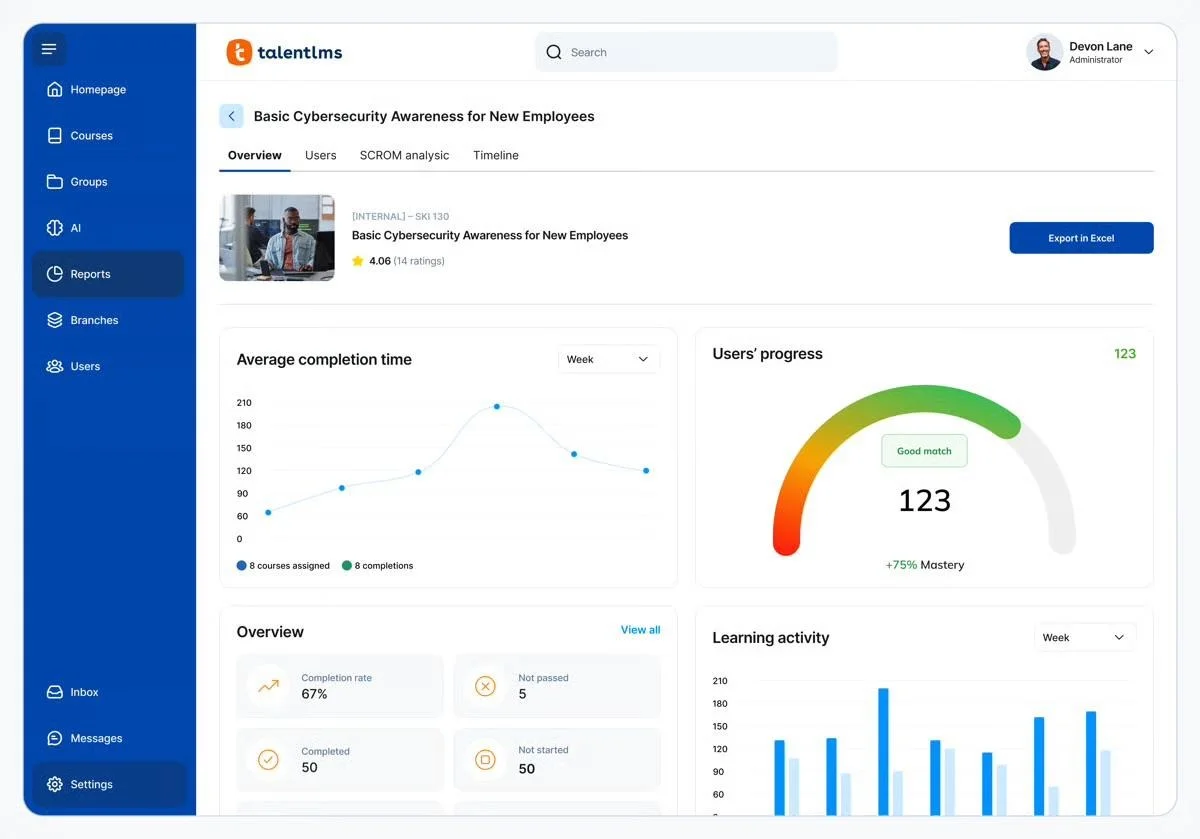
TalentLMS was built for internal corporate administration. If you need to assign mandatory training, track completion, and produce audit-ready reports, this is the category leader.
Key Features:
- Course builder with quizzes and certifications
- SCORM and xAPI support
- User groups, learning paths, and automated assignments
- Compliance reporting and audit trails
Pros:
- Strong reporting for HR and compliance teams
- Scales well across thousands of internal users
- Reasonable pricing for the feature set
Cons:
- Not designed for external audiences
- Adoption depends on mandatory login, which doesn't translate to customers
- Setup and course creation take time
Capterra Rating
⭐ 4.7
Pricing
Free for up to 5 users; paid plans from $69/month
3. Thinkific
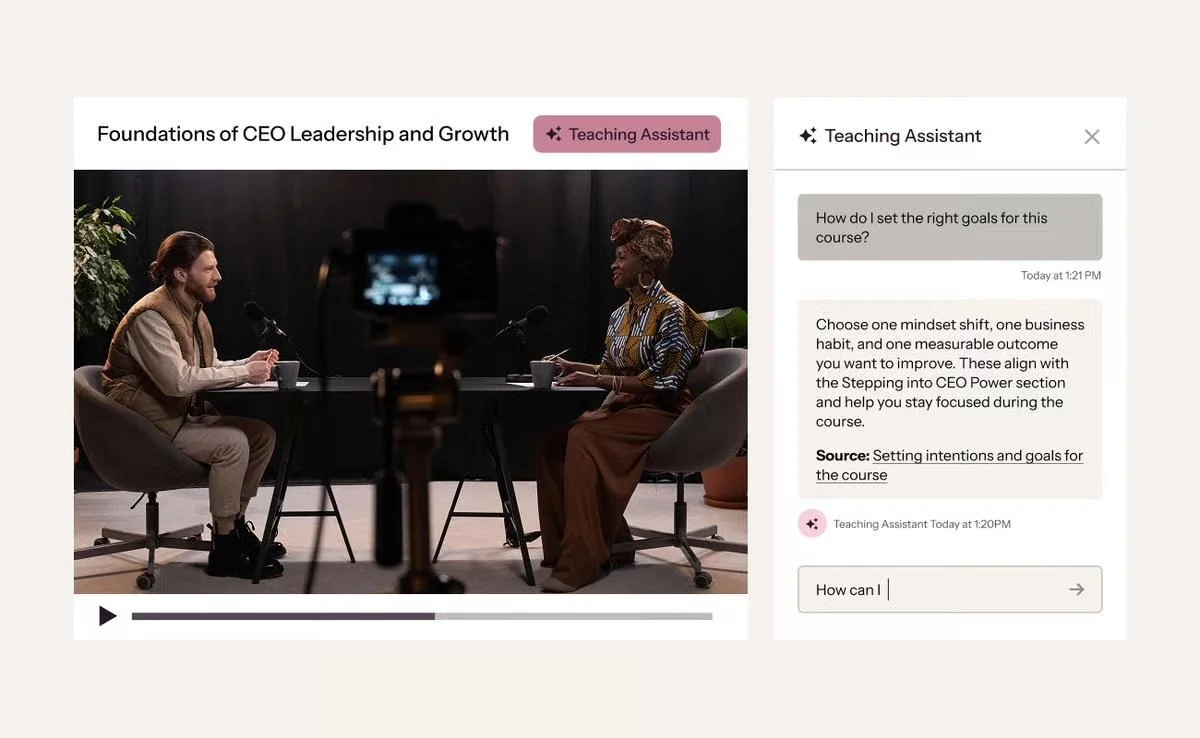
Best for: Course creators and coaches monetising digital education.
Thinkific is built for course creators, coaches, and info-marketers who want to monetize digital education. Its architecture is designed around selling courses as a standalone product, not training existing customers on yours.
Key Features:
- Drag-and-drop course builder
- Built-in payments and subscription management
- Branded student portal
- Drip-release scheduling
- eWebinar integration. If you're using Thinkific to sell courses but want interactive video sessions inside your modules, eWebinar runs as a course module within Thinkific.
Pros:
- Strong tools for creators selling courses
- Good design templates out of the box
- Reliable payment and student management
Cons:
- Designed for paid courses, not customer onboarding or product training
- Course-based structure doesn't fit short-form sales or product demos
- Limited live interaction
Capterra Rating
⭐ 4.4
Pricing
Free tier available; paid plans from $36/month
4. Lessonly (now Seismic Learning)
Best for: Internal sales enablement and coaching.
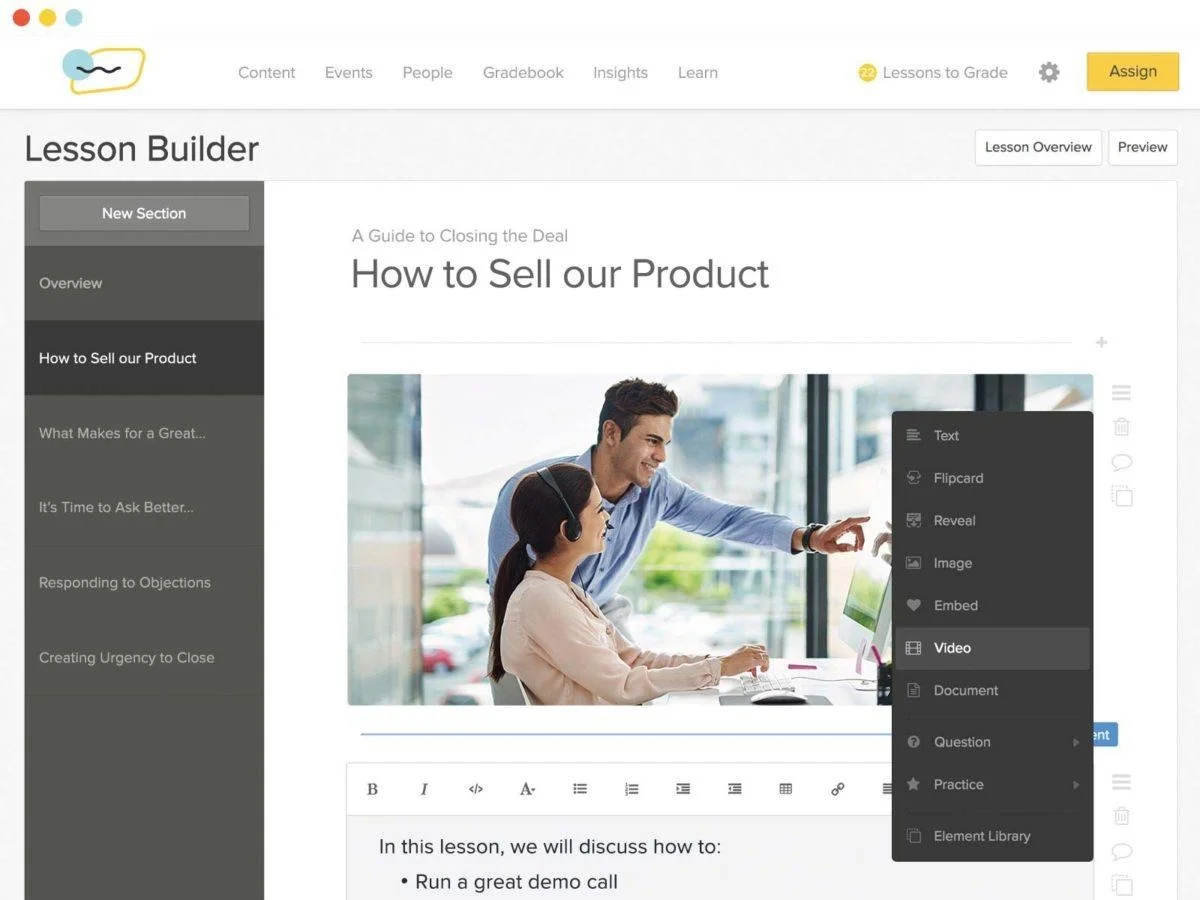
Lessonly is an internal coaching and sales enablement platform. Sales teams use it to onboard reps, deliver ongoing training, and run practice scenarios with feedback.
Key Features:
- Lesson builder with multimedia support
- Practice scenarios with manager feedback
- Skill tracking and certifications
- Salesforce integration
Pros:
- Purpose-built for sales onboarding and coaching
- Practice features genuinely improve rep performance
- Manager feedback loops are well designed
Cons:
- Internal use only
- Pricing skews enterprise
- Less useful outside of sales-specific use cases
Capterra Rating
⭐ 4.7
Pricing
Custom pricing; contact sales
5. Articulate 360
Best for: Instructional designers building custom interactive courses.
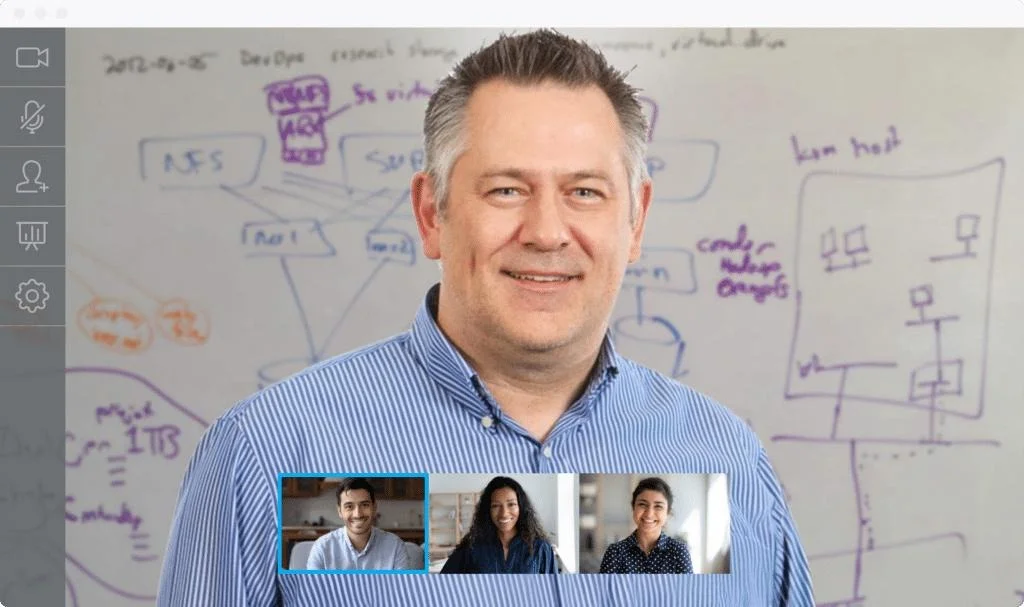
Articulate is the standard for instructional designers who need full control over course design. If your organization has dedicated training staff producing complex, interactive learning content, this is what they'll ask for.
A platform delivers the learning; the footage carries it. Here's the training video software worth using.
Key Features:
- Storyline 360 for custom interactive courses
- Rise 360 for responsive web-based courses
- Asset library with templates, characters, and stock content
- SCORM publishing for any LMS
Pros:
- Deep customization for complex learning design
- Industry standard for instructional designers
- Works with most major LMS platforms
Cons:
- Steep learning curve
- Requires dedicated instructional design resource
- Authoring tool only, no delivery platform included
Capterra Rating
⭐ 4.7
Pricing
$1,499/user/year
6. Loom
Best for: Quick, informal video messages between teammates or to a small group of customers.
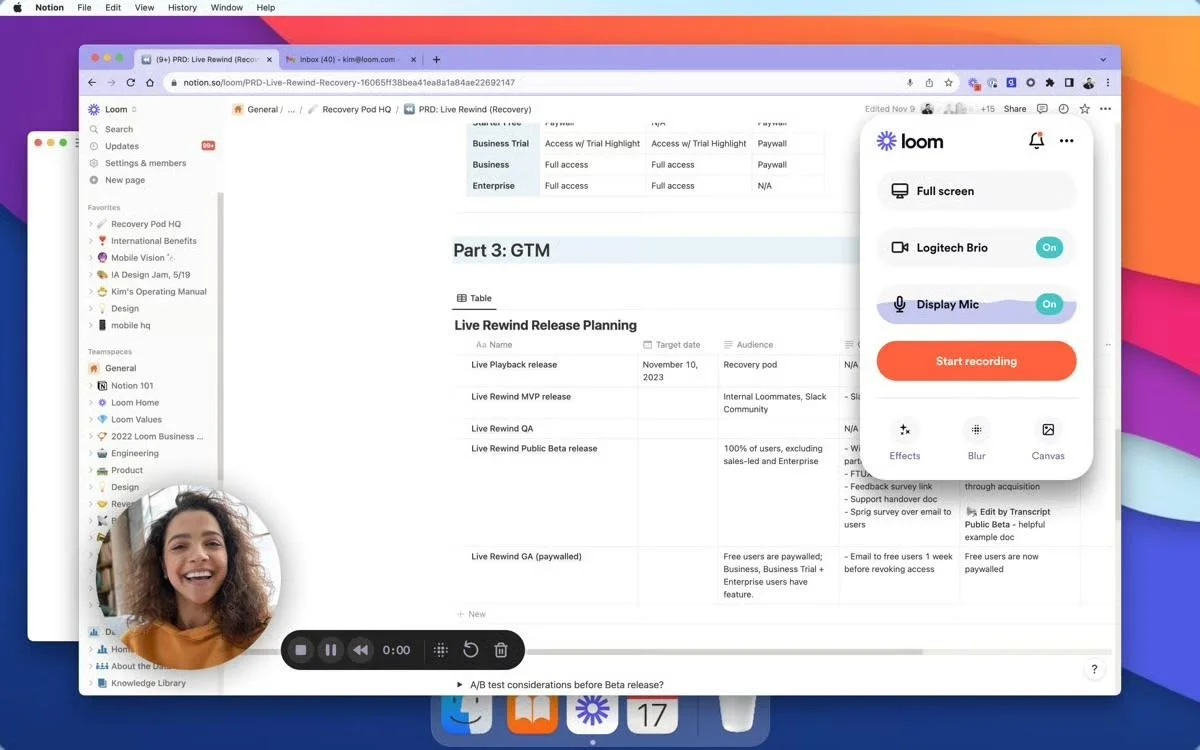
Loom is the go-to tool for short async video. It's not a learning platform. It's a recorder that lets you replace a meeting with a five-minute walkthrough. For internal updates, code reviews, and one-off customer answers, it's hard to beat.
Key Features:
- One-click screen and webcam recording
- Auto-generated transcripts and AI summaries
- Viewer reactions and timestamped comments
- Integrations with Slack, Gmail, and Notion
Pros:
- Fast to record and share
- No setup or production needed
- Free tier covers most light users
Cons:
- Built for one-to-one or one-to-few, not scalable training
- No registration, scheduling, or attendee tracking
- Engagement drops sharply on videos over 5 minutes
Capterra Rating
⭐ 4.7
Pricing
Free tier available; paid plans from $15/user/month
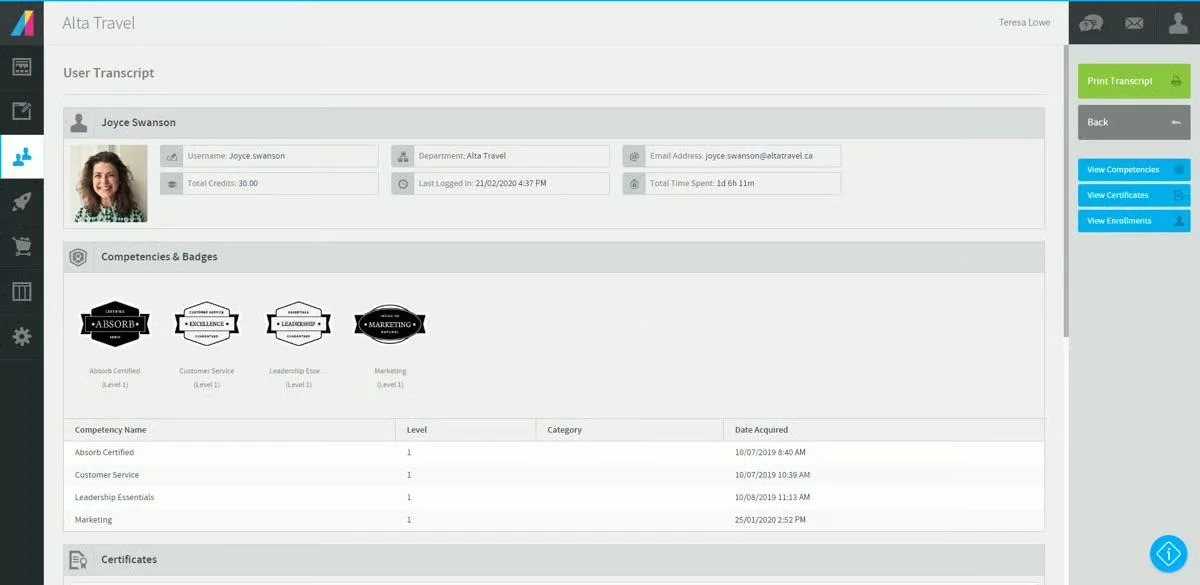
7. Absorb LMS
Best for: Enterprise compliance training across global organizations.
Absorb LMS is built for global corporations, franchise networks, and government entities running mandatory compliance training at scale. If you need to manage training across thousands of users in multiple regions and languages, this is in the consideration set.
Key Features:
- Multi-tenant architecture for franchises and partners
- Advanced reporting and analytics
- E-commerce for selling training externally
- AI-powered course recommendations
Pros:
- Handles enterprise scale and complexity
- Strong reporting for compliance and audit
- Good support for multi-language deployments
Cons:
- Implementation is heavy
- Pricing reflects enterprise positioning
- Overkill for small or mid-market teams
Capterra Rating
⭐ 4.5
Pricing
Custom pricing; contact sales
How to Choose
Start with audience. The right platform depends entirely on who you're delivering content to and what they're required to do with it.
- If you're training your own employees on compliance: Go with TalentLMS or Absorb LMS. Your staff is mandated to engage, so LMS friction won't kill adoption.
- If you're selling a digital course: Choose Thinkific. It has the payment processing and marketing features built for that model.
- If you need quick async messages between teammates: Loom is hard to beat for short, informal video.
- If you have a dedicated instructional design team: Articulate gives them the control they want for complex interactive courses.
- If you're delivering demos, onboarding, training, or marketing content to any external audience: Choose eWebinar. Your audience has unpredictable schedules, no obligation to show up, and zero patience for clunky portals. You need a platform that reaches them on their timeline, holds their attention through built-in interaction, and keeps the conversation alive through real two-way chat.
Final Word
Live works for high-stakes conversations and one-time events. But for content your team delivers over and over, live has a ceiling that eWebinar removes.
Join our on-demand demo to see how it works.
FAQ
What's the difference between an LMS and an on-demand webinar platform?
An LMS is built for internal training where employees and customers are required to log in, complete courses, and track certifications. On-demand video and webinar platforms are built for external audiences who attend a session, ask questions, and convert into customers. Different use cases, different tools.
Can I use eWebinar for internal training?
Yes, but it's optimized for external audiences. For mandatory internal compliance training with audit reporting, an LMS is usually a better fit.
What attendance rate should I expect from on-demand?
Across our customer base, on-demand sessions average 83% attendance compared to 30-40% for live. Reach typically more than doubles in the first 30 days.
Do attendees know it's not live?
Yes. We're upfront about that and so are our customers. What attendees care about is the quality of the content and getting their questions answered, and two-way chat handles the second part on your schedule.
Curious to see how eWebinar can help run your demos, onboarding, and training sessions on autopilot?
Watch a one-minute explainer video for a quick overview of the eWebinar platform. Or, better yet, join our on-demand demo to learn more!