Quick Summary
Finding the right learning management system (LMS) for customer training is a completely different beast than vetting one for academic institutions or internal employees. Because "LMS" is such a broad category, the features vary wildly depending on exactly who the software was built for.
To help you cut through the noise, we’ve put together a curated list designed specifically to help you find the best platform for your customer training goals. Here’S a quick look at our top three picks:
If your focus is training medical and healthcare staff instead of customers, the priorities shift toward compliance, audit trails, and role-based paths.
# | Platform | Best For |
1 | TalentLMS | Fast, affordable customer training for growing teams |
2 | Docebo | Enterprise customer education programs at scale |
3 | LearnUpon | Mid-market teams running multi-audience training portals |
Why Listen to Us
eWebinar is not an LMS platform, so this is not a pitch for you to pick our product over those in this review. However, we work closely with customer success and training teams, helping them onboard and train users at scale. That vantage point helps us understand where traditional LMS platforms excel, where they frustrate users, and exactly what else you need to make your training actually stick. We’re bringing that firsthand perspective to this piece.
Where eWebinar Fits in Your Customer Training Stack
It’s no secret that top-tier learning management systems can be prohibitively expensive—and in some cases, they can be a complete overkill. If your customer training program relies primarily on video lessons, building a library of on-demand videos is significantly cheaper than onboarding a massive LMS.
Beyond the budget, traditional LMS platforms were originally designed for internal employee compliance or structured academic courses. Because they were built for those specific use cases, applying them to customer training can sometimes introduce unintended friction:
- Low engagement: When customers are left alone with a dry, self-paced module and no real reason to stay involved, they simply check out.
- Access barriers: Forcing customers to manage a separate training login, a separate portal, and another password can accidentally create a barrier to entry.
- Administrative overhead: A robust LMS requires maintenance and setup that can feel heavy for customers who just want to quickly log in, get their answers, and get back to work.
Canvas is built for coursework, not customer or staff training. If academic tools don’t map to what you need, it’s worth swapping Canvas for something built for your use case.
This is where eWebinar fits in. It’s an on-demand video platform with a built-in, two-way chat. You simply record a training session once, layer in interactive elements, and put it on a 24/7 schedule so customers can join whenever it suits them.

While a customer watches your training, they can type a question into the chat at any second. Your team gets a notification and can reply asynchronously from Slack, their phone, or a browser whenever they are available. To the viewer, it feels like a personalized, live conversation. To your team, it’s as seamless as responding to a quick text message.
Joining a session is also entirely friction-free because there is no complex portal to navigate. Customers simply sign up once and click a direct link in their email. Removing that extra login step is critical because the easier you make it for a customer to access training, the faster they can get value out of your product.
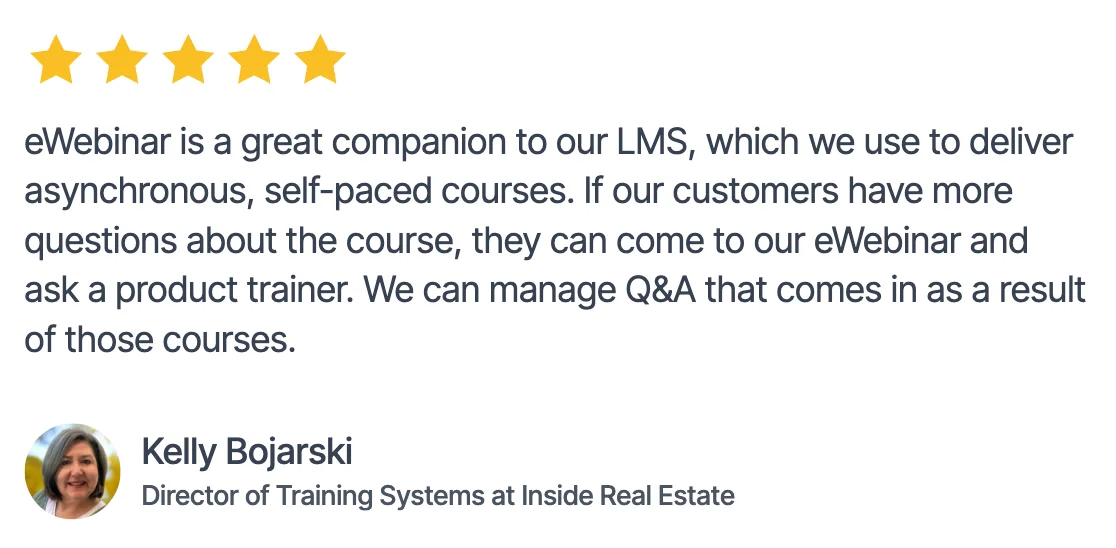
Of course, if your team requires an LMS, you don't have to choose between the two. eWebinar is designed to work right alongside your platform in a couple of ways:
- Embedded directly inside the LMS: You can host an eWebinar session right inside your LMS as a standard course module. Learners follow their usual path and hit the video naturally—complete with the interactive chat—without ever leaving your platform. This is perfect if your organization is fully standardized on an LMS but you want to inject a highly interactive video or on-demand webinar into specific topics.
- Running platforms in parallel: You can let your LMS handle traditional, self-paced courses while using eWebinar for milestones that require a more guided, conversational touch. Because different users prefer different styles of learning, offering both formats ensures you accommodate everyone in your audience.
Top 7 Software for Customer Training: Full Comparison Table
# | Tool | Best For | Multi-Tenancy (Portals) | CRM/CSM Integrations | Capterra Rating | Starting Price |
1 | TalentLMS | Fast, affordable customer training for growing teams | Yes (Branches feature) | Salesforce, HubSpot, and Zendesk via Zapier | ⭐ 4.7/5 | $149/month |
2 | Docebo | Enterprise customer education programs at scale | Yes (Extended Enterprise) | Native Salesforce, HubSpot, and Zendesk | ⭐ 4.4/5 | Custom |
3 | LearnUpon | Mid-market teams running multi-audience training portals | Yes (Learning Portals) | Native Salesforce, HubSpot, and Zendesk | ⭐ 4.7/5 | Custom |
4 | Thinkific Plus | Scaling customer education via branded apps | Limited (Separate environments available) | Salesforce and HubSpot via Plus apps | N/A | Custom |
5 | Absorb LMS | Multimedia-heavy customer and partner training | Yes (Departments and Portals) | Salesforce native and robust REST API | ⭐ 4.5/5 | Custom |
6 | 360 Learning | Collaborative, expert-driven customer onboarding programs | Yes (Group-based hierarchies) | Native Salesforce and HubSpot connectors | ⭐ 4.7/5 | $8/user/month |
7 | iSpring Learn | Rapid setup of technical customer courses | Limited (Basic organizational groups) | Webhooks and open developer API | ⭐ 4.7/5 | $3.58/active user/month |
1. TalentLMS
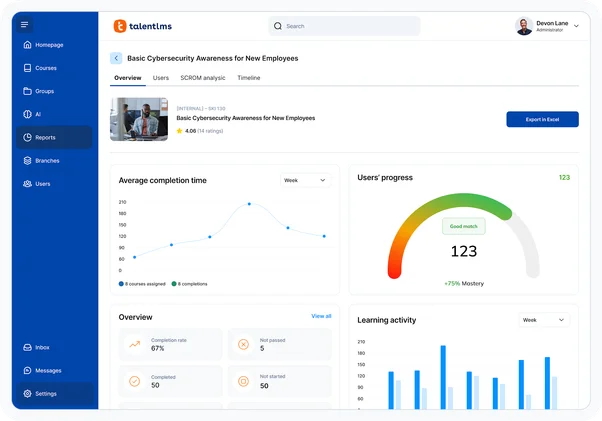
Best for: Fast, affordable customer training for growing team
While TalentLMS is a popular LMS for small businesses trying to train their employees, it can also be used as customer training software. The course builder lets you drag and drop documents, videos, or entire ZIP files to import existing training material.
If you're starting from scratch, you can capture audio and video from within the TalentLMS platform itself. TalentLMS supports multiple question types including fill-in-the-blank, multiple-choice, text input, matching, and ordering — all of which can be useful when creating customer assessments.
Combine this with the downloadable certificates (which can be set to expire) and you have everything you need for a customer training academy. TalentLMS even supports single sign-on through Okta (and other SSO providers), reducing friction as customers first create their accounts on the LMS software.
Key Features:
- Built-in AI course authoring: create courses directly inside the platform using TalentCraft without needing third-party authoring software
- SCORM and xAPI compliance: import and track eLearning content from any compliant authoring tool, including existing content libraries
- Gamification and learning paths: drive motivation with badges and leaderboards, and structure progression through defined course sequences
- Reporting and analytics: track completions, scores, and activity by individual, team, or course with exportable reports
Pros:
- Fastest deployment on this list
- Genuinely affordable entry point
- Intuitive interface, minimal admin training
Cons:
- Limited multi-portal architecture
- Reporting depth falls short at scale
- Restricted customization at lower tiers
Capterra Rating
⭐ 4.7
Pricing
Free plan for up to five users; paid plans start around $149/month for 40 users.
2. Docebo
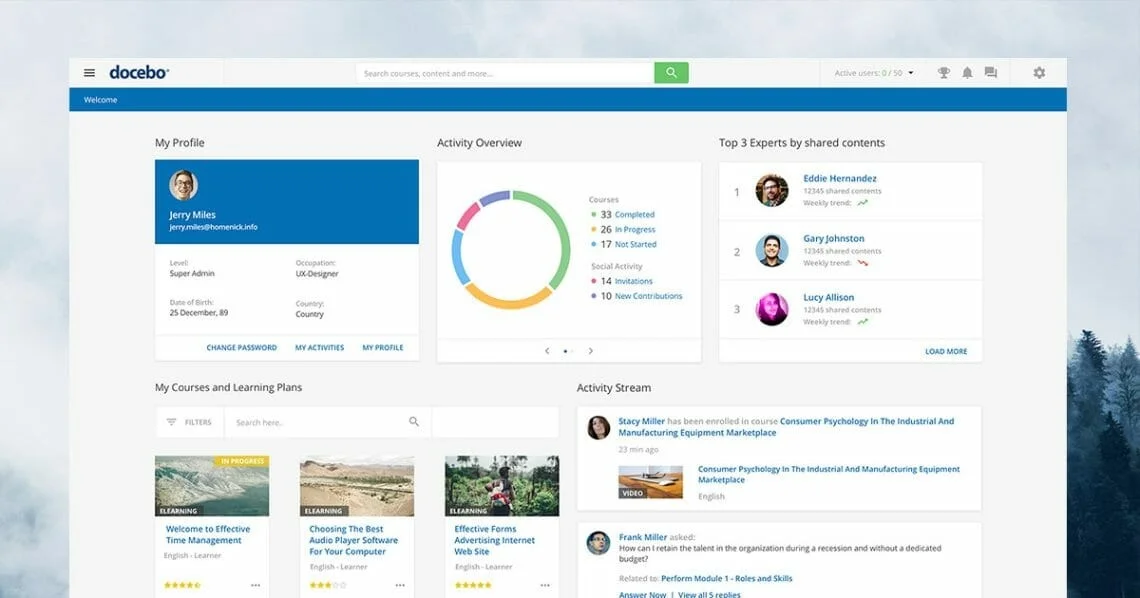
Best for: Enterprise customer education programs at scale
Docebo is the enterprise-grade option for companies that treat customer education as a strategic business driver rather than just a support cost. It’s built for large organizations running multi-audience training at scale—allowing you to train employees, partners, and customers in separate, dedicated environments. Plus, AI is woven right into the core platform to help with content creation, personalized learning paths, and real-time learner guidance.
The standout feature at the enterprise level is Docebo's multi-portal architecture. You can easily run separate training academies for different customer segments, each with its own unique branding, content libraries, and reporting dashboards, all managed from a single admin panel.
Key Features:
- AI-powered personalization: recommend content based on each learner's role, behavior, and progress using Docebo's built-in AI engine
- Content marketplace integration: access third-party course libraries from OpenSesame and Go1 directly from within the platform
- Multi-tenant architecture: create separate branded learning portals for different customer segments or business units from a single admin instance
- Automated compliance management: assign and renew required training automatically when learner roles change, with audit-ready reporting
Pros:
- AI cuts manual content management significantly
- Handles customers, partners, and employees together
- Reporting depth built for complex programs
Cons:
- Enterprise pricing excludes most SMBs
- Implementation demands dedicated IT resources
- Overkill for early-stage training programs
Capterra Rating
⭐ 4.4
Pricing
Custom pricing only. Enterprise contracts typically run into five to six figures annually, contact vendor for a quote.
3. LearnUpon
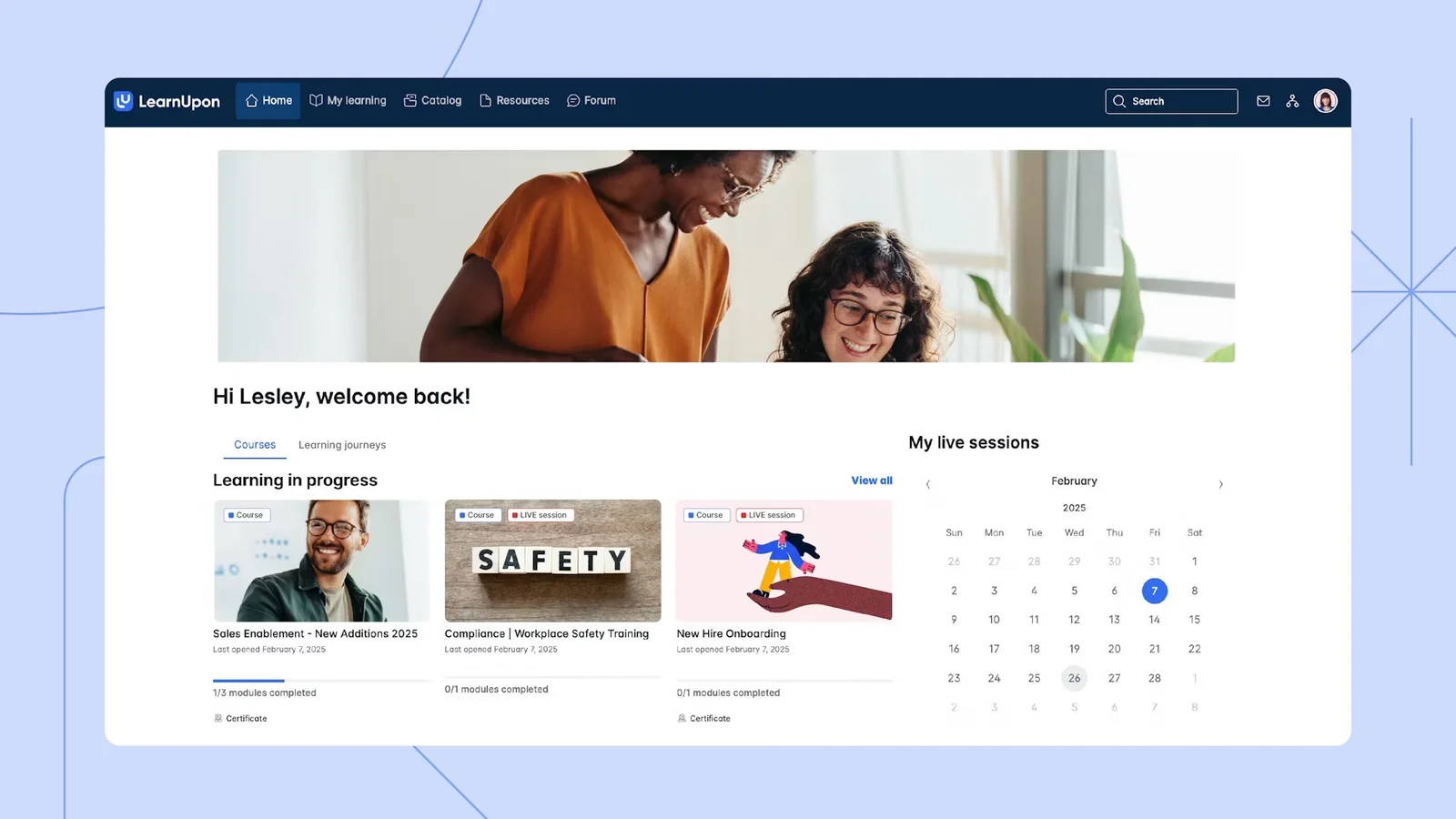
Best for: Mid-market teams running multi-audience training portals
LearnUpon’s multi-portal architecture lets you run completely separate training environments for different customer tiers, product lines, or partner audiences from one account. For teams that have outgrown a single training portal but aren’t ready for enterprise complexity, it hits a useful middle ground.
Key Features:
- Multi-portal management: operate separate branded environments for employees, customers, and partners from a single admin login
- Automated learning paths: assign courses, trigger reminders, and track completions with minimal manual intervention
- Instructor-led training support: schedule and manage live sessions alongside asynchronous eLearning in a unified system
Pros:
- Best multi-portal setup on this list
- Strong automation reduces manual admin work
- Consistently strong customer support reputation
Cons:
- Native authoring tools are limited
- AI personalization lags behind competitors
- Pricing scales quickly with portal count
Capterra Rating
⭐ 4.7
Pricing
Custom pricing. Contact vendor for a quote based on portal count and active users.
4. Thinkific Plus
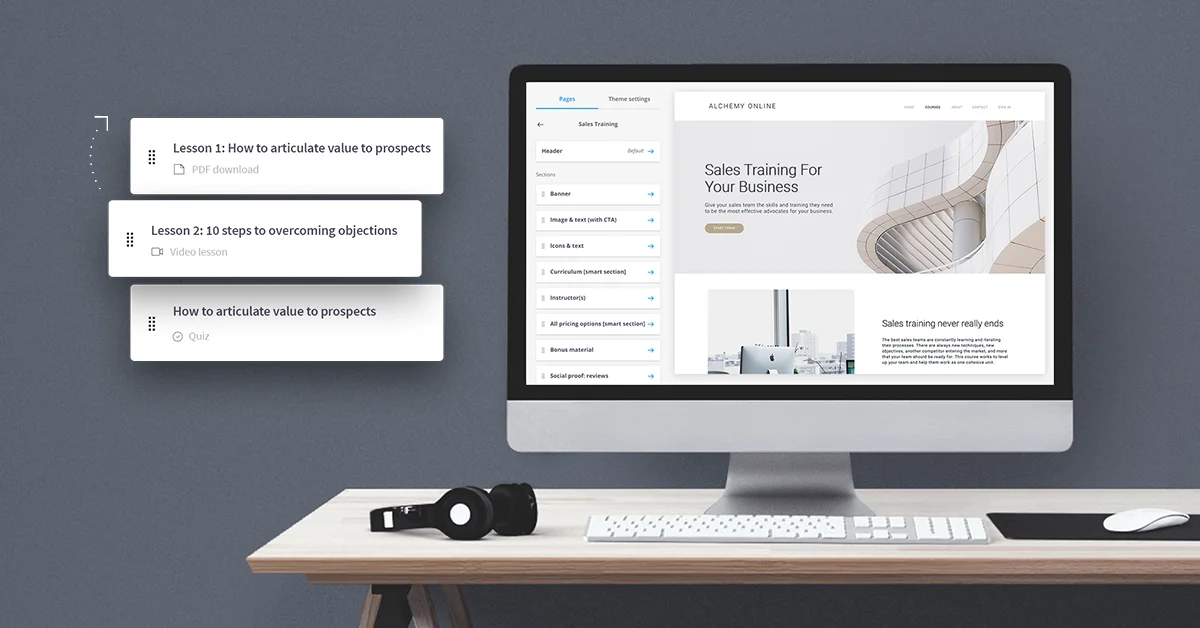
Best for: Scaling customer education via branded apps
Thinkific Plus sits in a different category from the corporate LMSs above. The platform started as a course builder for creators selling courses online, then developed an enterprise tier for companies building customer education programs. That origin shapes what it does well and where it falls short.
The learner experience is the strongest differentiator. Thinkific Plus is noticeably more modern and polished than most corporate LMSs, which matters when the people going through your training are customers who chose to buy your product, not employees with no choice.
Key Features:
- White-labeled learning portals: create a fully branded training environment that matches your product's visual identity
- Single Sign-On and open API: connect to your existing product stack and let customers access training through existing credentials
- Bulk enrollment and eCommerce: enroll enterprise customers at scale or monetize your training program with built-in payment tools
Pros:
- Best branding control for customer academies
- Community features boost long-term engagement
- Faster setup than enterprise LMS platforms
Cons:
- Not a true corporate LMS
- Lighter reporting than enterprise alternatives
- Limited compliance and audit capabilities
Capterra Rating
⭐ N/A
Pricing
Thinkific Plus starts at $199/month. Enterprise pricing is custom.
5. Absorb LMS
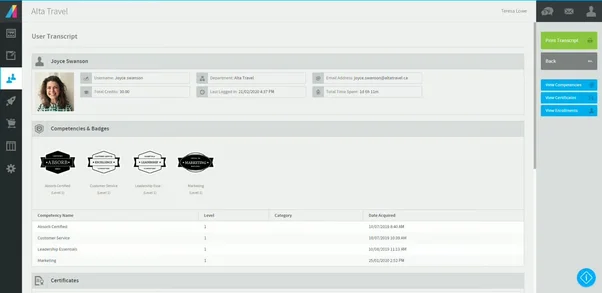
Best for: Multimedia-heavy customer and partner training
Absorb LMS consistently gets cited for one thing above most competitors: user adoption. Its interface is genuinely modern compared to legacy platforms, and that difference matters when you’re asking external customers to voluntarily engage with training content.
Key Features:
- Compliance tracking and reporting: generate clean, time-stamped completion reports by department, learner, or date range with exportable audit documentation
- Blended learning support: combine self-paced eLearning modules with scheduled instructor-led sessions in a single learning path
- Automated notifications and custom branding: personalize the learner experience and drive completion with automated reminder sequences
Pros:
- Interface quality measurably improves adoption
- Automation handles growing program admin work
- Scales cleanly without platform migration
Cons:
- No pre-built customer training content
- Custom pricing complicates early budget planning
- Advanced features gated behind higher tiers
Capterra Rating
⭐ 4.5
Pricing
Custom pricing only. Contact vendor for a quote based on user count and feature requirements.
6. 360Learning
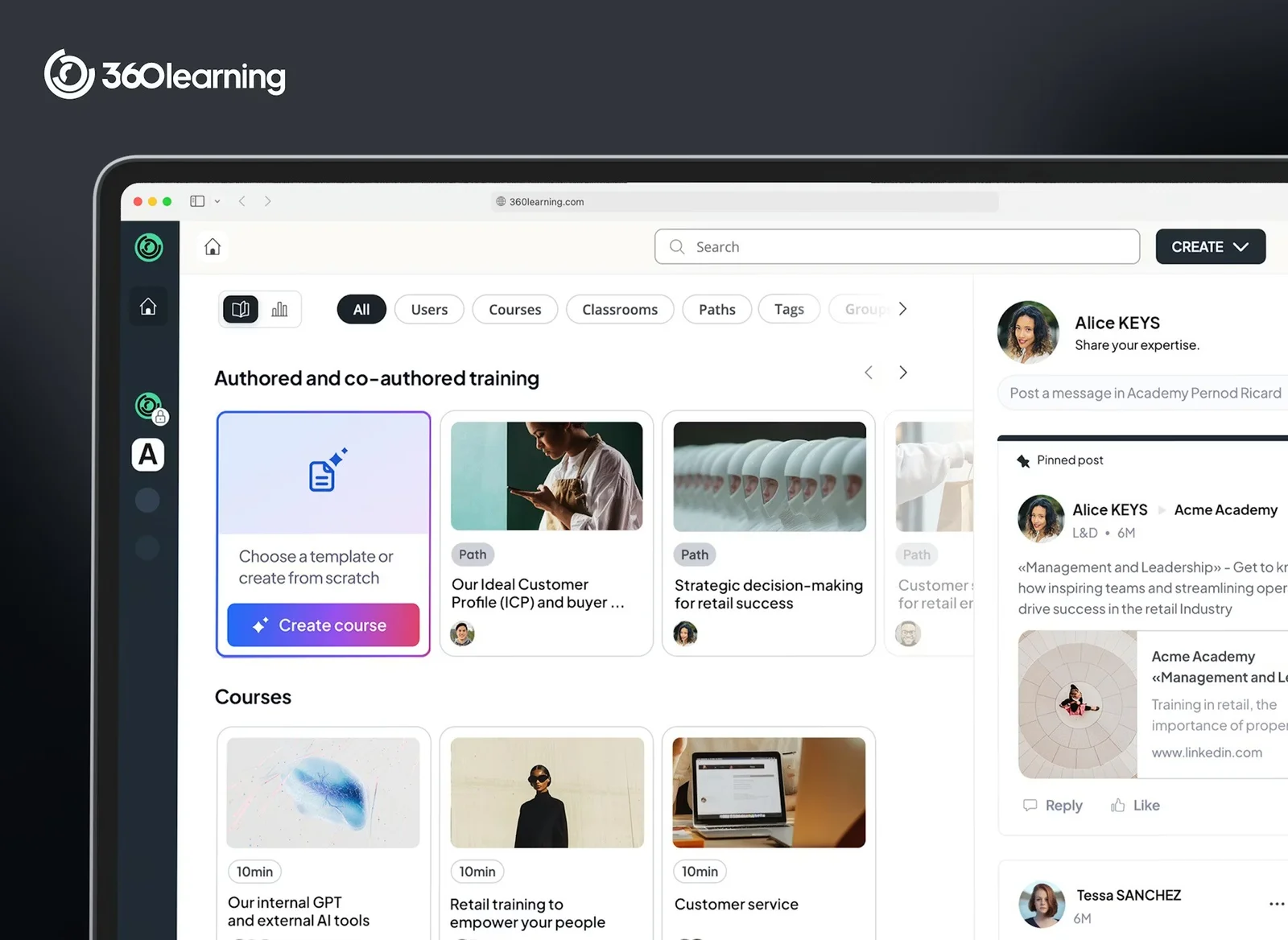
Best for: Collaborative, expert-driven customer onboarding programs
360Learning is built around a specific idea: the people best positioned to train your customers are the internal experts who know the product deeply. The collaborative authoring model is the defining feature; any team member can contribute a course, comment on existing content, propose updates, and flag material that's gone stale. Subject matter experts become trainers without needing to become course designers.
The pricing entry point is the most transparent on this list. At $8 per user per month on the Team plan, with no setup fees and a 30-day free trial, it's accessible for companies earlier in their training journey. The collaborative model performs best in organizations where internal expertise is distributed (product managers, solutions engineers, senior CSMs) and getting that knowledge into training content has historically required routing everything through a dedicated L&D team.
Key Features:
- Collaborative course authoring: enable subject matter experts to build and publish courses without instructional design expertise or IT involvement
- Peer feedback and social learning: let learners comment on, rate, and react to content to surface what is and isn't working in real time
- Automated compliance management: track completions, manage certifications, and generate audit reports through automated workflows
Pros:
- Fastest path to expert-built course content
- Collaborative features keep content current
- Strong AI reduces manual learning path management
Cons:
- External customer training less fully developed
- Interface can feel busy for new learners
- Per-user pricing scales quickly at volume
Capterra Rating
⭐ 4.7
Pricing
Starts at $8/user/month. Enterprise pricing is custom.
7. iSpring Learn
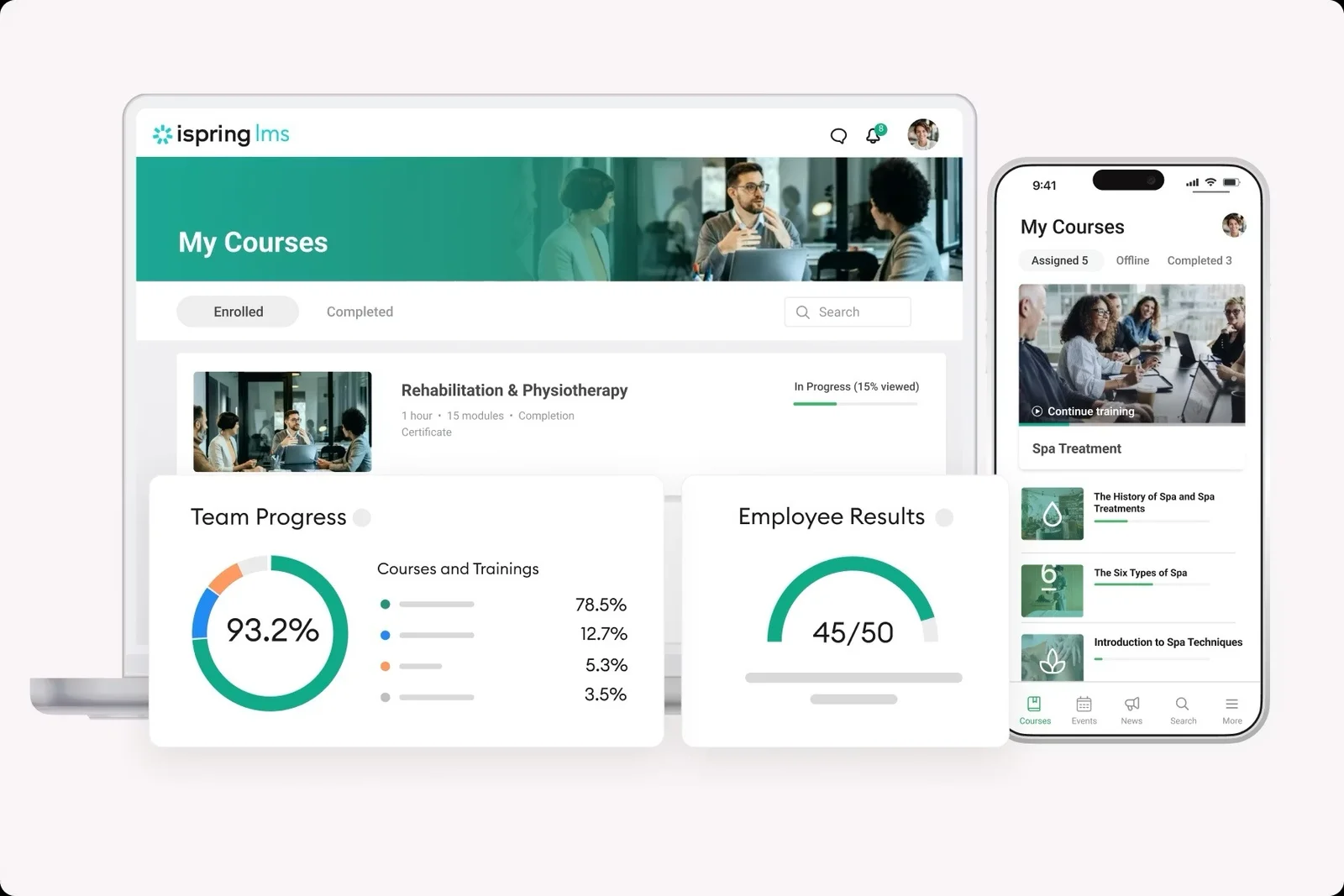
Best for: Rapid setup of technical customer courses
iSpring Learn is the most cost-effective fully-featured LMS on this list. For small to mid-sized teams, that's often the entire case, and it's worth stating clearly. You're not giving up much to get there. Course authoring, certifications, learning paths, role-based permissions, and mobile access are all included. The pricing model charges only for active users, which keeps costs predictable for organizations with large user bases who don't all train at the same time.
The authoring tools are stronger than most LMSs at this price point. iSpring Suite, the desktop authoring tool, integrates directly with PowerPoint, useful for teams whose training content lives in slide decks. The platform's interface redesign in recent years has improved the learner experience considerably for a product in this price tier.
Key Features:
- PowerPoint-to-course conversion: transform existing slide decks into SCORM-compliant courses without rebuilding content from scratch
- Fast deployment: get up and running in days with minimal admin overhead and no IT involvement
- Compliance and certification tracking: track completions, issue certificates, and export clean audit reports by individual or team
Pros:
- Built-in authoring eliminates separate tool costs
- Fast deployment with minimal technical setup
- Competitive per-user pricing for smaller teams
Cons:
- Reporting depth lags behind enterprise platforms
- Less suited for complex multi-portal programs
- Advanced features require higher-tier plans
Capterra Rating
⭐ 4.7
Pricing
Starts at $3.58/user/month. Volume pricing available for larger teams.
How We Evaluated
Customer training differs from employee training in one important way: participation is voluntary. We evaluated each platform based on how effectively it drives engagement, completion, and product adoption.
- Accessibility: Whether customers can access training without unnecessary login or provisioning friction
- Time to Launch: How quickly teams can deploy and maintain a training program
- Progress Tracking: Whether the platform tracks completion, certifications, and engagement effectively
- Scalability: Whether the program can grow without requiring additional administrative overhead
How to Choose the Right LMS for Customer Training
Selecting the right platform comes down to your current operational maturity and scaling goals. No single platform is the best fit for every stage of growth.
- Need to launch quickly: TalentLMS and iSpring Learn offer a fast path to getting a customer training program live.
- Managing multiple customer or partner audiences: LearnUpon and Docebo are better suited to larger organizations with more complex training requirements.
- Building a branded customer academy: Thinkific Plus is designed for teams that want training to become part of the customer experience itself.
- Limited content creation resources: 360Learning and iSpring Learn help teams create and publish training content faster.
Final Word
An LMS provides the structure, tracking, and scalability needed to educate customers at scale. But many teams find that self-paced courses alone are not enough to keep customers engaged through onboarding and ongoing training.
eWebinar complements an LMS by adding the interactive, conversational experiences that help customers stay engaged and move forward. For teams evaluating engagement-focused alternatives alongside an LMS, our comparison of interactive training software platforms is a useful next step
Join our on-demand demo to see how it works:
FAQ
What’s the difference between a customer training LMS and an employee training LMS?
Both deliver training and track progress, but customer training operates in a voluntary environment. Employees are assigned training as part of their role, while customers choose whether to participate. That makes accessibility, engagement, and ease of use especially important.
What’s the most important feature to look for in a customer training LMS?
Ease of access is one of the most important considerations. The more friction customers encounter before starting training, whether through complicated logins, confusing navigation, or lengthy setup processes, the lower participation rates tend to be.
Do customers actually complete LMS-based training?
They can, but completion rates vary widely based on the quality of the content, the learning experience, and the motivation to participate. Progress tracking, certifications, and interactive training experiences can all help improve engagement and completion.
Can a small SaaS team use an LMS for customer training without a dedicated L&D person?
Yes. Platforms like TalentLMS and iSpring Learn are designed to be relatively easy to deploy and manage. Many smaller SaaS companies start with a focused onboarding program before expanding into a larger customer education initiative.
Can eWebinar replace a customer training LMS?
No, they serve different purposes. An LMS manages your course library, tracks completions, and issues certifications. eWebinar delivers interactive, on-demand video sessions where customers watch, ask questions, and hear back from a real person asynchronously. Most teams find the combination more effective than either tool alone.
Curious to see how eWebinar can help run your demos, onboarding, and training sessions on autopilot?
Watch a one-minute explainer video for a quick overview of the eWebinar platform. Or, better yet, join our on-demand demo to learn more!