Quick Summary
Navattic builds some of the most polished interactive demos you can put on a website. The demos look like your actual product, hover states and all, and marketing teams can publish them without asking engineering for help. But it’s not the right fit for everyone. If you’re seeking alternatives, we’ve covered the best seven options in this guide. But here are our top three picks.
Tool | Best for | Starting price | Rating |
eWebinar | Guided demos with a real person in chat | $99/month | 4.9 (Capterra) |
Storylane | A close swap with pricing you can see | $50/month (free plan) | 4.8 (G2) |
Supademo | Lean teams making a lot of demos cheaply | $38/creator/month (free plan) | 4.7 (G2) |
Why Listen to Us?
We run our own sales demo with eWebinar. Anyone who wants to see eWebinar joins an on-demand demo with chat, whenever suits them. Around 350 to 400 prospects join every month, and more than 15% start a free trial without ever speaking to someone on our team.
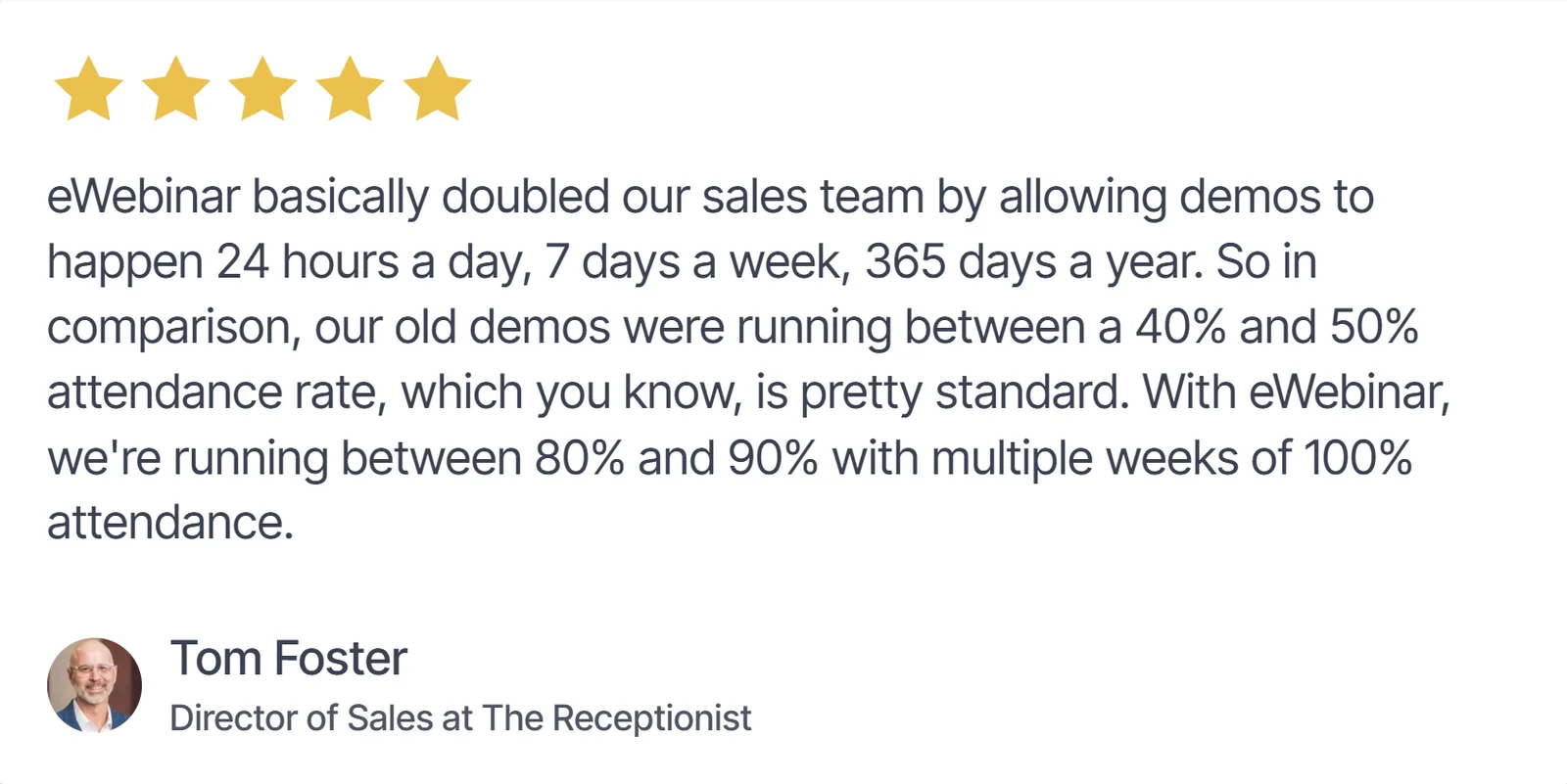
Across all our customers, the average attendance rate is 83% for an on-demand session, against roughly 40% for live sessions. Tom Foster, Director of Sales at The Receptionist, put it this way after moving their demo over:
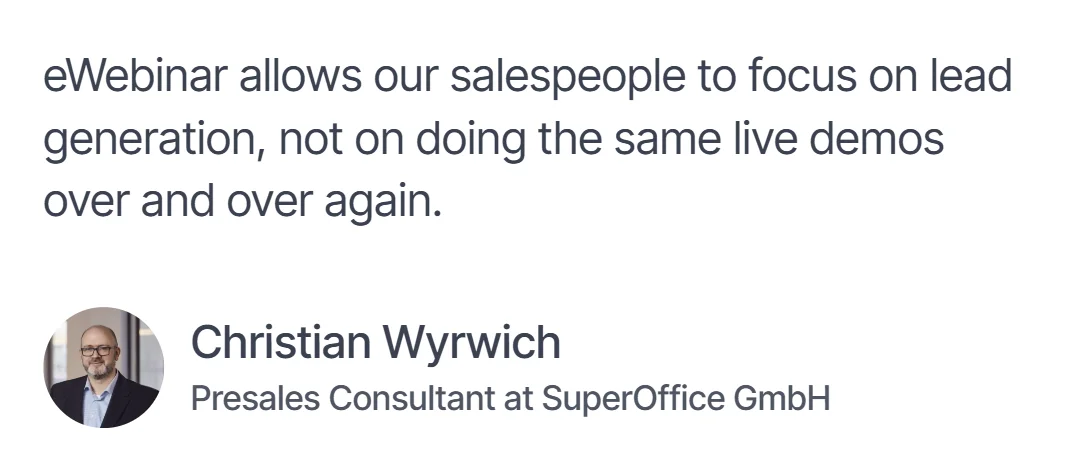
Christian Wyrwich, Presale Consultant at SuperOffice, had a similar read. He told us:
What Navattic Is Genuinely Good At
Navattic is a no-code platform for building interactive product demos, and it's built for go-to-market teams rather than engineers.
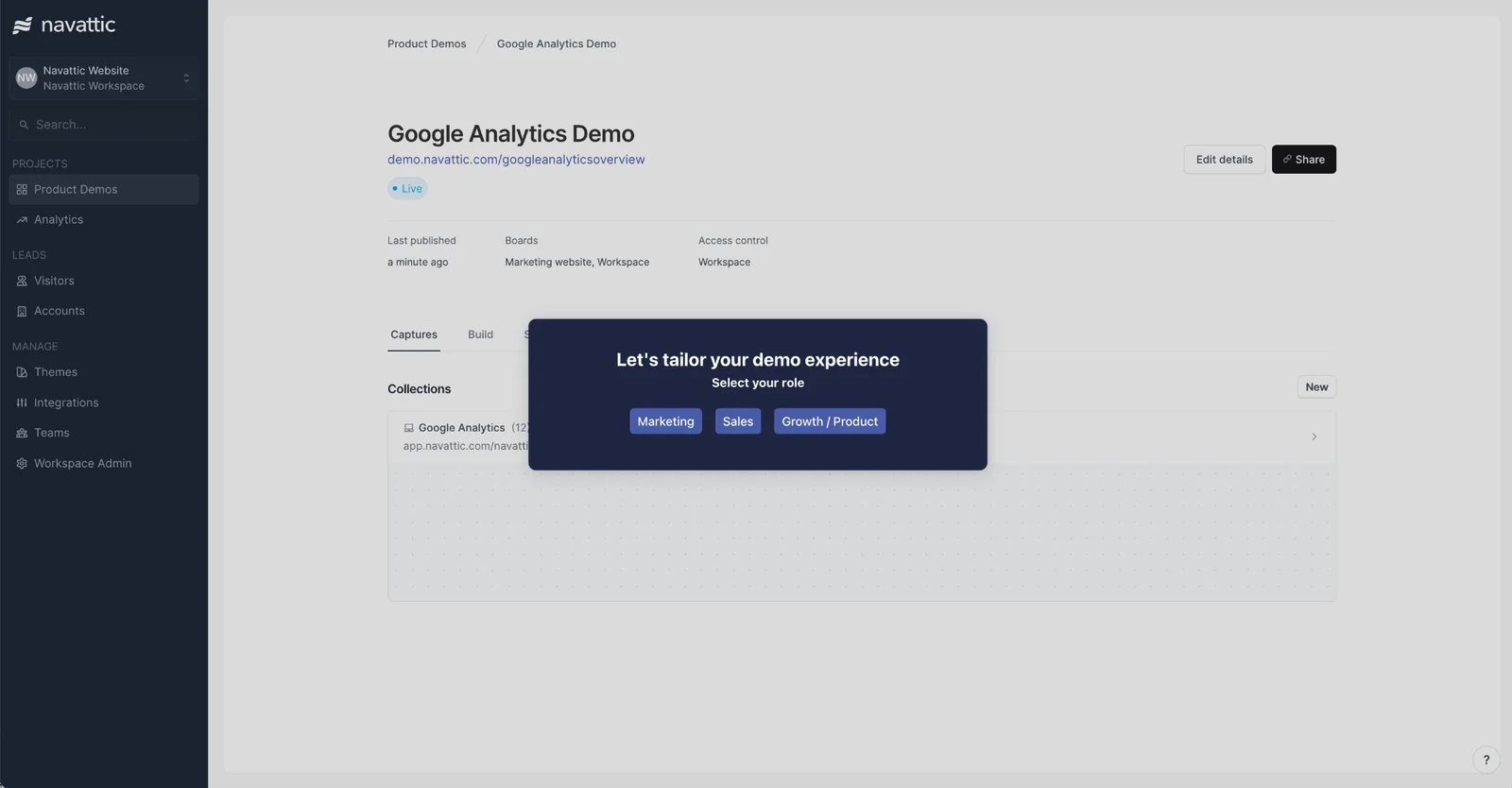
It captures the front end of your product as an HTML clone. You then layer tooltips, guided steps, and forms on top, so a visitor clicks through a sandbox version of your product on their own.
The output quality is one reason many love it. Navattic preserves animations, hover states, and the small interface details that make a demo feel like the real thing instead of a slideshow. For a demo you're embedding on a homepage, a pricing page, or an ABM landing page, that polish does real work.
Why Teams Start Looking for a Navattic Alternative
The seats are capped tier by tier
Navattic's plans are gated by how many people can build demos. Startup covers one seat. Base covers five, Growth covers ten, and anything beyond that is custom.
That works when one marketer owns the demo program. It gets more expensive when the sales team wants in, because every additional builder pushes you toward the next tier. Then you're negotiating the price again. If you expect demo creation to spread across marketing, sales, and customer success, it's worth checking what that path costs before you commit.
A standard guided tour does not provide human two-way chat
Navattic can capture leads, ask questions through forms and, through its newer Agent Demos, qualify visitors conversationally. However, a standard self-guided tour still differs from a scheduled presentation where a prospect watches a complete pitch and can chat directly with your team during it.
That distinction matters when the buying decision depends on explanation, context or immediate answers rather than product exploration alone.
It's built for the marketing embed more than the sales motion
Navattic's sweet spot is the self-guided demo on your website, and it's strong there. But some teams need something different once a prospect is in an actual sales cycle. That might be heavy per-account personalization for outbound. Or it might be a sandbox where a technical buyer runs real queries against real data. Other tools are built more squarely for those jobs.
The 6 Best Navattic Alternatives
# | Tool | Best for | Starting price | Rating |
1 | eWebinar | Guided demos with a real person in chat | $99/month | 4.9 (Capterra) |
2 | Storylane | A close swap with published pricing | $50/month (free plan) | 4.8 (G2) |
3 | Supademo | High demo volume on a small budget | $38/creator/month (free plan) | 4.7 (G2) |
4 | Walnut | Personalized demos for outbound and ABM | $575/month (annual) | 4.5 (G2) |
5 | Consensus | Enterprise buying groups and presales | $600/month (annual) | 4.9 (Capterra) |
6 | Arcade | Quick walkthroughs for docs and social | $42.50/seat/month (free plan) | 4.6 (G2) |
Now let's go through each one properly.
1. eWebinar
Best for: Delivering the full pitch and qualifying the lead before anyone clicks around your product.
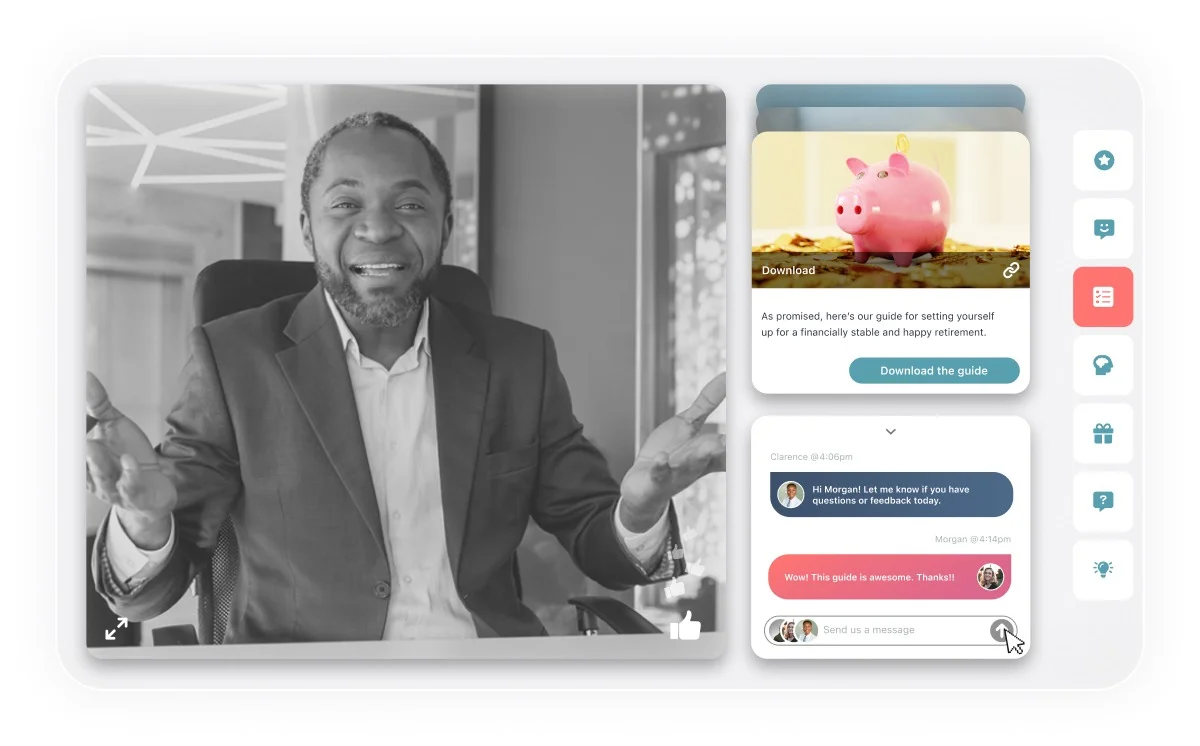
eWebinar isn't a click-through demo tool. We don't clone your interface and let people wander through it on their own. We're an on-demand video platform with chat, and we handle the jobs on either side of that tour.
In practice, it works like this.
- Your best salesperson records the demo once, told the way it should be told.
- You then place interactions along the timeline of that video, so polls, tips, qualifying questions, and CTAs appear at the moments you choose.
- It runs on a schedule 24/7, so a prospect in another time zone joins anytime async and still gets your strongest pitch.
While they're watching, they can ask a question in chat. Someone on your team gets notified in Slack, email, or the browser and answers them. When nobody's around, a customizable auto-response covers it and the reply routes to email.
Best of all, eWebinar plays exceptionally well alongside these interactive click-through tools. The cleanest workflow is to run them in sequence: eWebinar tells the story and qualifies the prospect, a click-through demo lets high-intent leads explore the product interface at their own pace, and a final sales call—or self-serve trial signup—closes the deal.
And it doesn't stop at the first demo. Once someone becomes a customer, the same format handles the onboarding calls and training sessions your team currently runs live, week after week. Record the session once, put it on a schedule, and every new customer gets the same walkthrough whenever they're ready, with chat if they have questions. That's a lot of value from one tool. You can see how that works on our customer success page.
Key Features:
- Guided narrative control: Record the pitch once so every prospect hears your strongest version. You control the order, the pacing, and the proof points.
- Chat with a real person: Answer questions during the eWebinar through Slack, email, or browser notifications, with a customizable auto-response when nobody's available.
- Qualifying questions inside the eWebinar: Ask about team size, budget, or current tools mid-video, then route every answer into your CRM to lead-score the prospect.
- 25+ interactions: Drop polls, quizzes, tips, special offers, and CTAs onto the video timeline so viewers do something instead of watching passively.
- Three scheduling modes at once: Run on-demand, recurring, and just-in-time eWebinar side by side, so prospects pick what fits rather than waiting for your next slot.
- CTA at peak intent: Trigger a Calendly link, a sign-up button, or a buy-now button inside the eWebinar. You choose the exact moment it appears.
- Per-attendee analytics: See who watched, how far they got, what they answered, and what they asked, then hand your reps that context for follow-up.
Pricing: Starts at $99/month for one active eWebinar and 1,000 registrants a month. $199/month covers up to five active eWebinars. The subscription level adjusts up or down on its own as you publish or retire sessions, so you're not renegotiating a contract every quarter. Annual billing takes 15% off. Add-ons like extra registrants, a custom domain, and Salesforce sync are priced separately.
Rating: 4.9 on Capterra.
Pros:
- Chat puts a real person in the room at the moment a question would otherwise kill the deal
- Your strongest pitch reaches every prospect, not just the ones a rep had time for
- Qualifying answers go into the CRM, so reps get context instead of a click log
- Published pricing you can budget against without booking a call
Cons:
- It isn't a click-through tour. If you need prospects exploring your actual interface, pair it with a tool from this list.
Want to see it working? Join our on-demand demo and watch the format do its job on you. No salesperson required.
2. Storylane
Best for: Teams who want what Navattic does.
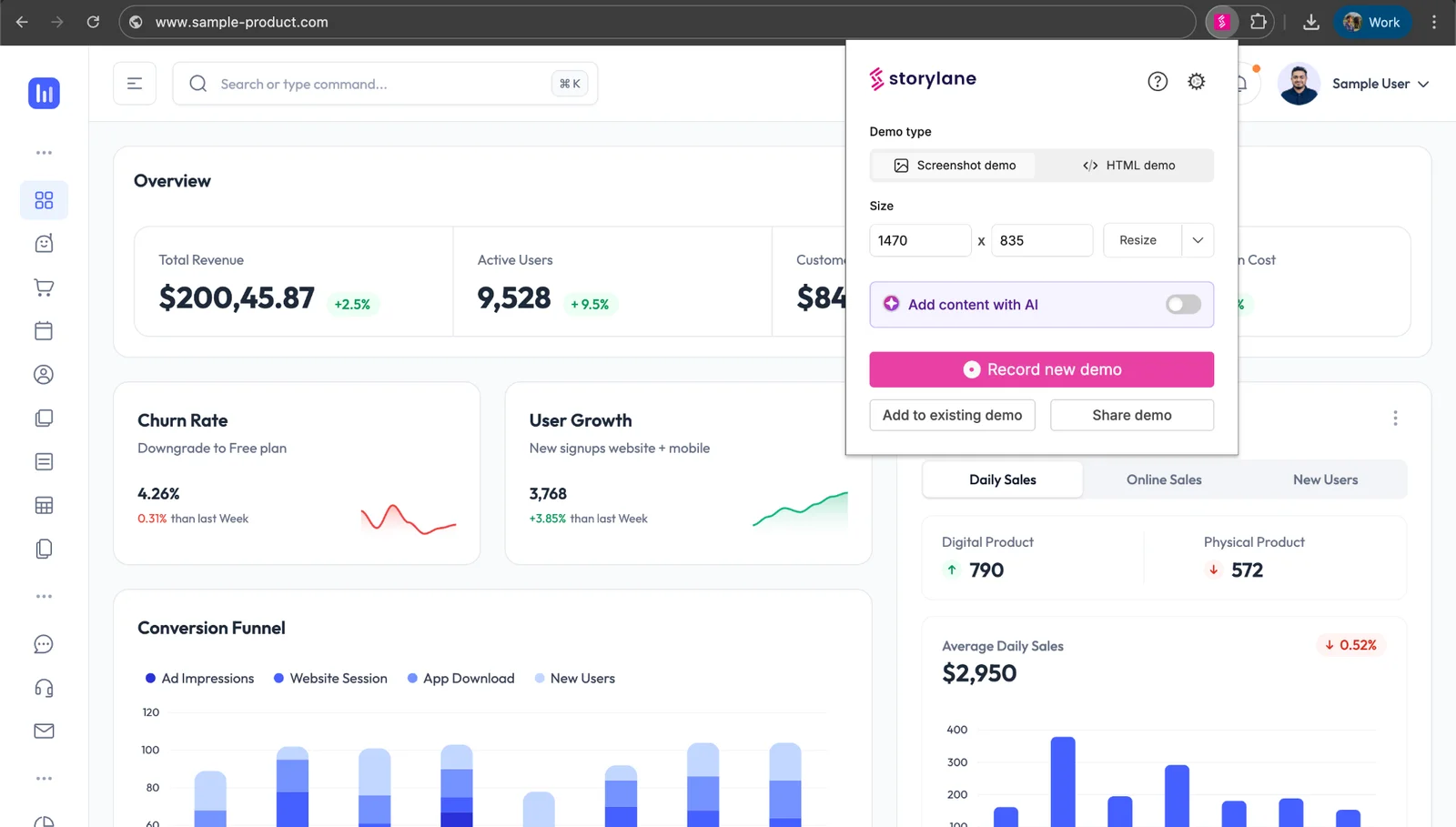
Storylane is the closest like-for-like swap on this list. It's HTML capture, same as Navattic, and it's aimed at marketing, sales, and presales rather than one team. You clone the front end of your product, add guided steps and tooltips, and publish.
It also has a generous entry point. The free plan covers one published demo, and the $50/month Starter tier lifts that cap entirely. That's a low bar for testing whether interactive demos work for your product before you commit a good budget.
Key Features:
- HTML capture with an editor: Clone your product's front end and edit the copy, data, and screens directly, without engineering time.
- Personalization tokens: Swap names, logos, and account details automatically so one demo serves many prospects.
- Demo Hubs: Group several demos into one destination for buying committees who need to see different parts of the product.
- A/B testing: Run two versions of a demo against each other and keep the one that converts better.
Pricing: Free for one seat and one published demo. Starter is $50/month, or $40/month billed yearly. Growth is $625/month ($500 yearly) for five seats and adds the HTML editor. Premium is $1,500/month ($1,200 yearly) for ten seats. Enterprise is custom. RepX Chat, its in-demo chat add-on, is priced separately and starts well above the base plans.
Rating: 4.8 on G2.
Pros:
- Published pricing across every tier except Enterprise
- Large, active review base for a category this young
- Free plan is a genuine test, not a demo of the demo tool
Cons:
- The HTML editor sits on the $625/month tier, so the cheap plans are more limited than they look
- In-demo chat is a separate paid add-on rather than part of the platform
3. Supademo
Best for: Small teams that need a lot of demos without a lot of budget.
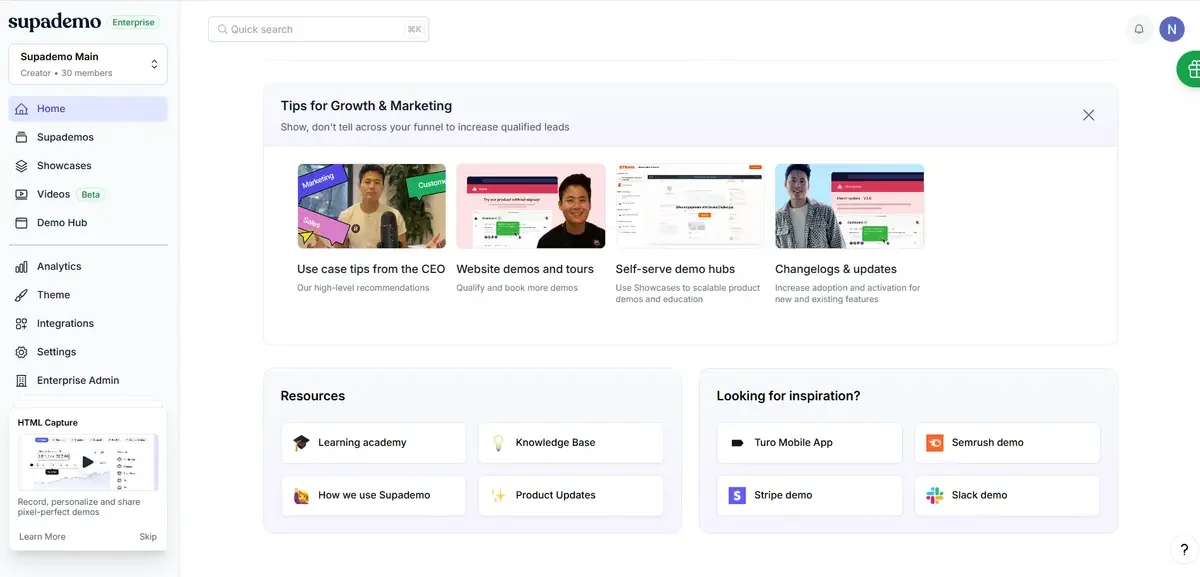
Supademo is the budget-conscious pick, and it's more flexible on format than most. It handles screenshot walkthroughs, video, and HTML demos in one place. So you're not buying separate tools for a quick support GIF and a proper product tour.
Its AI voiceover and automatic translation are the standout. You can push a demo into 15+ languages without rebuilding it. That matters if you sell across regions and can't justify a localization project for every update. The trade-off is depth. Guided HTML demos, the format closest to what Navattic produces, only appear on the higher tier..
Key Features:
- Three demo formats in one tool: Build screenshot, video, and HTML demos without buying separate software for each.
- AI voiceover and translation: Localize a finished demo into 15+ languages without recording it again.
- Branching paths: Let viewers choose their own route through the product based on their role or use case.
- Drop-off analytics: See exactly which step viewers abandon, then fix that step.
Pricing: Free for one creator, five guided demos, and 50 video recordings. Scale is $50/month per creator, or $38/month billed yearly. Growth is $450/month ($350 yearly) for five creators and includes guided HTML demos. Enterprise is custom with a ten-creator minimum. Views are unlimited on every plan, including the free one.
Rating: 4.7 on G2.
Pros:
- One of the lowest-cost paid options for a single creator.
- Unlimited demo views even on the free plan
- Translation into 15+ languages without rebuilding anything
Cons:
- Guided HTML demos need the $450/month tier
- Teams that specifically want a high-fidelity HTML demo will need the considerably more expensive Growth plan.
- Per-creator pricing adds up quickly once several people build
4. Walnut
Best for: Sales teams personalizing demos for outbound and named accounts.
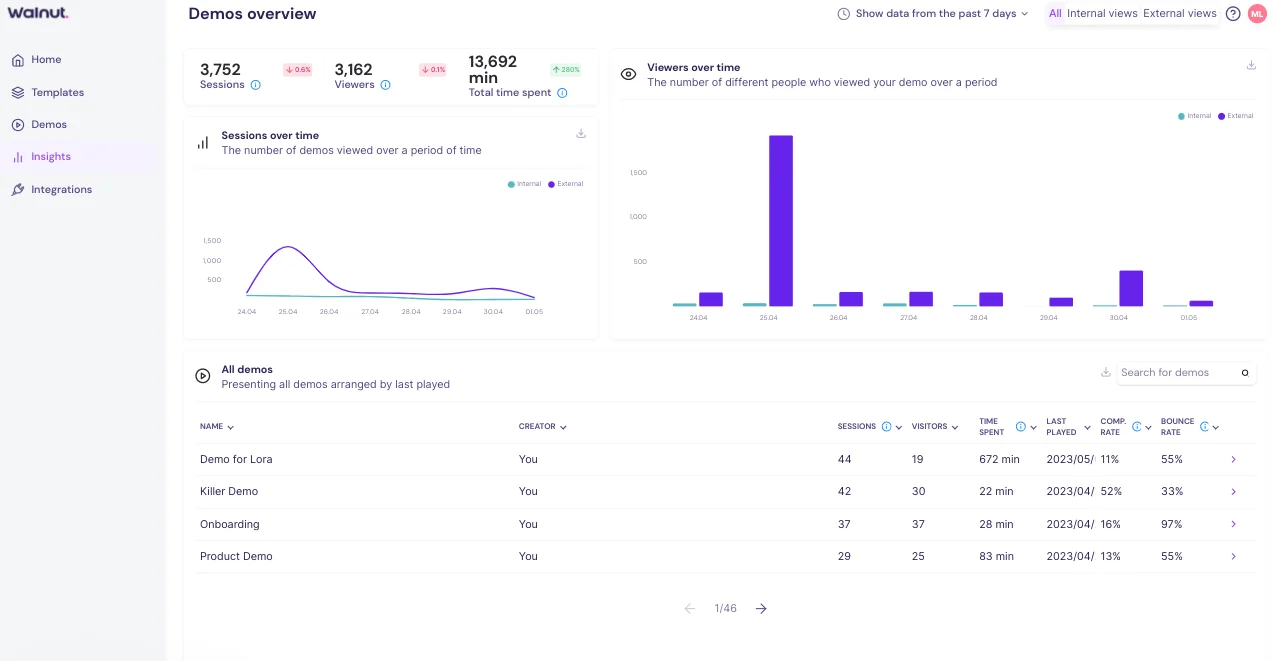
Walnut is the sales-side answer rather than the marketing-side one. Where Navattic's strength is a demo living on your website, Walnut's is a demo a rep tailors for one specific account before sending it.
Reps can swap names, logos, and data per prospect without touching code. That makes it practical for outbound sequences and ABM, where a generic tour would fall flat. Its Sandbox Demos also lets a technical buyer explore more freely than a fixed guided path allows. Late-stage evaluators can poke around instead of following your rails.
It's priced accordingly. Walnut publishes its tiers, which is welcome, but the entry plan runs $575/month billed annually. That's a bigger commitment than most tools here.
Key Features:
- Per-account personalization: Swap logos, names, and data per prospect so each demo reads like it was built for that company.
- Sandbox Demos: Give technical buyers a freer exploratory environment instead of a fixed click path.
- Sales tool integrations: Sync engagement data into Salesforce, HubSpot, Outreach, and Salesloft alongside the rest of the sales stack.
- Pipeline dashboards: Track which demos influenced which deals, so demo work ties back to revenue.
Pricing: Ignite is $575/month billed annually and covers three editor and three presenter seats. Accelerate is $1,550/month billed annually for six of each. Scale is custom. There's no monthly billing option.
Rating: 4.5 on G2.
Pros:
- Strongest per-account personalization on this list
- Semi-Sandbox suits technical buyers who want to explore properly
- Deep integrations with the tools sales teams already run
Cons:
- Highest published entry price here at $575/month
- Annual billing only, so there's no cheap way to trial it
- Reviewers regularly mention a steep learning curve
5. Consensus
Best for: Enterprise presales and deals with a large buying committee.
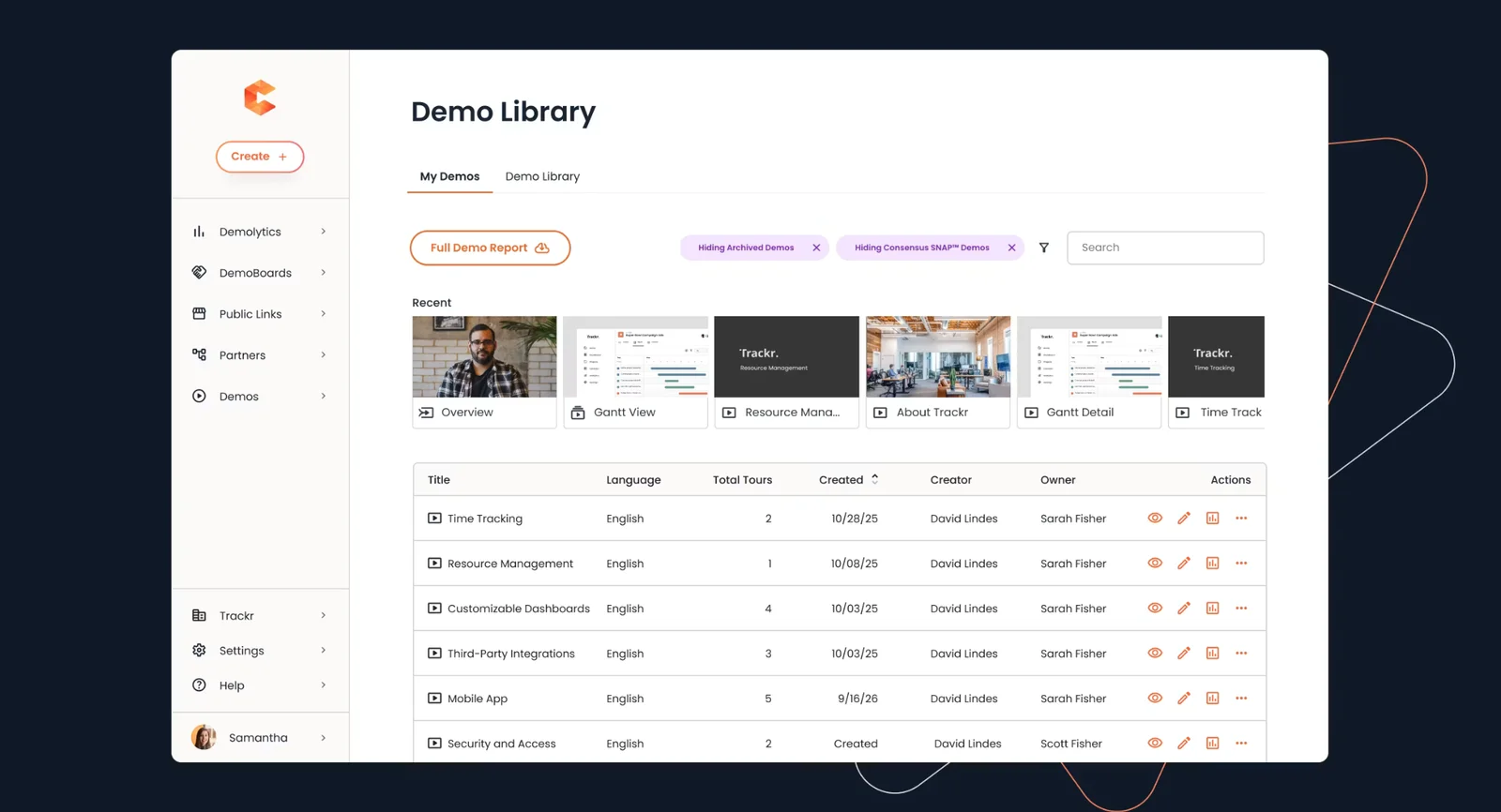
Consensus takes a different route to the same destination. Instead of cloning your interface, it's video-first, built around recorded demo videos that branch based on what the viewer says they care about. A prospect picks their role and priorities, and the demo assembles itself around those answers.
Where it earns its place is multi-stakeholder deals. It tracks who inside an account watched what, and who they forwarded it to. So presales teams can see a buying committee forming in real time. For a deal with seven stakeholders and one solutions engineer, that visibility is the whole product.
It's firmly an enterprise tool, and the pricing reflects that.
Key Features:
- Branching video demos: Assemble the demo around the viewer's stated role and priorities instead of showing everyone the same reel.
- Stakeholder tracking: See who inside an account watched, what they watched, and who they shared it with.
- Presales workflows: Send demos on request at scale so solutions engineers stop repeating the same session.
- Engagement scoring: Rank accounts by how deeply the buying group engaged, then prioritize accordingly.
Pricing: Starter is $600/month billed annually for five users. Pro is $1,250/month billed annually for ten. Enterprise is custom.
Rating: 4.9 on Capterra
Pros:
- Built specifically for buying committees rather than individual viewers
- Very large review base, unusual for this category
- Takes repetitive demo requests off solutions engineers
Cons:
- Priced for enterprise, with no small-team plan
- Overkill if you sell to one decision-maker
6. Arcade
Best for: Fast walkthroughs for help docs, onboarding emails, and social posts.
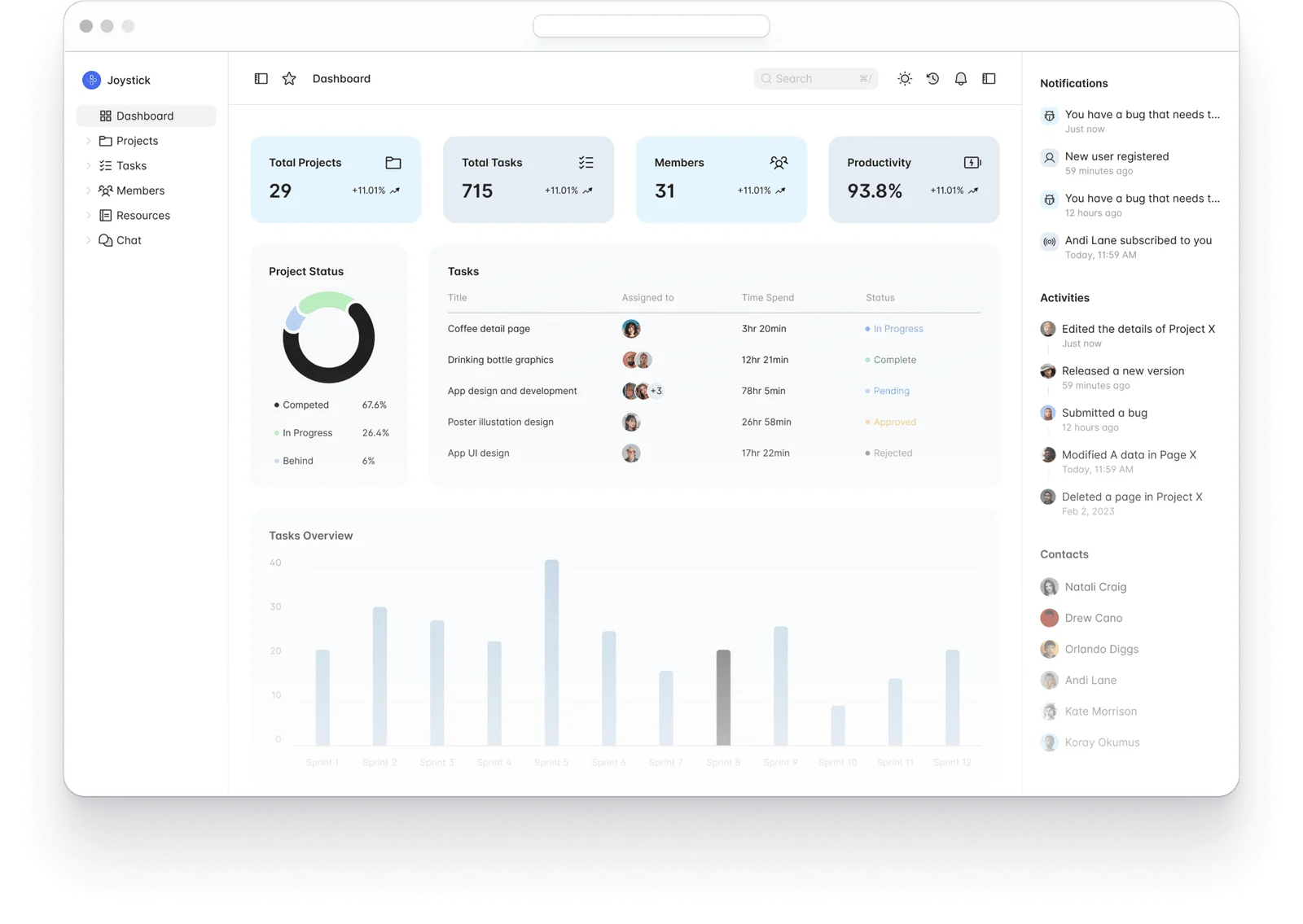
Arcade is the lightest tool here. On its lower plans, Arcade primarily turns screen and video captures into lightweight walkthroughs. Enterprise adds HTML capture for teams that need a more editable, product-like experience.
Teams reach for it when the demo isn't the centerpiece of a campaign. Maybe it's a support article that needs a visual, or a product update going out in a customer email, or a short walkthrough for LinkedIn. For those jobs, building a full HTML clone is more work than the task deserves.
Key Features:
- Screenshot and video stitching: Turn a screen recording into an interactive walkthrough in minutes rather than hours.
- Embed anywhere: Drop finished walkthroughs into help docs, emails, landing pages, and social posts.
- AI credits for editing: Clean up captures and generate copy without rebuilding the walkthrough by hand.
- Simple analytics: Track completion and drop-off across each walkthrough you publish.
Pricing: Free covers one seat, one published demo, one published video, and 200 AI credits a month. Growth is $50/seat/month, or $42.50 billed yearly, for up to ten seats. Enterprise is custom.
Rating: 4.6 on G2.
Pros:
- Quickest tool here from recording to published walkthrough
- Free plan is genuinely usable for a single creator
- Well suited to docs and social, where heavier tools are wasted effort
Cons:
- HTML capture requires Enterprise, so lower plans are not a like-for-like replacement for Navattic’s HTML demos.
- Limited depth for complex, multi-step product flows
- Additional seats get costly as the team grows
Choosing the Right Demo Tool for Your Team
Navattic is a strong product. If polished website demos are your main need and the pricing works out, staying put is a perfectly good decision.
But maybe the deeper issue is that prospects watch your demo, nod along, then disappear without a conversation. That's worth fixing before you switch tools at all.
Watch our on-demand demo and ask us anything in chat while you're in it, then start a free trial if it fits.
FAQs
Can a prospect ask a question inside a Navattic demo?
Yes, through Navattic Agents, which runs autonomous AI conversations that guide and qualify prospects and answer their questions. The distinction worth understanding is that AI handles the exchange. If you want a member of your own team replying, you need a tool with human chat built in.
Is eWebinar an interactive demo tool?
No, eWebinar is a video platform with chat that delivers your pitch and qualifies the lead. It doesn't clone your product interface for people to click through. If click-through exploration is what you need, pick one of the HTML tools here, and consider running both.
Which Navattic alternative is cheapest?
Supademo and Arcade both have usable free plans and paid tiers under $50 per creator per month. Storylane's $50/month Starter is the cheapest plan with unlimited published demos. For a fuller view of the category, see our guide to the best interactive product demo software.
Do interactive demos work at the top of the funnel?
They can, but they're strongest in the middle and bottom. A qualified prospect or an internal champion gets a lot from clicking through a sandbox. A cold visitor with no context often misses the point of what they're looking at. That's why many teams put a guided session in front of the tour.
Should I replace my live sales demo entirely?
For the demo you run over and over, yes, and you'll get your calendar back. For a high-stakes enterprise negotiation, keep the live call. The useful split is automating the repeatable session and saving live time for conversations that genuinely need a person. Our product demo FAQ covers how that works day to day.
Curious to see how eWebinar can help run your demos, onboarding, and training sessions on autopilot?
Watch a one-minute explainer video for a quick overview of the eWebinar platform. Or, better yet, join our on-demand demo to learn more!