Quick Summary
Customer education teaches people how to get more value from your product throughout their lifecycle. Strong programs combine help docs, live training, on-demand sessions, learning management systems, communities, and in-app guidance. Start where customers get stuck, move repeat trainings on-demand, match formats to each stage, make education easy to find, measure what changes, and keep content up to date.
Your Customers Need More Than a Welcome Email
In a field experiment involving 2,673 new customers of a cloud services provider, those who received a short proactive lesson on basic product features asked 19.55% fewer support questions in their first week. Over the following eight months, they also accumulated 46.57% more product usage than customers who didn't receive the intervention.
Here's what it means: getting customers through product setup is only the beginning. As they encounter new features, workflows, and use cases, they'll have more to learn than you covered in the welcome email or initial walkthrough. This guide covers the main formats of customer education and how to build programs that scale.
Why Listen to Us
Customer success, onboarding, and training are a core part of what we do, and they're what many of our customers use eWebinar for: teaching new customers how to use their product, training them on new features, and answering their questions along the way. We also run our own customer onboarding and training on eWebinar, so this guide comes from what we've learned working with those teams and doing it ourselves.
What Is Customer Education (Is It Different from Onboarding and Support)?
Customer education is an ongoing approach to helping customers develop the knowledge and skills they need to use your product successfully. It can span the customer lifecycle, from getting started and learning core workflows to discovering advanced features and new use cases.
Onboarding is one part of that journey. It focuses on getting new customers set up and helping them reach initial value. Support serves a different purpose: when a customer encounters a problem or has a question, your team helps them resolve it.
Customer education is broader than either one. It gives customers opportunities to keep building their knowledge as their needs and product use evolve. Products change, and new features launch, so what customers need to know keeps changing too.
Think of it this way: onboarding might teach a customer how to set up their account, while support helps when something goes wrong. Customer education can show them the advanced reporting feature they haven’t explored yet, introduce a more efficient workflow, or teach them how to use an integration. The strongest programs make all three work together.
The Main Formats for Customer Education
No single format covers everything. Strong customer education programs combine formats, using each one for the learning moments it handles best.
Knowledge Bases and Help Docs
A well-organized knowledge base gives customers a place to find the answers they need, especially for issues like configuration, task completion, and troubleshooting. Gartner found that 73% of customers use self-service at some point in their customer-service journey; however, only 14% of issues are fully resolved through self-service.
So, help docs are useful, but not always sufficient on their own. Some concepts are easier to understand when customers can see a process demonstrated, work through a structured lesson, or ask questions about their specific situation.
Live Training and Webinars
Live training includes onboarding calls, live webinars, and office hours where your team teaches customers in real time. It works well for product launches, complex questions, strategic conversations, and high-touch accounts that need a one-on-one conversation.
Where live falls short is reach. It needs both sides to show up at the same time, and you only control one of those sides. No matter how many sessions you add, some customers will be in another time zone or busy when your team is available. It's a limit you can't break by working more.
On-Demand Video and Interactive Sessions
Video is useful when customers need to see a product, process, or workflow in action. Interactive on-demand sessions add another layer by giving viewers opportunities to respond and ask questions while they watch.
For instance, eWebinar can turn a pre-recorded presentation into an on-demand session with polls, quizzes, questions, and CTAs placed at specific points in the video. You can choose from 25+ interaction types and schedule each session for whenever your audience is ready.
Attendees can ask questions in chat and get a real-time response from your team. If no one is available, your team can respond later, and the attendee receives the answer by email. Your team can also respond directly from Slack to speed up responses.
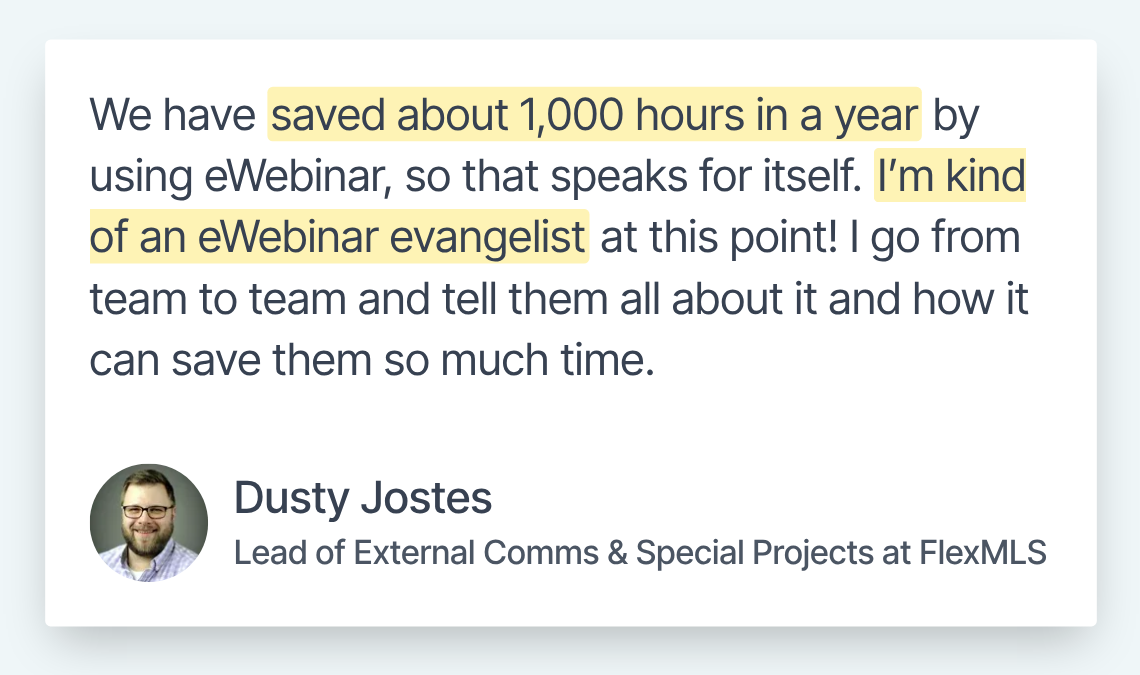
Christina McGuinness, Training Specialist at Bright MLS, said, “Using the Slack integration, our team can continue with their day to day tasks without disruption and customers can expect timely responses to their questions.”
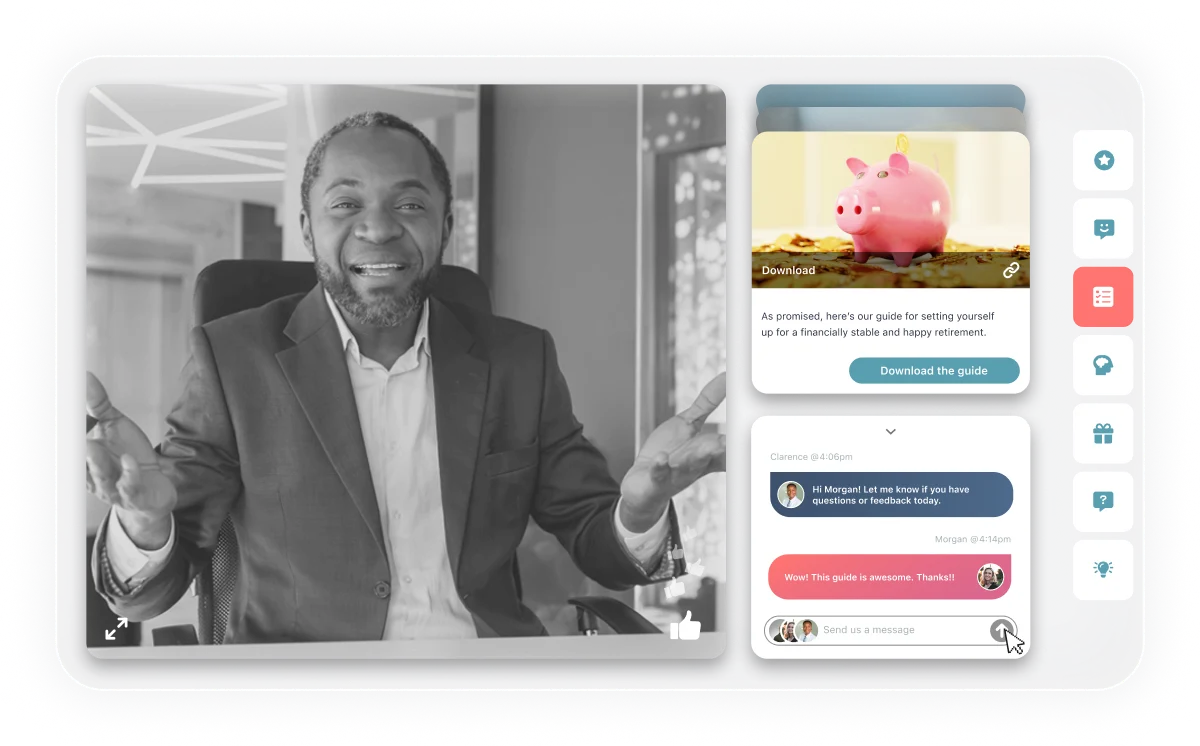
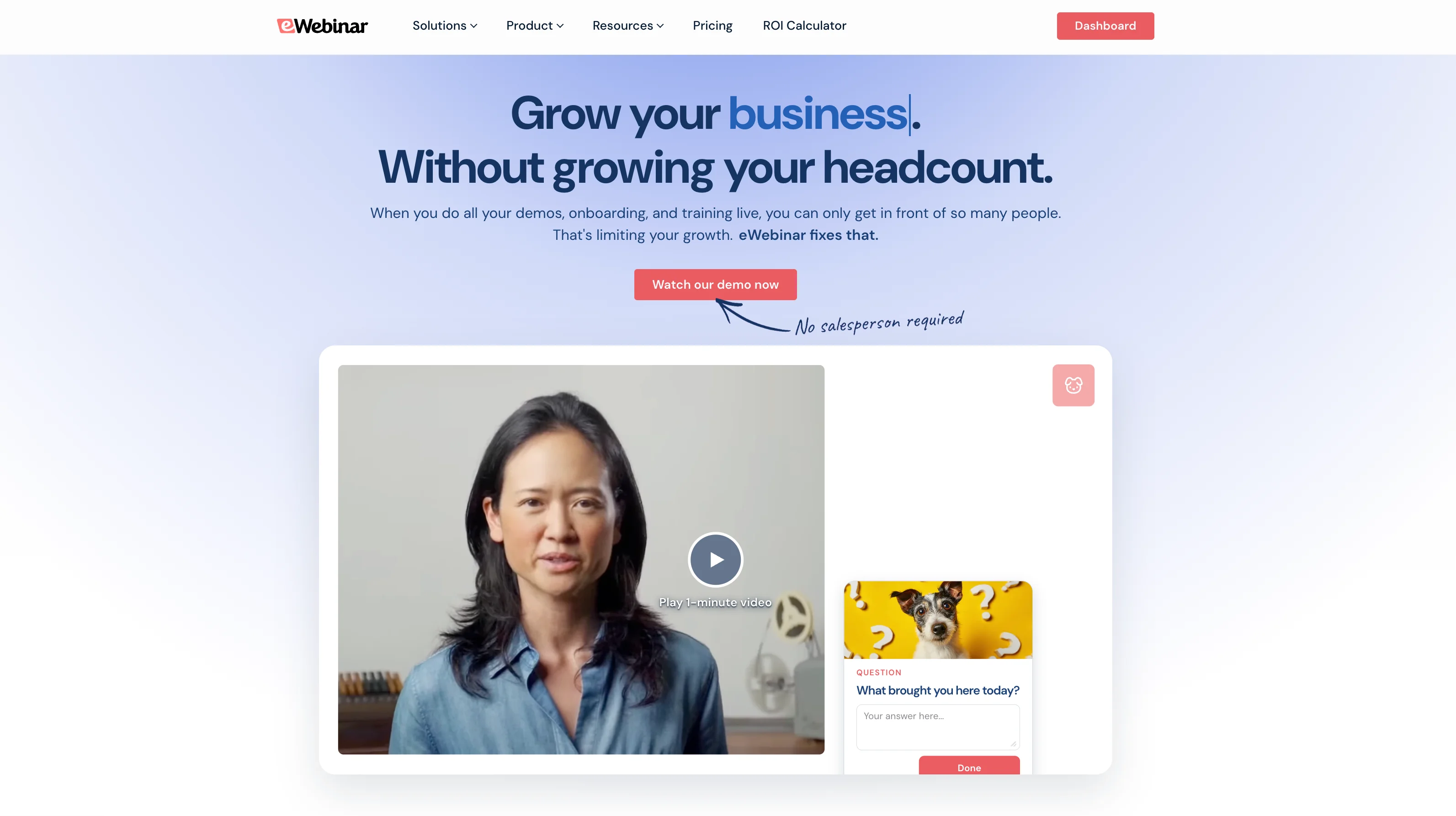
If you want to see how eWebinar works, join our demo any time.
Learning Management Systems (LMS)
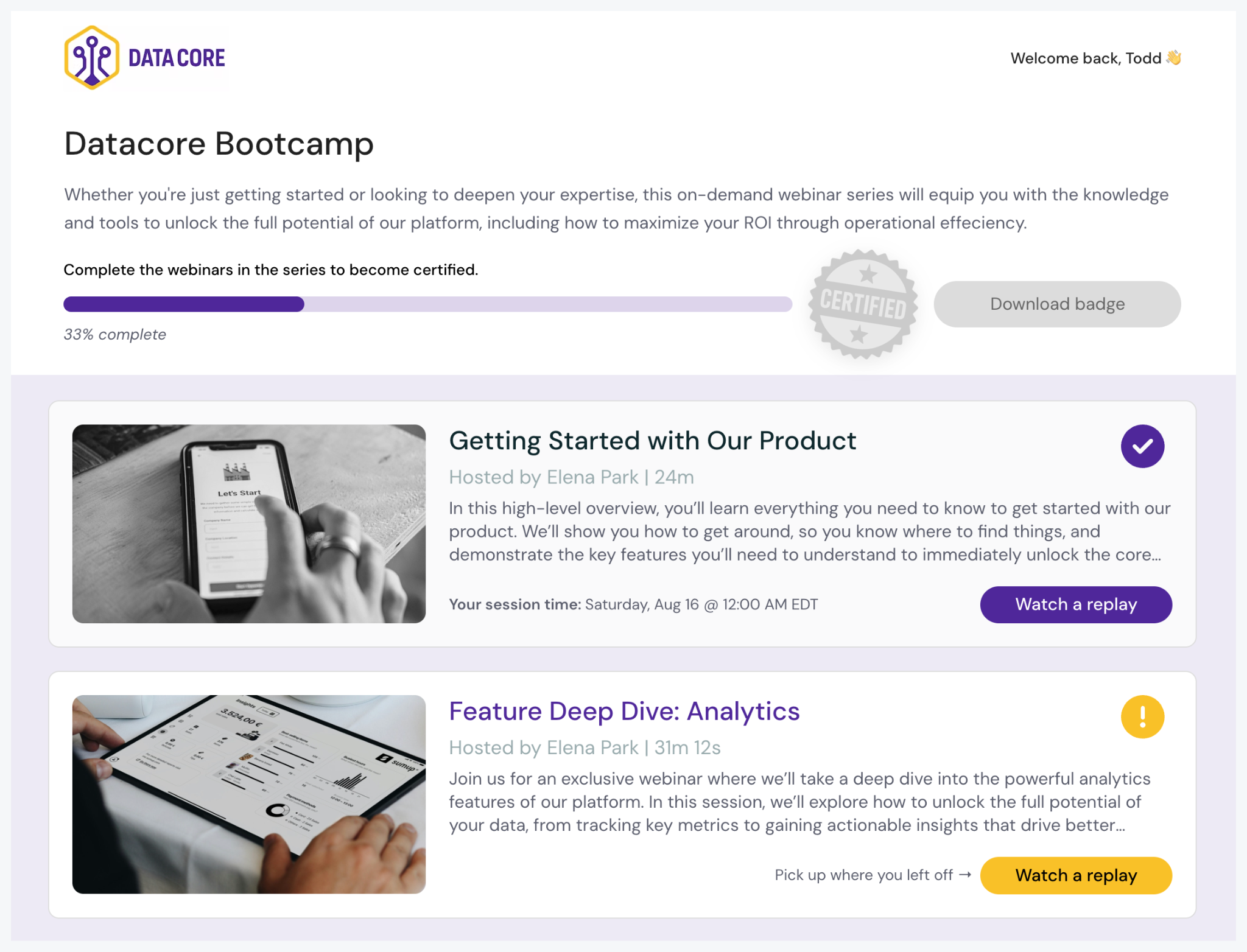
A learning management system (LMS) is software for creating, delivering, and tracking structured courses and certifications. It organizes related material into a learning path, so customers don’t have to find individual resources on their own, and many companies use one to run a customer academy with self-paced courses, assessments, and certificates. You don’t need to start with a full certification program, though. A small set of lessons around key workflows can grow into a full curriculum over time.
Where an LMS falls short is engagement and communication. Customers have to log in and remember to go to it, nothing brings them back, and there’s no way to ask a question and get an answer while they learn.
eWebinar isn’t an LMS, and it doesn’t try to be one. It works alongside one in two ways: as an interactive module inside your LMS, or in parallel, with self-paced courses in the LMS and eWebinars for customers who want to ask a trainer questions. For teams that only need video-based training with chat, eWebinar can also work as an LMS-lite, using a training series with progress tracking and certification.
Kelly Bojarski, Director of Training Systems at Inside Real Estate, put it this way: “eWebinar is a great companion to our LMS, which we use to deliver asynchronous, self-paced courses. If our customers have more questions about the course, they can come to our eWebinar and ask a product trainer.”
If you’re comparing platforms, see our guide to the best LMS for customer training.
Community-Led Education
Community-led education lets customers learn from one another and from your team. Forums, user groups, shared templates, discussions, and customer-created tutorials can surface workflows and solutions that wouldn’t necessarily appear in formal training.
This format becomes especially useful when customers use the same product in different ways. Your team can teach the fundamentals, while experienced users contribute examples, adaptations, and practical knowledge from their own work.
In-App Guidance
In-app guidance teaches customers as they use the product. Tooltips, contextual prompts, checklists, and product tours from tools like Appcues, Userpilot, and Pendo can explain a feature or point to the next action without taking customers out of the interface.
It works best for simple products where the value is obvious, first-session prompts like welcome messages and setup checklists, nudges to try a new feature, and help that shows up in context when a customer gets stuck.
Where it falls short is complex products. A tooltip can’t explain why your product works the way it does or walk a customer through a multi-step workflow, and customers can’t ask it a question. In-app guidance handles the small UI nudges, and an on-demand session with chat handles the parts that need teaching. At eWebinar, we use Userpilot for our own in-app tips and eWebinar for our product walkthroughs.
The goal is to deliver the right format of help to customers at the right moment, in context.
How to Build a Scalable Customer Education Program
1. Start Where Customers Get Stuck
Don’t start with a full curriculum. Look at where customers drop off and work backward. If churn clusters between month 2 and month 4, investigate what’s happening there instead of assuming education is the only cause.
Pull support tickets from that window to see whether recurring knowledge gaps point to what your first content should cover.
2. Move Repeat Trainings On-Demand So Every Customer Can Attend On Their Own Time
Keep live sessions for strategic conversations and complex questions. Repeat content like product walkthroughs and best practices belongs on-demand, where every customer can attend, whatever their time zone or schedule.
With eWebinar, you record the walkthrough once and program interactions like polls and quizzes throughout. Customers pick a time that fits their schedule or start right away, and if they have questions, they ask in chat and your team replies right away or later by email.
As Kyle Racki, Co-Founder and CEO of Proposify, put it: “It doesn't matter what time zone our customer is in, they can access our training anytime and whoever's working support can still assist them over chat if they have a question.”
3. Match Formats to Each Stage
- Activation: In-app guidance plus a short on-demand product walkthrough.
- Adoption: Feature-specific on-demand sessions, a growing knowledge base, and a training series covering top use cases.
- Expansion: Advanced courses, certifications, community forums, and new-feature training.
We do this at eWebinar too. Every new customer starts in the same on-demand session our prospects watch during the sales process, and our activation and onboarding run as a series of eWebinars that customers move through as they advance.
4. Make It Easy to Find
Most companies send an onboarding email sequence and leave it at that. Customers have to find a session before they can sign up for it, so training should live inside your product, in the app menus and help center, where customers look when they need help. A few ways to keep it in front of them:
- Add session links to support’s saved replies.
- Keep a training library page that lists every session.
- Add a training link to your app’s help menu or resource center.
- Send behavior-triggered emails to customers who go inactive or get stuck in a workflow.
- Embed sessions in the help articles they relate to, and in your customer academy or LMS.
- Trigger in-app messages based on behavior, like a customer who hasn’t tried a key feature yet.
- Let customers who are already logged into your product join without registering, with SSO or personalized join links.
For more ideas, see our guide on how to promote an on-demand webinar.
5. Measure What Changed, Not Who Finished
Course completions tell you who finished, not whether the education changed behavior. So, track outcomes tied to the business goal. For feature education, look at subsequent feature adoption. For onboarding, track activation or time to value. For support education, measure changes in related support requests.
Compare trained vs. untrained cohorts, accounting for factors such as company size, plan tier, and prior product usage. These comparisons can reveal useful patterns, but they don’t prove that education alone caused the difference.
eWebinar’s analytics show you everything about watch time, where people drop off, and all the answers to the questions, polls, quizzes, and other interactions you set up, so you can understand your customers and their journey. The questions customers ask throughout give you qualitative feedback to improve your training and see what else is needed. That’s something no other platform offers.
6. Keep It Up to Date
A common mistake teams make is launching a library and then never going back to update it. Review your most-viewed content regularly and update anything that’s outdated. When you ship new features, add sessions to cover them. And keep an eye on your analytics and recurring support questions for content that needs updating or gaps your education still needs to fill.
Scale Your Customer Education Without Scaling Your Team
Scaling customer education without scaling your team looks different for every company. Design your program around your own needs and capabilities: your product, your customers, and what your team can realistically support. The steps in this guide apply either way: start where customers get stuck, move repeat trainings on-demand, match formats to each stage, make education easy to find, measure what changes, and keep it up to date.
If you offer live training, reserve that time for the moments that need your team’s full attention, like complex questions, strategic accounts, and product launches. Live is the one format that doesn’t scale, because every session needs someone from your team there. If scale is the goal, lean on the other formats in this guide, like help docs, on-demand sessions, in-app guidance, and community, for everything that can run without you.
Budget matters too. If yours isn’t large, an LMS probably isn’t the place to start. It takes more money, setup, and people to run than the other formats, and most companies grow into one as their customer base and course library get bigger.
eWebinar is an on-demand video platform with chat, built for teams that want to deliver onboarding and training to every customer without presenting live. If you want to see how it works, join our demo.
Frequently Asked Questions
How is customer education different from customer training?
Training is one activity within a broader education program. It teaches a specific skill. Education is the strategy that decides which trainings to build, when to deliver them, and how to measure whether they worked.
How long does it take to build a customer education program?
There’s no standard timeline. It depends on your product’s complexity and how much educational content you already have. Start small with a few on-demand sessions covering your highest-impact use cases. Add a knowledge base that answers your most common support questions and in-app tooltips for core activation steps. From there, add sessions and articles as you need them, based on the questions that keep coming up in support.
Does customer education reduce churn?
There’s evidence that it can. In a field experiment involving 2,673 new customers of a cloud services provider, proactive customer education cut first-week churn in half. The researchers also found that educated customers accumulated 46.57% more product usage over the following eight months, although the treatment’s effects decayed within one week.
What software do you need for customer education?
Most programs use a few tools together: a help center or knowledge base for answers customers can search, in-app guidance tools like Appcues or Userpilot for nudges inside the product, and an LMS if you run structured courses and certifications. To deliver training every customer can attend, add an on-demand video platform with chat like eWebinar. Customers join sessions on their own schedule and ask questions while they watch, and your team replies right away or later by email. If you want to see how it works, join our demo.
Curious to see how eWebinar can help run your demos, onboarding, and training sessions on autopilot?
Watch a one-minute explainer video for a quick overview of the eWebinar platform. Or, better yet, join our on-demand demo to learn more!