Here are the 7 Best On-Demand Video Platforms in 2026
Quick Summary
TL;DR?
Tool | Best For | Starting Price | Rating |
eWebinar | On-demand video with chat for training, onboarding, customer success, and product demos | $99/mo or $84/mo when billed annually | Capterra (4.9/5) |
Vimeo | Brand and marketing video on your own site | $12/mo billed annually | Capterra 4.6/5 |
Wistia | Getting video engagement into your CRM | $79/mo billed annually | Capterra 4.7/5 |
Why listen to us?
We use several categories of on-demand video platforms every single day. We run Loom in our help center, post interviews on YouTube, and host video on our homepage. We know firsthand what each tool is good at, and where you'll start running into headaches.
We’re also pulling from a massive pile of real-world data. On our own platform, we’ve tracked 4.5 million attendees across 2.45 million sessions, and spent six years talking to customers about how they used to share video.
What is an on-demand video platform, and which type do you need?
In simple terms, an on-demand video platform stores your video so people can watch it whenever they feel like it.
But because that definition is so broad, companies use it to sell wildly different products:
- Public hosting & discovery (YouTube): It’s free and has massive reach, but gives you almost no real data on who is watching.
- Business video hosting (Vimeo, Wistia, Vidyard): Built to embed videos on your own website, giving you total control over the player, branding, and access.
- Searchable video hubs (Panopto): Organizes videos into a private, searchable library, usually for internal training or connected to an LMS.
- Paid subscriptions (Uscreen): Helps you run a membership business by selling access to a channel, complete with billing and smart TV apps.
And then there’s eWebinar.
None of those tools tackle a specific problem head-on: some videos need to be experienced, not just watched. A demo, training session, or onboarding walkthrough works best when the viewer commits to a time, interacts with the content, and can ask questions, while you get a clear record of what they actually did.
That’s an interactive session, and it's the exact category we built eWebinar for. (More on that in a second.)
7 best on-demand video platforms
Tool | Type | Best For | Interaction During Playback | Starting Price | Rating |
eWebinar | Interactive on-demand sessions | Demos, onboarding and training needing chat and lead capture | Polls, quizzes, CTAs and two-way chat | $99/mo | Capterra 4.9/5 |
YouTube | Public hosting and discovery | Reach, SEO and brand awareness | None since annotations were removed in 2019 | Free | Capterra 4.7/5 |
Vimeo | Business hosting and OTT | Brand and marketing video on your own site | Interactive video, Enterprise plan only | $12/mo billed annually | Capterra 4.6/5 |
Wistia | Business hosting, marketing-led | Getting video engagement into HubSpot or Marketo | Forms, CTAs and annotation links, no quizzes | $79/mo billed annually | Capterra 4.7/5 |
Vidyard | Sales video | Reps recording 1:1 videos inside Gmail or Salesloft | Vidyard supports banners, CTAs and email-capture forms | $59/seat/mo billed annually | Capterra 4.5/5 |
Panopto | Video knowledge platform | Searchable training libraries tied to an LMS | In-video quizzes that pause playback | No public pricing | Capterra 4.5/5 |
Uscreen | Subscription and monetization | Selling video memberships with TV and mobile apps | None | $49/mo | Capterra 4.8/5 |
Let's go through each one.
1. eWebinar
Static on-demand video is good at many things. Short clips, brand awareness, anything that doesn't need a two-way conversation. Most companies use it well for exactly that, us included.
But static video starts to fall short when the experience requires deeper interaction, especially during training, onboarding, or customer demos. A standard recording cannot ask a qualifying question at the right moment or let viewers get help immediately if something is unclear. As a result, a 20-minute demo or 30-minute training session can quickly become something people only partially watch, with little meaningful engagement.
That’s where eWebinar comes in.
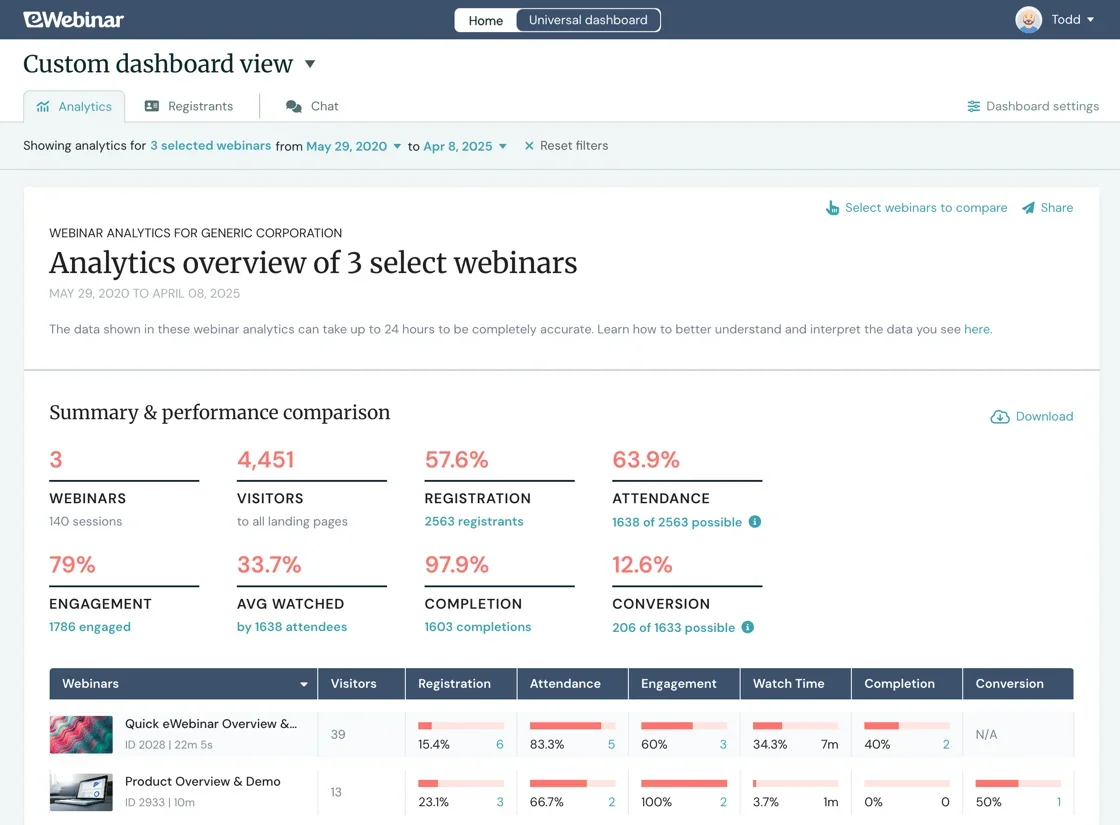
eWebinar is an on-demand video platform with chat, built for teams delivering the same demo, onboarding session, or training over and over. We're not a video host, and we don't make videos. You upload the same recording you'd have put on YouTube or a landing page, and we wrap the experience around it.
Put simply, we take a video you've already recorded, put it on a schedule that runs around the clock, and wrap registration, interactions, and two-way chat around it. Your audience picks a session time that works for them (or they can watch on demand), gets a reminder, shows up, and can ask questions throughout.
Then you answer from Slack, email, or your phone whenever you get to it. Communication can happen in real time, or asynchronously so you never miss a question.
Key Features
- Chat: Answer attendee questions live during the session, or reply by email later from Slack or your phone.
- 25+ interactions: Place polls, quizzes, tips, hotspots and CTAs on the video timeline at the exact moment each one fits.
- Three scheduling modes: Run on-demand, recurring and just-in-time schedules together so attendees pick a slot that suits them.
- Registration and reminders: Capture attendee details at sign-up, then send confirmation, reminder and follow-up emails automatically.
- Per-attendee analytics: See who attended, how long they stayed, which polls they answered and which questions they asked.
- CRM and marketing sync: Send attendee data to HubSpot or thousands of other tools through supported integrations and Zapier. Native Salesforce and Marketo integrations are available as paid add-ons.
- Embed anywhere: Drop the full session into any web page, web app or LMS you already run.
Pricing
Everyone starts at Level 1, and the subscription adjusts up or down as you add sessions, so there's no plan to pick up front.
- Level 1: $99/month, 1 active eWebinar, 1,000 registrants a month
- Level 2: $199/month, up to 5 active eWebinars, 3,000 registrants a month
- Level 3: $299/month, up to 15 active eWebinars, 5,000 registrants a month
- Enterprise: custom
Annual billing takes 15% off. Every level includes unlimited team members and unlimited recurring sessions, and there's a 14-day free trial.
Rating
Capterra rating: 4.9/5.
Pros
- Attendance holds up on long-form content. Our on-demand sessions average 83% attendance, against a 40% benchmark for live.
- Cost scales with how many sessions you publish.
- You launch with a recording you already have.
Cons
- Not a public video host.
2. YouTube
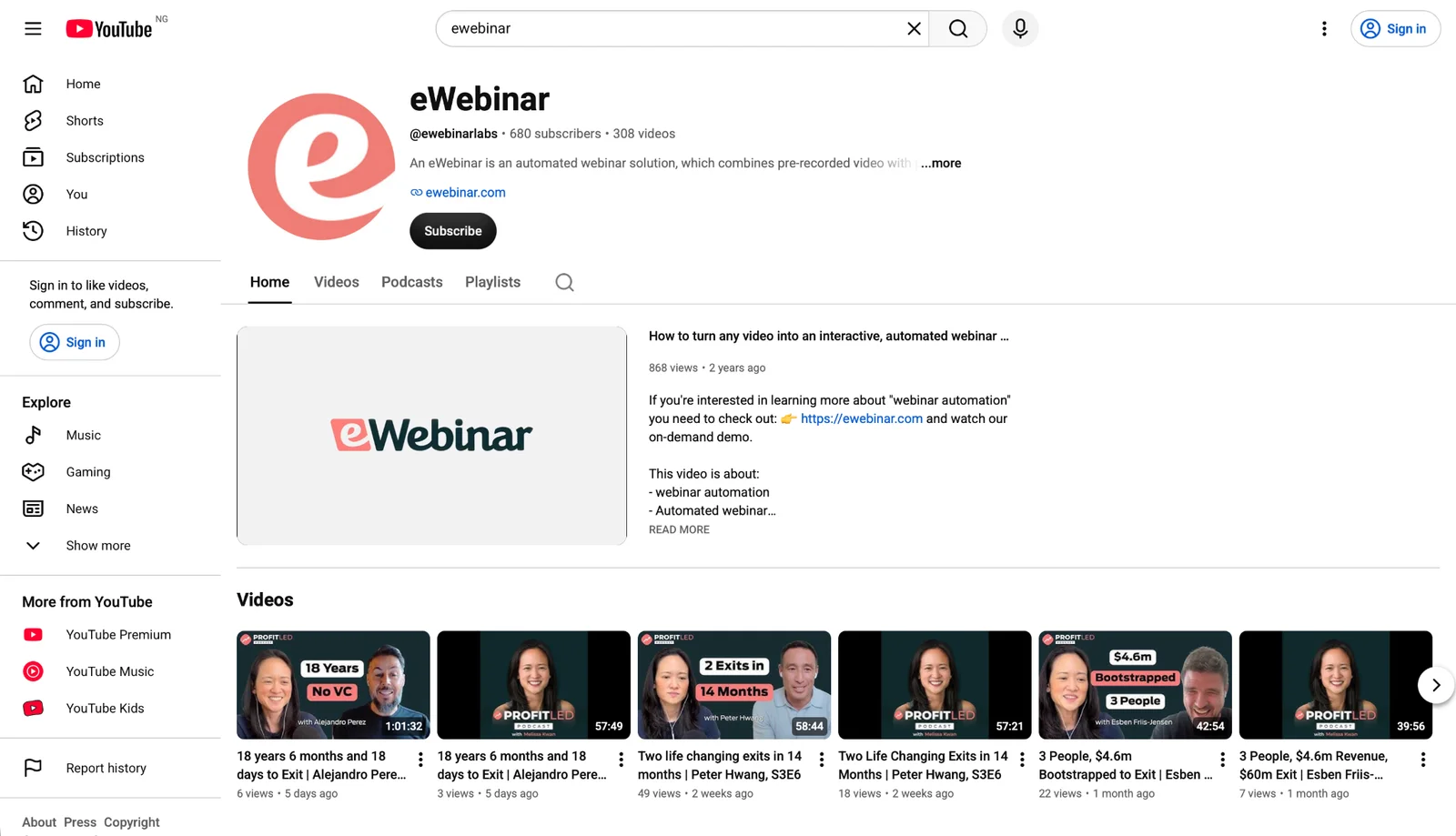
No other tool on this list can touch YouTube for reach. It’s completely free, uncapped, and accepts file uploads up to 256GB or 12 hours. There’s no paid business plan to upgrade to because hosting simply costs nothing.
Nielsen put YouTube at 13.8% of all US TV watch time in May 2026, the largest share of any distributor.
Key Features
- Unlisted and private modes: Publish a video that's link-only or restricted to invited Google accounts.
- Privacy-enhanced embeds: Serve the player from youtube-nocookie.com so any ads shown are non-personalized.
- Chapters and end screens: Break a video into timestamped sections and add up to four end-screen elements.
- Auto-captions and dubbing: Generate captions in 80+ languages and dub audio into 27.
Pricing
Free. Hosting, bandwidth and storage cost nothing, and there's no paid business hosting plan.
Rating
4.7/5
Pros
- Reach you can't buy anywhere else, plus video results that surface in Google Search.
- Zero marginal cost no matter how large your library or how much bandwidth you use.
- Free localization through auto-captions and auto-dubbing across dozens of languages.
Cons
- You get no viewer identity and no email address, so a view can't become a lead.
- Suggested videos can't be switched off, and an embed may end on a competitor's clip.
3. Vimeo
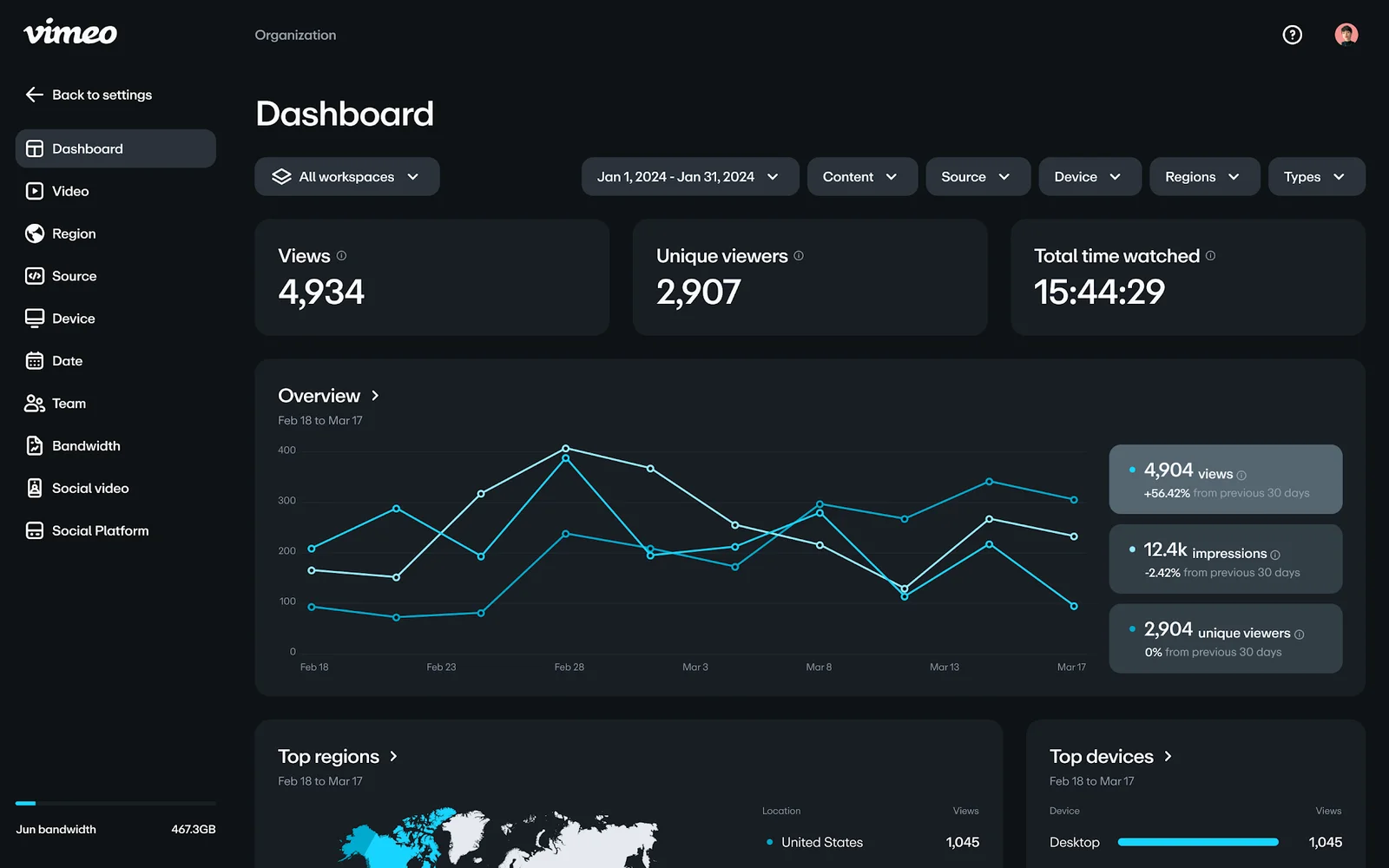
If you want to move your video off YouTube and onto your own site, Vimeo is usually the next stop. You get a clean, ad-free player you can brand with your own colors, along with domain-level privacy that lets you restrict playback to up to 50 approved websites.
Vimeo’s best feature, and the main reason long-time users stick around, is the ability to swap out a video file without breaking existing embeds. You can re-cut a video, upload the new file, and every page, client gallery, or portfolio link using that URL updates automatically.
Key Features
- Domain-level privacy: Restrict where a video can be embedded across up to 50 approved domains.
- Replace media: Swap the underlying video file while keeping the same URL and every live embed intact.
- Lead capture forms: Collect emails in the player with custom forms, from the Standard plan up.
- AI dubbing and subtitles: Dub audio into 29 languages and translate subtitles into 36 or more.
Pricing
Starter is $12/month billed annually or $20 monthly. Standard is $25 or $41. Advanced is $75 or $125, and Enterprise is quoted per account. A separate Vimeo Studio plan for small and mid-sized businesses has no published price. Vimeo OTT starts at $1 per subscriber per month plus 10% of one-time purchases.
Rating
Capterra rating: 4.6/5 (1,049 reviews). G2 rating: 4.3/5 (722 reviews).
Pros
- Your embed ends on your own end screen, so a competitor's video never surfaces on your page, unlike YouTube.
- Password protection and domain locking are strong enough that course sellers use them to enforce a paywall.
- Time-coded review links let clients comment on a cut without you sending master files.
Cons
- Bandwidth is capped at 2TB a month on every self-serve plan, and opening a second account doesn't raise it.
- Some customers report higher costs after being migrated to Vimeo’s newer plan structure.
4. Wistia
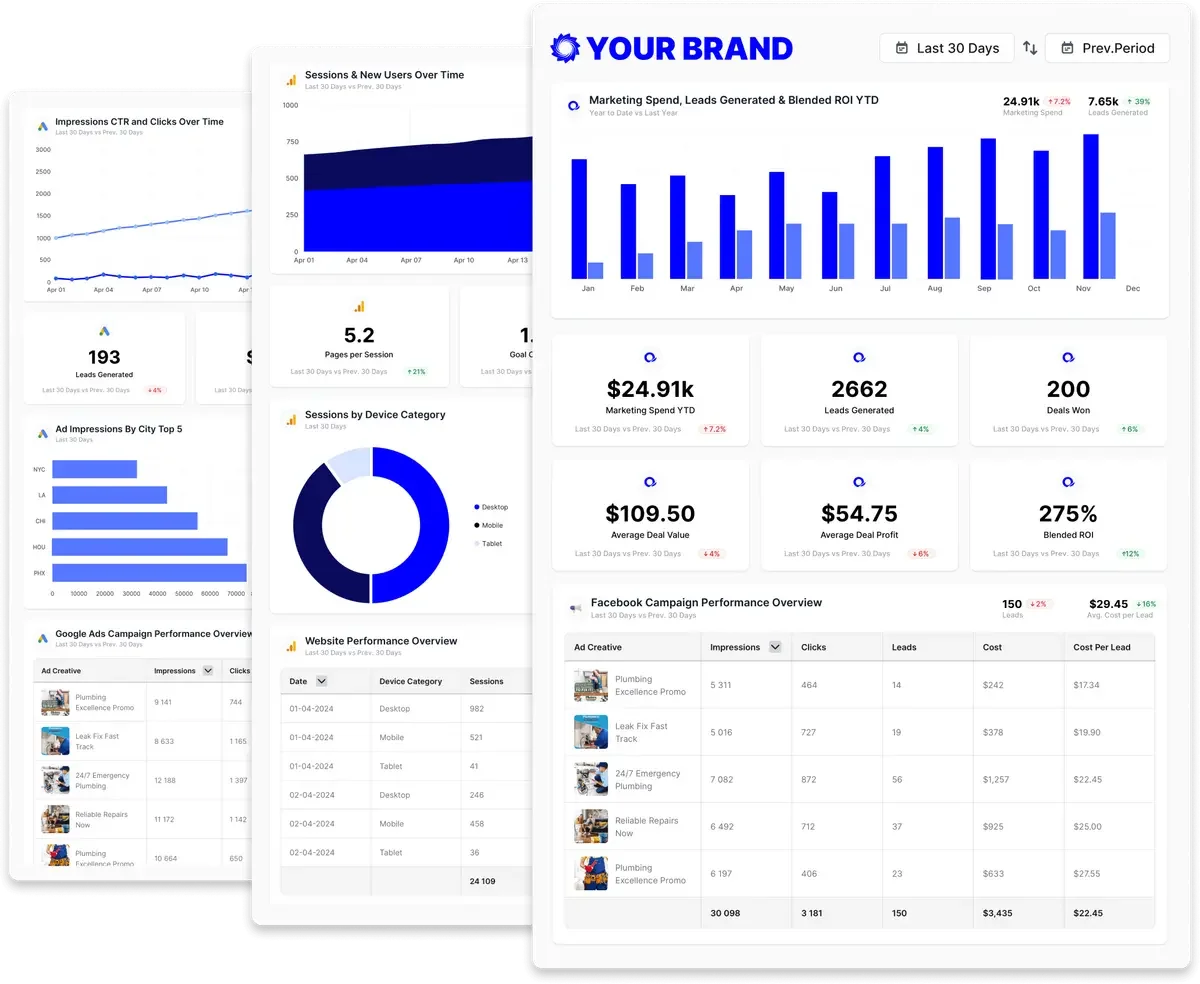
Wistia is built around the idea that a video view should turn into something your marketing team can act on. So it's the pick when the video's job is to generate and score leads.
The tool for that is Wistia Forms, previously called Turnstile. You place an email gate anywhere on the timeline, including partway through, and you decide whether viewers can skip it. Watch-percentage data flows into HubSpot, Marketo, Pardot or ActiveCampaign against the contact record. A lead who watched 80% of your demo scores differently from one who bailed at 10 seconds.
One thing has changed recently though. Wistia retired per-video pricing in March 2026, so plans are capped by storage in GB now. Overage blocks are published, and they round up to the next whole block. Archived media counts toward that storage too, which it didn't before.
Key Features
- Wistia Forms: Gate a video at any point on the timeline and decide whether viewers can skip past it.
- Per-viewer heatmaps: See exactly which sections each individual viewer watched, rewatched or skipped.
- Channels: Publish a browsable video library on your own site with a subscribe option.
- A/B testing: Run two thumbnails or two full versions of a video against each other on the Business plan.
Pricing
Free covers 25GB of storage, 200GB of bandwidth and one user, with Wistia branding you can't remove. Business is $79/month billed annually or $99 monthly, for 250GB, 1TB of bandwidth and three users. Business plus Lead gen is $329 or $412, and Enterprise is custom. Extra storage runs $12 to $75 a month per block on annual billing, and Webinars is a separate add-on starting at $429/month annually.
Rating
Capterra rating: 4.7/5.
Pros
- Replace Media lets you swap out a video file across every embed while keeping or resetting your analytics data.
- Watch-percentage events sync directly to contact records in HubSpot or Marketo for instant lead scoring.
- Captions and translated subtitles are built right into the platform so you never need outside vendors.
Cons
- There's no quiz feature at any tier, and polls only exist inside the paid Webinars add-on.
- Lead-generation and webinar functionality becomes considerably more expensive than basic video hosting.
5. Vidyard
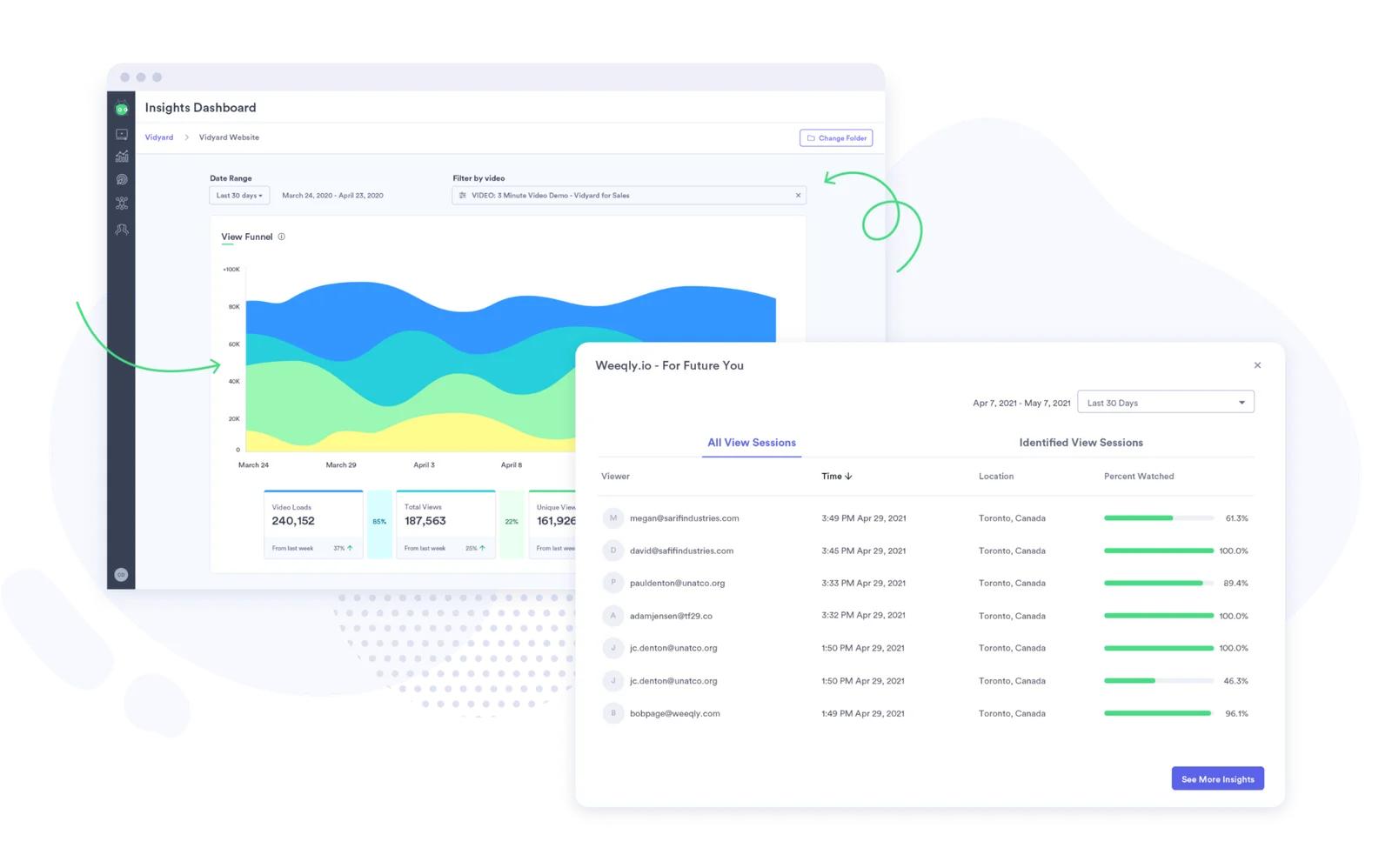
Vidyard is an AI-powered video selling platform designed specifically for one rep sending a personalized video to one prospect. Its Chrome extension lets you record your screen and camera, then drops a playable animated thumbnail directly into your Gmail, Outlook, or Salesloft compose window without making you switch tabs.
What sales reps value most is the instant follow-up loop. You get notified the second a prospect opens your video, showing you exactly who watched and how far they got so you can follow up while you're still top of mind. That activity also logs automatically through native integrations with Salesforce, HubSpot, Outreach, Salesloft, and Gong.
Key Features
- Chrome recorder: Capture screen and camera and paste a video link into your email tool without switching apps.
- View notifications: Get alerted when a prospect opens your video, with their name and watch time attached.
- Video Actions: Add a fullscreen CTA, a banner or an email capture form before, during or after playback.
- Sales stack integrations: Log video activity to Salesforce, HubSpot, Outreach, Salesloft and Gong records.
Pricing
There’s a free plan covering five recordings per month at up to 30 minutes each, with a limit of five embeddable videos. Starter is $59 per seat per month billed annually, or $89 monthly. Teams and Enterprise are quoted per account. The Video Agent add-on runs $24 or $29 per seat per month.
Rating
Capterra rating: 4.5/5
Pros
- The recorder and the email tool live in the same tab, so sending a personal video takes under a minute.
- Watch notifications tell a rep exactly when to follow up, and how much of the pitch got seen.
- The animated thumbnail in the email body is what customers credit for higher open and click rates.
Cons
- Vidyard’s editor handles basic trimming, splitting and section removal, but it is not a full multitrack video editor.
- The Chrome extension has a long-running habit of freezing mid-record and returning truncated files.
- Downloading your own video needs a paid plan, and data integrations aren't available until the Teams tier.
6. Panopto
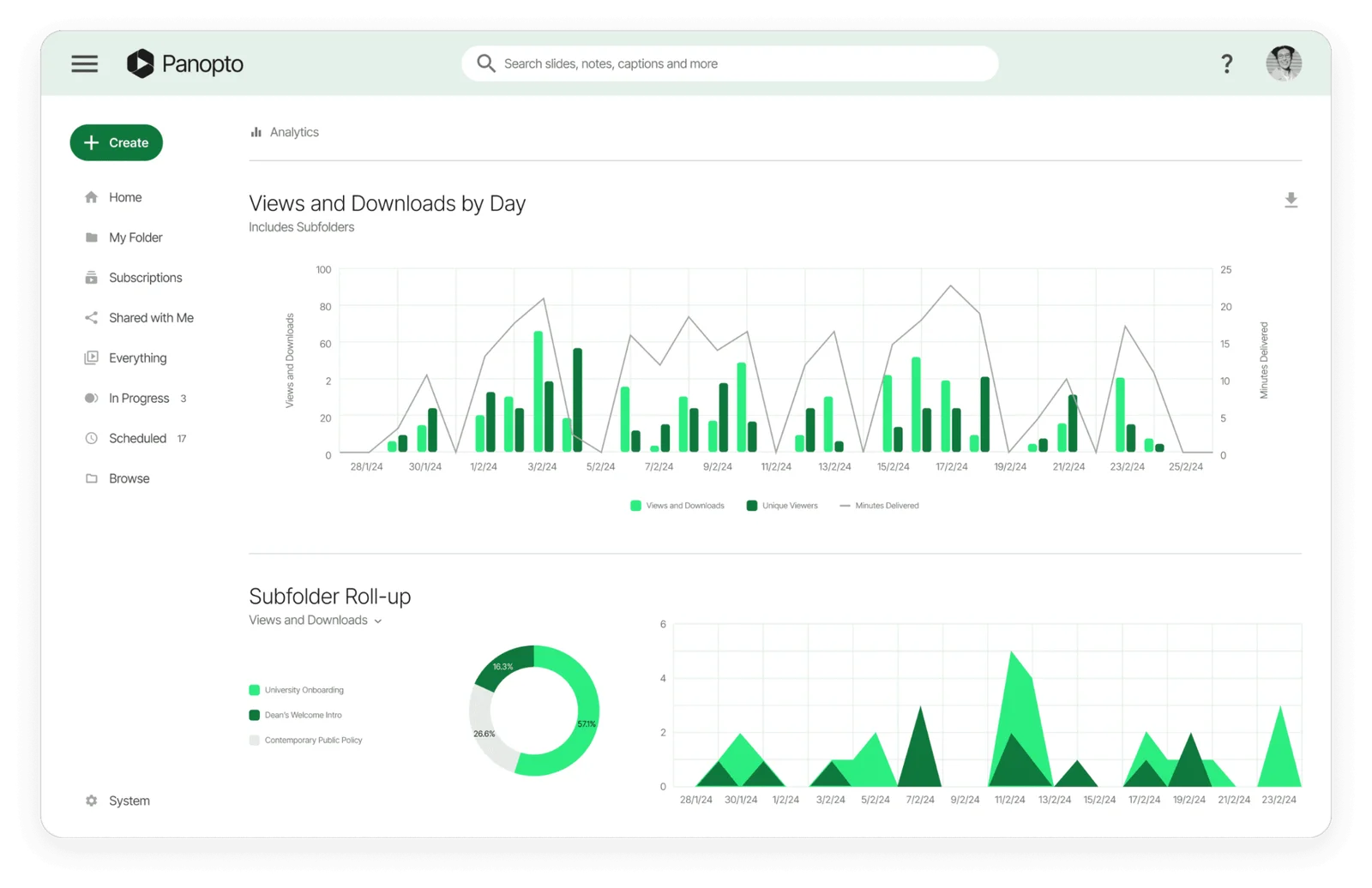
Got a training library nobody can find anything in? That's the problem Panopto is built to solve, and it calls itself a video knowledge platform. Its capture tool records screen, camera and audio at once, and everything arrives in a permissioned library organized by course, team or program.
Search is the reason organizations pick it. Panopto indexes every spoken word and every on-screen element. Someone can type a phrase and jump to the exact moment it was said inside a two-hour recording. Across thousands of videos, that's the difference between a library and an archive nobody opens.
Key Features
- Smart search: Find any spoken word or on-screen element across the whole library and jump straight to it.
- In-video quizzes: Insert a question at any timestamp that pauses playback until the learner answers.
- Multi-stream capture: Record screen, camera and audio together from any location in one pass.
- Video translation: Translate video content into 75 or more languages in one click.
Pricing
Panopto publishes no prices, so everything's quoted per account. Its pricing page says "No automated tiers. No confusing bundles. Just a conversation with our team," with quotes built around your user count, integrations, add-ons and deployment model. A Panopto Essential option is mentioned for non-enterprise teams, with no detail attached.
Rating
Capterra rating: 4.5/5.
Pros
- Search inside video content works, and it scales to libraries of thousands of recordings.
- Quizzes can pause playback and, when configured through a supported LMS integration, send results to the LMS gradebook.
- Per-learner completion reporting shows who's engaged and who's fallen behind.
Cons
- Multiple microphone inputs aren't supported, and screen audio capture has been in beta a long time.
- You can't paste a plain URL into an LMS, and customers describe the interface as hard to navigate.
7. Uscreen
Last but not least, Uscreen is a different kind of on-demand video platform than the ones we’ve been discussing.
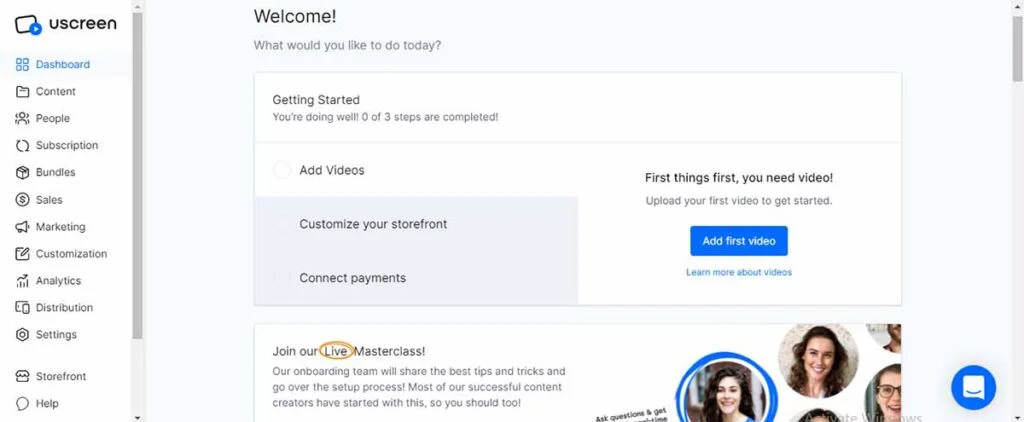
Fitness studios, yoga teachers, and faith organizations rely on Uscreen to run branded, subscription-based video channels. Positioning itself as an all-in-one video membership platform for creators, it earns a spot on this list because so many on-demand video searches come down to one goal: selling access to content.
The branded apps are easily Uscreen’s strongest feature. They build and publish custom apps for iOS, Android, Apple TV, Roku, Fire TV, Android TV, and Samsung TV directly into your developer accounts.
Key Features
- Native TV and mobile apps: Publish apps to Roku, Apple TV, Fire TV, iOS and Android from your own developer accounts.
- Flexible monetization: Sell subscriptions, one-time purchases, rentals and gift cards, with localized pricing.
- Uscreen Gateway: Process payments through Uscreen when a seller can't get approved by Stripe.
- Retention tooling: Trigger abandoned-cart emails, drip content and push notifications to reduce churn.
Pricing
Starter is $49/month, monthly billing only, capped at 100 subscribers and 20 hours of storage, with a 10% fee on one-time sales. Growth is $149/month billed annually or $199 monthly, plus $1.99 per subscriber and a 5% sale fee. App Essentials is $449 annually or $499 monthly, plus $0.99 per subscriber. There's a 14-day free trial with no card.
Rating
Capterra rating: 4.8/5
Pros
- Uscreen can provide branded iOS and Android apps through App Essentials, while TV apps are available through its quote-based Custom plan.
- For eligible Stripe migrations, Uscreen can transfer subscriber billing data so members may keep their existing subscriptions. PayPal billing data cannot be migrated.
Cons
- The per-subscriber fee means your monthly cost scales well past the advertised plan price.
- TV apps require the quote-based Custom plan, so you cannot calculate the full cost from the public pricing page.
Purchase for the job, not the category
Most bad video software purchases come from comparing tools that were never solving the same problem in the first place. Sort by what you want to happen after someone presses play, and the right pick usually falls out on its own.
If your problem is that you keep delivering the same demo, onboarding session, or training over and over, and reaching a fraction of the people who signed up, that's what we built eWebinar for.
Kyle Racki at Proposify described what your audience gets out of it:
Start your 14-day free trial, or watch our demo to see it running. We use eWebinar to run it ourselves.
FAQs
Is an on-demand webinar the same as a video on a landing page?
No. Plenty of companies put a recording behind a form and call it an on-demand webinar, but mechanically it's a video on a page. A real session has registration, reminders, interactions during playback, a way to ask questions, and follow-up based on what each person actually did.
Do I have to choose between YouTube and a business video platform?
No, and most teams shouldn't. One recording can live in several places at once. The full session runs where you capture leads and answer questions, a cut-down version goes on YouTube for discovery, and two-minute clips go inside help articles. Choose the right tool for the job and the outcome you want to achieve.
Is on-demand video software expensive?
It depends entirely on which type you buy. Public hosting is free. Business hosting runs from $12 to about $99 a month for a small team. Training and knowledge platforms are usually quoted per account. Membership platforms add per-subscriber fees on top of the plan, which is where budgets get blown.
What analytics should I expect from an on-demand video platform?
That's the sharpest dividing line in the category. YouTube gives you aggregate views and estimated unique viewers over a 90-day window. Wistia and Vidyard give you per-viewer heatmaps and identity through CRM integrations. Panopto reports per-learner completion. Ask what a named person's record looks like before you buy. eWebinar gives you the most comprehensive analytics of any video product, check out what we measure here.
Curious to see how eWebinar can help run your demos, onboarding, and training sessions on autopilot?
Watch a one-minute explainer video for a quick overview of the eWebinar platform. Or, better yet, join our on-demand demo to learn more!