Quick Summary
Ten platforms evaluated on the one standard that actually matters for on-demand webinars: does the attendee experience hold up when no one is hosting live? Most strip out chat and interactions. A few don’t.
Our top three picks:
| # | Platform | Best For |
| 1 | eWebinar | Sales demos, onboarding & training |
| 2 | EasyWebinar | Hybrid marketing funnels |
| 3 | EverWebinar | High scarcity sales |
What Most On-Demand Webinar Platforms Get Wrong
There's a moment when someone discovers your webinar and their interest is at its peak. They're ready to watch right now. Not next Tuesday at 2pm. Now.
But most software in this category delivers a purely passive experience. The "on-demand" version is a recording, gated behind a registration form, with no chat, no interactions, and no way for the attendee to engage with anyone on your team. That's not an on-demand webinar. That's a video on a landing page.
A real on-demand webinar delivers a dynamic experience. Interactions fire automatically, questions get real answers, and the experience holds up whether someone watches at 2pm or 2am.
That's the standard we used to evaluate the 10 platforms in this guide.
Why Listen to Us?
Most on-demand webinar tools were built as an afterthought, a replay feature added to a live platform because customers expect it. We built eWebinar the other way around. On-demand came first, and everything (chat, interactions, scheduling) was designed to support the experience, and work seamlessly without anyone hosting live.
We stake our own revenue on eWebinar. Every prospect who wants to see the product experiences it through eWebinar before they ever speak to our team.
Here's how one of our customers describes the impact:
"We reach a lot more people with a lot less effort and a lot less money. It's much better than doing the same training over and over."
— Joe Rand, CCO, Howard Hanna | Rand Realty
Our experience, and six years of watching what works and what doesn't, is what shaped every pick on this list.
Our Top 10 On-Demand Webinar Software: 2026 Comparison Table
| # | Tool | Best For | Async Chat | Interactivity Level | Instant Join | Starting Price |
| 1 | eWebinar | Sales Demos, Onboarding & Training | Yes (Best in Class) | Very High (25+ interactions) | Yes | From $99/mo |
| 2 | EasyWebinar | Hybrid Marketing Funnels | No (Email only) | Medium | Yes | $44/mo |
| 3 | EverWebinar | High-Scarcity Sales | No (Simulated) | Medium | Yes | $199/mo |
| 4 | Demio | Aesthetic Browser UX | Chat (Not async) | Medium | Yes | $504/yr |
| 5 | Livestorm | Modern Brand Experience | No | Medium | Yes | $1056/yr |
| 6 | BigMarker | Enterprise Features | No | High | Yes | $99/mo |
| 7 | WebinarKit | Budget-Conscious Teams | No | Medium | Yes | $67/mo |
| 8 | StealthSeminar | Direct Response Scarcity | No (Simulated) | Medium | Yes | $69/mo |
| 9 | ClickMeeting | GDPR / Security Focus | No | Medium | Yes | $32/mo |
| 10 | WebinarNinja | Simple Teaching/Coaching | No | Medium | Yes | $29/mo |
1. eWebinar
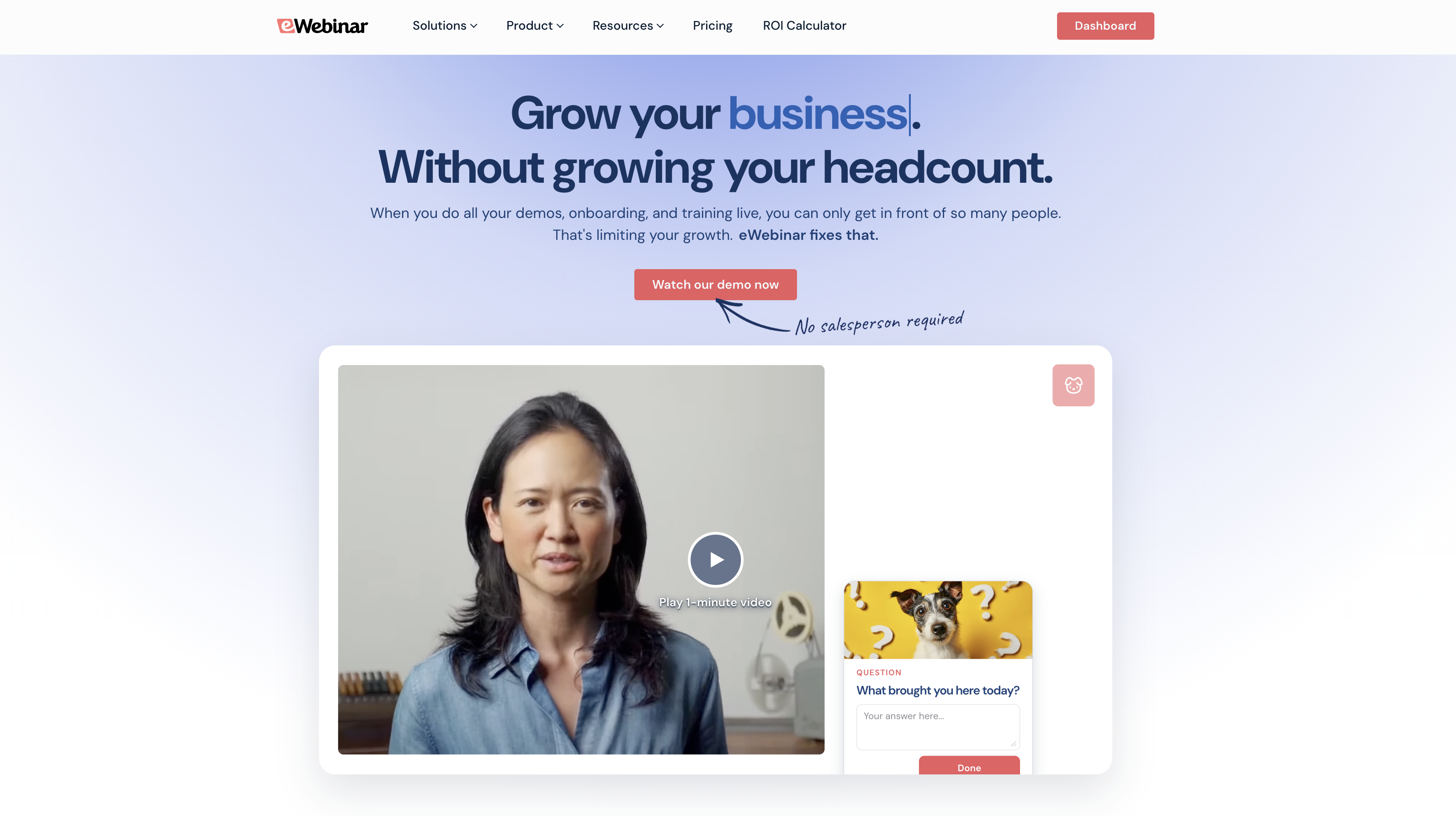
We built eWebinar because we believed on-demand webinars could be so much more than a recording with a registration page in front of it.
We designed it from day one to make webinars available on demand without sacrificing any of the engagement that makes them worth attending in the first place.
Key Features:
- On-demand, just-in-time, recurring sessions, and instant replays all enabled simultaneously on the same webinar
- 25+ pre-programmed interactions that fire automatically at exactly the right moment every session
- Native two-way async chat so that moderators can reply live when available, and via email when not
- Webinar Series for sequencing multiple sessions into a full training or onboarding journey
- Per-attendee analytics and heatmaps showing exactly when people dropped off and what they engaged with
- AI-generated registration pages and interaction suggestions
Average on-demand attendance: 85%. The live webinar average sits at 40%. That’s not a minor improvement — it’s what happens when attendees can show up at their peak moment of interest instead of whenever your calendar allows.
Pros:
- It is the only platform in the category that built real async chat properly
- 85% average on-demand attendance vs. 40% live average
- 25+ interactions fire automatically with no manual triggers during sessions
- All four scheduling types enabled simultaneously on one webinar
- No fake chat, no simulated attendee counts as we built it for brand-conscious teams
Cons:
- Not built for live webinars. Dedicated live tools do that better
Capterra Rating
⭐ 4.9
Pricing:
Level 1 ($99/month) — 1 active webinar, 1k registrants/month
Level 2 ($199/month) — 5 active webinars, 3k registrants/month
Level 3 ($299/month) — 15 active webinars, 5k registrants/month
14-day free trial.
See how eWebinar works by joining our on-demand demo here.
2. EasyWebinar
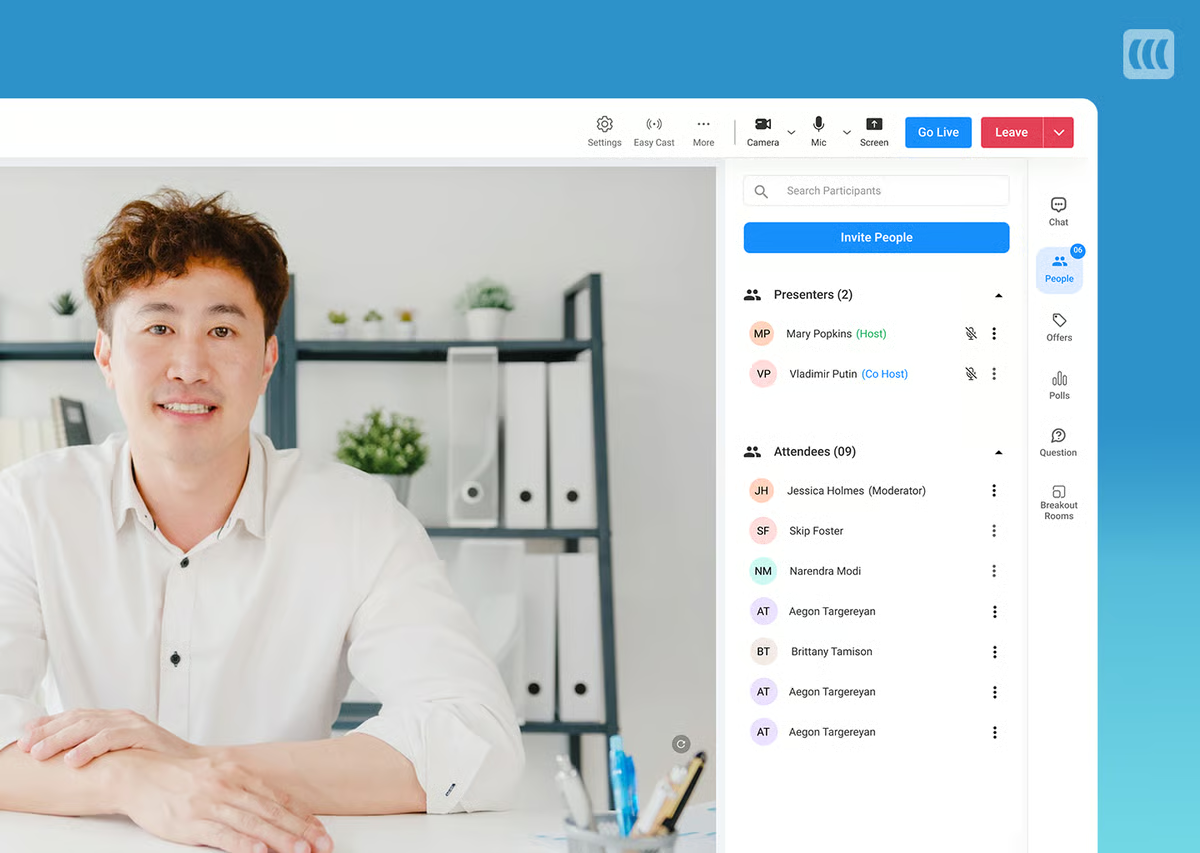
EasyWebinar is built for marketers, coaches, and course creators who want live and automated webinars under one roof. EasyCast lets you stream to YouTube Live and Facebook Live simultaneously, and converting a live session to automated takes just a few clicks.
Behavior-based email segmentation and deep CRM integrations are notable strengths. The on-demand experience falls short though as it doesn’t have live chat during automated sessions. Also, interactions require manual timestamp entry rather than a visual timeline.
Key Features:
- Live and automated webinar hosting under one roof
- EasyCast for simultaneous YouTube Live and Facebook Live streaming
- On-demand, just-in-time, and recurring scheduling with time zone adjustments
- Behavior-based email segmentation and automated follow-up sequences
- CRM integrations with HubSpot, Mailchimp, and ActiveCampaign
Pros:
- EasyCast for simultaneous YouTube Live and Facebook Live streaming
- Live and automated under one roof, making it strong for teams running both
- Solid marketing automation and CRM integrations
Cons:
- Contact box only meaning it doesn’t have live chat during automated sessions
- Manual timestamp entry for interactions with no visual timeline editor
- Automated features require Pro plan ($116/mo+)
G2 Rating
⭐ 4.4
Pricing:
From $44/month (limited) | Full plans from $116/month | Enterprise custom
3. EverWebinar
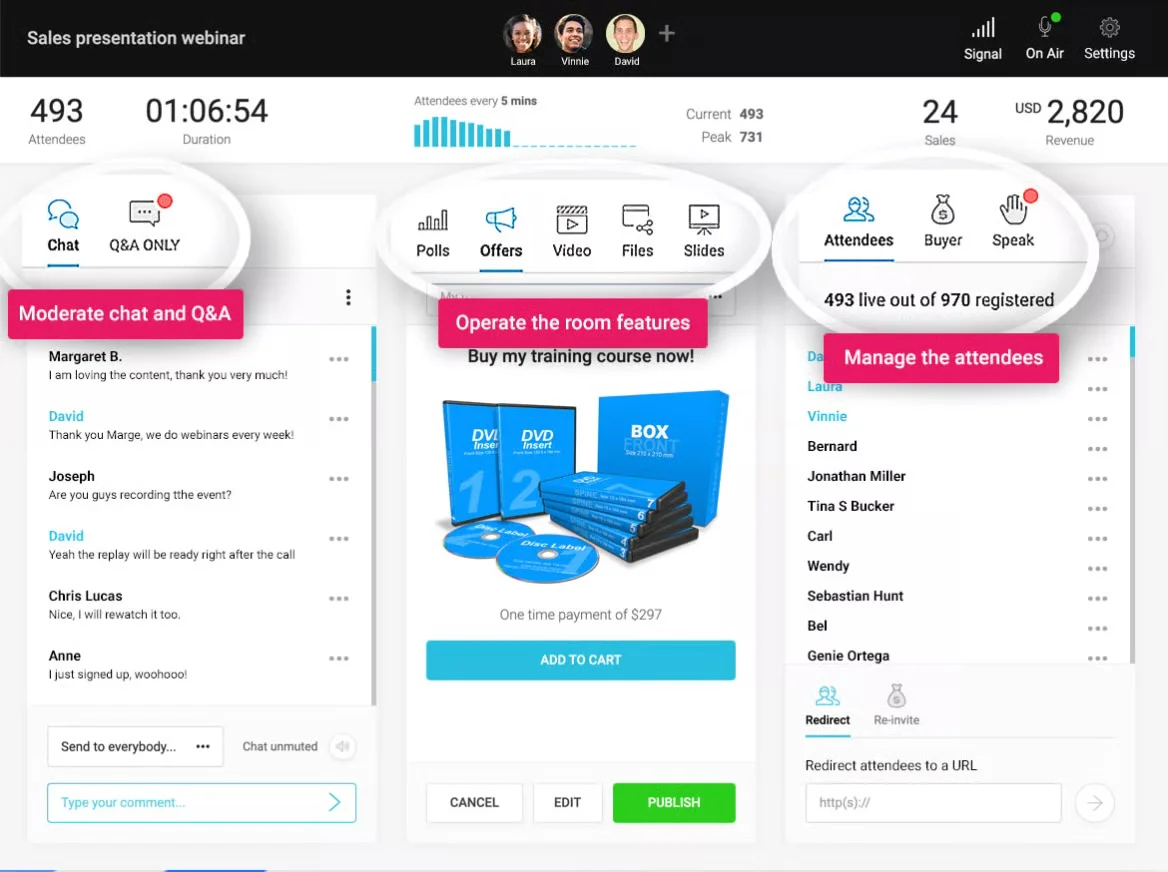
EverWebinar is the automated sister tool to WebinarJam, designed specifically for pre-recorded webinars. Its Replica Replay feature converts live WebinarJam sessions into automated events, automatically carrying over chat timestamps, polls, offers, and handouts. Additionally, all scheduling types can run simultaneously.
EverWebinar’s primary drawback is chat. Its pre-scheduled fake messages and artificial attendee counts fluctuate, with real attendee questions going entirely unanswered.
Key Features:
- Replica Replay to convert WebinarJam live events into automated webinars
- On-demand, just-in-time, instant replay, and recurring scheduling simultaneously
- Engagement tools, including polls, surveys, Q&A, offers, handouts, and CTAs
- Countdown timers for limited-time offers
- Automated email and SMS reminder notifications
Pros:
- Seamless WebinarJam integration with Replica Replay
- Solid scheduling flexibility with all session types simultaneously
- Purpose-built for automated webinars, not a live tool adaptation
Cons:
- Chat is entirely simulated with fake messages, artificial attendee counts, and no real conversations
- $199/month monthly billing is expensive relative to what you get
- Not suited for brand-conscious teams that want genuine audience engagement
G2 Rating
⭐ 3.9
Pricing:
$199/month | $1,188/year | $1,896 every two years
4. Demio
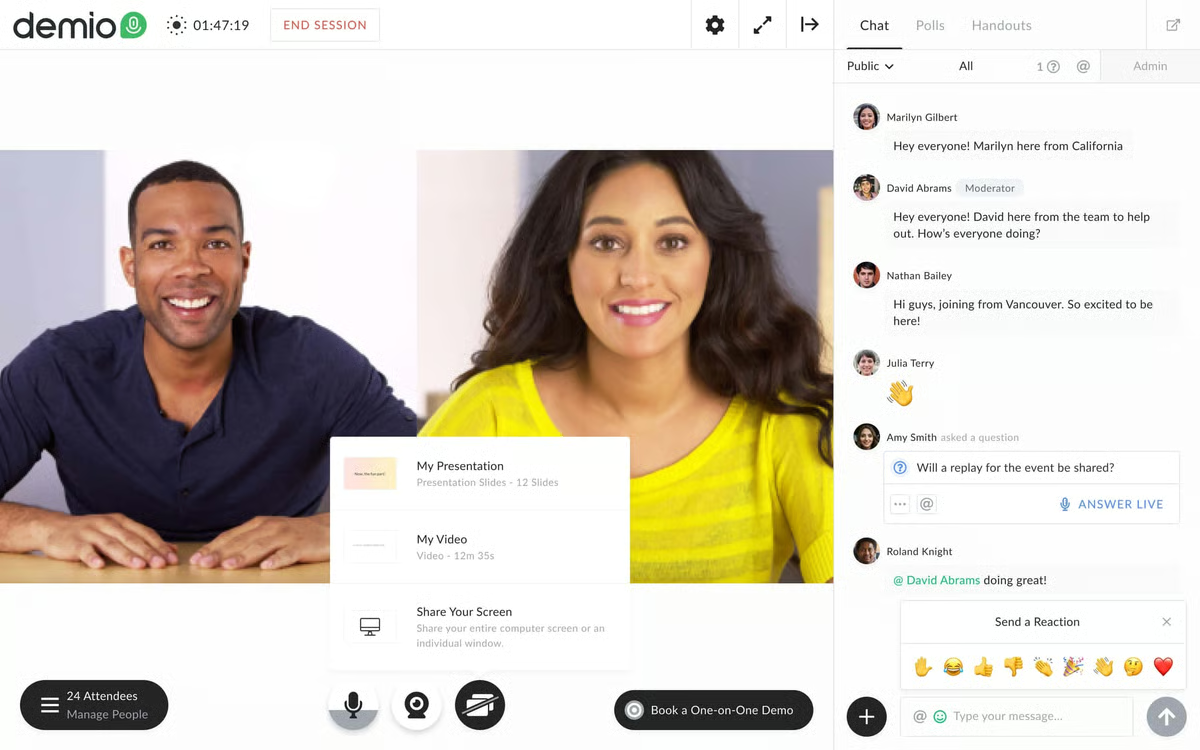
Demio is a well-regarded, modern-looking platform praised for its clean interface and fast setup as teams can launch a live webinar in under an hour. It is Browser-based with no downloads required for attendees. For live webinars, it holds up well across chat, Q&A, polls, and attendee participation.
For on-demand, the limitations are significant: no on-demand webinars at all, no async chat, and automation is a minor feature on a fundamentally live-first platform.
Key Features:
- Live, automated webinar hosting that is entirely browser-based, requiring no downloads
- Real-time chat with public and private messaging and emoji reactions
- Polls, Q&A, offers, links, CTAs, and attendee mic and camera participation
- Automated email reminders and follow-up sequences
- Integrations with HubSpot, Marketo, and ActiveCampaign
Pros:
- Clean, modern UI consistently praised in reviews
- Fast setup with live webinar running in under an hour
- Strong CRM integrations (HubSpot, Marketo, ActiveCampaign)
Cons:
- No on-demand webinars
- No async chat, meaning someone must be present for every session or chat is off
- Automation is a minor feature, not a core capability
Capterra Rating:
⭐ 4.7
Pricing:
From $504/year (limited) | Full plans from $900/year | Enterprise custom
5. Livestorm
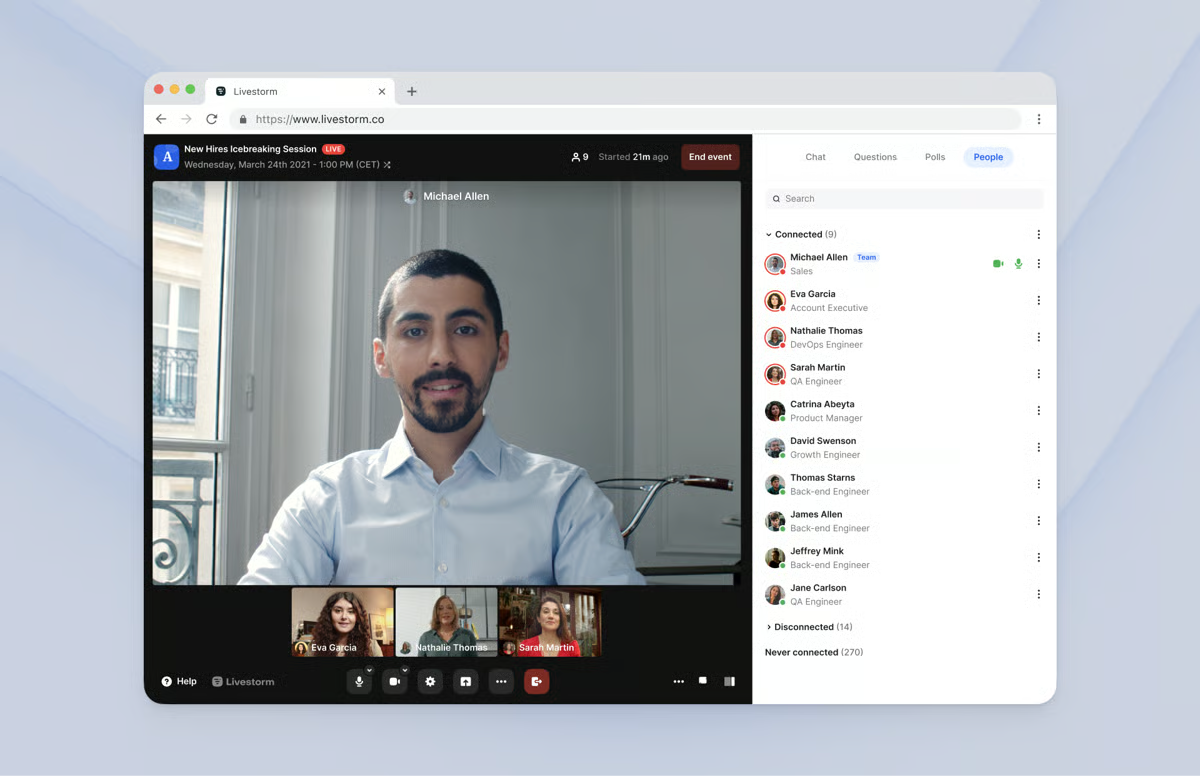
Livestorm is a sleek, fully browser-based webinar platform popular with B2B teams for its clean interface and strong integration suite. Multi-presenter support, screen sharing, and restreaming to YouTube and Facebook work well out of the box.
For on-demand specifically, Livestorm falls short. Polls and Q&A must be manually triggered by a presenter, meaning someone needs to be present and actively running every session for interactions to work.
Key Features:
- Live, automated, on-demand, and hybrid webinar hosting that is fully browser-based
- Multi-presenter support with screen sharing and social media restreaming
- Engagement tools, including chat, polls, Q&A, file sharing, and CTAs
- Automated email sequences, including confirmations, reminders, and follow-ups
- Integrations with Salesforce, HubSpot, Marketo, and Zapier
Pros:
- Fully browser-based requiring no downloads for hosts or attendees
- Strong B2B integrations, including Salesforce, HubSpot, Marketo
- Clean interface well-suited for professional live events
Cons:
- No automation timeline so interactions must be manually triggered
- On-demand experience is just a recording without a live host present
- Per-attendee pricing scales quickly for high-volume programs
G2 Rating
⭐ 4.4
Pricing:
From $1,056/year (limited) | Full plans from ~$2,988/year | Enterprise custom
6. BigMarker
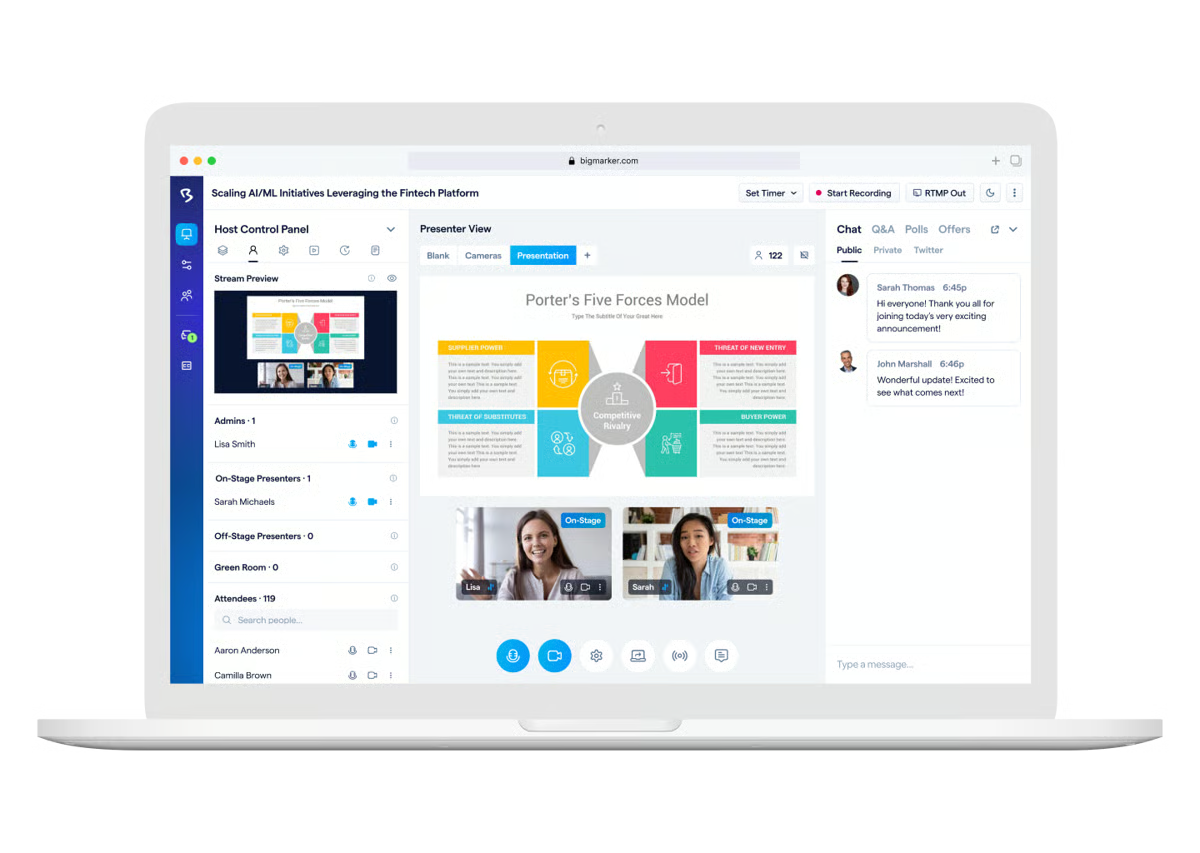
BigMarker is designed for organizations running large-scale events such as virtual summits, multi-day conferences, audiences up to 500k. The enterprise toolkit is deep: white-labeling, breakout rooms, roundtables, virtual lobbies, hybrid event support, and ticketing.
For on-demand specifically, the format is essentially a gated recording with no interactions and no chat — a major downside for teams where attendee engagement matters.
Key Features:
- Live, automated, on-demand, and hybrid webinar hosting up to 500k attendees
- White-labeling, SOC 2 Type 2 certification, and role-based permissions
- Breakout rooms, roundtables, and virtual lobbies
- Ticketing and payment processing for paid webinars
- Deep CRM and marketing integrations with API access
Pros:
- Supports up to 500k attendees as it is built for large-scale live events
- Enterprise-grade features, including white-labeling, SOC 2, ticketing, and API access
- Deep customization and virtual event infrastructure
Cons:
- On-demand format is a gated recording with no interactions or chat
- Custom pricing only, meaning the costs are not transparent, typically expensive
- Built for large live events, not true on-demand programs
G2 Rating
⭐ 4.7
Pricing:
From $99/month (limited) | Full plans from ~$299/month | Enterprise custom
7. WebinarKit

WebinarKit has grown quickly as an AI-forward, budget-friendly option for marketers running automated sales funnels. Scheduling covers instant-watch, just-in-time, and recurring sessions.
AI tools generate webinar titles, funnel copy, and interaction suggestions. Split testing for registration pages is available at a price point where competitors don’t offer it.
Key Features:
- On-demand, just-in-time, recurring, and instant-watch scheduling
- Unlimited attendees on all plans
- AI-powered tools for webinar titles and funnel copy
- Split testing for registration pages and webinar funnels
- Built-in video hosting
Pros:
- Affordable entry point at $67/month for the standard plan
- AI copy tools and split testing at a price point that competitors don’t match
- Unlimited attendees on all plans
Cons:
- Simulated chat only with no real attendee conversations
- Standard plan lacks polls, handouts, and registration templates (Pro required)
- UI quality below average
G2 Rating
⭐ 4.7
Pricing:
Standard ($67/month) | Pro ($97/month) | Lifetime ($1,997 one-time)
8. StealthSeminar
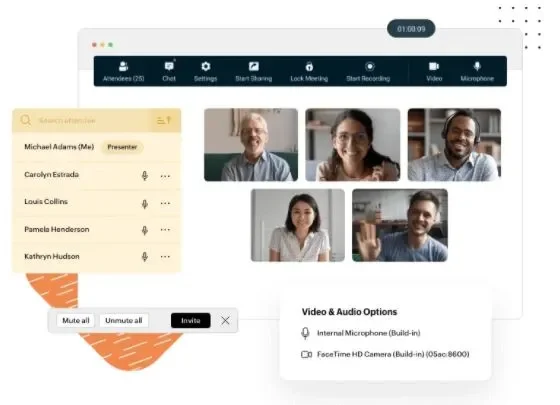
StealthSeminar is a long-standing automated webinar platform particularly popular with marketers running paid ad campaigns to webinar funnels. Split testing for registration pages and funnels is a genuine differentiator. Interactions fire automatically and the custom HTML builder gives technically inclined users more design control than most platforms offer.
Chat is simulated, and entry-level plans cap at just 100 attendees, pushing most teams to pricier tiers quickly.
Key Features:
- On-demand, just-in-time, and recurring scheduling with time zone adjustments
- Split testing for registration pages and webinar funnels
- Custom HTML interaction builder with WYSIWYG editor
- Pre-programmed interactions, including polls, surveys, Q&A, offers, handouts, and CTAs
- Simulated chat with pre-scripted messages
Pros:
- Strong split testing for registration pages and funnels
- Custom HTML interaction builder provides more design flexibility than competitors
- Long track record makes it reliable and established in the category
Cons:
- Simulated chat only with no real attendee conversations
- Starter and Pro plans cap at 100 attendees, forcing early upgrades
- Some integrations carry additional fees
G2 Rating
⭐ 3.6
Pricing:
Starter ($69.95/month) | Professional ($99.95/month) | Growth ($175–$280/month) | Plus custom
9. ClickMeeting
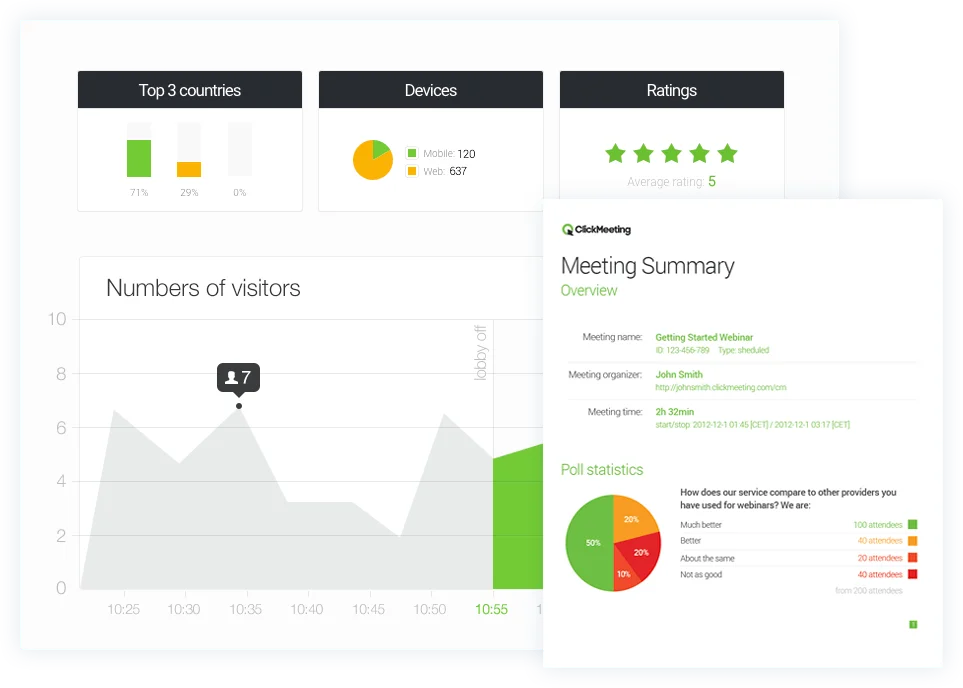
ClickMeeting covers live webinars, automated webinars, on-demand webinars, and large-scale webcasts up to 10k attendees. Popular in training and education for its whiteboard tools and classroom-style features.
The two pre-recorded formats work quite differently. Automated webinars run at scheduled times with interactions and an answer-later chat option, while on-demand webinars are gated recordings with no interactions or chat whatsoever.
Key Features:
- Live, automated, and on-demand webinar hosting up to 10k attendees
- Whiteboard tools and classroom-style engagement features
- Automated webinars with polls, surveys, CTAs, and answer-later chat
- Automated email reminders and follow-up sequences
- Built-in monetization for paid webinars and courses
Pros:
- Supports webcasts up to 10k attendees at lower price points than BigMarker
- Good fit for training and education thanks to its whiteboard and classroom tools
- Built-in monetization for paid webinars and courses
Cons:
- On-demand format strips out all interactions and chat, leaving just a gated recording
- No just-in-time scheduling in either automated or on-demand formats
- Two pre-recorded formats with significantly different experiences creates confusion
Capterra Rating:
⭐ 4.5
Pricing:
From $32/month (limited) | Full plans from $48/month | Enterprise custom
10. WebinarNinja
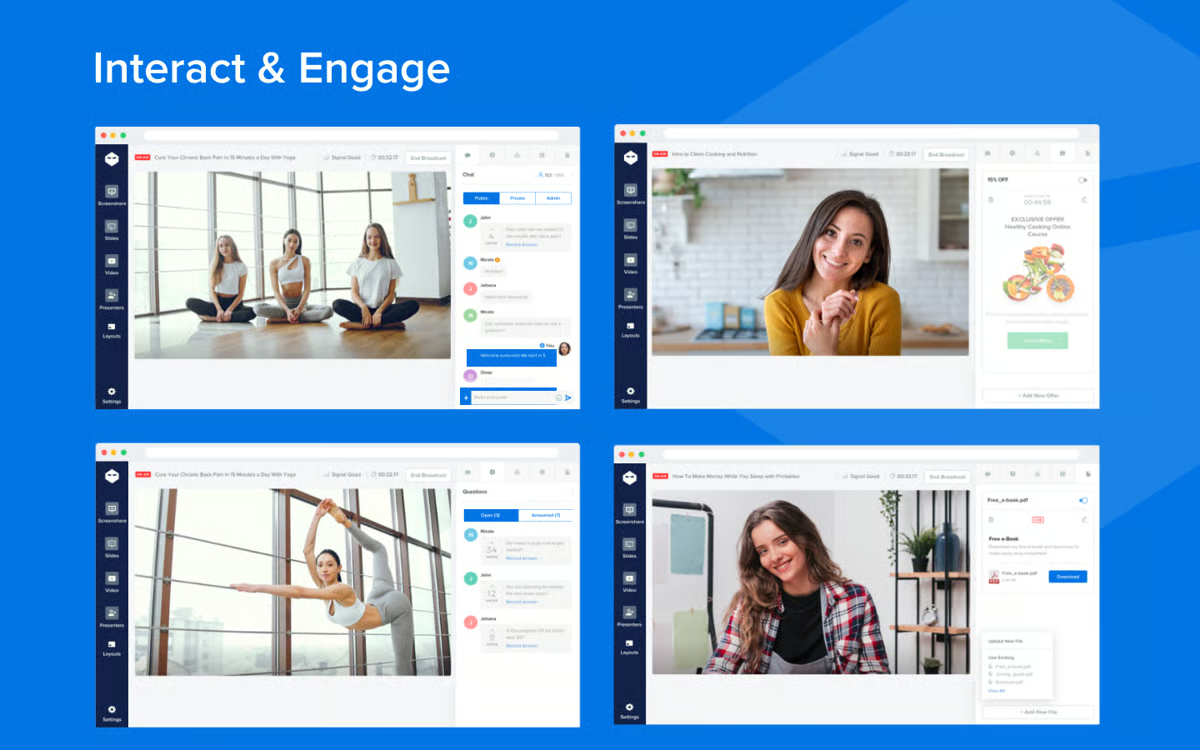
WebinarNinja is built for simplicity. It is ideal solopreneurs, educators, and small teams who want a webinar live fast without a steep learning curve. Per-attendee pricing at $1.20/attendee/month keeps costs low at smaller volumes, and all features are available on every plan with no feature gating.
For on-demand, interactions work reasonably well, but chat is replaced by a question submission box, meaning attendees can’t have a real conversation with your team.
Key Features:
- Automated and on-demand webinar hosting with unlimited automated attendees
- Polls, Q&A with upvoting, offers, handouts, and emoji reactions on pre-recorded content
- Fully branded registration and thank-you pages
- Automated email sequences for reminders, follow-ups, and thank-yous
- Stripe integration for paid webinar payment processing
Pros:
- Simple, fast to set up
- Per-attendee pricing cost-effective at lower volumes
- No feature gating as all the features are included on every plan
Cons:
- No chat during on-demand webinars (question submission box only)
- Per-attendee pricing becomes expensive at scale
- Limited scheduling flexibility compared to automated-first platforms
Capterra Rating:
⭐ 4.2
Pricing:
From $29/month (limited) | Full plans from $99/month | Enterprise custom
How to Choose the Right On-Demand Webinar Software
The decision comes down to one thing: do your on-demand attendees need to reach a real person during the session?
If they do, it's worth knowing how each platform handles it. EverWebinar, WebinarKit, and StealthSeminar use simulated chat. EasyWebinar routes messages through a contact box. Demio and Livestorm require a live moderator for every session. eWebinar is the only platform where attendees get genuine two-way chat without anyone needing to be present.
If real conversation isn't a priority, the choice gets simpler. Narrow by use case:
- Already on WebinarJam? EverWebinar's Replica Replay makes migration instant
- Need live and on-demand together? EasyWebinar handles both
- Tight budget? WebinarKit at $67/month covers the basics
- Enterprise security requirements? BigMarker or GoTo Webinar
- Simplest setup? WebinarNinja or Demio
Educators should compare on-demand webinar tools made for education.
An attendee who can't get a question answered during an on-demand session is a customer you've lost. Don't settle for platforms that get the scheduling right and nothing else. Watch a demo and see what a proper on-demand experience looks like.
FAQs
What is on-demand webinar software?
On-demand webinar software lets you make a pre-recorded video and have it available for people to watch the moment they register. No waiting for a scheduled session, no host required. The best platforms preserve the full experience with pre-programmed interactions and chat that works even when you’re not around.
What’s the difference between on-demand, evergreen, and automated webinars?
They’re largely the same. “On-demand” describes the viewing experience. “Evergreen” emphasizes the content staying relevant long-term. “Automated” refers to how it runs without a live host. A well-built on-demand webinar is all three at once.
What features should I look for in on-demand webinar software?
- Chat: Look for real two-way chat that works whether or not a moderator is online.
- Interactions: Polls, quizzes, CTAs, and offers that fire automatically at the right moment.
- Scheduling: On-demand, just-in-time, and recurring options simultaneously on the same webinar.
- Analytics: Per-attendee data on attendance, watch time, drop-off points, and engagement.
- Experience: With no presenter in the room, the software is your first impression. Look for a platform designed to reflect your brand, not undermine it.
Are on-demand webinars as effective as live webinars?
They can be, but it depends heavily on the platform. An on-demand webinar that strips out chat and interactions is just a recording. The inherent advantage is timing: attendees show up when their interest is highest. Consider that consumers already expect all video content on-demand — business content is the exception. Meeting buyers on their schedule isn’t just convenient, it’s the experience they already expect. eWebinar’s average on-demand attendance is 85% compared to a 40% live average.
Isn’t it better to use a platform that handles both live and on-demand?
It sounds convenient, but live and automated webinars are fundamentally different products, and no single platform handles both well.
- Live-first tools like Zoom are designed around real-time streaming, so their "automated" features tend to feel bolted on: a recorded video sitting on a landing page, or a simulive setup that still needs someone present.
- Automated-first platforms like eWebinar are built for a completely different experience, where attendees watch on their own schedule, interact with the video as it plays, and chat with a host asynchronously, with no live presenter required.
Most teams end up using both: a live tool for the one-off conversations that genuinely need to happen in real time, and eWebinar for the repeatable content they'd love to deliver more often but can't realistically run live every time.
You don't have to pick one. You just need the right tool for each job.
Curious to see how eWebinar can help run your demos, onboarding, and training sessions on autopilot?
Watch a one-minute explainer video for a quick overview of the eWebinar platform. Or, better yet, join our on-demand demo to learn more!