The best sales demo tool for you depends on what a prospect needs before they’ll talk to sales. Some want to hear your full pitch and ask questions. Some want to click through the product themselves. Enterprise buyers often want a demo built around their own workflows. Each tool below is built for one of those jobs:
- If you want every prospect to hear your best pitch and get real answers, without a rep on the call: eWebinar runs your demo on demand, with qualifying questions and a person answering in chat.
- If you want prospects to click through your product, starting on a free plan: Storylane turns your product screens into interactive tours.
- If marketing runs your website demos and sales reuses them in deals: Navattic builds HTML tours that look and behave like your product.
- If your reps tailor a demo to each enterprise account: Walnut builds personalized demos and deal rooms.
- If several stakeholders each need to see a different part of your product: Consensus gives each person their own video and interactive demos and shows who watched.
- If a rep needs to answer a question after a call: Loom records a quick, personal screen-and-camera video.
We run our own sales demo on eWebinar. Between March and August 2026, it delivered 505 hours of demos to 1,065 prospects, with no salesperson on the call.
Types of sales demo tools
Sales demo tools fall into four types, depending on what the prospect does during the demo.
Type | What the prospect does | Best for | Examples |
On-demand video demo with chat | Watches your full demo when it suits them, answers polls and asks a person questions in chat | Pitching and qualifying every inbound prospect | eWebinar |
Interactive product tour | Clicks through a guided copy of your product at their own pace | Letting buyers explore workflows hands-on | Storylane, Navattic, Arcade, Supademo |
Personalized demo or demo library | Explores demos built for their account or role, often shared by a champion | Enterprise deals with several decision-makers | Walnut, Consensus |
Async video message | Watches a short recording from a rep | One-off answers and follow-up after a call | Loom, Vidyard |
Live demo software and sandboxes are outside this list. Live demos need a rep on the call, and sandboxes, full working copies of your product, take the most work to build and maintain.
Sales demo tools compared
Tool | Best for | Top capabilities | Starting price |
eWebinar | Pitching and qualifying every prospect before the call | Your best demo available any time; qualifying polls sent to your CRM; a real person, or eChat, its AI moderator, answering in chat | $99/month, with a 14-day free trial |
Storylane | Getting started with click-through product tours | Tours prospects explore without a login; personalized for each account; RepX AI agent sold separately | Free plan; paid from $50/month ($40 billed annually) |
Navattic | Marketing-led website tours | HTML tours that look and behave like your product; AI agents that guide and qualify visitors; tours sales can reuse | Free plan; paid prices not listed (Base about $500/month billed annually, per buyer guides) |
Walnut | Demos personalized for one account | Demos and playlists tailored to each account; deal rooms; AI agent that answers buyer questions | $575/month, billed annually |
Consensus | Enterprise deals with large buying committees | Video and interactive demos for each stakeholder; tracking of who watched and what they explored | Custom quote |
Loom | Quick personal videos from a rep | Screen and camera recording in one take; see who watched before you follow up | Free plan; paid from $18/user/month ($15 billed annually) |
Prices as published in November 2026.
1. eWebinar: best for pitching and qualifying every prospect before the call
If your reps only have time to demo your biggest accounts, eWebinar lets every other prospect see your best demo anyway. You record the demo once. Prospects join it as an on-demand session whenever they’re ready, in any time zone, hear your full pitch, answer qualifying questions as they watch and ask a real person anything in chat. The ones who are ready book a call, and they arrive already knowing the product.
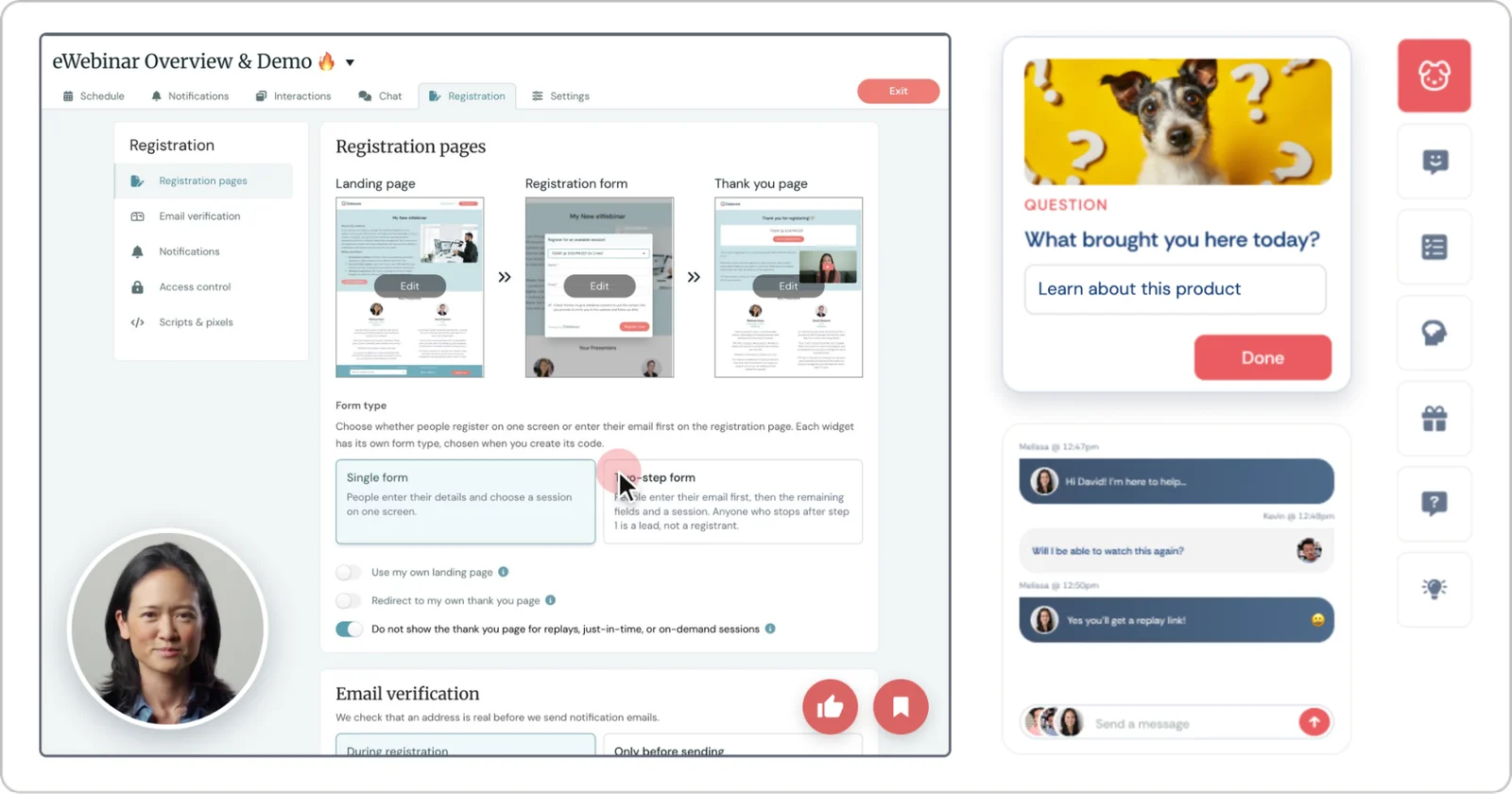
What you can do with eWebinar for sales demos
- Offer a demo whenever interest is high. Prospects start right away or pick a time in their own time zone, so nobody waits days for a rep’s calendar to open up.
- Qualify prospects while they watch. Polls at the moments you choose ask about role, use case and timeline, and the answers go to HubSpot, Salesforce or your CRM.
- Book the meeting when interest peaks. Show a Calendly link or a sign-up button at the point in the demo where you want prospects to act.
- Answer every question personally. Prospects ask through chat that works like texting. Your team answers from desktop, phone or Slack, and if no one’s around, the reply reaches the prospect by email. Or turn on eChat, eWebinar’s AI moderator. It trains on your video transcript and past chats, gives your team the first chance to answer and replies when no one does.
- Know what each prospect cares about before the call. Analytics show who watched, how much they watched, how they answered each poll, what they asked and what they clicked, so reps start the conversation where the buyer is.
Ali Qureshi, Founder of SideDrawer, sees it on every call: “By the time someone books a 1-on-1 with us, we’ve already seen the stats on their eWebinar session. We know they went through it, how much they watched, what questions they asked, what they clicked on.”
eWebinar pricing for sales demos
You don’t pick a plan. Everyone starts at Level 1, and your subscription adjusts up or down with the number of active eWebinars you run. Every level includes all features, unlimited recurring sessions and unlimited team members.
- Level 1, $99/month ($1,010 billed annually): one active eWebinar and 1,000 registrants a month, enough for one always-on sales demo.
- Level 2, $199/month ($2,030 billed annually): up to five active eWebinars and 3,000 registrants a month, for example a separate demo for each product or segment.
- Level 3, $299/month ($3,050 billed annually): up to 15 active eWebinars and 5,000 registrants a month, plus $15/month for each additional eWebinar.
- Enterprise: custom limits, with enterprise features such as SSO and security. Contact sales for pricing.
eChat is an optional add-on, with a free tier of 50 credits a month and paid plans from $40/month. Every plan starts with a 14-day free trial, and the pricing page has the full details.
Is eWebinar the right sales demo tool for you?
Choose eWebinar if your reps only have time for your biggest accounts, inbound prospects wait days for a demo slot, or some buyers won’t book a call until they’ve seen the product. Every prospect, regardless of deal size, gets your best demo without adding reps, and every question still gets a personal answer.
Look elsewhere if buyers mainly want to click around inside your product on their own, where an interactive tour like Storylane fits better, or if every deal needs a demo rebuilt around one account, where Walnut fits better.
2. Storylane: best for getting started with click-through product tours
If you want prospects to click through your product themselves, Storylane turns your product screens into guided, interactive tours they can explore without logging in. Sales can send a tour after discovery, and marketing can embed the same tour on your website. With a free plan and a $50/month Starter plan, it’s an easy way to test tours before you invest in a bigger program.
A tour shows what the product does, and it lands best once buyers know why it matters. Some teams send an eWebinar demo first to deliver the pitch and qualify the buyer, then share a Storylane tour so qualified buyers can explore the workflows they care about.
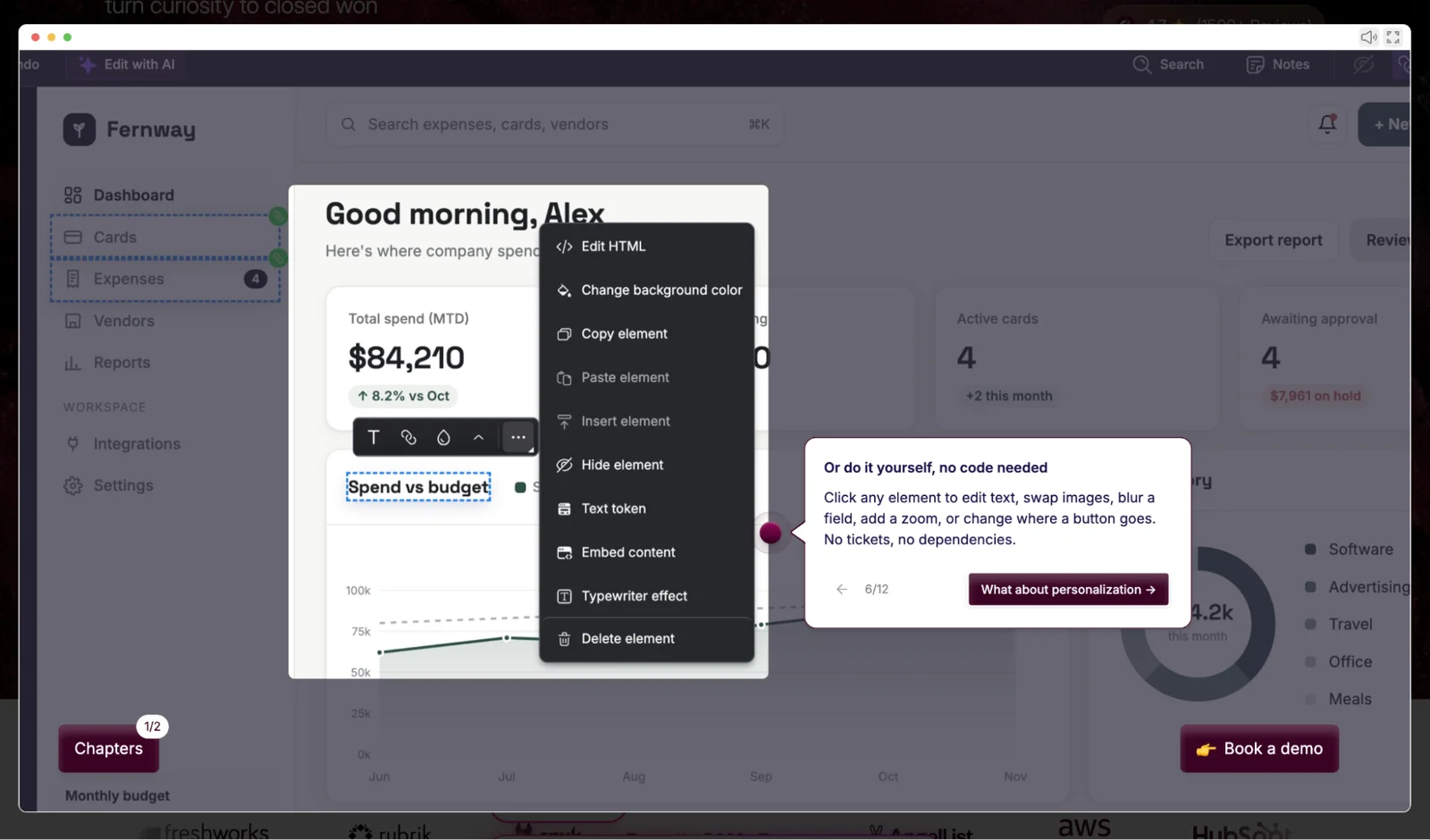
What you can do with Storylane
- Let prospects explore without a login. Buyers click through a guided copy of your product from a link or your website.
- Personalize tours for each account. Swap in the prospect’s name and details so the tour feels built for them.
- Make tours look like your real product. HTML capture keeps the look and behavior of your screens, on Growth and above.
- Put everything a buyer needs on one page. Buyer Hubs group several demos and sales materials into one shareable link, on Premium or as a Growth add-on.
- Answer and qualify visitors with AI. RepX, a separate Storylane product, is an AI agent that answers questions and qualifies leads.
Storylane pricing
The free plan includes one seat and one published demo. Starter is $50/month, or $40/month billed annually. Growth is $625/month, or $500/month billed annually, and adds HTML capture and A/B testing. Premium is $1,500/month, or $1,200/month billed annually, and includes Buyer Hubs. Enterprise is custom, and RepX is priced separately.
Is Storylane the right fit for your demos?
Choose Storylane if buyers want to click through your product after they’ve seen the pitch, and you want to start small.
Look elsewhere if you need HTML capture and Buyer Hubs on a small budget, since both need Growth or higher, a big step up from Starter.
3. Navattic: best for marketing-led website tours
If marketing owns your website demos, Navattic is built for that team. You capture your product’s HTML and build guided tours for web pages and campaigns, and sales shares the same tours during and after discovery.
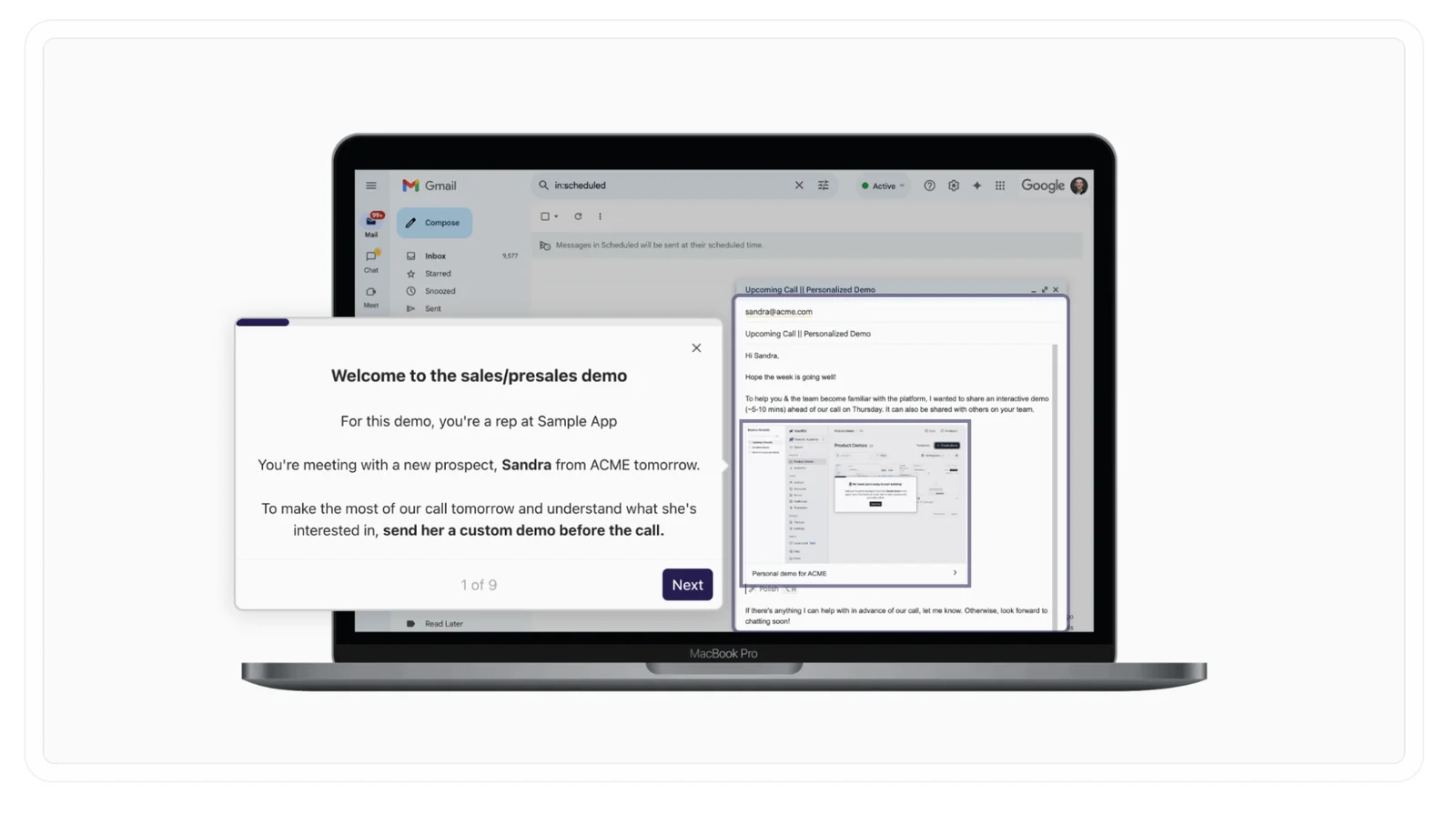
What you can do with Navattic
- Build tours that feel like the real product. HTML capture keeps details like hover states and animations.
- Draft tours faster with AI. Copilot builds a first version from the workflow you capture.
- Guide and qualify visitors. Navattic Agents walk buyers through workflows, answer questions and flag interest.
- Give sales the same tours. Launchpad lets reps find, share and track reusable demos before or after calls, and the Growth plan connects with Gong, Salesloft and Outreach.
Navattic pricing
The Starter plan is free, with one seat and one demo. Base includes five seats and Growth includes ten, both billed annually. Navattic doesn’t list prices on its site, and buyer guides put Base at about $500/month and Growth at about $1,000/month. Enterprise is custom.
Is Navattic the right fit for your demos?
Choose Navattic if marketing owns the website demo program and sales needs the same tours in deals.
Look elsewhere if every rep needs their own seat on a small budget, since seats are limited by plan, or if prospects need your full pitch rather than a tour of the interface.
4. Walnut: best for demos personalized for one account
If your reps already know which workflows a buyer cares about, Walnut lets them build a demo around those workflows. Account executives send personalized tours prospects explore on their own, or present guided demos on calls, without pulling a solutions consultant into every smaller deal.
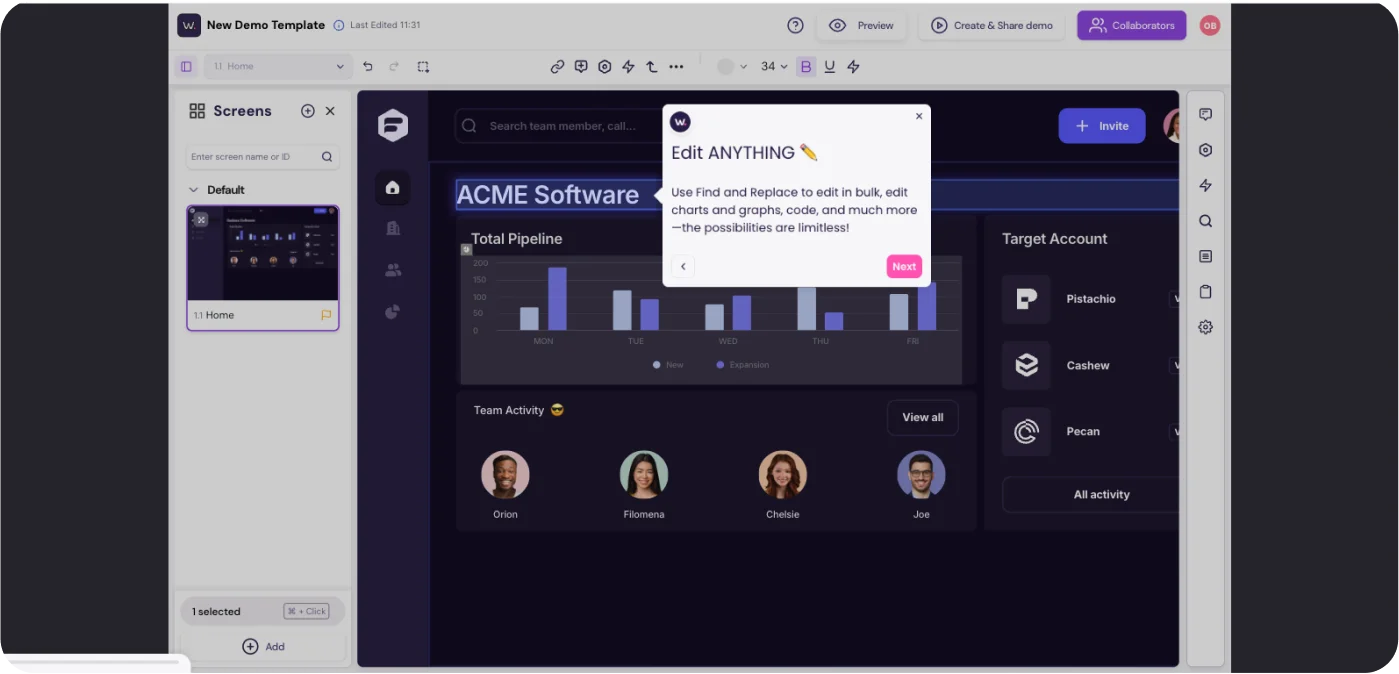
What you can do with Walnut
- Tailor a demo to one account. Combine several demos into a playlist built for that buyer.
- Keep each deal’s materials together. Deal rooms hold the demos, documents and next steps for a buying committee.
- Answer buyer questions inside the demo. Buyer Xpert, Walnut’s AI agent, answers from content you approve.
- See engagement in your CRM. Demo activity syncs to HubSpot and Salesforce.
Walnut pricing
There’s no free plan. Ignite is $575/month billed annually, with three editor and three presenter seats. Accelerate is $1,550/month billed annually, with six of each, and is the plan you need for account-specific names and logos. Scale is custom.
Is Walnut the right fit for your demos?
Choose Walnut if your reps want a demo built around each buyer’s workflows.
Look elsewhere if you can’t keep a demo library current, since personalized demos take time to build and update, or if most of your deals are too small to justify custom work.
5. Consensus: best for enterprise deals with large buying committees
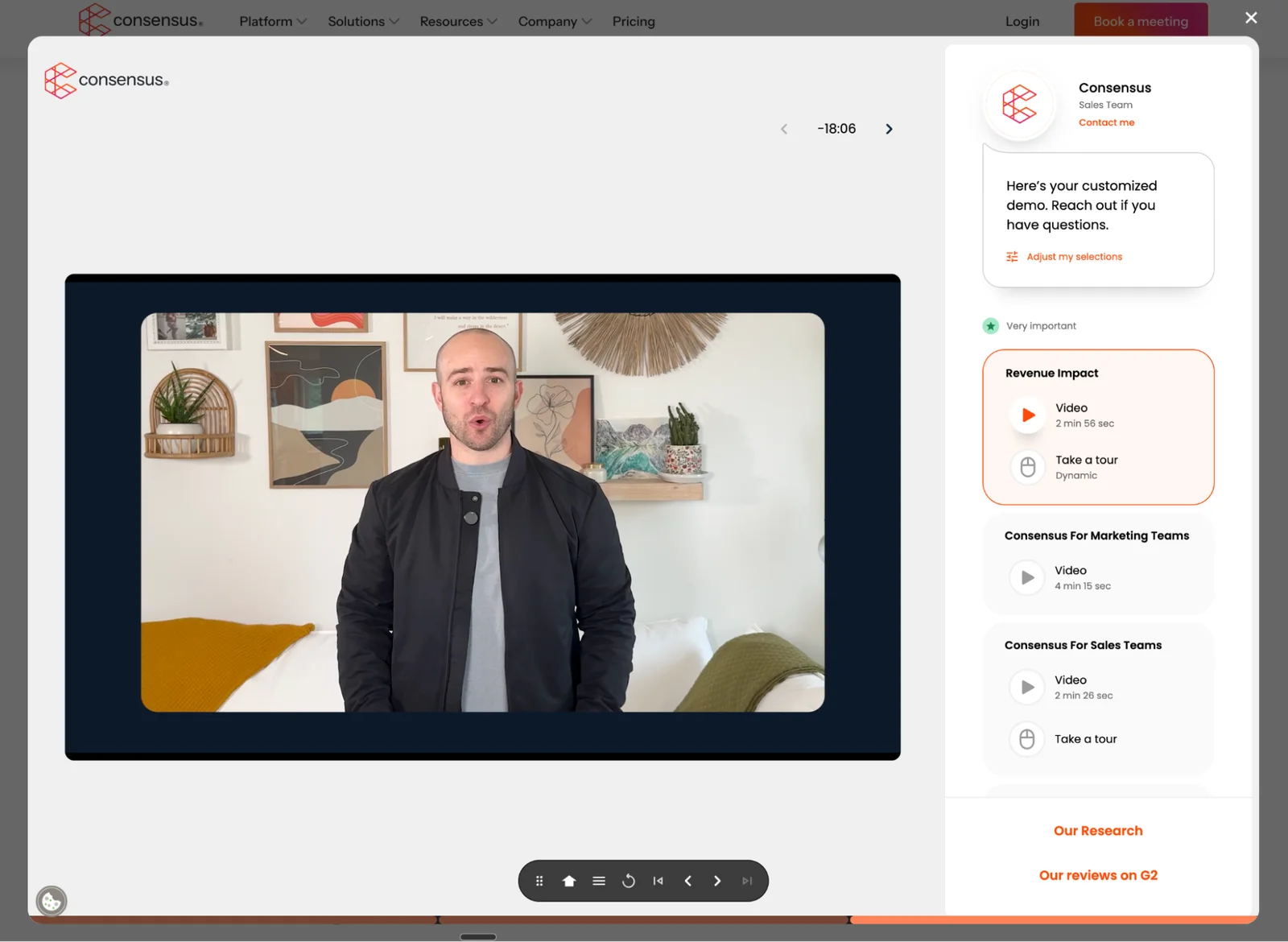
If several people need to understand your product before anyone signs, Consensus helps you reach each of them. Presales builds a library of video and interactive demos, account executives send them out, each stakeholder watches the parts that matter to them, and you see who engaged and what caught their interest.
What you can do with Consensus
- Give each stakeholder their own demo path. Video demos and clickable tours let a finance lead and an end user see different parts of the product.
- Let champions share the demo internally. DemoBoards give buyers a branded space to access and forward demos.
- Answer questions without a rep. AI demo agents guide prospects and answer product questions.
- See who is really evaluating. Demolytics shows who viewed, what they explored and which stakeholders joined.
Consensus pricing
Consensus doesn’t publish prices, and licenses are quoted for each customer.
Is Consensus the right fit for your demos?
Choose Consensus if deals involve several decision-makers who each need a different part of the demo.
Look elsewhere if your deals are smaller or your team is lean, since a large demo library needs presales time to build and update as your product changes.
6. Loom: best for quick personal videos from a rep
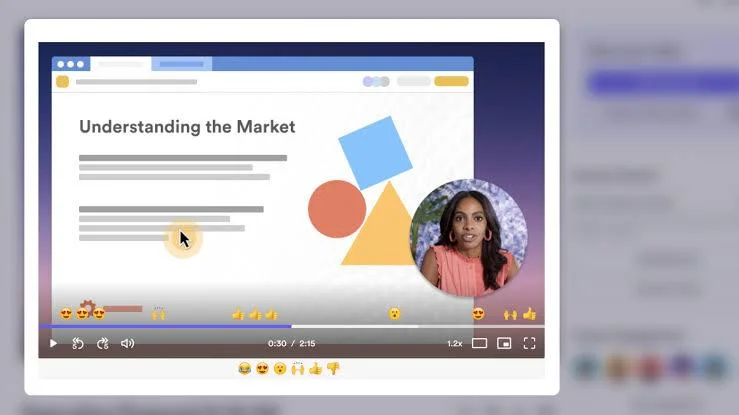
If a rep needs to answer a question without booking another meeting, Loom records their screen and camera in one take and sends a link. Champions can forward the video to colleagues who weren’t on the call.
What you can do with Loom
- Answer one-off questions fast. Record a short walkthrough of a feature or an objection and send it in minutes.
- Know who watched. Viewer insights show whether someone watched before you follow up.
- Personalize a recording. Variables change supported text in the video for each recipient.
- Add a next step. Video CTAs, on Business + AI, put a button in the video.
Loom pricing
Starter is free, with a five-minute limit per video. Business is $18/user/month, or $15 billed annually. Business + AI is $24/user/month, or $20 billed annually, and adds video CTAs. Enterprise is custom.
Is Loom the right fit for your demos?
Choose Loom if a rep needs to send a short, personal explanation after a buyer has shown interest.
Look elsewhere for your main demo. The free plan’s five-minute limit is too short for a full demo, and viewers can comment but can’t answer qualifying questions.
How to choose the right sales demo tool
Start with where buyers are when they want to see your product, and how much help they need from your team. Most teams combine two or three of these tools.
How you sell | Start with | Then add | Keep live calls for |
Lower-priced SaaS with lots of inbound leads | eWebinar on your website and booking page, so every lead hears the full pitch and can start a trial | A Storylane tour for buyers who want to click around | Buyers who ask for help |
Mid-market with a sales-led process | eWebinar for the first look, with polls and questions that surface who’s ready to talk | A Storylane or Navattic tour after the demo, and Loom for follow-up questions | Discovery and requirements that depend on the buyer |
Enterprise deals with complex evaluations | eWebinar for a high-level company or product overview every stakeholder can watch | Walnut for tailored workflows, or Consensus to send each stakeholder their own demos | Technical questions, security reviews and the close |
How we evaluated these tools
We compared each tool on what it lets prospects do and how much work it creates for your sales team:
- Upkeep: how much work it takes to build demos and keep them current.
- Qualification: whether sales learns who’s ready before anyone gets on a call.
- How prospects get answers: from a person through chat, an AI agent or a rep on a call.
- Buyer experience: how the demo looks and feels, since with no rep in the room, the tool is your first impression.
Build the right demo mix for your buyers
No single tool covers every stage of a sale. An on-demand demo gives every prospect your pitch, a click-through tour lets interested buyers explore, personalized demos and demo libraries serve enterprise committees, and live calls stay for discovery and the close. Choose the mix that matches how your buyers buy.
To see an on-demand sales demo from the buyer’s side, join our demo and ask us anything in chat while you watch. Once buyers sign up, the same software can run your customer onboarding and training too.
FAQs about sales demo tools
What is the best tool to give buyers a demo before a sales call?
It depends on what buyers need before they’ll talk to you. If they need your full pitch and someone to answer their questions, an on-demand video demo with chat like eWebinar gives them both without a rep on the call. If they want to explore the product hands-on, an interactive tour from Storylane or Navattic fits. For enterprise deals, Walnut or Consensus tailor the demo to each account or stakeholder. Many teams use two: an on-demand demo to pitch and qualify, then a tour for qualified buyers.
Will prospects watch a recorded sales demo instead of booking a call?
Yes, when the demo answers what they came to find out. Across eWebinar customers, on-demand sessions average 83% attendance, compared with 30 to 40% for an average live session. Prospects who still want to talk book a call afterward, and they arrive knowing the product, so the call starts with their questions instead of the basics. When Sign In Solutions (formerly The Receptionist) moved its weekly live demo to eWebinar, attendance went from 40 to 50% to 80 to 90%. “eWebinar basically doubled our sales team by allowing demos to happen 24 hours a day, 7 days a week, 365 days a year.” Tom Foster, Vice President, Technical Sales, Sign In Solutions
How do you qualify prospects who watch a demo on their own?
Ask them during the demo. A poll about their timeline, role or use case shows who is exploring and who is ready to buy, and viewing data shows what they watched. In eWebinar, those answers go to your CRM so the right buyers get a follow-up. Tour tools like Storylane’s RepX and Navattic Agents qualify visitors with AI instead.
Can a click-through product tour replace a sales demo?
Not on its own. A click-through tour shows buyers what the product does, but it doesn’t tell the story of why it matters, and buyers can’t ask a person on your team as they go. One way to use both is to sequence them: an on-demand video demo with chat, like eWebinar, delivers the pitch and qualifies the buyer, then a tour from Storylane, Navattic or Walnut lets qualified buyers explore the workflows they care about. Some teams flip the order, and that can work too. For the largest enterprise deals, a live call still closes it.
Do you need someone online 24/7 to answer questions in an on-demand demo?
No. Tools with AI agents, like Storylane’s RepX, Navattic Agents and Walnut’s Buyer Xpert, answer from content you approve. With eWebinar, a person on your team answers. They get an email, browser or Slack notification when a prospect asks something, and the reply reaches the prospect by email if they’ve already left. You can also turn on eChat, eWebinar’s AI moderator, which answers from your video transcript and past chats when no one on your team does.
How do you keep competitors from watching your sales demo?
Put the demo behind a registration form and screen who signs up. In eWebinar, you can block specific email addresses or whole domains, including competitor domains and personal or temporary email addresses, so your demo reaches business prospects.
Curious to see how eWebinar can help run your demos, onboarding, and training sessions on autopilot?
Watch a one-minute explainer video for a quick overview of the eWebinar platform. Or, better yet, join our on-demand demo to learn more!