We're excited to introduce required interactions — a new way to make sure attendees actually respond before your eWebinar continues.
Until now, attendees could skip past interactions. It was always up to them whether to participate. Not anymore.
Here's how you might use them
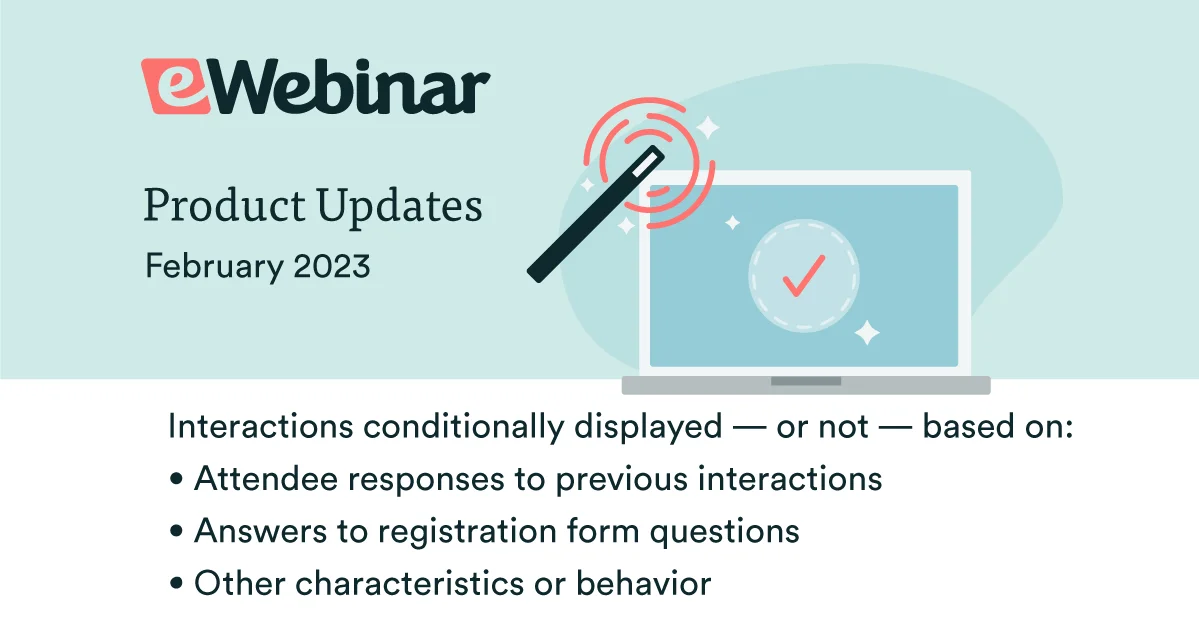
- Tailor interactions for different kinds of attendees. Ask a mandatory poll early — sales or training? new hire or returning? — then conditionally surface different interactions for each segment for the rest of the session.
- Make sure attendees complete your quizzes. If you tie quiz results to eWebinar completion, required quizzes close the loophole: attendees can't just watch past them.
- Keep attendees honest. Add a "pulse check" every few minutes. The video pauses, they confirm they're still there, and it continues. No more walking away and letting it run.
You can also require interactions for policy acknowledgments, to confirm attendees have completed a task, or to capture qualifying information inside the session instead of in a long registration form.
If there's something you genuinely need to know during your eWebinar, this is how you make sure it happens.
Read the help article on required interactions.
How they work
When a required interaction appears, the video pauses and the interaction takes over the screen. If the attendee responds, they move on. If they don't within the time you set, they're removed from the session. If they rejoin before it ends, they're taken right back to that moment. Even in a replay, they can't skip past.
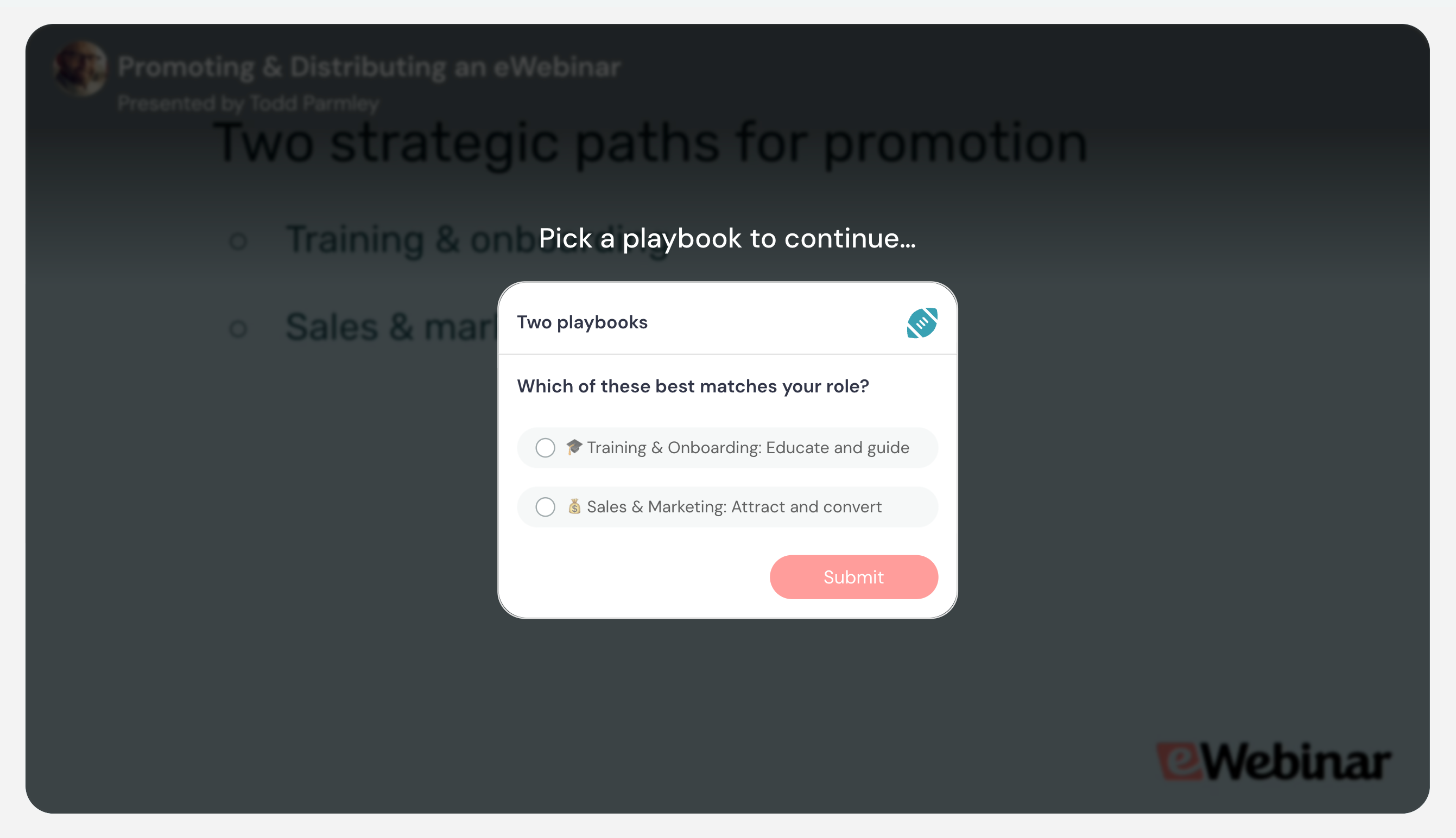
Required interactions work with: call to action, link, poll, question, quiz, special offer, contact form, feedback, and next webinar.
How to set them up
Open the settings of any supported interaction, then:
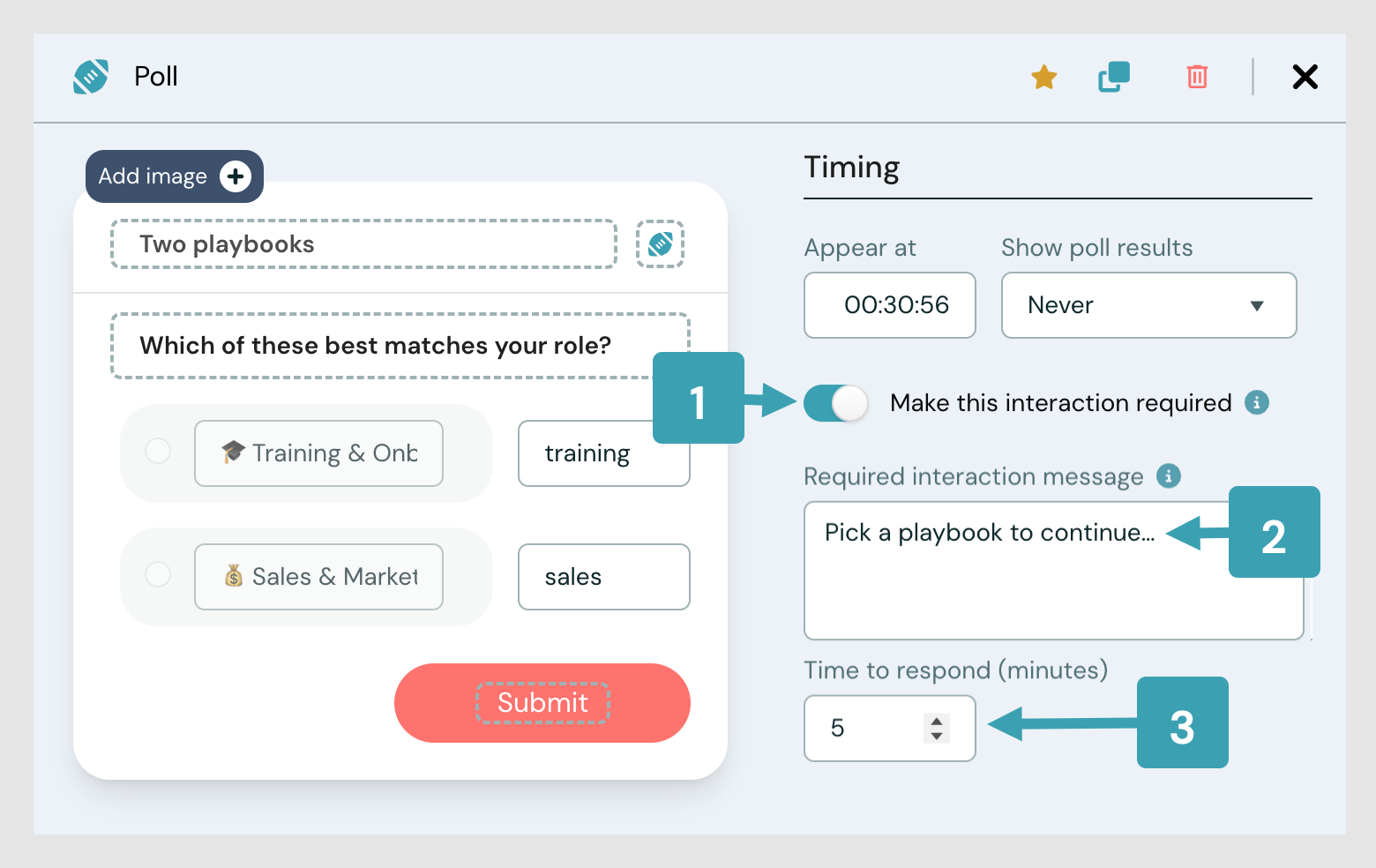
Step 1: Toggle on Make this interaction required.
Step 2: Customize the message attendees see when the video pauses.
Step 3: Set the Time to respond, and click Save.
Give it a try
If you're already an eWebinar customer, log in now to try out required interactions.
For more details, check out our help article.
If you're not a customer yet, start your free trial.