Marketers face unique challenges when selecting webinar software. The right platform needs to do more than just let you host presentations — it should integrate seamlessly with your existing marketing stack, engage audiences effectively, and provide actionable insights to optimize your campaigns.
When evaluating webinar platforms, marketers should prioritize three key capabilities:
- Marketing automation and CRM integration: Your webinar software should integrate with your marketing tools to enable seamless lead capture, contact syncing, automated follow-up emails, lead nurturing sequences, lead scoring, and conversion tracking. These integrations transform webinars from standalone events into key components of your marketing funnel.
- Audience engagement and interaction tools: Keep viewers engaged and gather valuable data through interactive elements such as polls, quizzes, Q&A sessions, chat, and CTAs. These tools don't just maintain attention — they provide insights into audience preferences and pain points.
- Comprehensive analytics and reporting: Track the metrics that matter: registration rates, attendance rates, registration-to-attendance conversion, engagement hotspots, drop-off points, and viewer interactions. Understanding exactly when and how audiences engage with your content helps you refine your webinar strategy over time.
Beyond these essentials, look for user-friendly webinar builders that make it easy to create professional presentations, offer branding customization options to incorporate company logos and colors, and include accessibility features, such as automated captions, to ensure your content reaches the widest possible audience.
Now, as you explore options, you'll encounter two distinct categories: live webinar software and automated (pre-recorded) webinar platforms.
While both have their place, automated webinar software offers compelling advantages for most marketing teams:
- Maximize your ROI from webinar efforts: Create your webinar once, then turn it into an evergreen lead-generation asset. Unlike simple video replays, automated webinars maintain all the engagement features of live events — timed interactions like polls, quizzes, feedback requests, and CTAs — without requiring you to present webinars over and over.
- Build sophisticated webinar funnels: Use your webinar as both the lead magnet and sales presentation — attracting registrants, nurturing them through reminder sequences, converting them during the presentation, and following up with targeted email campaigns based on their attendance and engagement behavior.
- Scale globally — without scaling effort: Make your webinar available to audiences across time zones 24/7, without needing a small army of hosts to run webinars around the clock.
- Improve attendance rates through flexibility: Create recurring schedules, offer on-demand or just-in-time viewing, and make webinars available at convenient times across all time zones. This lets you accommodate everybody’s schedule and capture leads at their moment of highest interest.
- Enhance engagement with strategic interactivity: Automated platforms often provide more extensive interaction options than live tools, with a wide variety of preprogrammed interactions that consistently drive participation.
To assist with your comparison shopping, we have compiled a guide to the most popular webinar platforms for marketers. We offer a combination of automated and live tools, so you can select the solution that best aligns with your strategies and goals.
We built eWebinar to help teams see the most success from their webinar events — without having to manage every single webinar live. Our automated webinars come with the largest gallery of interactive features, flexible scheduling tools, and robust reporting, so you can reach global audiences, see higher attendance and engagement rates, and continuously improve your webinar efforts. See how it can transform the way you run webinars by joining our free demo. |
eWebinar
All-in-one automated webinar software to create professional, high-converting marketing webinars
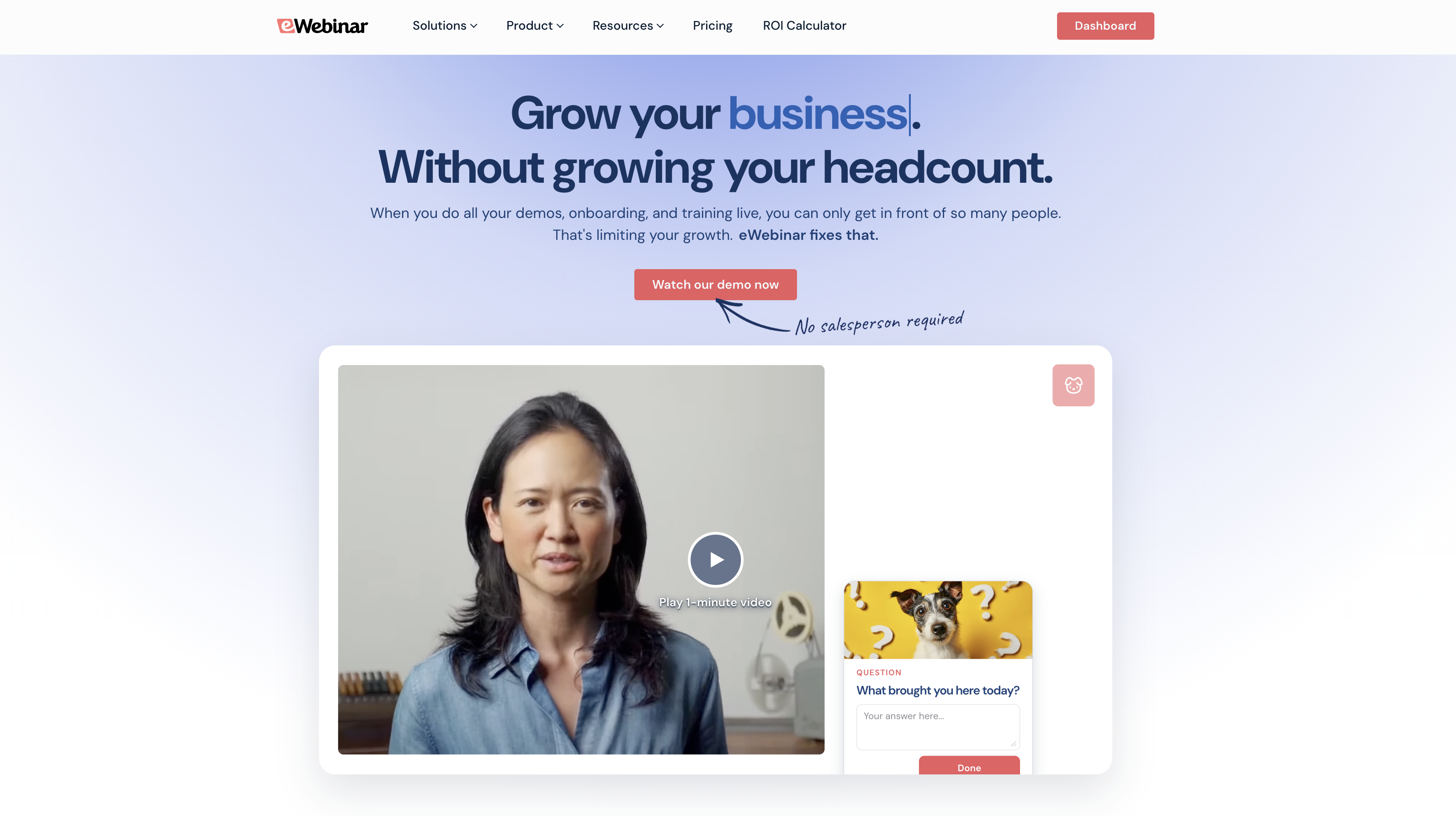
eWebinar is one of the most highly rated automated webinar software — with an exceptional 4.9-star rating — because our system is packed with features that let teams automate and scale webinar efforts without sacrificing their engaging, interactive, personal feel.
We work with teams of all sizes, across a variety of industries and use cases — but marketers love our platform for its:
- Ease of use: Our system makes it simple to create professional webinars, and our webinar builder walks you through every step of the process. We even provide templates and AI-powered tools to streamline webinar creation.
- Wide range of interactive features: You can insert polls, quizzes, agenda items, testimonials, CTAs, links, special offers, and more, giving you the flexibility to engage and sell to your audience however best suits your goals.
- Asynchronous chat: Attendees can ask questions during the webinar, and you can respond when it's convenient — via chat or email. Nothing gets lost when the webinar ends, so you never miss a conversation. This feature lets you automate webinars without being glued to your screen. And it’s completely unique to eWebinar.
- Flexible scheduling options to accommodate all attendees, regardless of where they’re located: eWebinar lets you run webinars 24/7 by combining scheduling rules (recurring schedules + on-demand + instant replays, etc.) and adjusting schedules for different time zones, so you can capture leads when they’re most interested in viewing.
- Robust toolkit: Not only to create professional webinars but also to design high-converting registration pages and automate reminders before webinars. We include a variety of pre-written communications so you can send them off without tedious copywriting.
- Detailed heatmaps and analytics: Our system provides clear performance breakdowns to measure registration, attendance, registration-to-attendance, engagement, conversion rates, and more. Then heatmaps show you exactly what sparked engagement, how users engaged, and when attendees join or drop off webinar sessions. We gather everything you need to really gauge the success of your webinar efforts.
- Integrations to connect seamlessly with your tech stack: eWebinar connects with a variety of CRMs and marketing automation software (HubSpot, ActiveCampaign, Salesforce, Marketo, ConvertKit, MailChimp, MailerLite, etc.), so you can push webinars and customer data between platforms and use all systems in sync.
The following sections will discuss these features in more detail, but if you want to skip right to our demo to learn more, you can do so below. We also offer a free 14-day trial so you can try our webinar builder and explore other features at your own pace.
User-friendly webinar builder
Our webinar builder makes creating pre-recorded webinars simple. Here’s how it works:
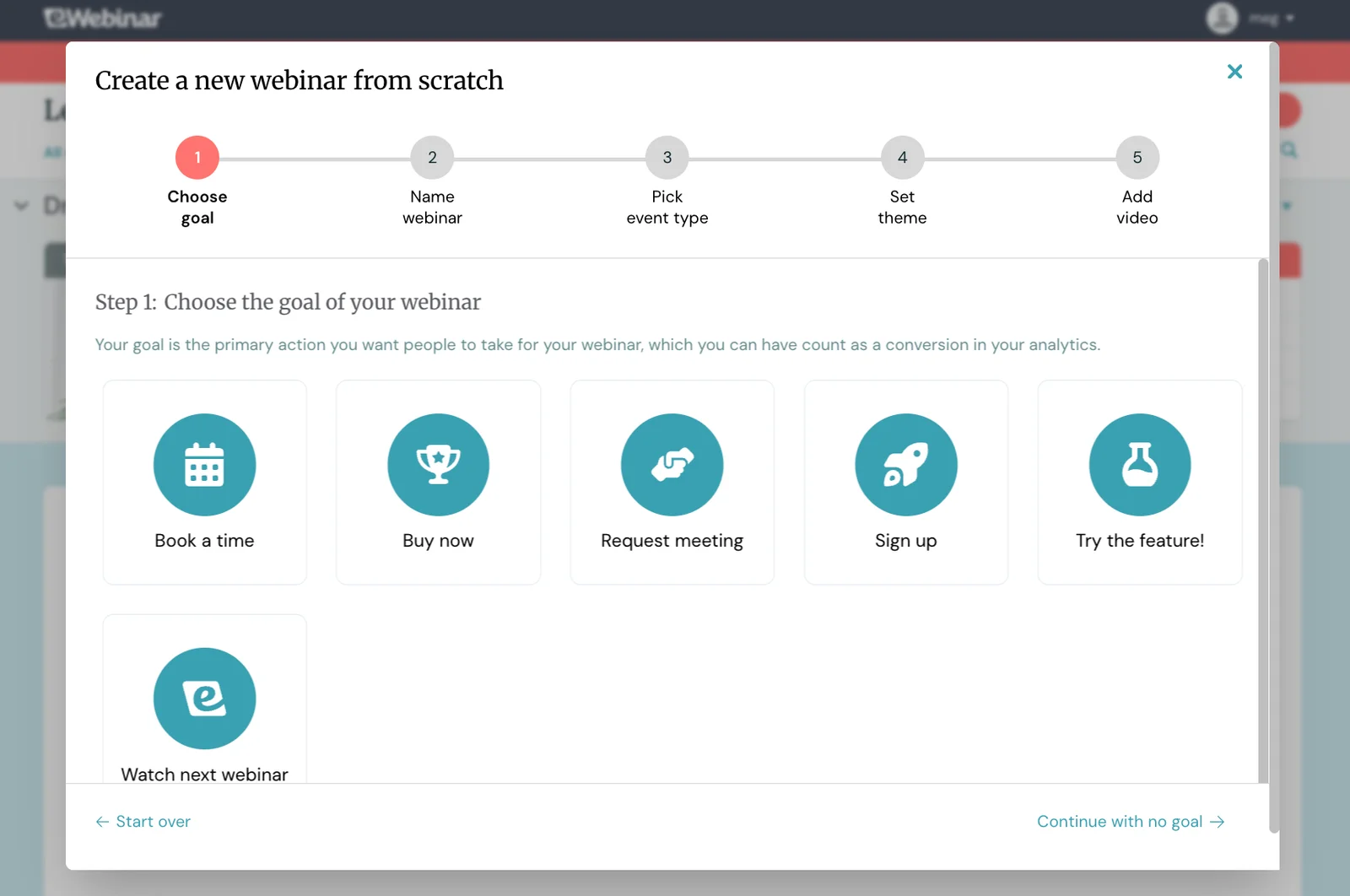
- You can start with a template (we provide a gallery of marketing templates) or create a webinar from scratch.
- Next, you’ll choose the goal of your webinar. Do you want attendees to purchase a product, book a time with you, try a particular feature, sign up for a trial, or advance to another webinar? (Note: Templates come with predefined goals to simplify this for you.)
- After that, you’ll give your webinar a catchy yet clear name.
- Now it’s time to set your webinar’s schedule — we’ll talk more about that later — but at a high level, you can choose to have a recurring event, one-time event, specific dates and times, or various on-demand options.
- Then, you’ll add branding elements, such as your logo and company colors. You can add these when building your first webinar, and our system saves them so you can easily include them in all other webinars you create.
- Finally, you’ll add your video. You can upload a video from your device, import recordings from Vimeo or Descript, or paste a link from a video-hosting platform like Wistia.
Again, our webinar builder guides you through each step, ensuring you don’t get lost or miss any important details.
Once you've created your webinar, there are a number of ways to customize it, including adding interactions.
Interactions to spark audience engagement
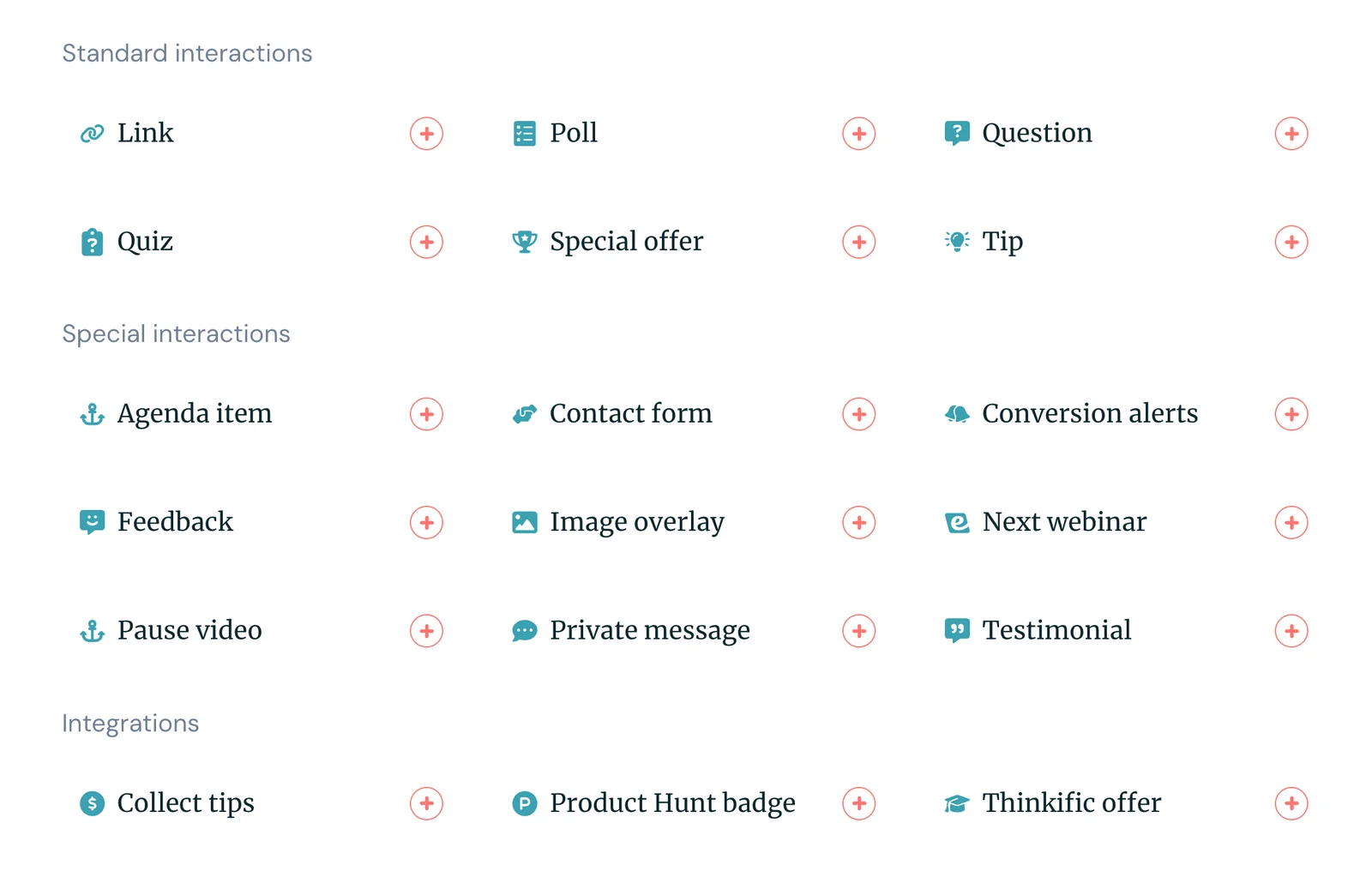
As mentioned, our system has the most extensive collection of interactions — over 20! — so you can include a variety of ways to engage audiences and choose interactions that make sense for your objectives. You can also create conditional interactions to engage audiences better; our system can serve up different interactions based on attendee behavior.
And there is a dual benefit here for marketers. Yes, interactive webinars keep people actively listening and participating, but they also allow you to gather key information about your leads. You can learn more about:
- Their pains or motivations for joining the webinar
- Their company, role, or team sizes
- What features they are most drawn to
- What types of solutions they’re seeking
- Why they’re interested in your brand
- And so on
Take a quick peek at the gallery of interactions below:
Adding interactions is simple, too.
A lot of other systems make you open your recording in a separate screen, find the exact timestamp, and then go back to their webinar software to enter the time you want the interaction to appear. You can’t preview interactions until webinars are published, so if interactions don’t appear exactly where you want, you have to go back, make edits, and republish.
In eWebinar, video and interactivity tools are displayed on a single screen. You can drag the slider at the bottom of the video to the moment you want the interaction to appear, then select what you want to include. You can easily preview your work as you go.
We’ve even enhanced eWebinar with AI-powered interactions. After you upload your recording, our system will transcribe the entire thing to understand what your webinar covers. Then, it’ll suggest interactions based on the content and goal of your webinar.
Suggestions include pre-written text so you know exactly how you should engage audiences — what questions to ask, polls to give, action items to include, etc. The AI tool will even suggest where to place interactions, allowing you to drop them in instantly.
You can also add captions by uploading a closed captions file in one of the supported formats (VTT, SRT, TTML, SCC, or SAMI). Our tool enables captions with just a few clicks, allowing viewers to read along or watch without needing the volume.
Captions also enhance engagement because they increase accessibility — supporting individuals who are deaf or hard of hearing — and by enhancing video comprehension and retention. Multiple studies show that even with the sound on, captions help people better understand and really remember what they’re learning. These studies also found that captions increase the likelihood of viewers watching webinars through to the end.
Our unique asynchronous chat
The most beloved form of interaction is eWebinar’s asynchronous chat feature.
As we said above, our asynchronous chat is entirely unique to our platform. None of the other names on this list offers the flexibility of our tool. With others, you have to choose between live chat OR email when setting up webinars; teams who wish to really automate webinars often resort to choosing email since they know they can’t be available 24/7 to chat. Who can be?!
And while that may not seem like the biggest deal, it can hurt engagement rates. When attendees are prompted to submit a request via a contact form, they typically opt out of the conversation because the process is clunky. Part of the convenience of webinars is the ability to message hosts quickly.
That’s what eWebinar leans into, regardless of whether hosts are available to respond immediately. All eWebinar webinars include a chat function at the bottom for attendees to message while viewing the webinar.
Hosts are notified of all new chats, so if they’re available to respond, they can reply instantly.
However, if hosts aren’t available — say somebody in a different time zone is viewing webinars after regular operating hours — eWebinar will send an autoresponse and let attendees know that hosts will get back to them shortly.
Then, when hosts are available again, they can view unread chats and respond one by one. Those responses are sent to attendees' emails so they receive answers to their questions (and can continue the conversation with your team if they need to learn more).
Our system also lets you:
- Assign multiple moderators so you don’t have just one person responding to chats.
- Integrate with Slack to receive chats and reply from within dedicated channels.
- Connect to a different chat system if you prefer another one.
We’ve checked every box to provide the most convenient chat option for both moderators and attendees.
Flexible scheduling options to capture all audiences
Now, let’s talk more about creating your webinar’s schedule. There are various ways to do this, and you can combine scheduling options to provide attendees with multiple opportunities to tune in.
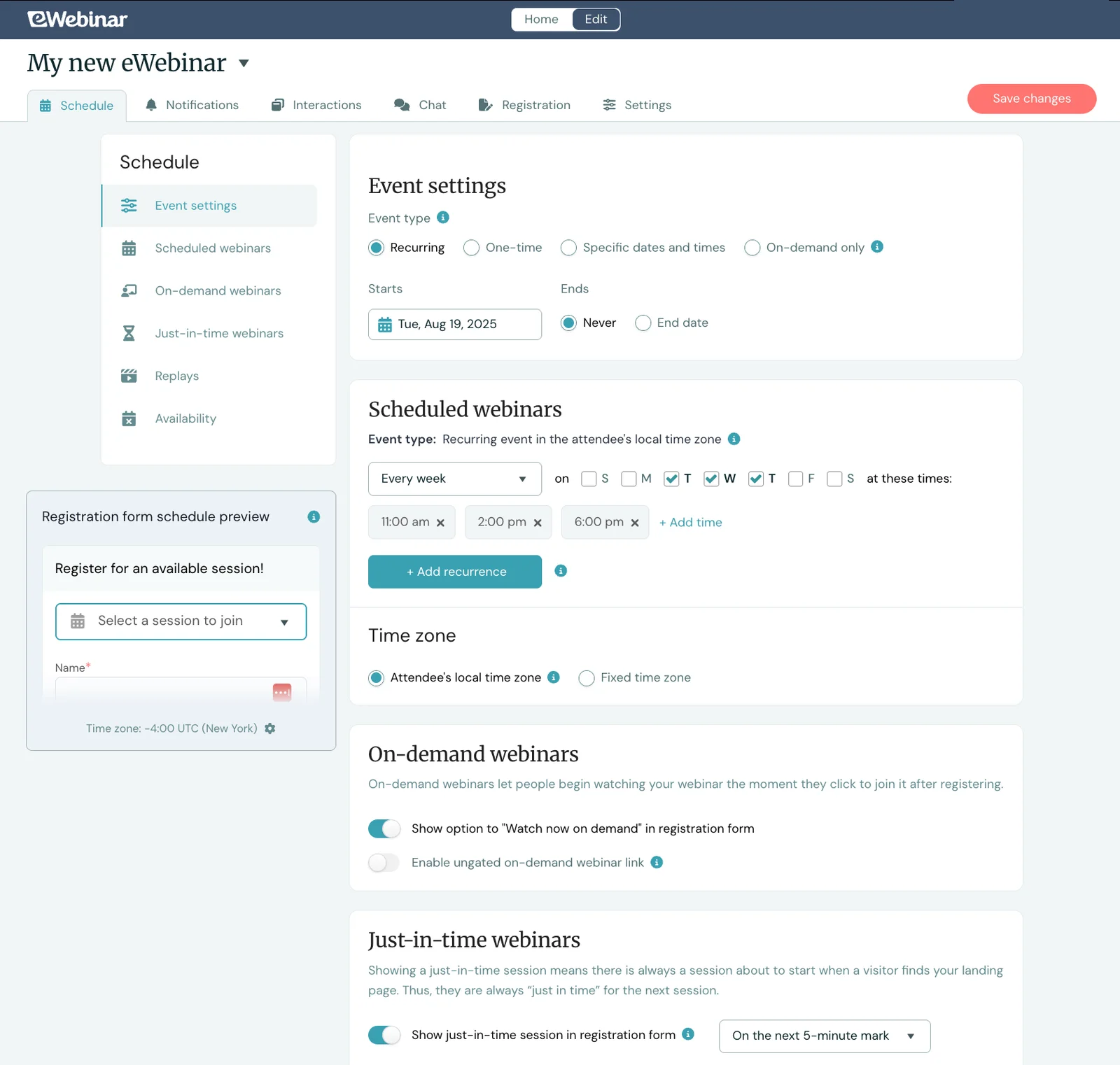
Our main scheduling options include:
- One-time event: You can select a specific day and time for the webinar to run. This is probably the least common option, as the primary benefit of automating webinars is the ability to run them regularly.
- Specific dates: You can choose a few dates and times when the webinars run. This is a step up from a one-time event, but it is still not the most beneficial.
- Recurring event: You can create a repeat schedule that runs webinars every week on specific days and times — like every Tuesday and Thursday at 10 am and 2 pm. This is the recommended option here because it lets you make webinars available more frequently and capture a wider audience.
- On-demand only: This allows attendees to watch as soon as they find the webinar. This is a good option, but some attendees won’t always be able to view it at that very moment. We recommend using on-demand viewing in combination with a recurring schedule, with the idea that they can find a time that works for them in the next day or so.
Which brings us to our next point: you can create a recurring webinar schedule and enable instant viewing options (on-demand and/or just-in-time viewing) for users who want to watch immediately instead of signing up for a time slot.
Note: You can also combine on-demand viewing with a one-time event or specific dates, but on-demand viewing doesn’t open up until after the event ends. This way, users can’t access webinars until your scheduled event time.
Our system also allows you to offer replay links for those who want to register and watch the webinar later. They don’t need to attend a session first; they just receive the link to watch at their leisure.
Creating a recurring schedule while also offering on-demand, just-in-time, and replay viewing ensures you can reach all audiences at their preferred time. They never have a reason to miss your webinars.
Additionally, eWebinar offers automatic time zone adjustments. In other words, our system will adjust your webinar schedules to accommodate attendees’ local times. If you schedule the webinar to run at 10 am and 2 pm, it will take place at those times for viewers worldwide. You don’t have to ask people to join webinars at super-early or late hours of their day.
The result? It is very common for companies switching from live webinars to eWebinar to see their attendance rate go up 3X or more.
Read more: Best Days & Times to Schedule Webinars (Across Time Zones)
Registration page builder + automated email notifications
eWebinar streamlines the process of creating registration pages and webinar notifications (reminders and follow-ups) by building them out for you.
Our AI tool assists here by combining the page design and copy so you can use the page as-is or make quick tweaks. When making changes, you can either write your own copy or direct the AI to generate new content.
Registration pages can include:
- A quick summary of what your webinar covers
- Registration forms (these are fully customizable as well)
- Details about webinar hosts
They also feature your branding elements, such as logos and custom colors — you can also customize fonts here.
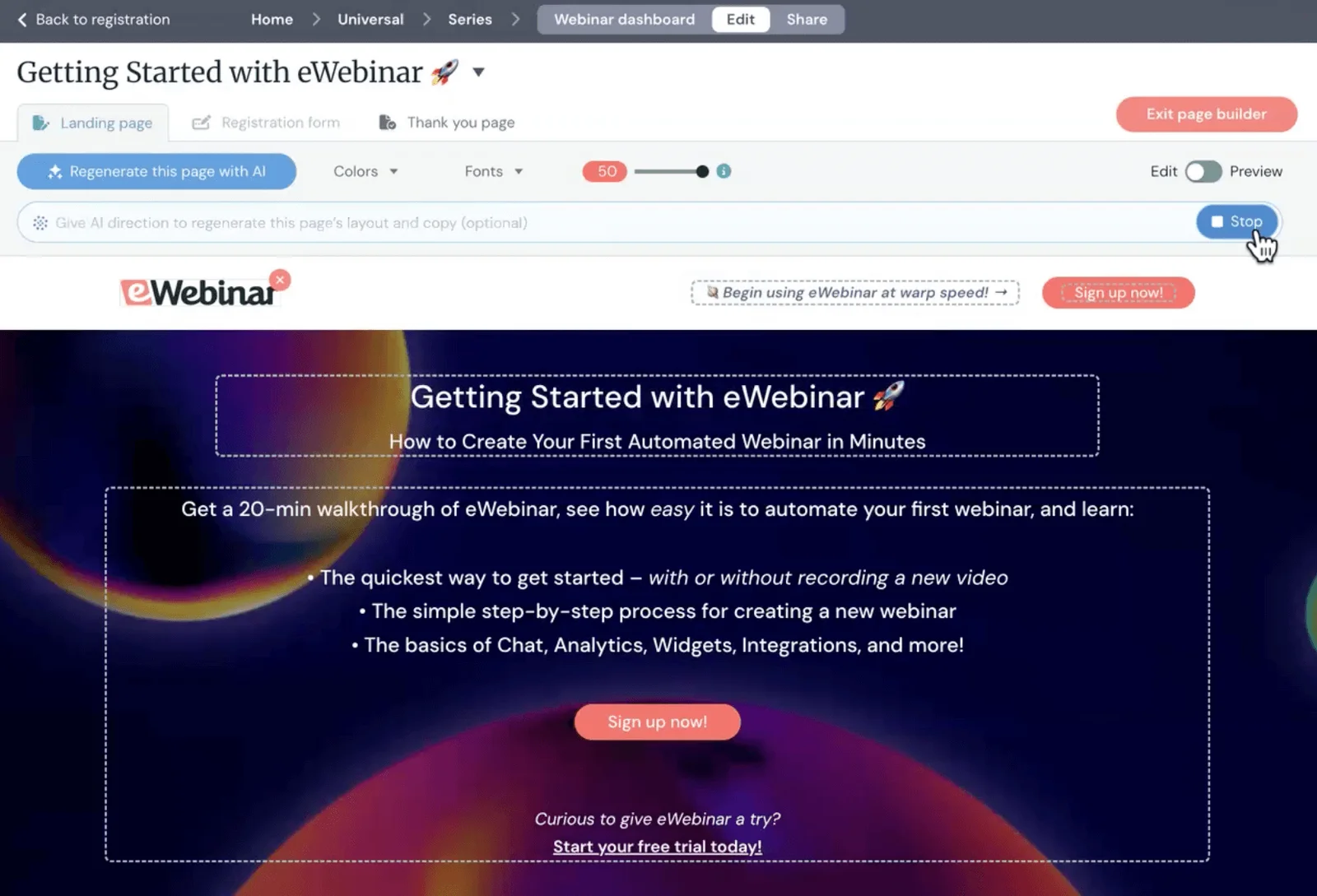
After you make the final polish on your webinar registration page, you can share the link via email or post it on your website for attendees to easily find.
In addition, eWebinar includes registration widgets — in a variety of styles — that you can use to build your own custom page outside of eWebinar or to embed across your website, allowing users to sign up for your webinars from any page. (For example, you can see the widget to sign up for our product demo at the bottom left-hand corner of every page on our website.)
Our system also allows you to provide multiple registration options for users to access your webinars. You can allow users to fill out a simple form, join anonymously, import CRM contacts and auto-register them for your webinar, or skip registration altogether.
Then you can schedule the reminders and follow-ups sent before and after webinars.
eWebinar automatically sends:
- Registration confirmations to let users know their registration was successful and give them their join link.
- Reminders (e.g., 1 day and 15 minutes before) webinars start — you can send these by email or text (via our Twilio integration).
- Follow-ups immediately after webinars end. Plus, as we’ll discuss below, our CRM integrations let you send user engagement data from eWebinar to help prioritize leads and guide your long-term follow-up.
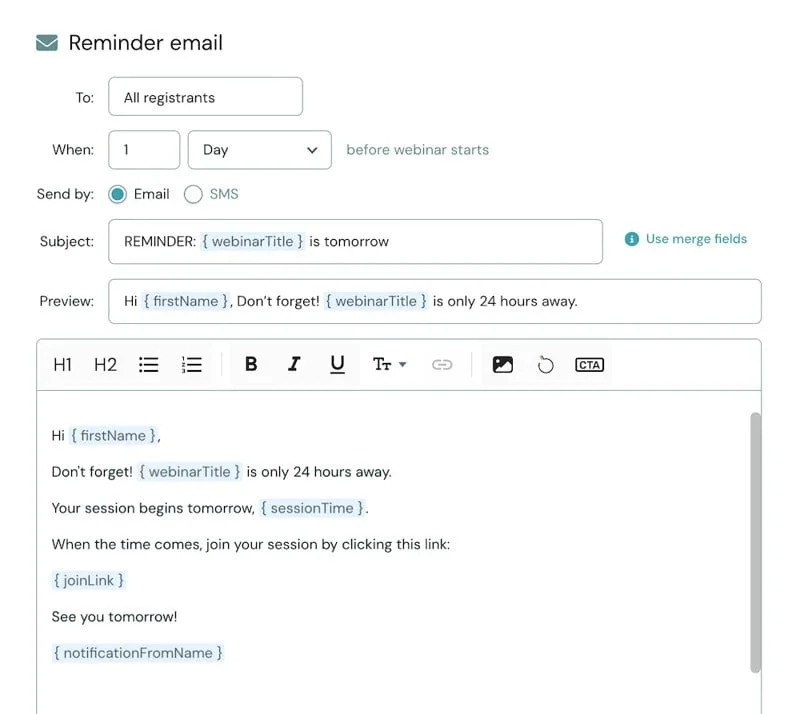
We provide a variety of templates to choose from and prewrite all content for you — but you can customize these with your own copy, images, even videos (via BombBomb) to give them a more personal touch.
While everything here is customizable, most of our users don’t change a thing, saving them hours of time.
Detailed analytics reports + heatmaps
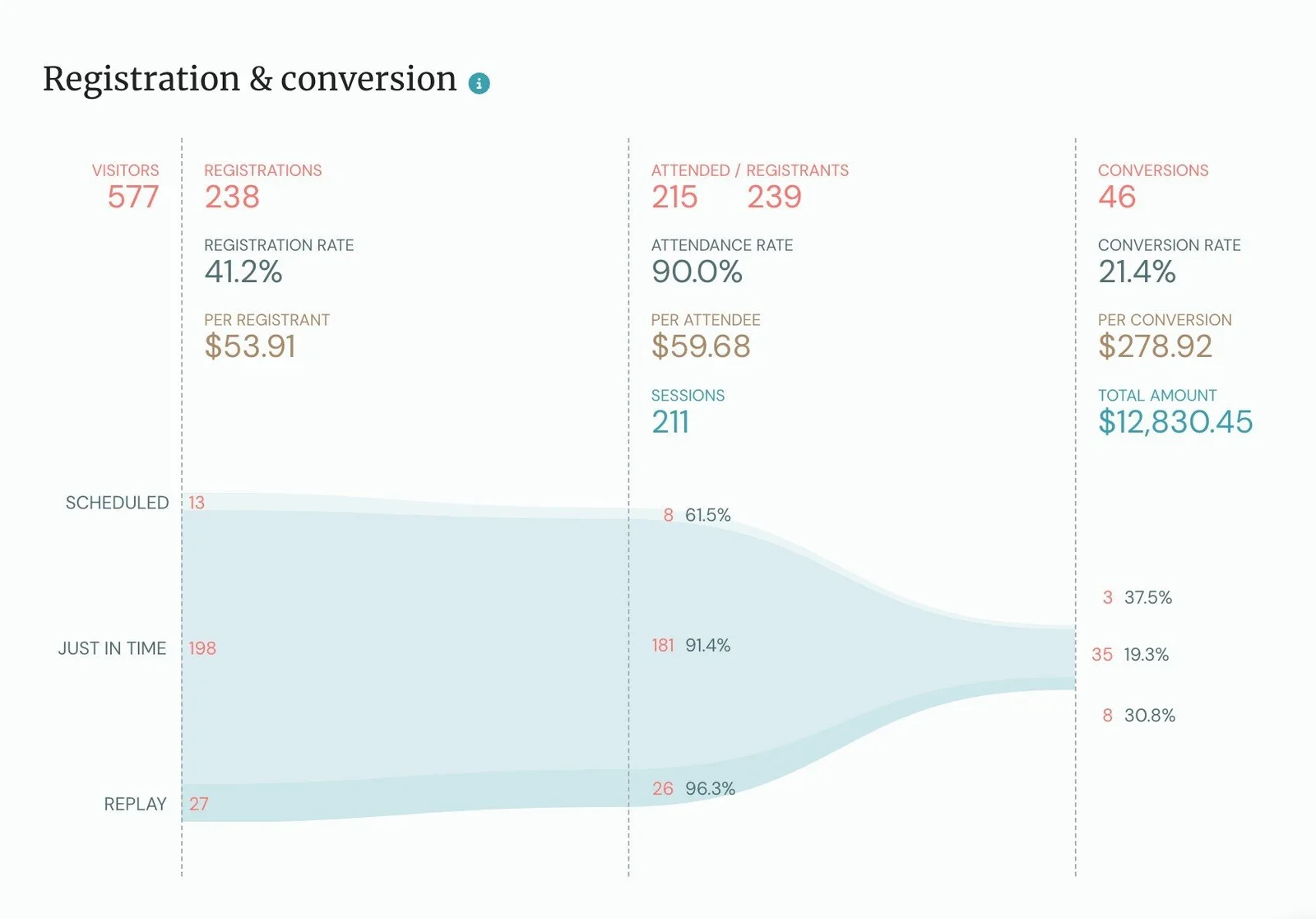
eWebinar provides all the reporting tools to measure the success of your webinar efforts accurately — and tell you exactly where you need to improve. You can see:
- Total number of visitors to your registration page
- A breakdown of registration, attendance, and registration-to-attendance rates
- Engagement rates, how many viewers stayed til the end, and the average watch times
- Conversions, conversion rates, and how much you earned from conversions
- How users watched — if they registered for a scheduled session, watched on demand, or clicked into replay links
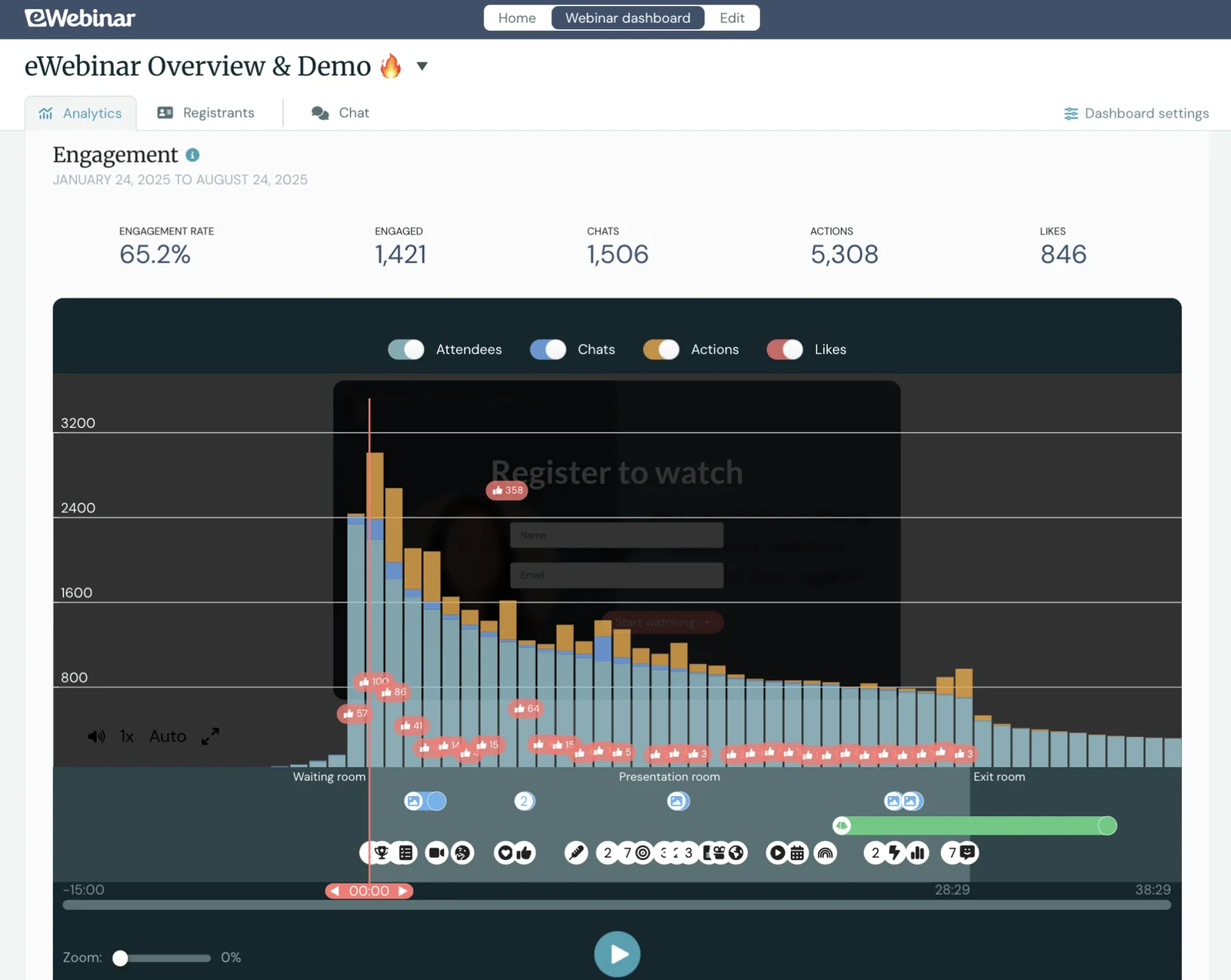
Then, we provide heatmaps from each session, allowing you to dig deeper into user engagement. You can see when attendees like or react to content, chat in, join (or drop off) webinars, so you know exactly what the webinar was discussing that sparked the engagement.
If you notice that a discussion of a particular feature or topic prompted a lot of likes, you can lean into that. You could make another webinar specifically on that topic, or promote that feature in your other marketing materials more often.
On the flip side, if you notice a talking point prompts users to drop off, you can look into the why.
Are you rambling on and on about an obvious point, boring your attendees? Are you selling too hard and coming across as salesy? Are you not including enough interactions to keep users engaged in content?
Whatever the reason, you can brainstorm ways to fix this and keep users engaged until the end (and encourage conversions).
Our system also shows you how many sessions have run and the time you’ve saved by automating webinars vs. running everything yourself.
We typically like to think of this as hours gained, though, because you can run webinars at times you’re not available and multiple sessions can run at the same time — something that’s impossible if you’re live hosting every webinar. For example, we’ve gained 1,774 hours just this year by automating our product demo.
Integrations with marketing tools & CRM
eWebinar integrates with a variety of external systems, allowing you to link to your existing tech stack and utilize webinars within your marketing workflows. We also integrate with Zapier to accommodate custom integrations. (You can view the full list of integrations here.)
These integrations let you:
- Automatically segment leads based on webinar behavior. When someone registers or attends, that data flows into your CRM — so you can trigger follow-up campaigns based on who actually showed up, how long they stayed, or what they engaged with.
- Build multi-touch nurture sequences. Use webinar attendance as a trigger in your email workflows. Send one message to people who watched 80% of your demo, and a completely different one to those who dropped off early.
- Score and prioritize leads. Sync webinar engagement data with your CRM to spot your hottest leads. Someone who attended your product webinar, answered polls, and asked questions in chat? They're probably ready to talk to sales.
- Streamline event promotion. Connect eWebinar with your email platform to automatically add registrants to lists, send reminders, and deliver post-webinar content — no manual data entry required.
- Track ROI across your funnel. Push webinar data into your analytics tools to see how webinars actually contribute to pipeline and revenue. Connect registrations, attendees, and conversions back to specific campaigns so you know what's driving results.
Bonus: Webinar Series
We’ve also released a new feature to create multi-webinar series, called Webinar Series. These are popular for onboarding new clients or customers, automating training, supporting sales teams' processes, and more.
Our system allows you to create series from existing webinars by manually choosing webinars or including all webinars with a specific tag. We also provide controls that require users to watch webinars to a certain point and complete quizzes or action items before advancing to the next webinar. The Webinar Series module also includes all the advanced analytics features discussed above, allowing you to measure the success of each series.
You can learn more about Webinar Series here.
Packages & pricing
Our packages are based on the number of webinars you run and the number of attendees:
- Level 1 ($99/month) supports one active webinar and 3k registrants per month
- Level 2 ($199/month) supports five active webinars and 6k registrants per month
- Level 3 ($299/month) supports 15 active webinars and 12k registrants per month
Join our full demo to learn more about eWebinar’s toolkit!
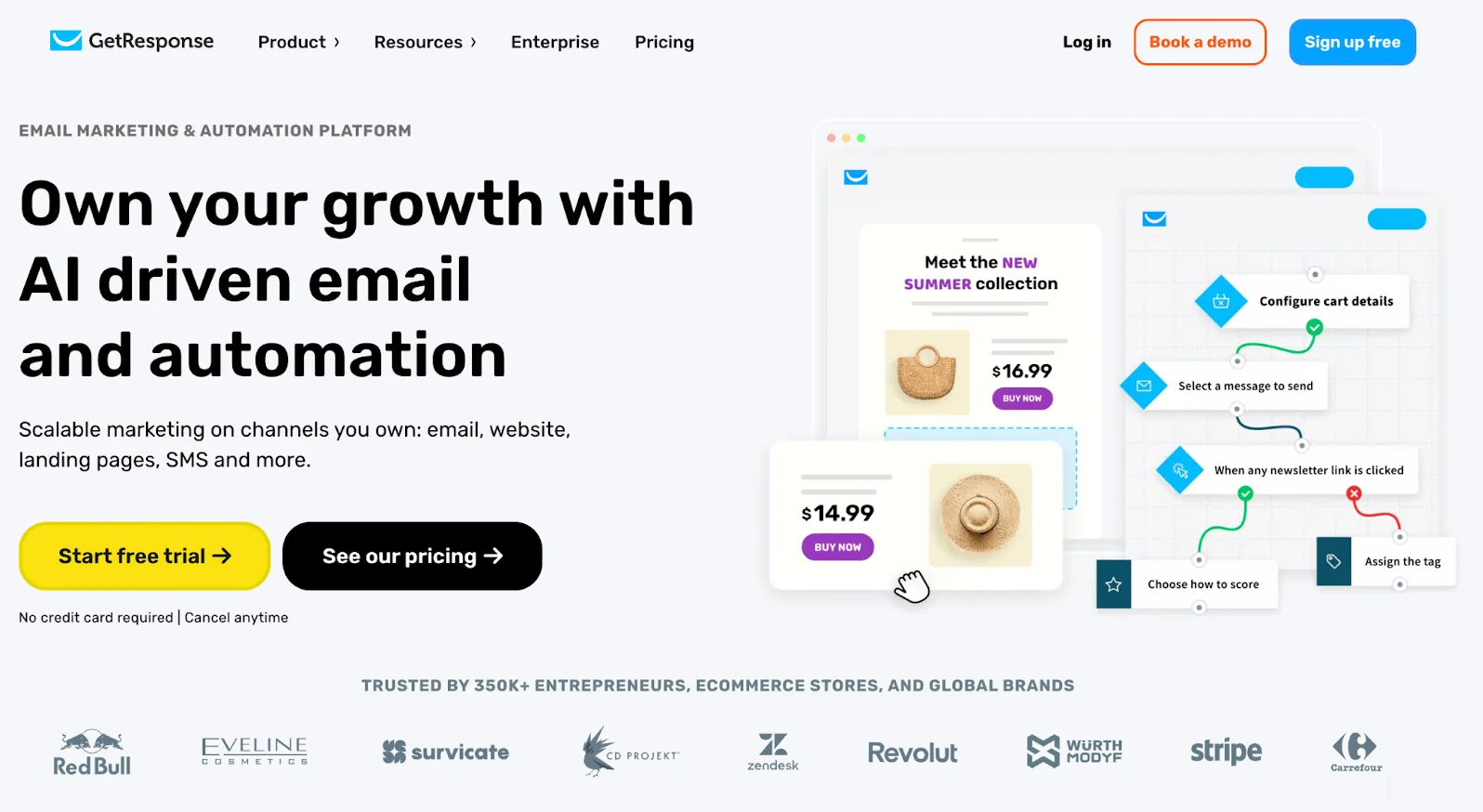
GetResponse is a comprehensive solution for marketers that offers website and landing page builders, email templates and automation, SMS marketing features, tools to build newsletters, online course creators, and, finally, webinar software.
It’s a nice option for marketers who want an all-in-one hub to manage all their marketing initiatives. It’s also quite popular among small businesses and e-commerce brands that manage their various marketing campaigns.
However, as a solution that packs so much in, users find it is limited in certain areas — including in its webinar software. And this isn’t entirely surprising; it’s not designed to be a dedicated webinar software, so it won't have all the bells and whistles that a tool like eWebinar does.
Overall, GetResponse’s webinar software offers:
- Live and on-demand webinars
- Livestreaming via Facebook Live and YouTube
- Three interactions — polls, quizzes, and CTAs
- Live chat
- Email templates to support lead nurturing
- Interactive whiteboards
- Predesigned registration pages and invites
- Paid webinars with online payment gateways
- Up to 1,000 attendees
- Mobile apps to host webinars from mobile devices
- Webinar analytics
If a simple webinar solution to host live events is what you need, GetResponse may fit the bill. Otherwise, we suggest using a more robust solution and integrating it with your CRM and marketing stack.
Check out more GetResponse reviews here.
Features
Webinar Features:
- Live and on-demand webinars
- Multi-presenter support (up to 2 hosts)
- Streaming to YouTube and Facebook Live
- Custom branding for registration pages, emails, and event rooms
- Interactive engagement tools: polls, quizzes, and CTAs
- Live chat for attendee interaction
- Presentation tools: slideshow upload, interactive whiteboard, YouTube video sharing
- Mobile-optimized webinar rooms and dedicated presenter/attendee apps
- Automated email sequences for registration confirmation, reminders, and follow-ups
- Webinar analytics
- Advanced email marketing tools, including newsletters, autoresponders, segmentation, dynamic content, and personalization
- AI-powered email generator to create engaging campaigns quickly
- Marketing automation workflows with drag-and-drop builder for behavior-based triggers (e.g., cart abandonment, win-back, webinar promotion)
- Conversion funnel builder for lead generation, sales, and webinar registrations
- Complete website and landing page builder with mobile-first templates and SEO tools
- Fully customizable signup forms, landing pages, and popups with A/B testing and analytics
- Audience management with segmentation, tagging, scoring, suppression lists, and GDPR consent tracking
- CRM features, including contact profiles, deal pipelines, and sales automation
- E-commerce tools, including promo codes, personalized product recommendations, abandoned cart emails, transactional emails, and sales tracking
- Web push notifications for website visitors
- Paid ad campaign management on Google, Facebook, and Instagram
- Live chat and chatbot widgets for websites and landing pages
- Real-time reporting and analytics for all marketing activities
- Integrations with 100+ apps, including Zapier, payment gateways, CRM, and ecommerce platforms
- Security and compliance tools: role-based permissions, domain authentication (SPF, DKIM, DMARC), GDPR support
Pricing
To access GetResponse’s webinar builder, you must opt for the Creator or Enterprise plan.
- The Creator plan costs $69/month
- GetResponse’s team offers custom quotes for Enterprise plans
BigMarker
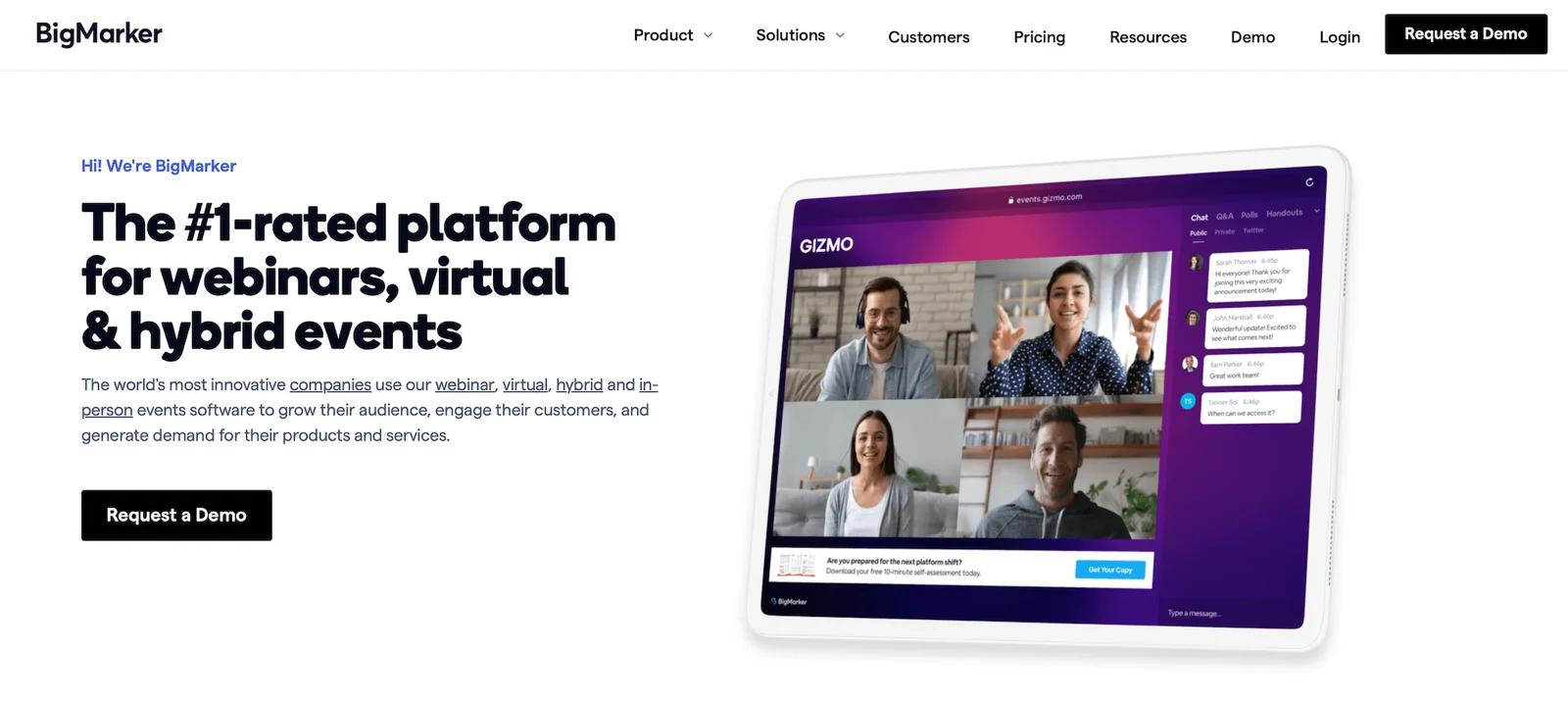
BigMarker is an advanced webinar platform designed for teams hosting both live and automated webinars, virtual events, and large-scale conferences. It's particularly popular among mid-sized companies and enterprises seeking a professional, branded webinar experience with strong marketing automation features.
Marketers appreciate BigMarker for its comprehensive toolkit, including:
- Extensive branding customization
- Detailed analytics dashboards that track the whole conversion funnel
- Built-in event ticketing and payment processing for paid webinars
- Native integrations with major CRM and marketing platforms like Salesforce, HubSpot, and Marketo
- Tools to restream to social media channels, making it easier to amplify reach
Reviews consistently praise BigMarker's rich engagement tools — chat, polls, Q&A, offers, handouts, and surveys — which help capture attendee interest and gather valuable lead data. Users also appreciate the flexibility of hosting various event types (live, automated, on-demand, breakout sessions, and multi-day summits) all from one platform.
However, reviews suggest that BigMarker comes with a steep learning curve and expensive pricing. It seems best suited for established marketing teams and enterprises because they have the budget to support it — smaller businesses are often priced out during initial conversations.
It's also worth noting that while BigMarker excels at large-scale live events, teams focused primarily on automating repetitive webinars may find better value in dedicated automated platforms (like eWebinar!).
Read more BigMarker user reviews here.
Features
- Live, automated, on-demand, and hybrid webinar hosting
- Multi-presenter support with video and screen sharing
- Restreaming to multiple social media platforms like YouTube and Facebook
- Custom branding — registration pages, email templates, event room customization, and virtual backgrounds
- Engagement tools — chat, polls, Q&A, offers, handouts, surveys, and file sharing
- Breakout rooms and roundtables
- Scheduling — one-time, recurring, just-in-time, on-demand
- Automated email sequences — registration confirmations, reminders, and follow-ups
- Analytics dashboards with detailed reporting on attendance, engagement, and conversion funnels
- Integrations with CRM, marketing, automation tools, Zapier, and API access
- Ticketing and payment processing for paid webinars
- Security features — SOC 2 Type 2 certification, TLS encryption, GDPR-compliance, role-based permissions
- Multi-language support, dial-in options, and AI-powered networking tools
Pricing
BigMarker offers a variety of plans and packages under the Webcast, Event Packages, and Media Hub umbrellas. All pricing requires a custom quote.
Read more: Best BigMarker Alternatives
EasyWebinar
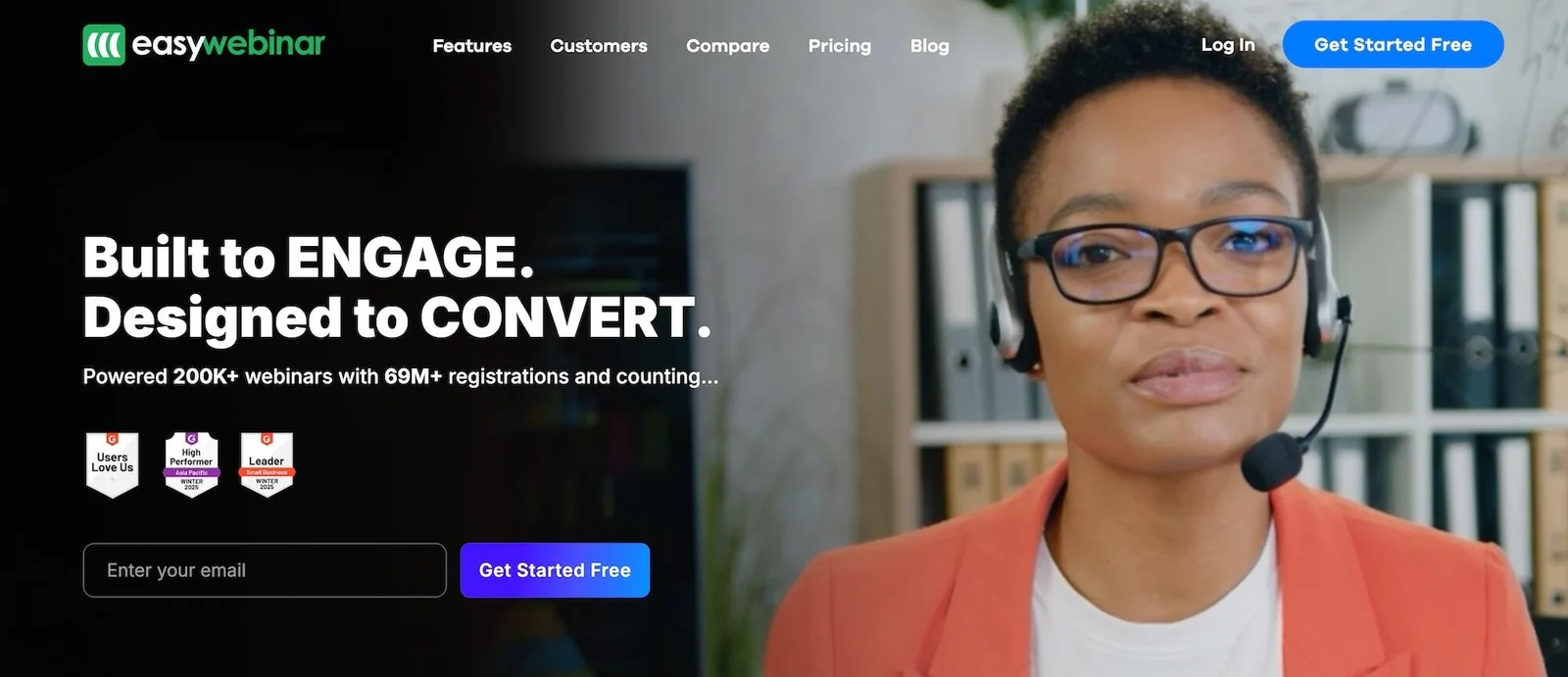
EasyWebinar is a webinar platform designed for marketers, coaches, and entrepreneurs who want to host both live and automated webinars. It's particularly popular among small to mid-sized businesses running product launches, sales webinars, and online courses.
Reviews consistently praise EasyWebinar for its ease of use and helpful customer support. Users appreciate the straightforward setup process, flexible scheduling options (including just-in-time sessions that start every 15 to 60 minutes), and automatic time zone adjustments.
The platform also earns praise for its ability to turn live webinars into automated sessions with just a few clicks, making it easy to repurpose successful content.
For marketers specifically, EasyWebinar offers:
- Marketing funnel automation with behavior-based segmentation
- Email automation for pre- and post-webinar sequences
- Strong integrations with CRMs and email platforms (HubSpot, Mailchimp, ActiveCampaign, ConvertKit)
- Detailed analytics tracking attendance, drop-off points, and conversion rates
- Built-in tools for creating registration pages and lead capture forms
However, there are some notable drawbacks. Interactions are pretty limited — you can add polls and special offers, but manually placing them by entering exact timestamps can be tedious. For automated webinars, live chat isn't supported unless you integrate a third-party tool, which means attendees must contact you via email instead.
Some users also report that EasyWebinar's pricing is on the higher side compared to competitors offering similar features, making it less ideal for teams focused on value.
Overall, EasyWebinar works well for marketers running sales-focused webinars who prioritize ease of use and marketing automation over extensive interactivity.
See more EasyWebinar reviews here.
Features
- Live, automated, and on-demand webinar hosting
- EasyCast streaming (to broadcast your webinar simultaneously on platforms like YouTube Live and Facebook Live)
- Automatic replays and session recordings
- Branding customization options
- Engagement tools — public and private chat, emoji reactions, Q&A, polls, special offers, clickable links, CTAs, monetization tools like "Buy Now" buttons, and attendee participation with mic and camera controls
- Breakout rooms for smaller group discussions within webinars
- Contact box for automated webinars, allowing attendees to leave messages
- Scheduling tools, including one-time, recurring, just-in-time, or on-demand webinars, plus automatic time zone adjustment
- Marketing automation features like scheduled email reminders and customizable follow-up sequences
- Comprehensive analytics dashboards
- Integrations with CRM, marketing software, LMS, and more
- Mobile-friendly attendee experience
Pricing
EasyWebinar offers four plans in total, but only three of these plans include automated webinar features. Pricing varies by feature, number of supported webinars, and attendee capacities.
- The Automated Webinars plan supports 200 to 10k attendees and costs between $59 and $399 per month.
- The Automated + Live plan supports between 50 and 2k live webinar attendees and 200 to 10k automated webinar attendees. It starts at $79 per month, and EasyWebinar provides custom quotes as you move into upgraded plans.
- The Enterprise plan supports up to 500k attendees and includes advanced security features (such as SSO and tools to meet GDPR compliance), full white labeling, and support for large-scale global events. EasyWebinar provides custom quotes in this plan.
The Live Webinar plan costs between $39 and $299 per month.
Read more: Best EasyWebinar Alternatives
Demio
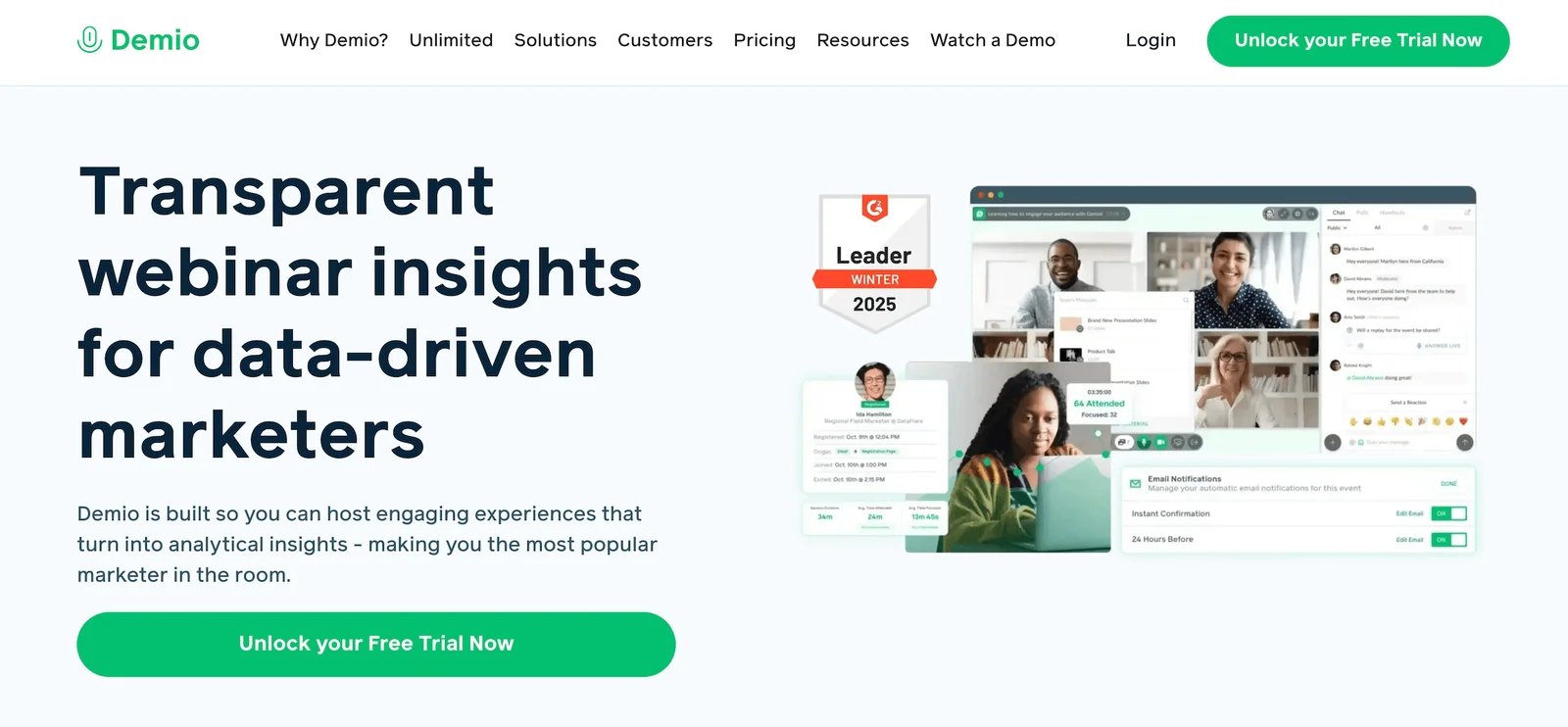
Demio is a webinar platform designed specifically for marketers and sales teams focused on generating leads and driving conversions. It's particularly popular among SaaS companies and marketing agencies that want a clean, professional webinar experience without requiring attendees to download software (as it’s entirely browser-based).
Reviews consistently praise Demio for its intuitive interface and straightforward setup process. Users appreciate how quickly they can create and launch webinars — often in under 30 minutes — and the clean, branded webinar rooms that help maintain a professional appearance. The platform also earns strong marks for its responsive customer support team.
For marketers, Demio offers several valuable features:
- Deep engagement analytics that track attendee participation (showing exactly when viewers are actively engaged vs. tuned out)
- Strong integrations with marketing platforms like HubSpot, Marketo, ActiveCampaign, Mailchimp, and others
- Customizable registration pages with form fields to capture lead data and segment audiences
- Automated email sequences for reminders and follow-ups
- Interactive tools like polls, featured actions (timed CTAs), handouts, and Q&A to boost engagement and identify high-intent leads
However, there are some limitations to consider.
- Scheduling options are inflexible — you can create recurring schedules or enable on-demand viewing, but not both simultaneously. If you want multiple viewing options, you'll need to create separate webinar listings.
- Chat is only available during live sessions, so moderators can't respond to attendees after automated webinars end. Interactions are also limited compared to dedicated automated platforms.
- Pricing can climb quickly as you scale up attendee capacity or add multiple hosts, with per-host pricing ranging from $117 to $855/month on the Growth plan.
Overall, Demio is best suited for marketing and sales teams prioritizing ease of use, professional branding, and detailed engagement data over extensive automation features or budget-conscious scaling.
Features
- Live, automated, and on-demand webinars
- Replays and recordings
- Customization options and branding tools
- Interactions — chat (public/private), Q&A, polls, offers, links, CTAs, and attendee participation (where they can use mics and cameras to interact with webinar moderators)
- Scheduling tools (single or recurring events, time zone adjustments)
- Marketing tools like automated email reminders
- Analytics dashboards
- Integrations with marketing and CRM software
- Mobile apps (for iOS and Android)
Pricing
Demio offers a 14-day free trial and three packages (differentiated mainly by attendee room capacities):
- The Starter plan ($63/month) supports a single host and 50 attendees. This plan is recommended for small businesses and solo entrepreneurs.
- The Growth plan supports multiple hosts and up to 3k attendees. Packages range from $117 to $855 per host per month. This is the most popular package.
- The Premium plan also supports multiple hosts and up to 3k attendees, and comes with dedicated account support. Demio doesn’t reveal all pricing info here, but we can see that this plan starts at $196 per host per month.
Read more: Best Demio Alternatives
Bonus: EasyWebinar vs Demio vs eWebinar: Detailed Comparison Guide
WebinarNinja
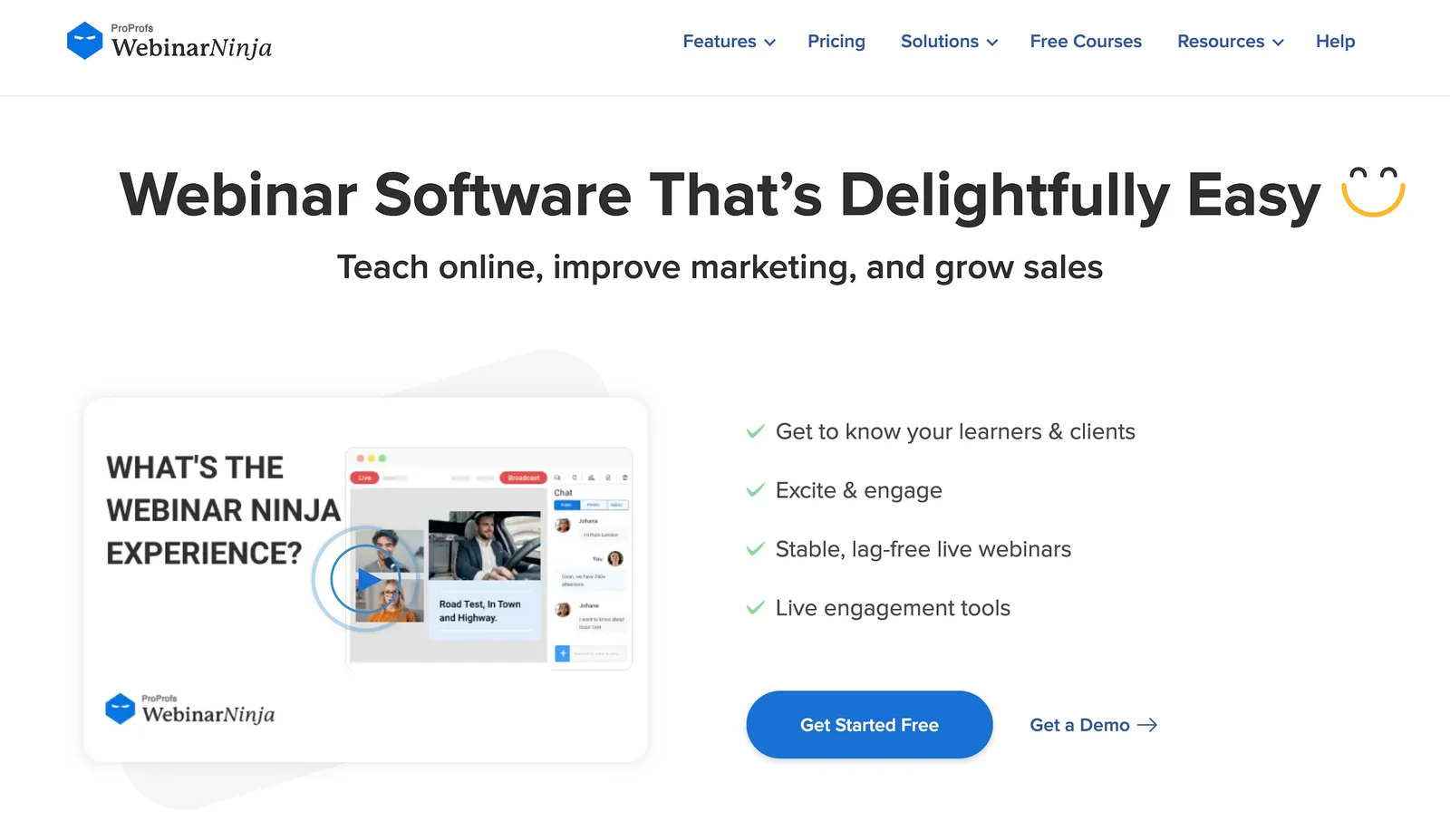
WebinarNinja is an all-in-one webinar platform best suited for marketers seeking a straightforward and affordable solution for running live, automated, and hybrid webinars. It's particularly popular among small to mid-sized businesses that want a comprehensive suite of built-in marketing tools without having to switch between multiple platforms.
Reviews consistently praise WebinarNinja for its user-friendly interface and quick setup process. They also provide good feedback on their responsive customer support team, with many reviewers noting how quickly they receive help via chat or email.
WebinarNinja offers several valuable features for marketers:
- Built-in landing page and thank you page builders with customizable branding
- Automated email sequences for registration confirmations, reminders, and follow-ups
- Strong integrations with popular marketing tools like Mailchimp, ActiveCampaign, HubSpot, and ConvertKit
- Interactive engagement tools, including polls, Q&A, live chat, and the ability to bring attendees "on stage"
- Detailed analytics tracking attendance, engagement, drop-off rates, and conversions
- The ability to create paid webinars with seamless payment processing at registration
However, there are some notable limitations to consider:
- Customization options for landing pages, emails, and webinar themes are limited compared to those of competitors, which can restrict branding flexibility.
- Some users report occasional platform stability issues, including glitchiness and bugs that require manual adjustments.
- Polling and survey features are basic, with restricted question types and limited analytics.
Some reviewers also mention concerns about the free trial and cancellation process, noting that the platform doesn't send reminders when trials end and has a strict no-refund policy that can feel inflexible.
Overall, WebinarNinja is well-suited for marketers and educators seeking an affordable, user-friendly platform with robust built-in marketing features — and are willing to compromise on advanced customization and integration flexibility.
Find WebinarNinja reviews here.
Features
- Automated and on-demand webinar hosting with unlimited automated attendees
- Customizable registration and thank-you pages, fully branded
- Interactive polls, Q&A (with upvoting), sales offers, handouts, and emoji reactions for pre-recorded content
- Public and private chat during live sessions only
- Automated email sequences for reminders, follow-ups, and thank-yous
- Integrations with Stripe, Zapier, Mailchimp, HubSpot, and others
- Ability to charge for paid webinars with seamless payment processing
- Unlimited webinar recording storage with replay playback controls
- Analytics on registrations, attendance, engagement, and sales
- 24/7 customer support via chat, email, and phone
Pricing
WebinarNinja charges per webinar attendee — $1.20 per attendee per month.
All users have access to the complete feature set. WebinarNinja also offers custom enterprise plans for larger teams.
WebinarGeek
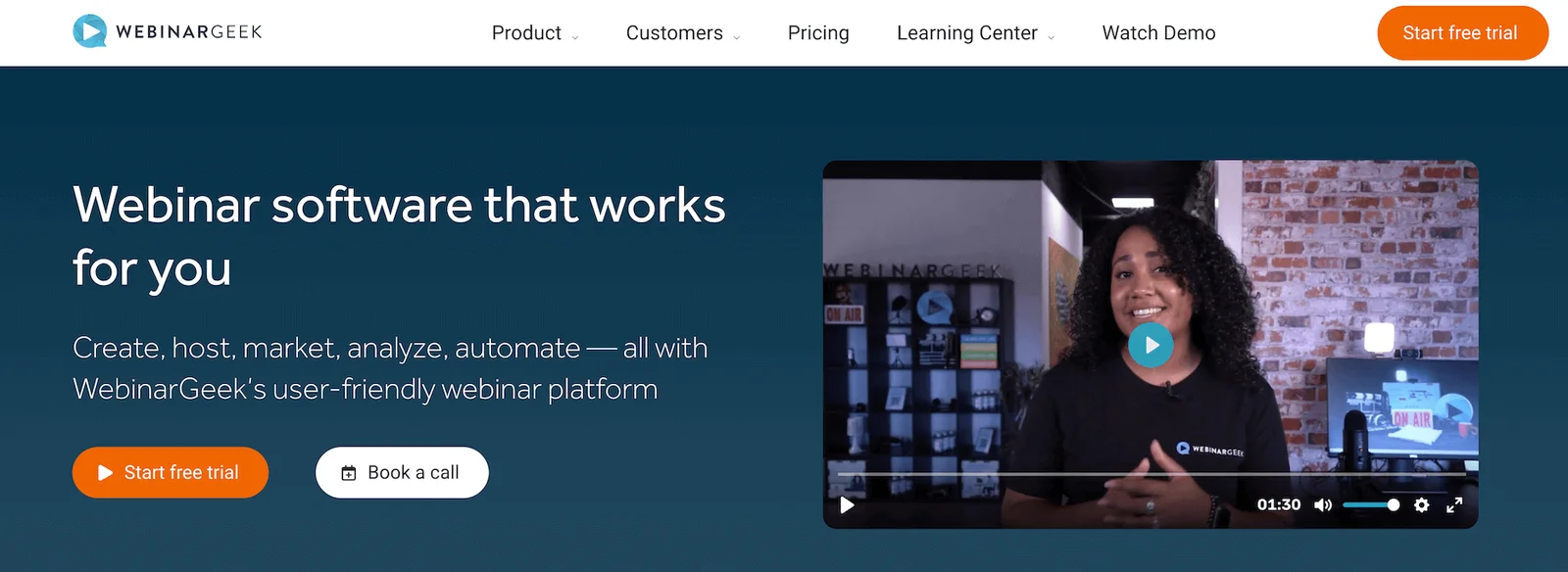
WebinarGeek is a webinar platform for marketers that want a straightforward, user-friendly solution to run live, automated, and hybrid webinars.
What sets WebinarGeek apart in reviews is its customer support and user experience. Reviewers consistently mention that real people respond within minutes via live chat during weekdays, which is faster than most competitors. The platform also gets praise for stable performance and high reliability during online events.
For marketers, WebinarGeek offers:
- Embeddable registration pages with custom branding
- Email automation for reminders and follow-ups
- Zapier integration connecting to 5,000+ tools, including HubSpot and Mailchimp
- Polls, quizzes, Q&A, and live chat for audience engagement
- Attendance and engagement analytics
- Real-time chat on automated webinars (hosts can still respond to viewers even when not live)
- Paid webinar support
- GDPR compliance
However, there are some drawbacks:
- Landing page and email customization are limited, making it hard to match brand guidelines fully.
- Analytics reports lack depth and can only be exported as PDFs.
- Audio and video quality significantly dip when multiple presenters join from different locations.
Pricing is also steep here: you must opt for the Premium plan (up to $469/month) to access the most beneficial features and support larger audiences.
While WebinarGeek shines in its ease of use and customer support, it doesn’t offer the best value for money.
Check out more WebinarGeek reviews here.
Features
- Live, automated, on-demand, and hybrid webinar hosting
- Paid webinars
- HD video streaming (browser-based, no downloads needed)
- Automated replays and session recordings
- Custom branding tools and webinar channels (custom pages listing upcoming and on-demand webinars)
- Extensive customization options — real-time page editor, custom domains, and custom CSS
- Engagement features — chat, Q&A, polls, quizzes, CTAs
- Scheduling options and time zone adjustments
- Marketing automation tools like automated and customizable email reminders
- Analytics dashboards
- Integrations with 6k+ outside tools, including CRM, marketing, and workflow apps
- GDPR-compliant data processing and attendee privacy
- Mobile-friendly experience
Pricing
WebinarGeek offers three plans based on features and attendee capacity:
- The Basic plan ($81/month) supports live and on-demand webinars, as well as 50 viewers.
- The recommended Premium plan ($116 to $469 per month) includes everything in the Basic plan, plus automated webinars, interactions, and custom branding.
- The Enterprise plan unlocks full feature access and supports up to 5k attendees. Plans start at $410/month and require custom quotes as you upgrade.
ClickMeeting
ClickMeeting is a webinar platform that supports live, automated, and on-demand sessions, designed for businesses of all sizes. It has been around since 2011 and positions itself as a flexible, budget-friendly option for teams that need both live and automated capabilities without enterprise-level pricing.
The platform appeals to marketers for a few practical reasons:
- Affordable entry point: ClickMeeting's pricing starts significantly lower than many competitors, making it accessible for small teams testing webinar strategies or working with limited budgets.
- Customizable branding throughout: Registration pages, waiting rooms, and webinar rooms can all be branded with logos, colors, and custom backgrounds to maintain a professional appearance.
- Built-in monetization tools: You can sell access to webinars directly through the platform, which features integrated payment processing, making it ideal for paid training sessions or premium content.
- Recording and transcription features: Webinars are automatically recorded, and ClickMeeting provides transcription services to repurpose content or improve accessibility.
However, ClickMeeting has some notable limitations for marketing teams focused on automation:
- Interactions are basic: You get polls, surveys, Q&A, and chat, but the engagement toolkit doesn't go much deeper. For automated webinars, pre-programming interactions throughout the presentation feels less intuitive than dedicated automation platforms.
- Chat and Q&A are session-dependent: During live webinars, chat works as expected. For automated sessions, attendees can submit questions; however, there's no real-time back-and-forth, and follow-up occurs via email only.
- Scheduling flexibility is limited: While you can create recurring webinars and offer on-demand access, combining multiple viewing options in a single webinar listing requires workarounds.
- Analytics lack depth: The dashboard provides attendance numbers and basic engagement metrics, but it does not offer detailed heatmaps or drop-off analysis that help you optimize content over time.
ClickMeeting is well-suited for budget-conscious teams that require a straightforward platform for hosting occasional live or automated webinars. For marketers building sophisticated automation programs or requiring advanced engagement analytics, other platforms deliver more functionality.
Find more ClickMeeting reviews here.
Features
- Live, automated, and on-demand webinar hosting
- Recording and automatic transcription services
- Custom branding for registration pages, waiting rooms, and webinar rooms
- Engagement tools — chat, Q&A, polls, surveys, whiteboard
- Screen sharing and presentation tools
- Breakout rooms for smaller group discussions
- Scheduled webinars with recurring event options
- Automated email reminders and follow-ups
- Monetization with paid webinar support and payment processing
- Analytics dashboard tracking attendance and basic engagement metrics
- Integrations with CRM and marketing platforms via Zapier
- Security features — password protection, waiting rooms
- Mobile apps for iOS and Android
- Multi-language support
Pricing
ClickMeeting offers a free trial that supports up to 25 attendees and provides access to basic features. After the trial, you can upgrade to a paid plan. ClickMeeting offers three: Live, Automated, or Enterprise. You must opt for the Automated plan to access automated and on-demand webinars (as its name suggests).
- The Live plan costs between $32 and $335 per month and supports 25 to 1,000 attendees.
- The Automated plan costs between $48 and $385 per month and supports 25 to 1,000 attendees.
- The Enterprise plan supports up to 10,000 attendees. ClickMeeting offers custom quotes for this plan.
Livestorm
Livestorm positions itself as a webinar software for marketers, specifically, and big household brands like Sony, Dolby, and Verizon use it. It's browser-based, which means no software downloads are required for attendees — a practical advantage when trying to maximize attendance rates.
The platform handles live, automated, on-demand, and hybrid webinars. For marketers building webinar programs, the appeal comes down to a few specific capabilities:
- Integrations with marketing tools: Livestorm integrates with HubSpot, Salesforce, and other CRM platforms, as well as Zapier for custom workflows. This matters when you need webinar data for lead scoring models or nurture sequences.
- Customization across the attendee journey: Registration pages, email templates, and event rooms can all be branded to match your company's look.
- Analytics that connect to campaign performance: The dashboard tracks registration sources, attendance, and engagement — the metrics you actually need to justify webinar investments to leadership.
However, the platform also has some limitations.
First, scheduling is rigid. You can set up recurring events OR enable on-demand viewing, but not both simultaneously. For marketers trying to accommodate different buyer preferences and time zones, this creates unnecessary complexity.
Interactions are sparse: chat, polls, Q&A, file sharing, and CTAs. That's the full list. Chat only works during live sessions, so automated webinars don't support any back-and-forth with viewers. You can send emails after the fact, but you lose the opportunity to answer questions while prospects are actively engaged with your content.
Another potential con to consider is that Livestorm requires annual contracts. They offer a free plan to test the webinar software before committing to it. But once you sign up, you’re stuck.
Find more Livestorm reviews here.
Features
- Live, automated, on-demand, and hybrid webinar hosting
- Multi-presenter support with video and screen sharing
- Restreaming to multiple social media platforms like YouTube and Facebook
- Custom branding — registration pages, email templates, and event room customization
- Engagement tools — chat, polls, Q&A, file sharing, calls-to-action
- Breakout rooms
- Scheduling — one-time, recurring, just-in-time, and on-demand events
- Automated email sequences — registration confirmations, reminders, and follow-ups
- Analytics dashboards
- Integrations with CRM, marketing, automation tools, and Zapier
- Security features — TLS encryption, GDPR-compliance
- Multi-language support and dial-in options for global audiences
Pricing
Livestorm offers a free version of its product and three paid plans, but the site doesn’t provide a lot of detail on how the plans differ.
The Pro plan (their first paid tier) ranges from $105 to $825 per month, while Business and Enterprise plans require a custom quote.
Read more: Best Livestorm Alternatives
GoToWebinar
Next on our list is GoTo Webinar — supporting live, automated, on-demand, and hybrid webinars. GoToWebinar is part of the larger GoTo suite of business tools, which includes a range of solutions from IT management software to customer service platforms. For marketing teams already invested in the GoTo ecosystem, it's a natural fit — the tools integrate seamlessly with each other.
The platform is also a go-to choice (pun intended) for enterprises that need robust security features. It offers end-to-end encryption, GDPR compliance, and SSO options — requirements that matter when you're handling sensitive customer data or operating in regulated industries.
For marketers, a few features stand out:
- Post-event hosting with GoToStage: After your webinar ends, recordings automatically become available on GoToStage for on-demand viewing. This extends the life of your content without additional work.
- Source tracking for attribution: The platform provides unique tracking links, allowing you to see which campaigns, emails, or ads are driving webinar registrations. This is particularly important when calculating ROI across multiple channels.
- CRM integrations: Native connections with Salesforce, HubSpot, and Marketo mean your webinar data syncs directly into your marketing automation workflows.
The automated webinar features come with some trade-offs, though:
- Interactions are basic — chat, polls, Q&A, handouts, and surveys. The chat function only works while webinars are running (and is best suited for live sessions). It isn't available for on-demand sessions, and you can't respond to attendees after automated webinars end.
- Room capacity caps out relatively low. Even the top-tier Enterprise plan only supports 3,000 attendees, which limits scalability for large marketing events.
- Pricing is per organizer, which can add up quickly if multiple team members require hosting access. Plans range from $59/month (250 attendees) to $499/month (3,000 attendees), with each additional organizer costing the full subscription price.
At the end of the day, GoToWebinar isn’t the best fit for marketers trying to scale automated webinars. It’s best for those who just need to accommodate smaller groups.
Read more GoTo Webinar reviews here.
Features
- Live, automated, on-demand, and hybrid webinar hosting
- Unlimited cloud recordings and automatic replays
- GoToStage for post-event on-demand webinar hosting
- Custom branding and registration page customization
- Engagement tools — chat, public/private Q&A, polls, handouts, automatic surveys, and attendee participation (raise hand, emoji reactions)
- Breakout rooms
- Multi-presenter support (up to 6 presenters/video feeds)
- Scheduling — one-time events, recurring series, and on-demand webinars
- Analytics dashboards
- Source tracking links for campaign attribution
- Integrations with CRM, marketing, and workflow tools (including Salesforce, HubSpot, Marketo)
- Robust security — end-to-end encryption, GDPR compliance, SSO options
- Mobile apps for iOS & Android (hosting & participation)
Pricing
GoTo Webinar offers four plans based on webinar room capacities:
- The Lite plan ($59 per organizer per month) supports up to 250 participants.
- The Standard plan ($129 per organizer per month) supports up to 500 participants.
- The Pro plan ($249 per organizer per month) supports up to 1k participants.
- The Enterprise plan ($499 per organizer per month) supports up to 3k participants.
Zoom Webinars
Zoom Webinars is the dedicated webinar product from Zoom, separate from their standard Zoom Meetings platform. While most people know Zoom for video calls, the Webinars product is built specifically for one-to-many presentations where hosts present to large audiences.
For marketers, Zoom Webinars has one major advantage: brand recognition. Attendees already know how to use Zoom, reducing friction at registration and during attendance. There's no explaining a new platform or fielding "how do I join?" support tickets.
The platform supports live webinars natively, and they've recently added Simulive — a feature that lets you broadcast pre-recorded content at scheduled times. However, Simulive reveals where Zoom's priorities lie: it's designed for hosts to jump into pre-recorded sessions and engage live via video, chat, and Q&A during the broadcast. You're still showing up for each session.
For fully automated webinars where nobody needs to be present, Zoom's tools fall short:
- Chat and Q&A only work during the live broadcast. Once the session ends, there's no way for attendees to ask questions or for you to respond. This makes true automation difficult — either someone attends every session, or you miss conversations entirely.
- Interactions are limited. You only get polls, Q&A, and chat. Compared to dedicated automated platforms, the engagement toolkit feels thin.
- No flexible scheduling options. You can't combine recurring schedules with on-demand viewing. Simulive sessions broadcast at specific times, so attendees who miss the window miss the webinar.
The analytics dashboard covers the basics — registration, attendance, engagement with polls — but doesn't offer the depth that marketers need for optimization. You won't get heatmaps showing where viewers drop off or detailed engagement patterns.
Zoom Webinars pricing is also per-license and scales based on attendee capacity. Plans start around $89/month for up to 300 attendees, with costs increasing significantly as you add capacity or hosts.
Zoom Webinars is ideal for teams that primarily host live events and occasionally need to repurpose recordings. For marketing teams focused on scaling automated webinar programs, dedicated automation platforms offer far more functionality.
Find more Zoom Webinar reviews here.
Features
- Live webinars and Simulive (pre-recorded content broadcast at scheduled times with live host participation)
- Multi-presenter support with video and screen sharing
- Recording and replay capabilities
- Custom branding for registration pages and emails
- Engagement tools — chat, Q&A, polls, hand raising, reactions
- Breakout rooms for smaller group discussions
- Scheduled webinars with calendar integrations
- Automated email reminders for registrants
- Analytics dashboard tracking registrations, attendance, and poll engagement
- Integrations with CRM and marketing platforms via Zapier
- Security features — waiting rooms, passcodes, encryption
- Mobile apps for iOS and Android
- Multi-language support and closed captioning
Pricing
Zoom offers three packages: Webinars, Webinars Plus, and Events. You need to opt for Webinars Plus for access to Simulive sessions.
- The Zoom Webinars plan ranges from $89 to $2,490 per month and supports up to 5,000 attendees. You can choose between a monthly and an annual subscription here.
- The Zoom Webinars Plus plan starts at $99/month for 100 attendees. To accommodate more viewers, you have to opt for an annual plan. These range from $82.50 to $1665.83 per month and support 100 to 3,000 attendees. They also provide options to pay per attendee.
- The Zoom Events plan starts at $149/month for 100 attendees. As with Webinars Plus above, you just choose an annual plan to unlock more seats. Annual plans range from $124.17 to $2,207.50 and support 100 to 3,000 attendees. They also offer a pay-per-attendee option here.
Read more: Zoom Alternatives for Engaging, Interactive Automated Webinars
Zoho Webinar
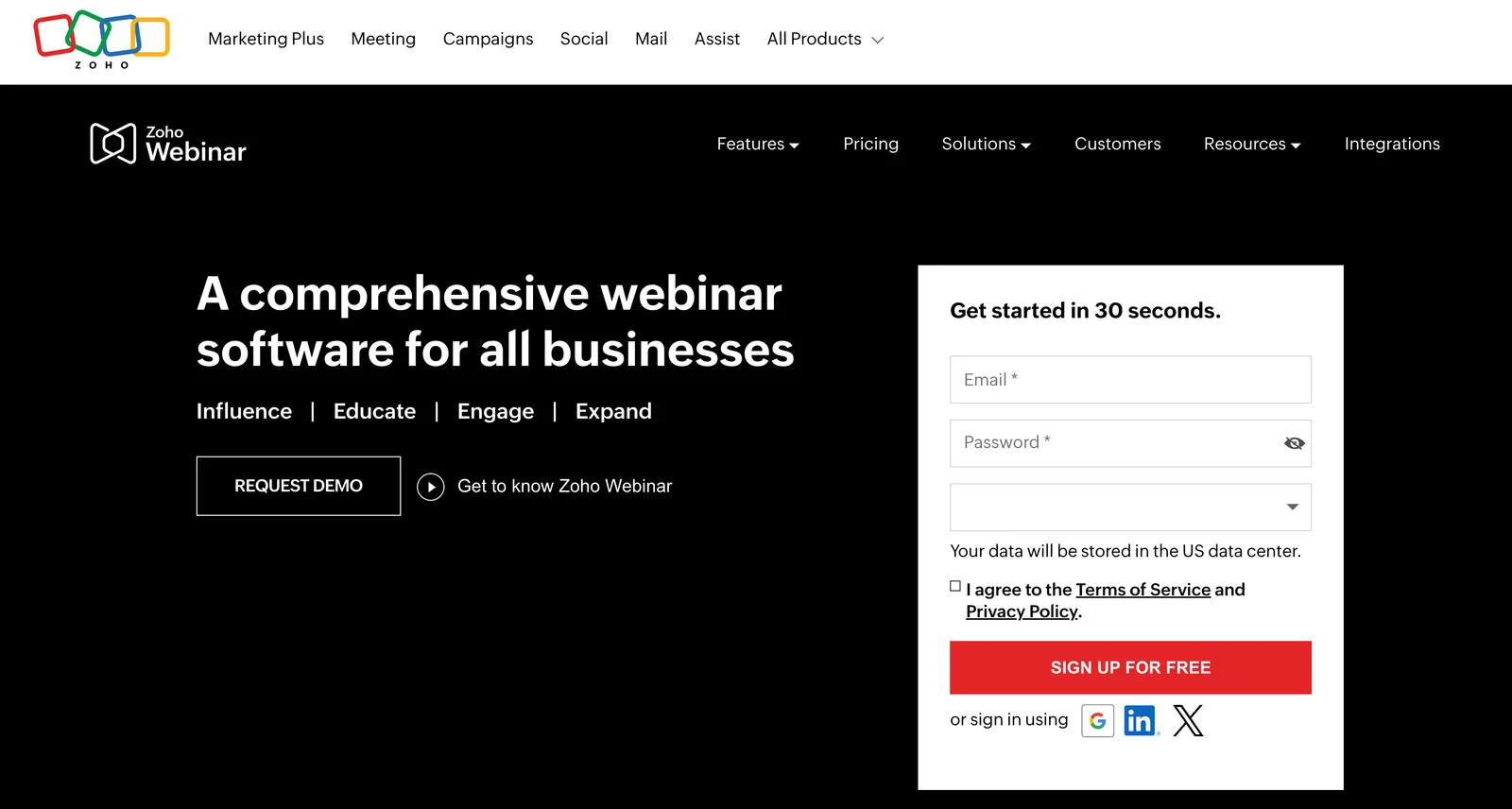
Zoho Webinar is part of the massive Zoho ecosystem — a suite of over 45 business applications covering CRM, email marketing, project management, accounting, and more. For teams already using Zoho products, the webinar platform integrates natively with the rest of their stack, making it an obvious choice for keeping everything under one roof.
The platform supports live, automated, and on-demand webinars, with a focus on simplicity and affordability. Zoho positions itself as an accessible option for small to mid-sized businesses that don't need enterprise-level complexity.
For marketers working within the Zoho ecosystem, a few things work well:
- Seamless data flow across Zoho apps: Webinar registrations automatically sync with Zoho CRM, email campaigns can be managed through Zoho Campaigns, and analytics tie into Zoho Analytics. If you're already managing campaigns in Zoho, this eliminates the need for double data entry.
- Straightforward pricing: Zoho's plans are significantly cheaper than those of many competitors, making it a viable option for teams with tight budgets or those just getting started with webinars.
- Mobile apps for hosts and attendees: Both iOS and Android apps are available, giving flexibility for on-the-go participation.
However, Zoho Webinar has notable limitations for marketing teams:
- Interactions are minimal. You get polls, Q&A, and chat during live sessions.
- Scheduling lacks flexibility. You can create recurring webinars or offer on-demand access, but combining multiple viewing options requires workarounds.
- Analytics are surface-level. The reporting covers basic metrics, such as attendance and registration rates, but you won't find detailed engagement heatmaps or drop-off analysis that help optimize content.
- Brand customization is limited. Registration pages and emails don't offer the level of customization that other platforms provide, which can be a problem for teams with strict brand guidelines.
Zoho Webinar works best for small marketing teams already embedded in the Zoho ecosystem who need a budget-friendly way to host occasional webinars. For teams prioritizing automation, advanced engagement, or detailed analytics, other platforms offer more robust toolkits.
Read more Zoho Webinar reviews here.
Features
- Live, automated, and on-demand webinar hosting
- Recording and replay capabilities
- Custom branding for registration pages and emails
- Engagement tools — chat, Q&A, polls, hand raising, reactions
- Multi-presenter support with screen sharing
- Scheduled webinars with recurring event options
- Automated email reminders and follow-ups
- Analytics dashboard tracking registrations, attendance, and engagement
- Integrations with Zoho CRM, Zoho Campaigns, and other Zoho apps
- Security features — password protection, waiting rooms
- Mobile apps for iOS and Android
- Multi-language support
Pricing
Zoho Webinars offers a free plan that offers basic features and supports up to 100 attendees. Then it provides three paid plans: Standard, Professional, and Enterprise. You have to opt for the Enterprise package to unlock on-demand webinars.
- The Standard plan costs between $9 and $89 per organizer per month and supports 25 to 1,000 attendees.
- The Professional plan costs between $19 and $360 per organizer per month and supports 25 to 3,000 attendees.
- The Enterprise plan costs between $79 and $549 per organizer per month and supports 500 to 5,000 attendees.
WebinarJam
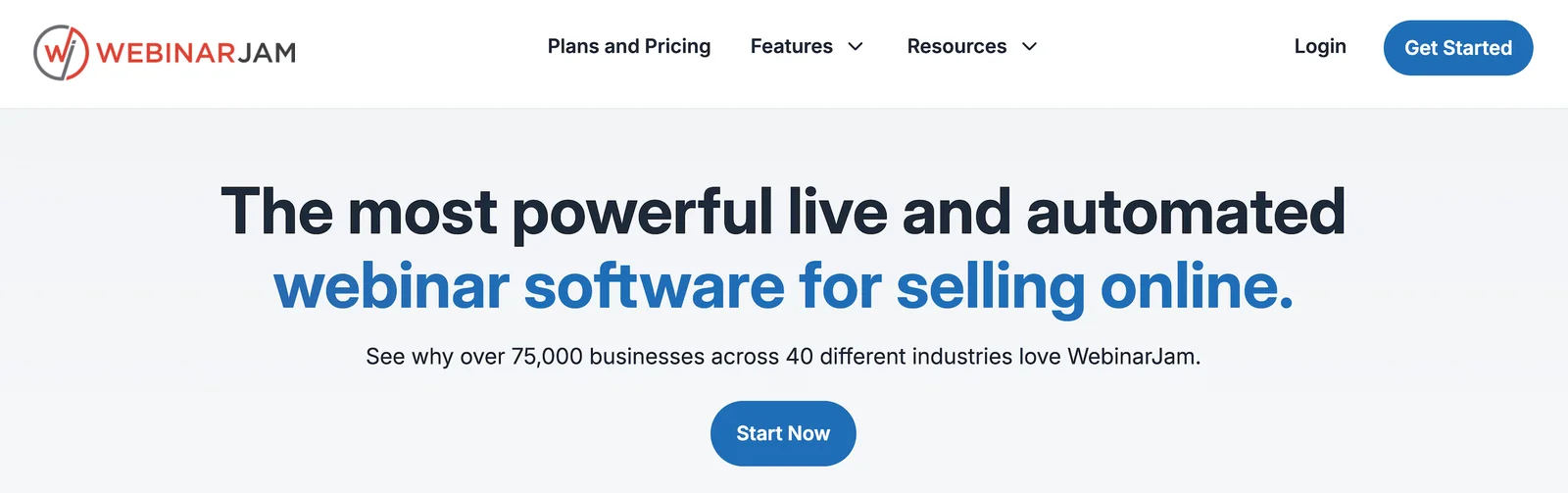
WebinarJam is a live webinar platform designed specifically for marketers, coaches, and entrepreneurs who run sales presentations and product launches. It's the sister product to EverWebinar (their automated webinar tool, below) — the same company owns both.
The platform is designed around one core idea: driving conversions during live events. WebinarJam packs in features designed to create urgency and capture sales in the moment — including countdown timers, live offer announcements, one-click purchase buttons, and real-time attendee notifications when someone makes a purchase.
For marketers running live launch events or flash sales, WebinarJam offers some notable capabilities:
- High attendee capacity: Plans support anywhere from 500 to 5,000 live attendees, making it viable for large-scale marketing events.
- Multiple presenters: You can have up to six people on camera simultaneously, which works well for panel discussions or interviews with guest experts.
- Engagement tools built for selling: Beyond standard polls and Q&A, you get features like instant offer buttons, payment integration with PayPal and Stripe, and the ability to display live purchase notifications to create social proof.
- Streaming to social platforms: You can simultaneously broadcast to YouTube and Facebook, extending your reach beyond registered attendees.
However, WebinarJam is strictly a live webinar platform — it doesn't support automated webinars at all. If you want automation, you'd need to purchase EverWebinar separately.
Other limitations to consider:
- No built-in registration pages. You'll need to use external landing page builders or integrate with tools like ClickFunnels to create registration pages.
- Limited CRM integrations. Most connections require Zapier, adding another layer of complexity and cost.
- Analytics are basic. You get attendance numbers and engagement metrics, but not the detailed insights that help optimize future webinars.
- Browser compatibility issues. Some users report technical glitches, depending on which browser they use, which can negatively impact the attendee experience.
WebinarJam is ideal for marketers who focus exclusively on live selling events and need high-capacity and conversion-focused features. For teams seeking to automate repetitive webinars or construct sophisticated marketing funnels, other platforms offer more advanced functionality.
Check out more WebinarJam reviews here.
Features
- Live webinar hosting for up to 5,000 attendees
- Multi-presenter support with up to six people on camera
- Screen sharing and presentation tools
- Streaming to YouTube and Facebook simultaneously
- Engagement tools — chat, polls, Q&A, offers, countdown timers
- One-click purchase buttons with PayPal and Stripe integration
- Live purchase notifications to create social proof
- Automated email reminders for registrants
- Recording and replay capabilities
- Basic analytics tracking attendance and engagement
- Integrations via Zapier for CRM and email marketing platforms
- Mobile-friendly attendee experience
- Whiteboard and annotation tools
Pricing
WebinarJam has four plans: Starter, Basic, Professional, and Enterprise.
- The Starter plan is $49/month and supports one host and 100 attendees.
- The Basic plan is $99/month and supports two hosts and 500 attendees.
- The Professional plan is $299/month and supports four hosts and 2,000 attendees.
- The Enterprise plan is $499/month and supports six hosts and 5,000 attendees.
EverWebinar
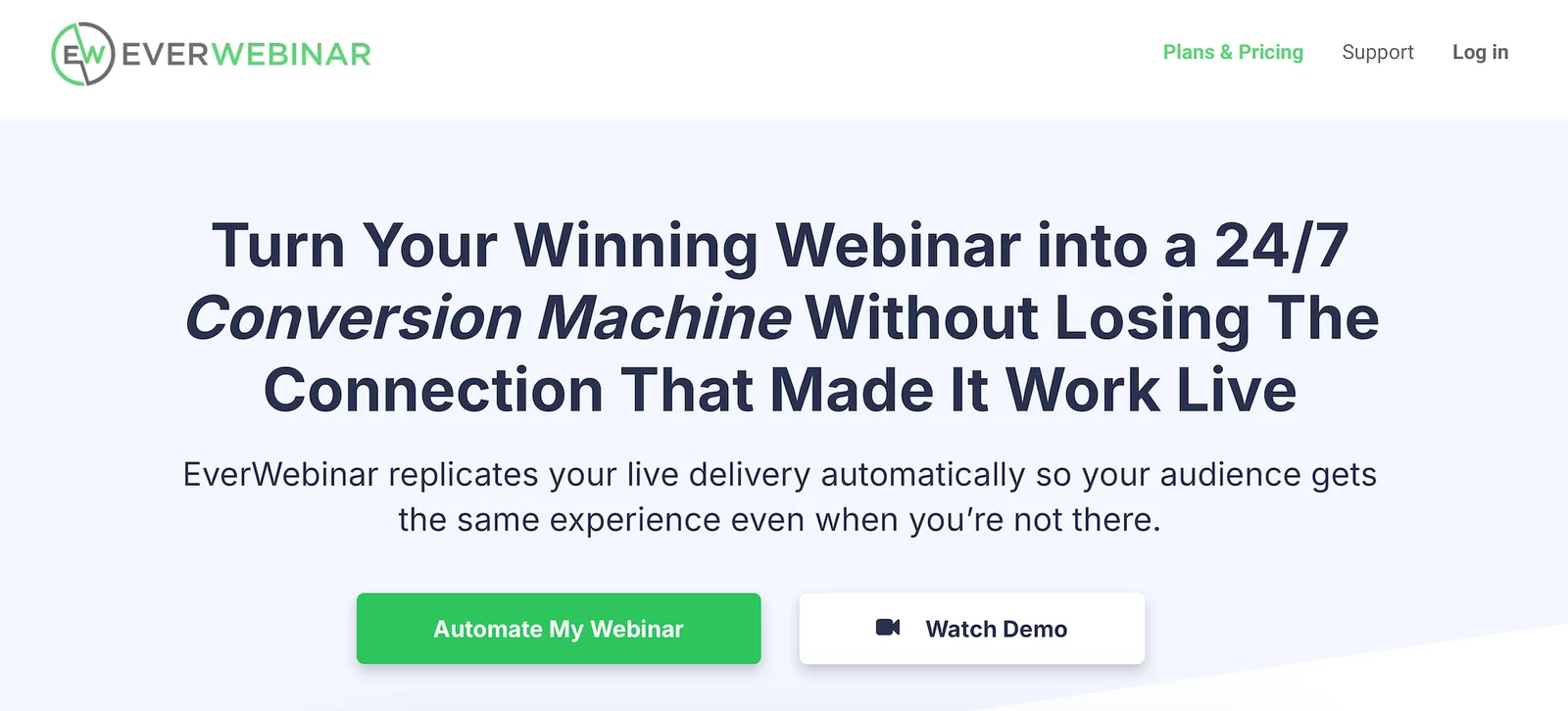
Now to EverWebinar — WebinarJam’s counterpart for automated webinars. EverWebinar lets you pre-record presentations and run them on autopilot with scheduled or on-demand sessions.
However, EverWebinar has earned a controversial reputation in the webinar space — and for good reason. The platform is built around features designed to deceive attendees into believing they're watching live events when, in fact, they are pre-recorded.
Here's what that looks like in practice:
- Fake "LIVE" indicators: The platform displays live badges on automated webinars to trick viewers into thinking the presentation is happening in real-time.
- Simulated attendee counts: EverWebinar shows fake attendee numbers that gradually increase throughout the session, creating the illusion of other people joining.
- Pre-programmed fake chat messages: Hosts can script chat comments that appear to come from other attendees — "Great point!" or "This is so helpful!" — even though no real people are writing them.
- Simulated engagement activity: Poll results can be fabricated to show false response data, and fake purchase notifications can appear, claiming "Sarah just bought!" when no actual transaction has occurred.
- Artificial scarcity tactics: Registration pages can display "limited spots remaining" warnings even when there's no actual capacity limit.
The problem? Modern consumers are savvy. When they realize they've been played — and many do — trust evaporates. For marketers seeking to build long-term customer relationships, this approach is fundamentally at odds with maintaining brand integrity.
EverWebinar offers legitimate automation features, including flexible scheduling (recurring, just-in-time, and on-demand), time zone adjustments, and integrations with email platforms and CRMs. However, these capabilities are available on other platforms without resorting to deceptive tactics.
For the marketing features that matter — engagement tools, analytics, CRM integration — EverWebinar delivers basics similar to competitors. The difference lies in the ethical framework: other platforms help you create genuinely engaging automated experiences, whereas EverWebinar's core design encourages deceit.
User reviews consistently warn against the platform's phony approach, with many noting that transparent automated webinars perform just as well (if not better) than fake live ones — without the risk of damaging your brand's credibility.
If you want to automate webinars effectively and authentically, there are better options that don't require lying to your audience.
Read EverWebinar reviews here.
Features
- Automated webinar scheduling with recurring, specific date, or just-in-time options
- Time zone adjustments for global audiences
- Replica Replay feature to convert WebinarJam live events into automated webinars
- Engagement tools, including real-time chat, polls, surveys, Q&A sessions, special offers, handouts, and clickable CTAs
- Countdown timers for offers
- Pre-scheduled chat messages and simulated attendee interaction
- Customizable, branded registration and thank you pages
- Email and SMS reminder notifications
- Integration with major email marketing platforms and CRMs via Zapier
- Analytics and reporting dashboards
- Payment integration with PayPal and Stripe for paid webinars
- Mobile-friendly experience
Pricing
EverWebinar offers three plans by billing cycle. Plans include access to all of EverWebinar’s features listed above.
- $99/month on the monthly plan
- $499/year on the annual plan
- $874 every two years on the biennial plan
Webex Webinars (by Cisco)
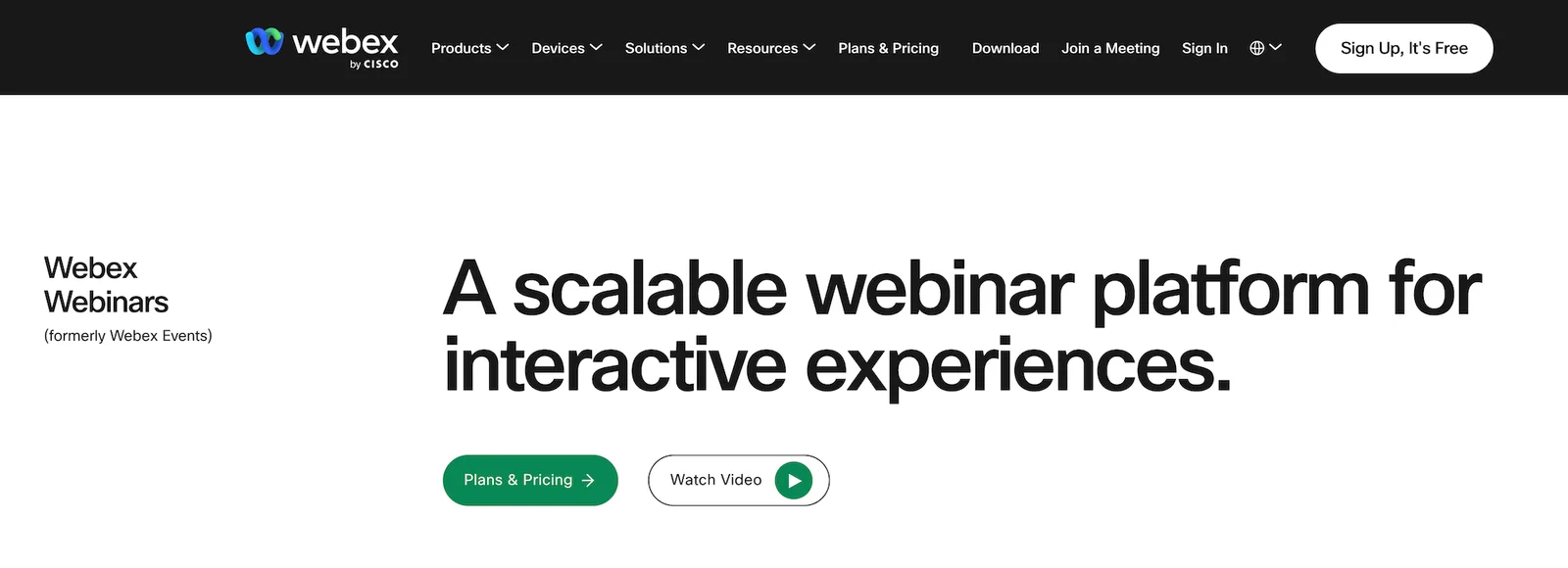
Webex Webinars (formerly Webex Events) is Cisco's enterprise webinar solution, part of the larger Webex collaboration suite that includes video conferencing, team messaging, and phone systems. For organizations already using Webex products, the webinar platform integrates automatically across the ecosystem.
The platform is built for scale. Webex Webinars supports events ranging from small team presentations to massive broadcasts with over 100,000 attendees. It handles live, automated, on-demand, and simulive sessions, with recording and automatic replay capabilities.
For enterprise marketing teams, Webex Webinars offers several advantages:
- Security and compliance that meet enterprise standards: The platform includes FedRAMP authorization, SOC 2 Type II certification, TLS encryption, GDPR compliance, and HIPAA/BAA support. For regulated industries or companies handling sensitive data, these certifications matter.
- Multi-presenter capabilities for complex events: Multiple hosts can present simultaneously, which works well for panel discussions, executive presentations, or multi-department launches.
- AI-powered post-event tools: Webex Assistant provides automatic transcription, notes, and highlights after webinars end, making it easier to repurpose content and follow up with key takeaways.
- Engagement tools designed for large audiences: Beyond standard chat, polls, and Q&A, you get features like emoji reactions, hand raising, event games, and even gesture recognition to keep large groups engaged.
- Global accessibility features: Real-time translation, closed captioning, screen reader support, and high-contrast modes ensure your webinars reach international and diverse audiences.
However, Webex Webinars comes with significant trade-offs:
- Pricing is steep. Plans start at $275 per user per month for up to 1,000 attendees. Costs climb rapidly as you scale to larger audiences, making it one of the most expensive options on this list.
- Complexity creates a learning curve. The platform offers extensive features and production controls, but that depth means more time training teams and troubleshooting technical issues.
- Overkill for basic automation needs. If your primary goal is automating repetitive marketing webinars, Webex's automated features — while functional — aren't significantly better than dedicated automation platforms that cost a fraction of the price.
Webex Webinars makes sense for large enterprises hosting events to massive audiences, particularly those already invested in the Webex ecosystem or operating in regulated industries. For mid-sized marketing teams focused on automation, the pricing and complexity don't justify the investment.
Check out more Webex Webinar reviews here.
Features
- Live, automated, on-demand, simulive, and hybrid webinar hosting
- Multi-presenter support with video and screen sharing
- Restreaming to social media platforms and RTMP destinations
- Custom branding — registration pages, email templates, event room customization, and virtual backgrounds
- Engagement tools — chat, live polling (native and Slido), Q&A, hand raising, emoji reactions, event games, and gesture recognition
- Breakout rooms
- Scheduling — one-time, recurring, just-in-time, and on-demand events
- Automated email sequences — registration confirmations, reminders, and follow-ups
- Analytics dashboards
- Integrations with CRM, marketing, and workflow tools (Salesforce, Eloqua, Webex Meetings)
- Security features — FedRAMP, SOC 2 Type II, TLS encryption, GDPR compliance, HIPAA/BAA, and role-based access controls
- Multi-language support, real-time translation, closed captioning, screen reader, high contrast modes, and dial-in options
- Webex Assistant — AI-powered transcription, notes, and highlights for post-event workflows
- Webcast mode for large-scale broadcast-style events
- (Some) advanced production controls — practice sessions, speaker pages, custom stage layouts
Pricing
Webex offers two packages here: Webex Webinars and Webex Events. For automated webinar capabilities, choose Webex Webinars (Events is for in-person, virtual/live, or hybrid events).
Then, pricing is by attendee capacity. The entry-level tier supports up to 1,000 attendees, but you can upgrade as needed to support over 10k attendees.
Pricing starts at $275 per user per month, but Webex occasionally offers sales or discounts, so you can join when pricing is low.
Getting Started with eWebinar
Webinars have become essential tools for modern marketing teams — but the way you run them matters.
Live webinars demand constant time and energy, limiting your reach and forcing you to choose between scaling your program or maintaining quality. Automated webinars solve this problem by letting you create once and deliver consistently, reaching global audiences without burning out your team.
However, not all automated platforms are created equal. Many force you to choose between chat and email conversations, offer limited interactions, or lack the scheduling flexibility to truly accommodate all time zones and buyer preferences.
That's why we built eWebinar differently. Our platform gives you the largest collection of interactions to keep audiences engaged, asynchronous chat so you never miss a conversation, flexible scheduling that combines recurring events with on-demand viewing, and detailed analytics that show you exactly what's working.
For marketing teams serious about scaling webinar programs without sacrificing engagement or quality leads, eWebinar delivers what other platforms can't.
Ready to see the difference? Join our free demo to experience eWebinar firsthand and discover how automated webinars can transform your marketing strategy.