Quick Summary
Ten evergreen webinar platforms compared across chat, interactions, scheduling, and pricing. The right choice depends on whether your audience needs real conversation or just reliable delivery.
Our top three picks:
| # | Platform | Best For |
| 1 | eWebinar | Customer Success and training teams |
| 2 | EverWebinar | WebinarJam users |
| 3 | EasyWebinar | Hybrid funnels |
What Evergreen Webinar Software Actually Does
Evergreen webinar software lets you turn your best presentations into long-term assets that work for you around the clock — no live hosting required. Record once, and your webinars run automatically for as long as it stays relevant.
Companies use them for everything from product demos and sales presentations to customer onboarding and employee training. You’re able to scale those experiences without scaling your team.
If you’re looking for the right platform to make that happen, we’ve put together a list of the 10 best evergreen webinar software platforms.
Why Listen to Us?
We built eWebinar after realizing that every existing evergreen webinar tool was making the same trade-off: scale the delivery, sacrifice the experience. The “webinar” was just a static recording with a registration page in front of it, “chat” was just an email input box, leaving questions from attendees unanswered. We built something different.
We didn’t just build eWebinar, we staked our own revenue on it. Every prospect who wants to see the product experiences it through eWebinar before they ever speak to our team.
Here’s how one of our customers describes the impact:
“We delivered 1,000 hours of webinars in a year and went from 30% attendance on Zoom to 60–70% on eWebinar. We were more available to answer chats because we weren’t presenting live.”
— Dusty Jostes, FlexMLS
Our experience and six years of watching what works and what doesn’t is what shaped every pick on this list.
Our Top 10 Evergreen Webinar Software: 2026 Comparison Table
| # | Tool | Best For | Real Async Chat? | Interactivity Level | Scheduling Flexibility | Starting Price |
| 1 | eWebinar | Customer Success & Sales | Yes (Native 2-way) | Very High (25+ types) | High | From $99/mo |
| 2 | EverWebinar | High-Volume Marketing | No (Simulated) | Medium | High | $199/yr |
| 3 | EasyWebinar | Hybrid Funnels | No | Medium | High | $44/mo |
| 4 | Demio | Ease of Use (SMBs) | No (Email-based) | Medium | Medium | $504/yr |
| 5 | WebinarKit | Budget / Small Creators | No (AI Seller) | Low | High | $67/mo |
| 6 | Livestorm | Modern Experience | No | Medium | Medium | $1056/yr |
| 7 | BigMarker | Enterprise / Hybrid | No | High | High | $99/mo |
| 8 | StealthSeminar | Direct Response | No (Simulated) | Medium | High | $69/mo |
| 9 | ProProfs WebinarNinja | Coaches & Trainers | No | Medium | Medium | $0.60 /attendee /mo |
| 10 | GoToWebinar | Corporate Reliability | No | Low | Low | $59/mo |
1. eWebinar
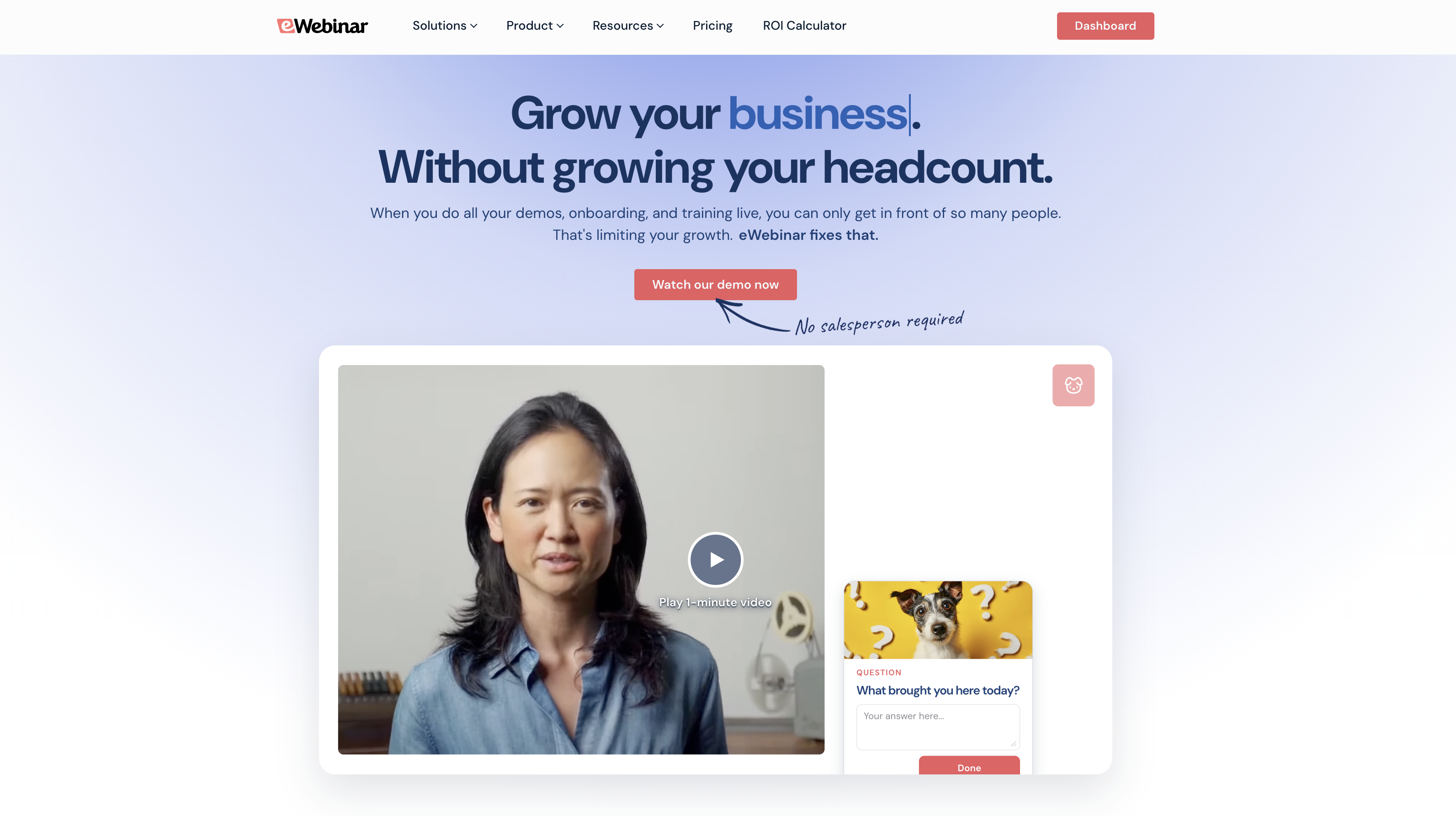
eWebinar is an on-demand webinar platform with real two-way chat . Record your demo, onboarding, or training session once, and that is the version every attendee gets on their own schedule. The same interactions and chat work seamlessly whether someone joins at 9 AM on a Tuesday or midnight on a Sunday.
Our average on-demand attendance rate is 83%. The live webinar average sits at 40%. That gap is what happens when your audience can show up whenever they want, and when their interest is high, instead of whenever your calendar allows.
Key Features:
- Async chat: The only platform in this category that built real two-way chat. When attendees message during a session, moderators can reply live or follow up later via email. Every question gets a real answer. No pre-scripted messages. No fake simulation.
- 25+ interaction types: Pre-program polls, quizzes, CTAs, special offers, contact forms, and more on a timeline to fire automatically at exactly the right moment during every session..
- Flexible scheduling: On-demand, just-in-time, recurring sessions, and instant replays, all enabled simultaneously on the same webinar. More viewing options means fewer barriers and higher attendance.
- Webinar Series: Sequence multiple webinars into a full onboarding or training journey, with minimum watch times, quizzes, action items, and completion certificates built in.
- Analytics and heatmaps: See exactly when attendees dropped off, which interactions they engaged with, and how each session performed at a per-attendee level.
You can explore the full range of interactions you can add to webinars here.
Pros:
- Real two-way async chat. The only platform in the category that built it properly
- 85% average on-demand attendance vs. 40% live average
- 25+ interaction types (more than any competitor)
- Webinar Series for structured multi-session onboarding and training
- No fake chat, no fake attendee counts. Built for brand-conscious teams
- 4.9-star rating across review sites
Cons:
- Not built for live webinars. Dedicated live tools do that better
- $99/month entry point is higher than budget alternatives
Capterra Rating:
⭐ 4.9
Pricing:
- Level 1 ($99/month) — 1 active webinar, 1k registrants/month
- Level 2 ($199/month) — 5 active webinars, 3k registrants/month
- Level 3 ($299/month) — 15 active webinars, 5k registrants/month
14-day free trial.
See how eWebinar works by joining our on-demand demo here.
2. EverWebinar
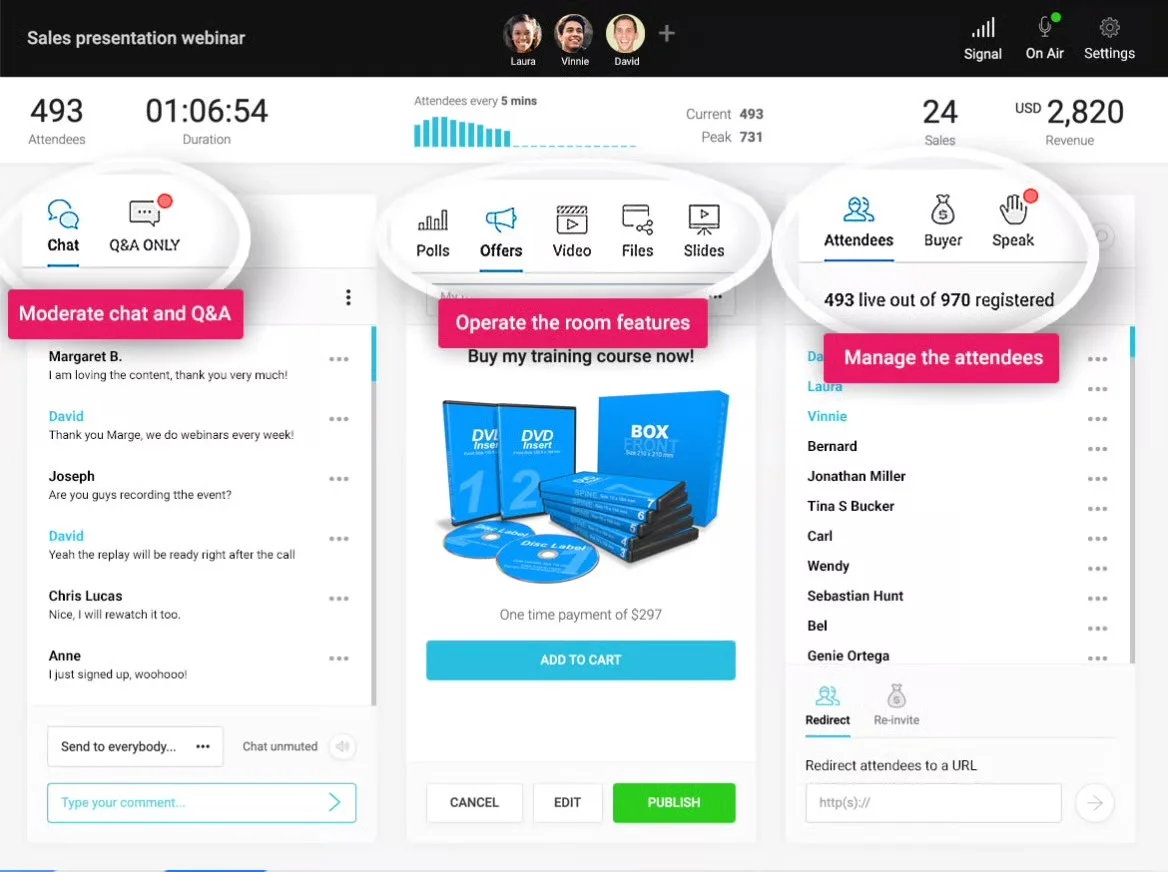
EverWebinar is another well-known name in the automated webinar space because — like eWebinar — it's built specifically for evergreen webinars (which means you're not dealing with a platform that bolted automation onto a live webinar tool).
If you're already using WebinarJam for live events, EverWebinar is its automated counterpart from the same company (Genesis Digital), and the two integrate directly — including a Replica Replay feature that lets you convert a WebinarJam live session into an automated webinar with one click.
Key Features:
- Replica Replay for converting WebinarJam live sessions into automated webinars
- On-demand, just-in-time, and recurring scheduling with automatic time zone adjustments
- Engagement tools, including polls, surveys, Q&A, offers, handouts, and clickable CTAs
- Countdown timers for limited-time offers
- Simulated chat with pre-scheduled messages
Pros:
- Solid scheduling flexibility. On-demand, just-in-time, and recurring simultaneously
- Seamless WebinarJam integration with Replica Replay
- It is purpose-built for evergreen webinars, not a live tool with automation bolted on
Cons:
- Chat is entirely simulated. Pre-scripted fake messages, not real attendee conversations
- $199/month on monthly billing is expensive relative to the feature set
G2 Rating
⭐ 3.9
Pricing:
$199/month | $1,188/year | $1,896 every two years
3. EasyWebinar
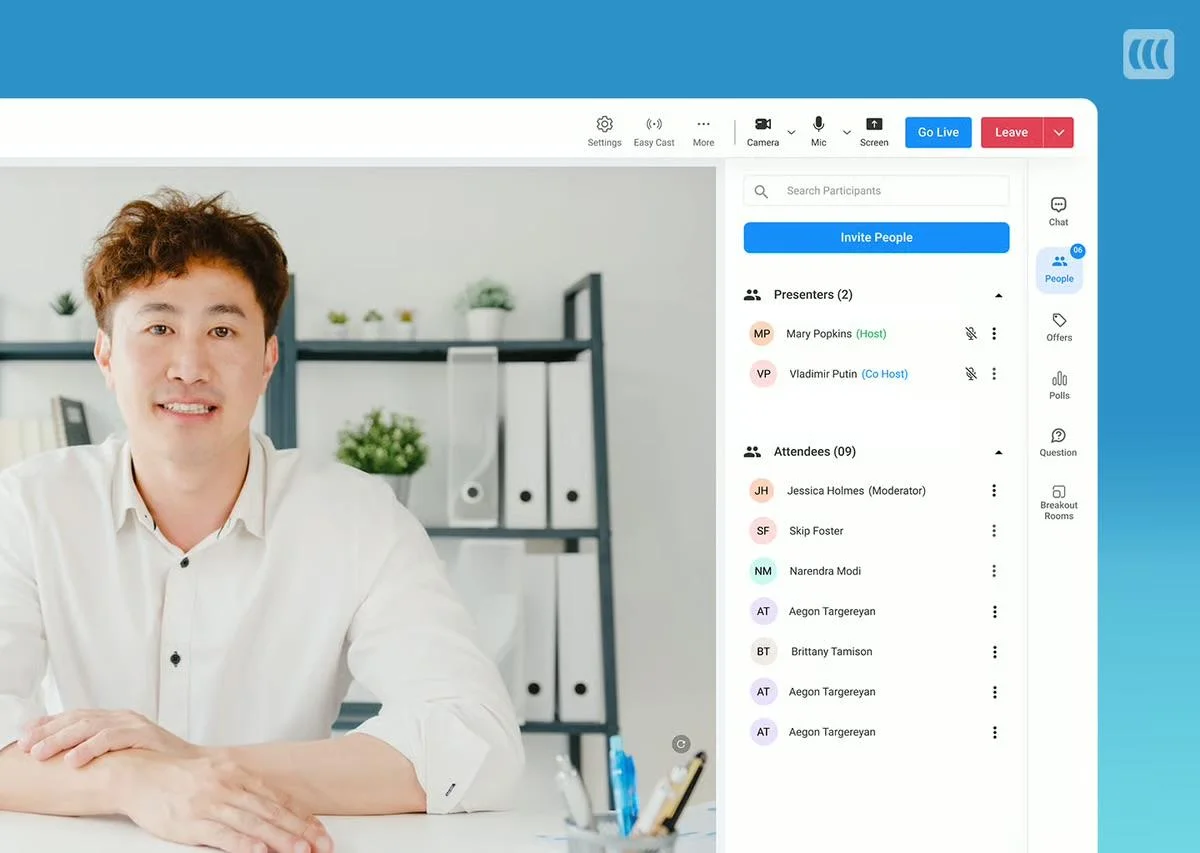
EasyWebinar covers both live and automated webinars under one roof, making it a good fit for teams splitting time between live events and evergreen content. EasyCast lets you simulcast to YouTube Live and Facebook Live simultaneously.
Where it falls short is chat as attendees can only leave messages via a contact box during automated sessions, with replies happening outside the platform.
Key Features:
- Live and automated webinar hosting under one roof
- EasyCast for simultaneous YouTube Live and Facebook Live streaming
- On-demand, just-in-time, and recurring scheduling with automatic time zone adjustments
- Behavior-based email segmentation and automated follow-up sequences
- CRM integrations with HubSpot, Mailchimp, and ActiveCampaign
Pros:
- Live and automated under one roof which is a good fit for teams running both
- EasyCast for simultaneous YouTube Live and Facebook Live streaming
- Strong CRM and marketing automation integrations
Cons:
- No live chat during automated sessions. Contact box only
- Automated features require Pro plan ($116/mo+)
- Manual timestamp entry for interactions. No visual timeline editor
G2 Rating
⭐ 4.4
Pricing:
From $44/month (limited) | Full plans from $116/month | Enterprise custom
4. Demio
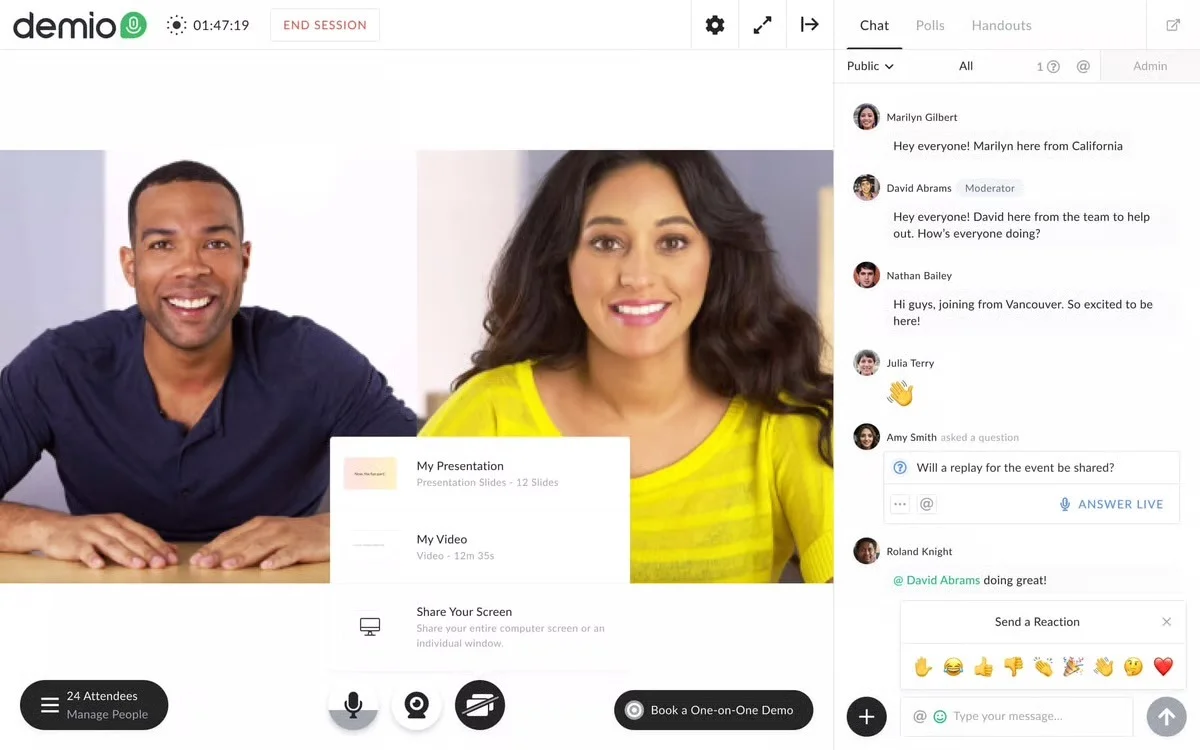
Demio started as a live webinar platform and added automation later. The interface is clean and modern, setup is fast, and CRM integrations are strong.
But scheduling and chat create a real problem: you can’t combine live chat with on-demand scheduling on the same webinar. Someone has to monitor every session or chat is turned off entirely.
Key Features:
- Live, automated, and on-demand webinar hosting
- Real-time chat, public and private messaging, emoji reactions
- Polls, Q&A, offers, links, and CTAs
- Automated email reminders and follow-up sequences
- Integrations with HubSpot, Marketo, and ActiveCampaign
Pros:
- Clean, modern UI
- Fast setup. Teams can launch in under an hour
- Strong CRM integrations, including HubSpot, Marketo, ActiveCampaign
Cons:
- Can’t combine live chat with on-demand scheduling on the same webinar
- No async chat. Someone must monitor every session or chat is off
- Automation is limited, as it is a live-first product at heart
Capterra Rating:
⭐ 4.7
Pricing:
From $504/year (limited) | Full plans from $900/year | Enterprise custom
5. WebinarKit

WebinarKit has gained traction fast among marketers and course creators who want an automated-first platform without enterprise-level prices. The feature set is solid: flexible scheduling, unlimited attendees, AI copy tools, and split testing for registration pages.
However, engagement is strictly artificial, as the platform uses a pre-programmed timeline of fake messages rather than allowing for the real-time conversations necessary to build trust with prospects.
Key Features:
- On-demand, just-in-time, recurring, and instant-watch scheduling
- Unlimited attendees on all plans
- AI-powered tools for webinar titles and funnel copy
- Split testing for registration pages and webinar funnels
- Built-in video hosting
Pros:
- Affordable entry point at $67/month for the standard plan
- Unlimited attendees on all plans
- AI copy tools and split testing at a price point that competitors don’t match
Cons:
- Simulated chat only. No real attendee conversations
- Standard plan lacks polls, handouts, and registration page templates
- UI quality noticeably below average and is flagged repeatedly in reviews
G2 Rating
⭐ 4.7
Pricing:
Standard ($67/month) | Pro ($97/month) | Lifetime ($1,997 one-time)
6. Livestorm
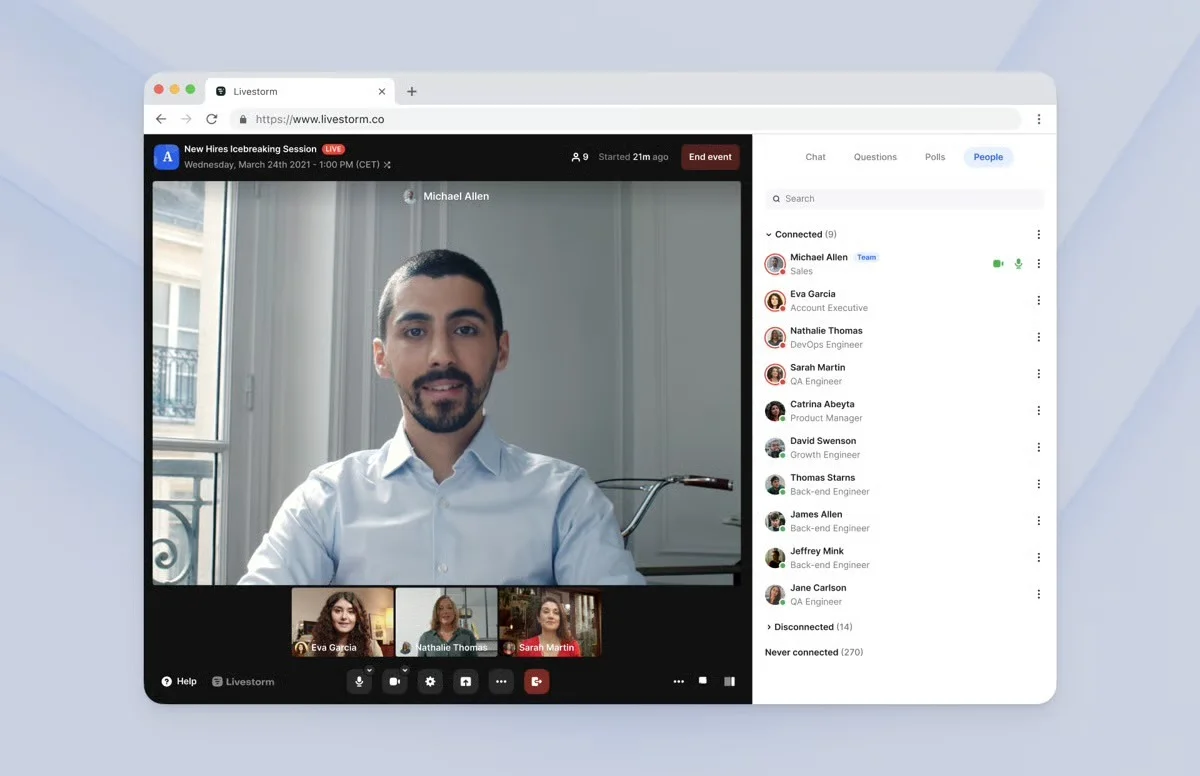
Livestorm is popular among B2B teams for its clean interface, browser-based access, and strong CRM integrations. It supports live, automated, on-demand, and hybrid webinars.
For evergreen use cases, the tool falls short due to rigid scheduling limitations and a lack of automated interaction triggers. Without a live moderator present, asynchronous chat is unavailable, making the experience feel static rather than automated.
Key Features:
- Live, automated, on-demand, and hybrid webinar hosting
- Multi-presenter support with screen sharing and restreaming to YouTube and Facebook
- Engagement tools, including chat, polls, Q&A, file sharing, and CTAs
- Automated email sequences with confirmations, reminders, and follow-ups
- Integrations with Salesforce, HubSpot, Marketo, and Zapier
Pros:
- Fully browser-based. No downloads for hosts or attendees
- Strong B2B integrations — Salesforce, HubSpot, Marketo
- Clean, modern interface with solid live event features
Cons:
- No async chat, meaning it requires a live moderator, or chat is off
- Interactions must be manually triggered during sessions
- Per-attendee pricing scales quickly for high-volume programs
G2 Rating
⭐ 4.4
Pricing:
From $1,056/year (limited) | Full plans from ~$2,988/year | Enterprise custom
7. BigMarker
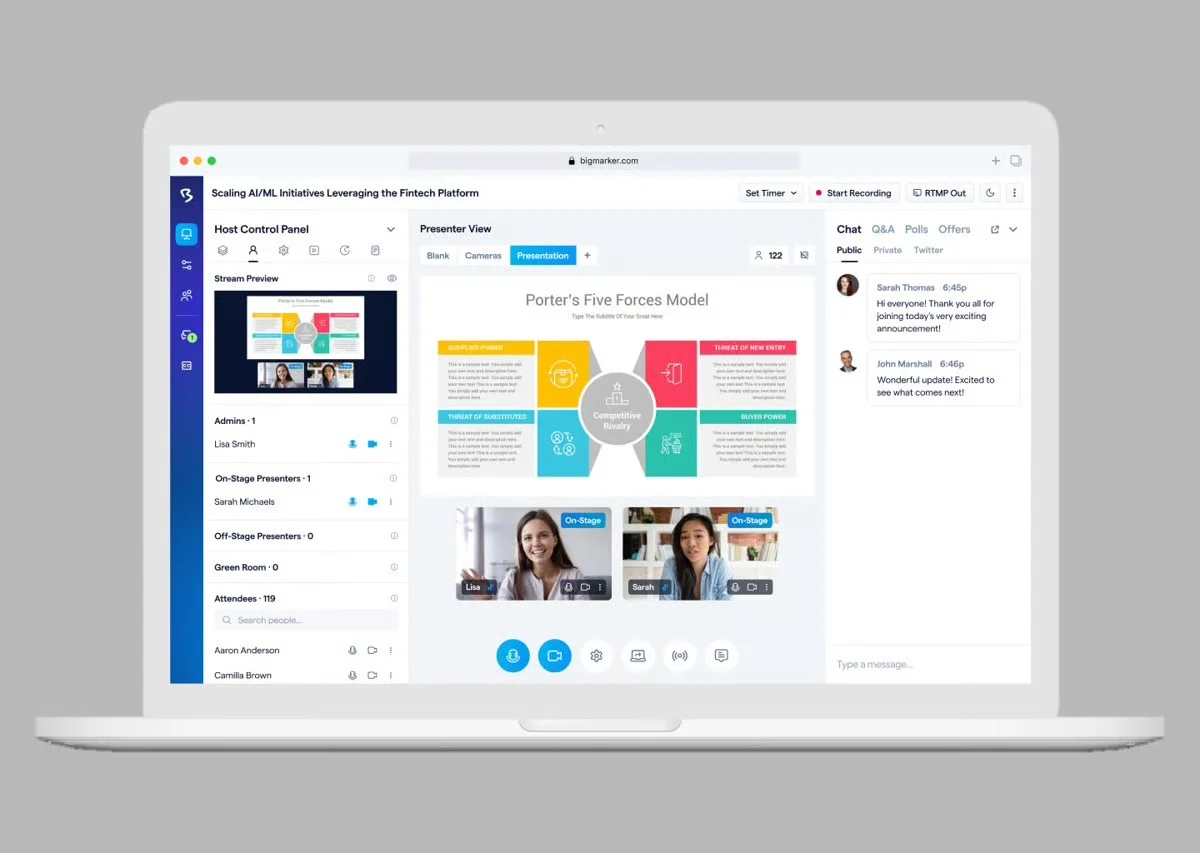
BigMarker is a robust enterprise solution built for massive virtual summits and multi-day conferences reaching up to 500,000 attendees. Its deep feature set prioritizes security and scale, offering SOC 2 compliance, white-labeling, and advanced tools like ticketing and breakout rooms.
For evergreen webinars specifically, the on-demand format is essentially a gated recording with no interactions or chat, making it a poor fit for teams prioritizing attendee engagement.
Key Features:
- Live, automated, on-demand, and hybrid webinar hosting
- White-labeling, SOC 2 Type 2 certification, and role-based permissions
- Breakout rooms, roundtables, and virtual lobbies
- Ticketing and payment processing for paid webinars
- Integrations with CRM, marketing tools, Zapier, and direct API access
Pros:
- Enterprise-grade features, including white-labeling, SOC 2, ticket, and roundtables
- Supports up to 500k attendees for large-scale events
- Deep integration support via Zapier and direct API access
Cons:
- No public pricing. Custom quotes only, typically enterprise-level
- Better suited for large live events than true evergreen programs
G2 Rating
⭐ 4.7
Pricing:
From $99/month (limited) | Full plans from ~$299/month | Enterprise custom
8. StealthSeminar
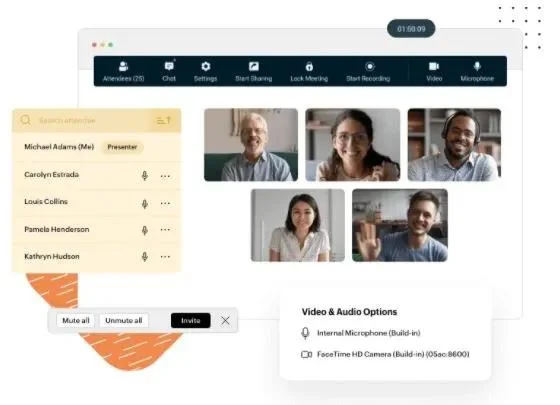
StealthSeminar is one of the older names in the evergreen webinar space — reliable, straightforward, and popular with marketers running paid ad campaigns to webinar funnels. Split testing for registration pages and a custom HTML interaction builder are genuine differentiators.
Like EverWebinar and WebinarKit, chat is entirely simulated, and the low attendee caps on entry-level plans push most teams to pricier tiers quickly.
Key Features:
- On-demand, just-in-time, and recurring scheduling with time zone adjustments
- Split testing for registration pages and webinar funnels
- Custom HTML interaction builder with WYSIWYG editor
- Engagement tools, including polls, surveys, Q&A, offers, handouts, and CTAs
- Simulated chat with pre-scripted messages
Pros:
- Strong split testing for registration pages and webinar funnels
- Custom HTML interaction builder. More design flexibility than most
- Long track record makes it reliable and established in the category
Cons:
- Simulated chat only. No real attendee conversations
- Starter and Pro plans cap at 100 attendees, forcing early upgrades
- Some integrations carry additional fees
G2 Rating
⭐ 3.6
Pricing:
Starter ($69.95/month) | Professional ($99.95/month) | Growth ($175–$280/month) | Plus (custom)
9. ProProfs WebinarNinja
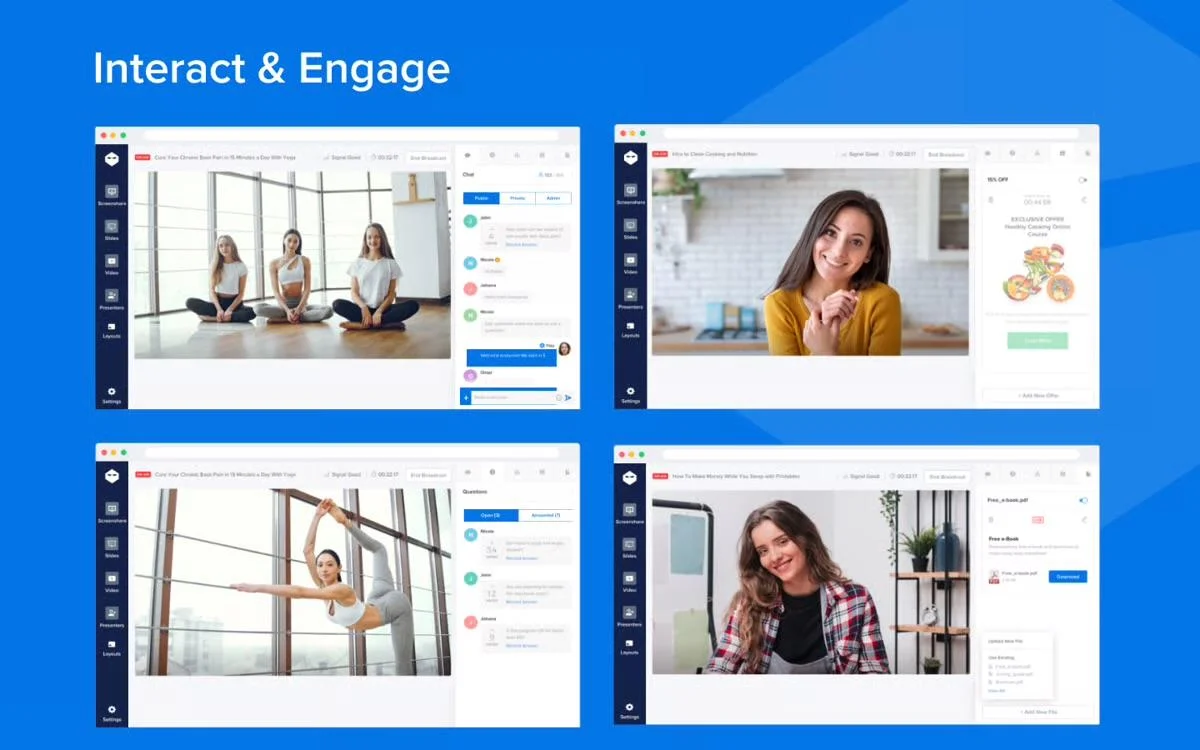
ProProfs WebinarNinja is designed for educators, coaches, and course creators who want a clean, simple platform with minimal setup time. Per-attendee pricing keeps costs low at smaller volumes and all features are included on every plan.
The primary limitation for evergreen use: chat is only available during live sessions. Automated webinar attendees get a question submission box rather than real conversation.
Key Features:
- Automated and on-demand webinar hosting with unlimited automated attendees
- Polls, Q&A with upvoting, sales offers, handouts, and emoji reactions
- Fully branded registration and thank-you pages
- Automated email sequences for reminders, follow-ups, and thank-yous
- Stripe integration for paid webinars
Pros:
- Simple, fast to set up with minimal learning curve
- Per-attendee pricing is cost-effective at lower volumes
- No feature gating as all features are included on every plan
Cons:
- No chat during automated webinars. Question submission box only
- Per-attendee pricing becomes expensive at scale
- Limited scheduling flexibility compared to automated-first platforms
Capterra Rating:
⭐ 4.2
Pricing:
From $0.60/attendee/mo (limited) | Full plans from $99/month | Enterprise custom
10. GoTo Webinar
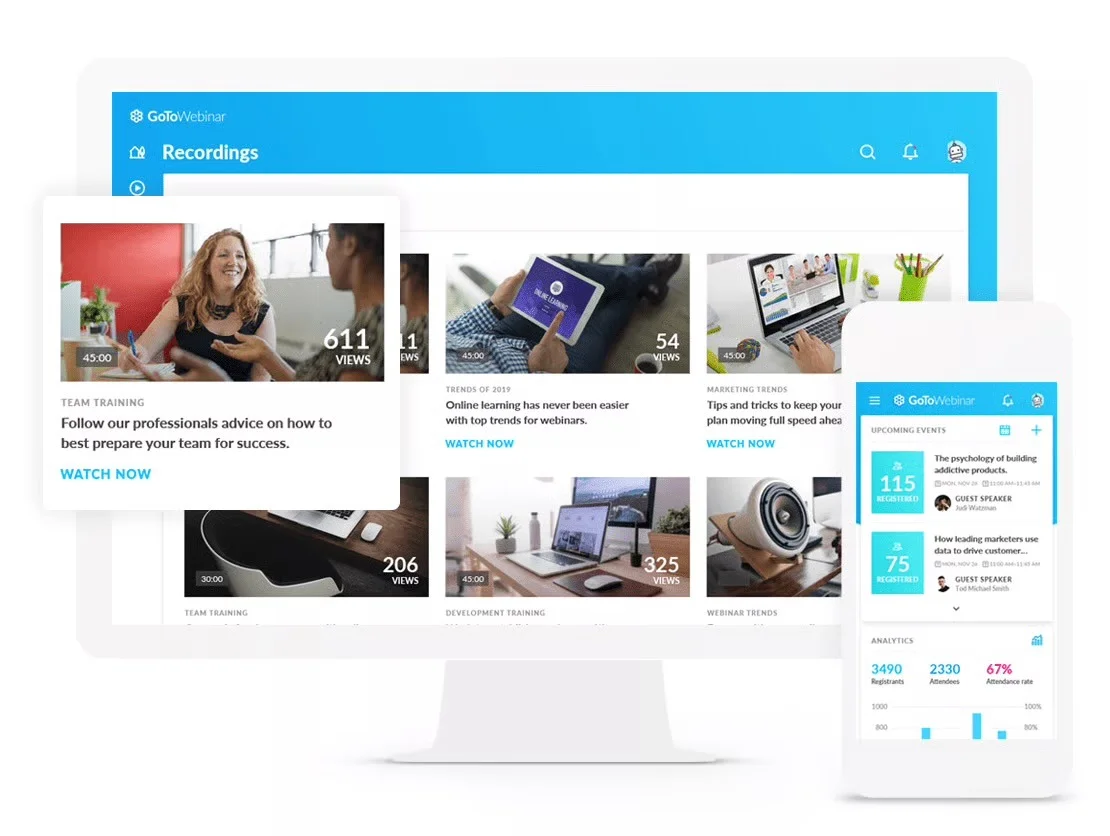
GoTo Webinar is one of the most recognizable names in the webinar space and has been around since the earliest days of online events. It’s primarily a live webinar platform. Evergreen and on-demand capabilities exist but aren’t the core focus.
For teams predominantly running live events who want some evergreen functionality on the side, the enterprise-grade security, strong CRM integrations, and GoToStage on-demand hub make it a viable option.
Key Features:
- Live, automated, and on-demand webinar hosting
- GoToStage: A built-in on-demand hub for published recordings
- Enterprise security with end-to-end encryption, GDPR compliance, SSO
- Engagement tools, including chat, Q&A, polls, handouts, and surveys
- Integrations with Salesforce, HubSpot, and Marketo
Pros:
- Enterprise-grade security with end-to-end encryption, GDPR compliance, SSO
- Strong CRM integrations — Salesforce, HubSpot, Marketo
- GoToStage provides a built-in on-demand hosting hub
Cons:
- Primarily a live webinar platform. Automation is an afterthought
- No async chat
- Expensive relative to what you get for evergreen use cases
Capterra Rating:
⭐ 4.5
Pricing:
From $59/month (limited) | Full plans from $129/month | Enterprise custom
How to Choose the Right Evergreen Webinar Software
The decision comes down to one thing: do your attendees need to reach a real person during the session?
If that matters, it's worth knowing how each platform handles it. EverWebinar, WebinarKit, and StealthSeminar use simulated chat. EasyWebinar routes messages through a contact box. Demio and Livestorm require a live moderator for every session. eWebinar is the only platform where attendees get genuine two-way chat without anyone needing to be present. Moderators can respond in real-time or later through email
If real conversation isn't a priority, the choice gets simpler. Narrow by use case:
- Already on WebinarJam? EverWebinar's Replica Replay makes migration instant
- Need live and automated together? EasyWebinar handles both
- Tight budget? WebinarKit at $67/month covers the basics
- Enterprise security requirements? BigMarker or GoTo Webinar
- Simplest setup? WebinarNinja or Demio
- White-labeling and SOC 2? BigMarker
If your team delivers demos, onboarding, or training on repeat and wants every attendee to get the same quality experience with real answers, eWebinar is built for exactly that. Watch a demo and see it for yourself.
FAQs
What is evergreen webinar software?
Evergreen webinar software lets you record a presentation once and make it available automatically on a recurring schedule, on demand, or both, without a live host required.
What's the difference between evergreen, automated, and on-demand webinars?
These terms are used interchangeably. "Automated" refers to how the webinar runs. "Evergreen" refers to the content staying relevant over time. "On-demand" refers to the viewing format. A well-built evergreen webinar is all three at once. If you want a deeper breakdown, this guide to different webinar formats explains how each approach works in practice.
What are the key features to look for in evergreen webinar software?
- Chat: Look for a platform that lets you reply live when available and asynchronously when not.
- Interactions: Polls, quizzes, hotspots, tips and CTAs that fire automatically throughout the presentation.
- Scheduling: Recurring, just-in-time, on-demand, and instant replays simultaneously.
- Analytics: Registration rates, attendance, watch time, engagement, and heatmaps.
Are automated webinars as effective as live webinars?
Yes. And in many ways, they perform better because people can watch when they actually have free time without being forced onto the presenter's schedule. That's why attendance rates, engagement rates, and watch times are all higher than live. Every interaction fires exactly when you want it to keep attendees interested until the end. Attendees tune in at their peak moment of interest, and hosts aren't juggling presenting and moderating simultaneously. The main thing that makes automated webinars fall flat is platforms that treat them as passive recordings.
Isn't it better to use a platform that does both live and automated?
It sounds appealing to have one solution that does it all, but live and automated webinars are fundamentally different products, and no single platform can do both well. Live-first platforms like Zoom are built around streaming, so when they add an "automated" feature, it's an afterthought: a video on a landing page or a simulive experience that still requires someone to be there.
Automated-first platforms like eWebinar are built around a completely different experience, where the attendee watches on their own schedule, engages with the video, and connects with a host through async chat, with no live presenter required.
Most teams use both: a live tool for the one-of-a-kind conversations that need to happen in real time, and eWebinar for the repeatable content they'd love to deliver more of but simply can't do live every time for everyone.
You don't have to choose one or the other. You just need the right tool for each job.
What's the best evergreen webinar software for sales demos?
For sales demos, you need async chat so prospects can ask questions without anyone being present, interactions and CTAs to drop a call booking link at exactly the right moment, and just-in-time and on-demand scheduling so prospects can watch the moment interest is highest. eWebinar is built for exactly this use case.
Our sales use cases break down exactly how teams use evergreen webinars to drive pipeline.
Curious to see how eWebinar can help run your demos, onboarding, and training sessions on autopilot?
Watch a one-minute explainer video for a quick overview of the eWebinar platform. Or, better yet, join our on-demand demo to learn more!