Your eWebinar just got a lot more valuable for your attendees.
Now, while watching any session, attendees can bookmark key moments and add their own notes. After the session, they get an AI-powered, personalized summary page they can revisit anytime, turning your eWebinar into an evergreen resource they'll actually want to come back to.
This is available to all customers at no extra cost — it's already there, so your attendees are already benefiting from it.
Why this matters
- Your eWebinar becomes a lasting resource, not a one-time watch. Attendees can save the moments that matter most and return to them whenever they need by clicking the timestamp.
- Every attendee gets a personalized experience. Their summary page includes only their bookmarks, their notes, and their responses to polls, quizzes, and other interactions.
- AI does the heavy lifting. Even if an attendee doesn't bookmark a single thing, they still get an AI-generated summary with key takeaways, action items, and the most important moments — in whatever language the session was in.
- Attendees stay engaged longer. When people know they can save and revisit what they're watching, they pay closer attention and interact more.
See it in action
Read the help article on summaries.
What your attendees see
After a session, attendees receive a "View your summary and highlights" link in their follow-up email. It takes them to a personalized summary page that includes:
- AI-generated summary with key takeaways, what they learned, and action items
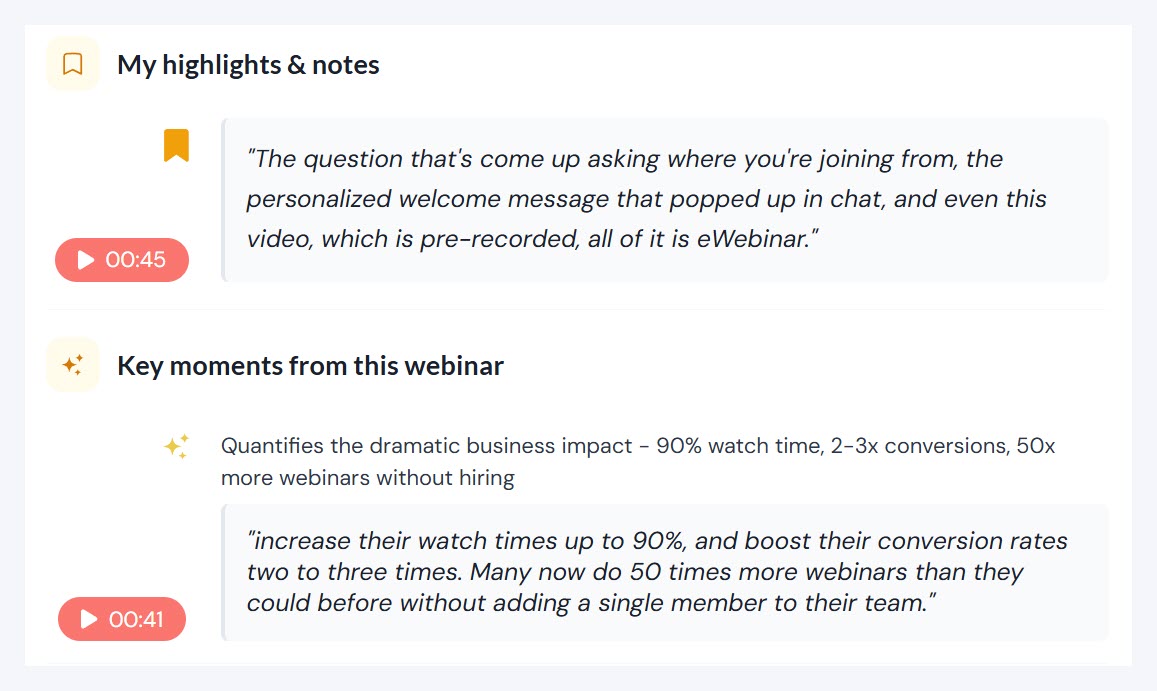
- My highlights & notes with every moment they bookmarked and any notes they wrote, each with a timestamp and a snippet of the transcript they can click to jump right back to that part of the replay
- Key moments from this eWebinar where AI identifies the most important segments worth revisiting
- My responses showing all the polls, quizzes, and interactions they participated in
How it works during a session
While watching, attendees will see a bookmark button in the video controls. Tapping it drops a bookmark at that exact moment and opens a note panel where they can jot down a thought. Notes are optional — the bookmark saves either way.
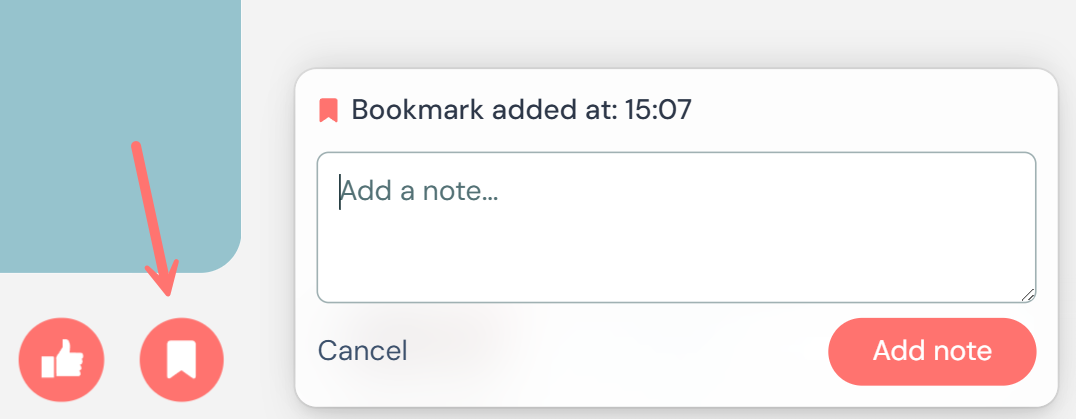
That's it. Bookmark, note, done. They can do this as many times as they want throughout the session, and even add more notes after the session by revisiting their summary page.
Bonus: If your attendees have been using the 👍 like button during sessions, those likes now show up on their summary page too, each one marking a moment they can jump back to. It's like a lightweight bookmark they were already making without realizing it.
Nothing to set up on your end
This is already live for all of your published eWebinars. Your attendees already have access to bookmarks, notes, and their personalized summary — there's nothing to configure.
For a closer look at how each part works, check out the help article.