We're thrilled to announce the arrival of the Universal Dashboard!
The Universal Dashboard is a subscription add-on that includes:
- Universal Analytics: Run comparative analytics across all – or any combination of – your webinars.
- Universal Registrant List: Gain access to a master list of unique registrants (by email address) from all of your webinars combined.
- Universal Registrant Record: Pull up any registrant to see all of their info and webinar activity in one place.
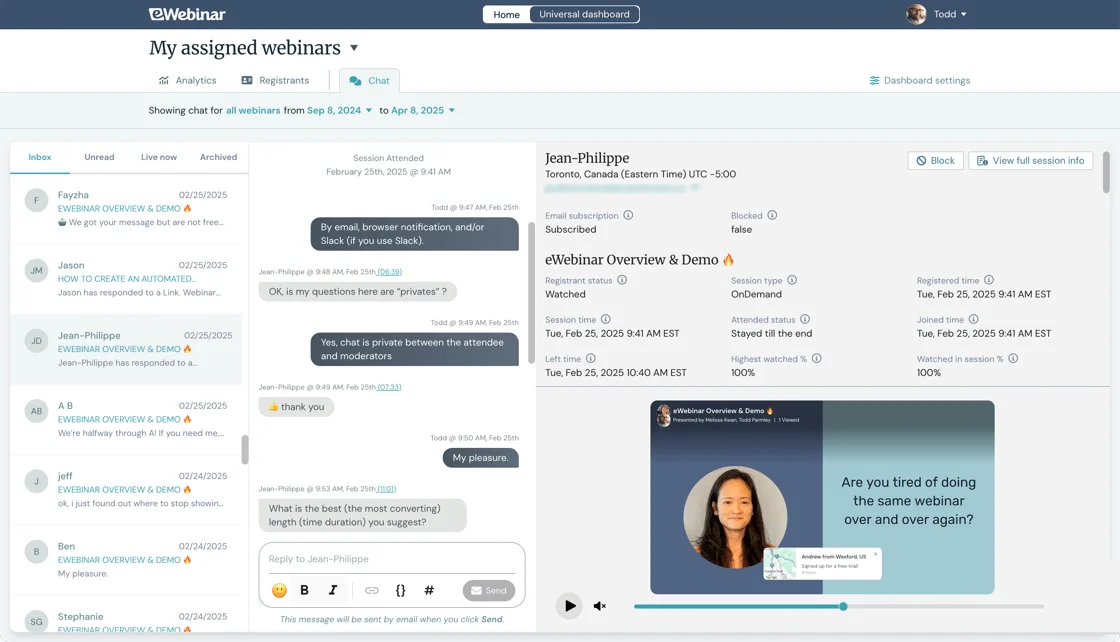
- Universal Chat: Manage all chat from one central inbox.
- Universally better data! To top it off, you get more accurate analytics and no more duplicate registrants – even on your individual webinar dashboards!
You may subscribe to a free trial for the Universal Dashboard. For questions about pricing or how free access works, check out our FAQ.
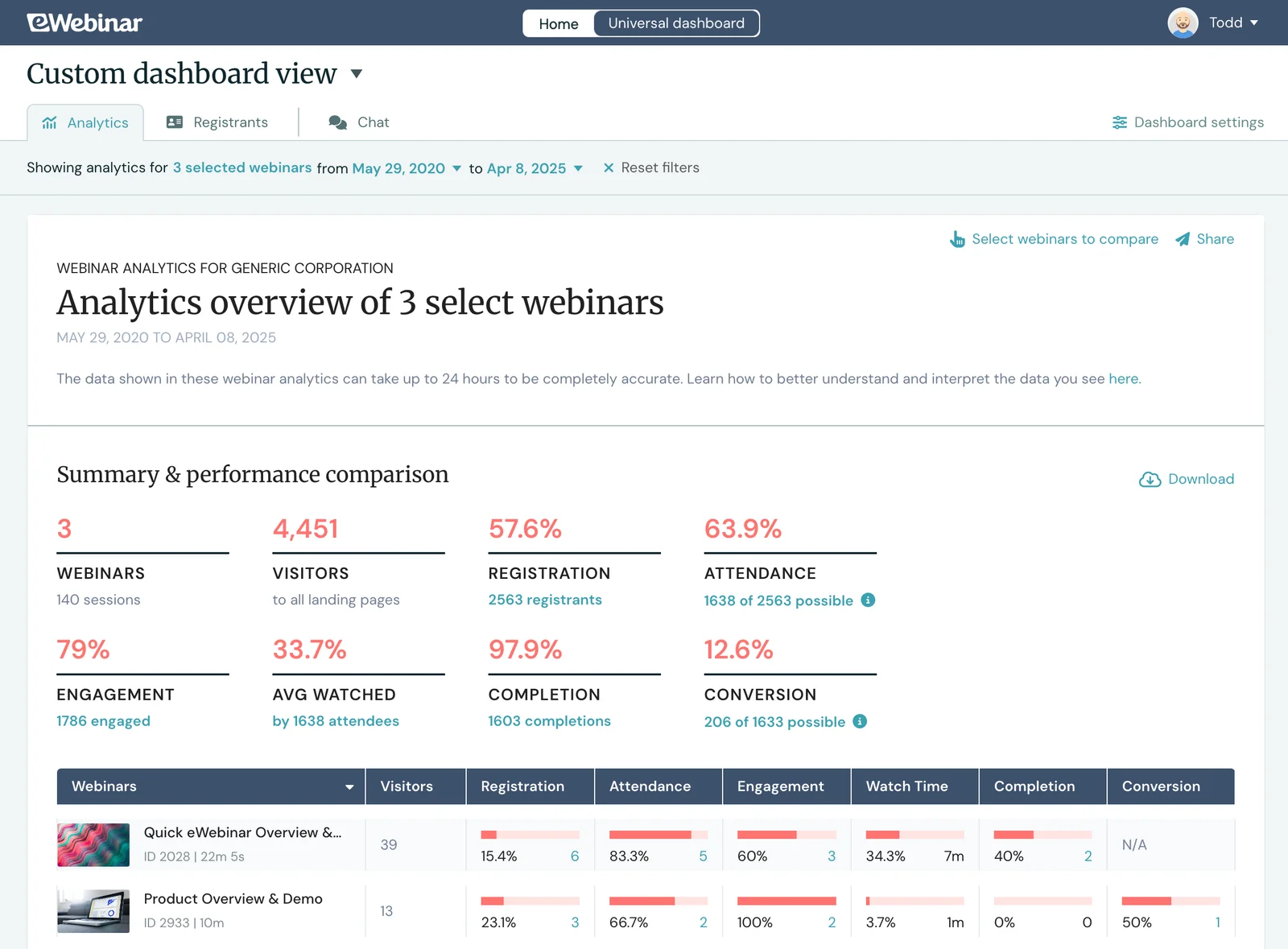
Universal Analytics
Start with all webinars or select a few to compare, pick a date range, and run cross-webinar analytics to find out how your webinars are performing on the whole and also compared to each other, so you can quickly see what's working and what isn't.
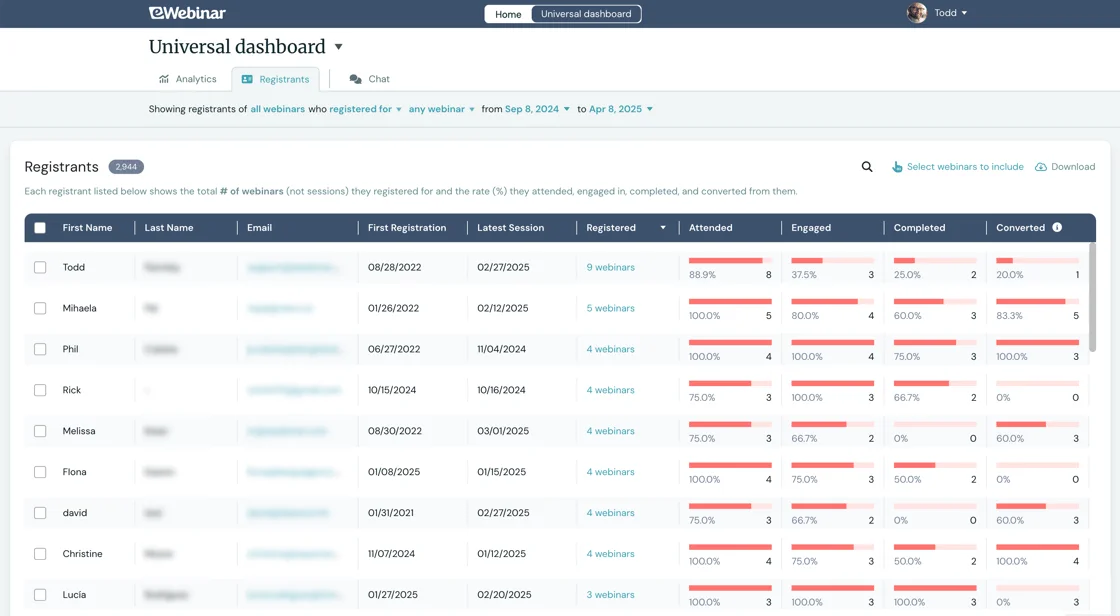
Universal Registrant List
A duplicate-free master list of unique registrants (by email address) pulled from all of your webinars lets you easily see how many webinars each person attended, engaged in, completed, and converted from.
Universal Registrant Record
Pull up any registrant to see all of the data collected from all of their webinars in one spot. Data is smartly combined across webinars and sessions so only the most relevant values appear in each person's record – and in your CRM!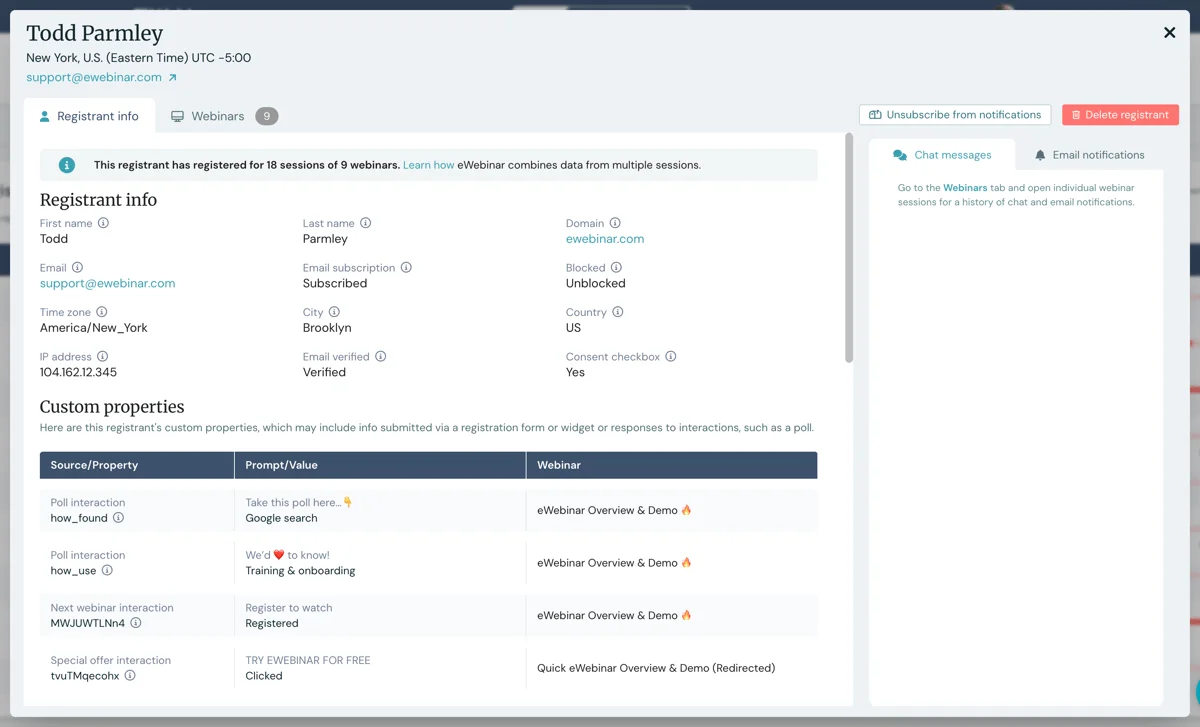
Universal Chat
No more bouncing from webinar to webinar to respond to messages from different inboxes. Instead, you and your moderators can manage chat for all of your webinars from a single inbox.
Universally better data!
When the Universal Dashboard is enabled, your webinar and session data is automatically consolidated on the backend by unique registrant. The result? Higher data quality everywhere, including on your webinar dashboards.
Watch this 4-min video to understand how this works:
Explore the Universal Dashboard now!
To try a free trial for the Universal Dashboard:
- Login to eWebinar
- Click Universal Dashboard at the top of the eWebinar home page
- Click Subscribe to Universal Dashboard at the top of the page that loads
NOTE: You must have at least two published webinars to be able to subscribe.
Remember, the Universal Dashboard is in its beta phase of development, so if you discover any issues while using it, please report them to us in our support chat or by emailing support@ewebinar.com.
If you're not an eWebinar customer yet then now's the time to sign up for a free trial or resubscribe!