We're very excited to introduce Webinar Series, a new subscription add-on that lets you build fully automated, multi-webinar trainings and keep attendees on track with their very own progress pages.
It's in-depth training at scale with a personal touch!
Watch this 4-minute video or keep reading to learn how Webinar Series works...
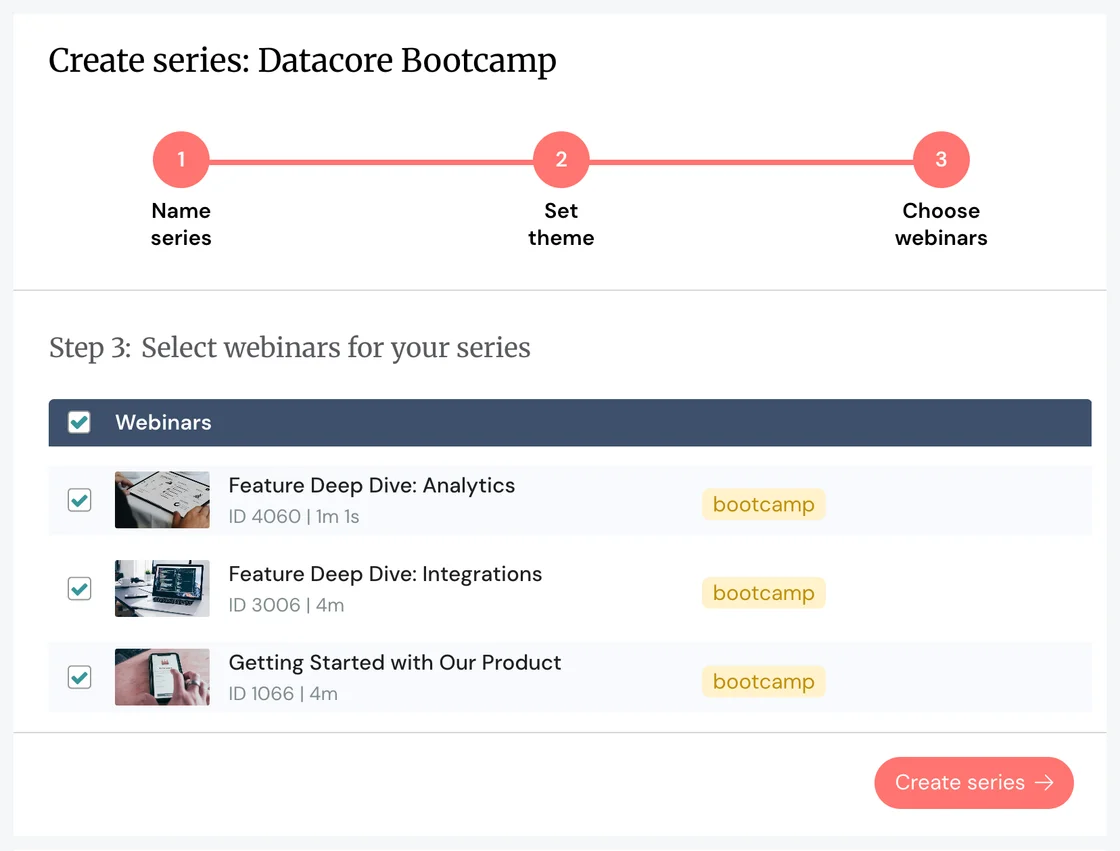
Create a series from scratch or from a tag
You can hand pick the webinars to include in your series. Or instantly select any group of webinars with the same tag. Either way, the process takes seconds.
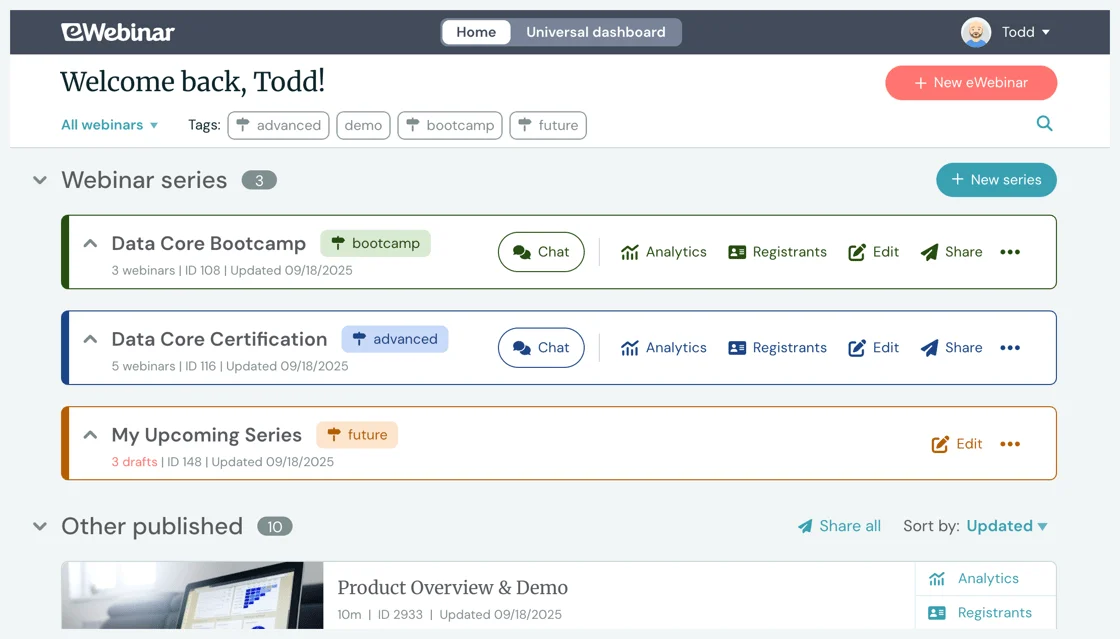
You'll then find your series organized into color-coded folders on the home page.
Gamify series completion and offer certification
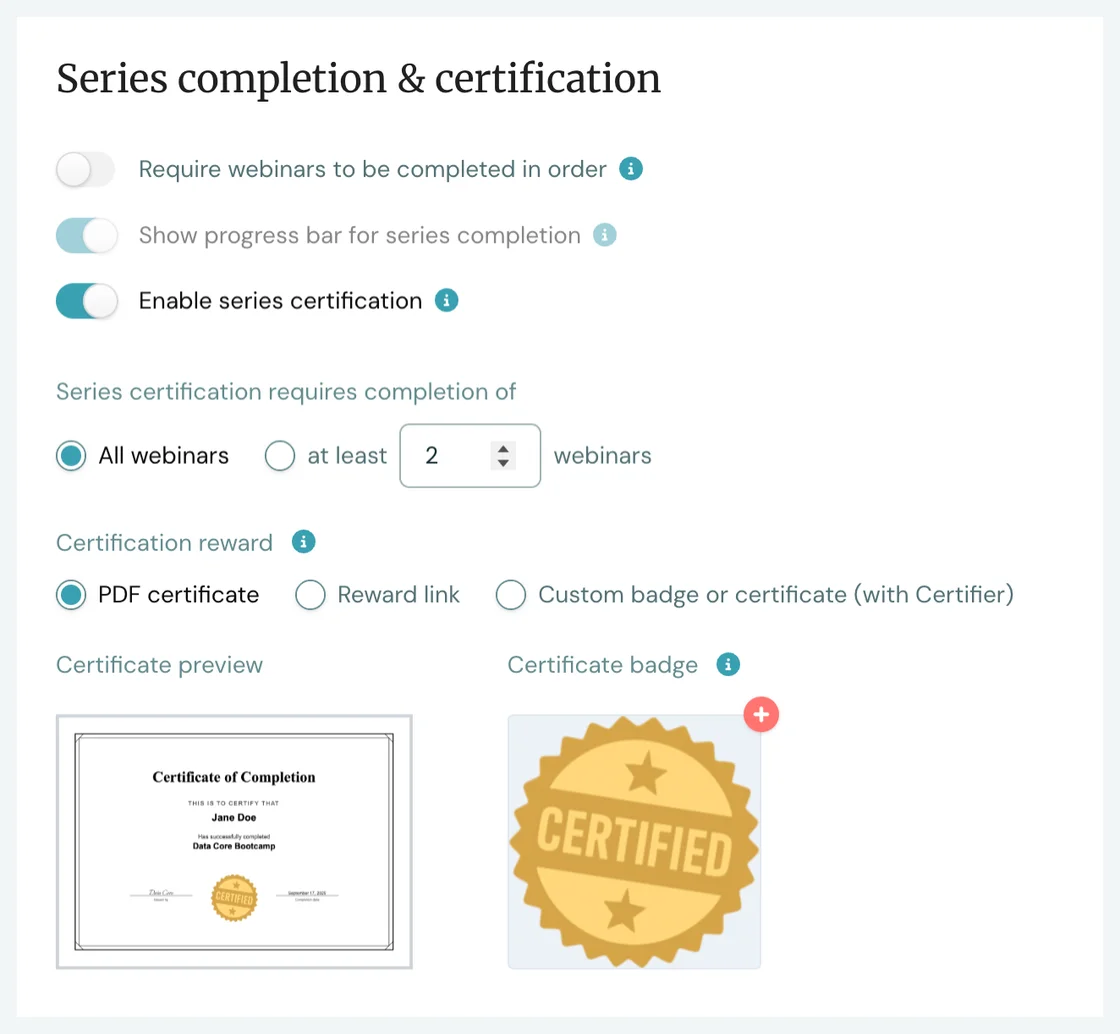
While prepping a series, you can define the completion requirements for the series as a whole as well as for each individual webinar. For example, you can:
- Add mandatory quizzes
- Set a minimum watch % for each webinar
- Require attendees to complete the webinars in order
Turn on a progress bar, enable certification, and offer a personalized PDF certificate or other reward to motivate attendees to finish the entire series.
Give every registrant a dedicated progress page with all of their webinars in one place
The series page you share with your audience automatically becomes personalized to them when they sign up for your series, giving them one central place to return to:
- Join the next webinar
- Keep track of their progress
- Watch replays of past webinars
- Refer back to chat conversations
- Collect their certification at the end
In other words, every single registrant gets their very own training hub!
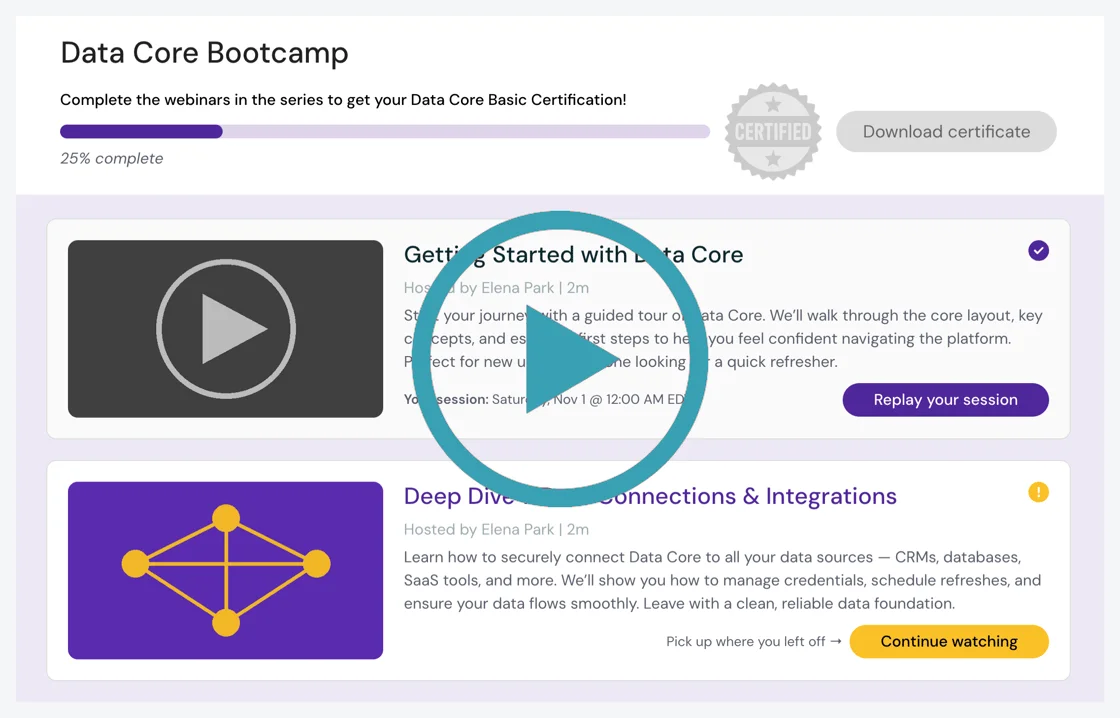
👆 Watch this 4-minute video to see how this actually works.👆
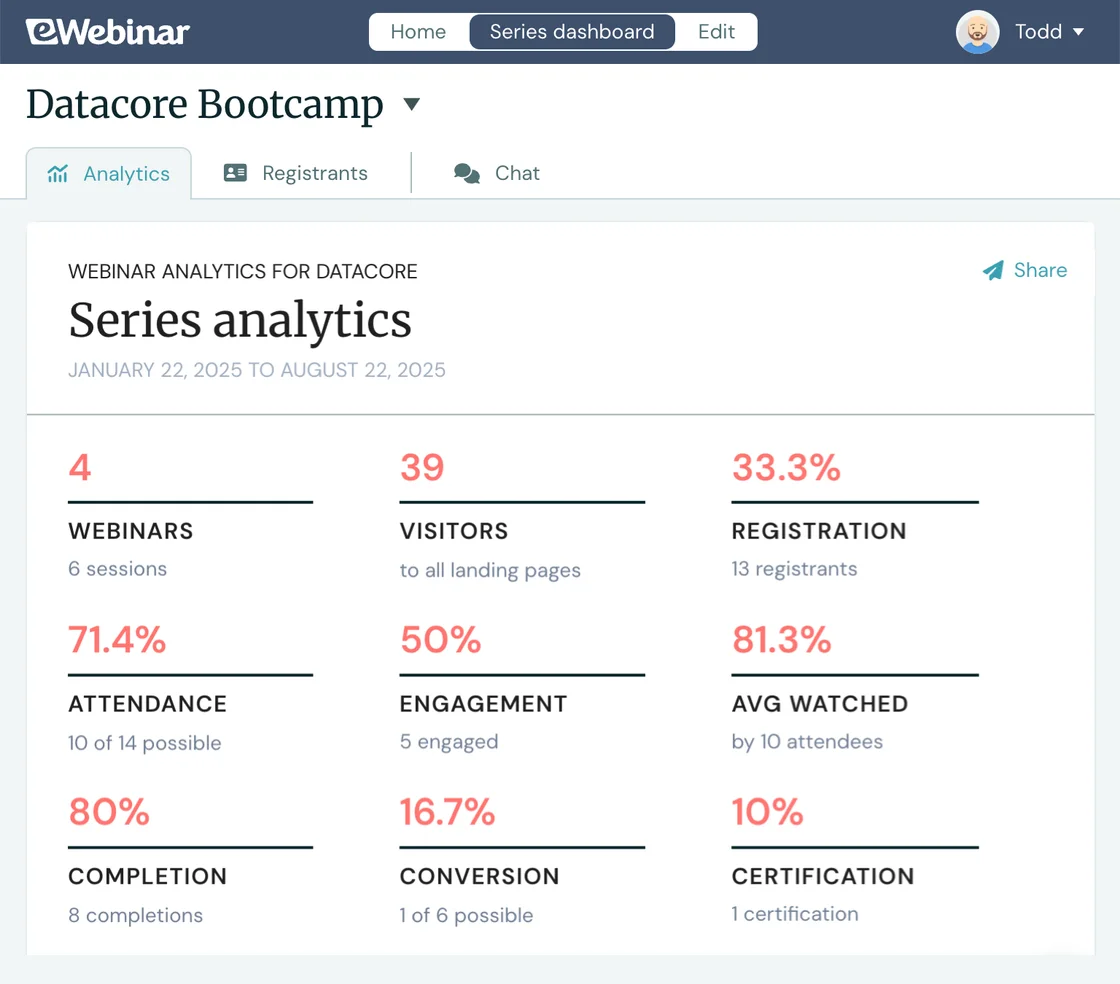
Find everything for your webinars on the Universal Dashboard: Analytics, Registrants, and Chat
The Universal Dashboard comes included with Webinar Series and lets you run cross-webinar analytics, track unique registrants, and respond to chat for all — or any combination of — your webinars from one place. Learn more
Plus, each series gets its own dashboard!
And that's Webinar Series in a nutshell!
Is Webinar Series right for you?
We think it might be if you want to:
- Provide in-depth onboarding or product education at scale
- Create progressive, structured webinar-based training
- Drive completion rates with certification and gamification
- Segment and customize your webinar training content by:
- Product line
- Target audience
- Enterprise customer
- Language or country
Or, if you simply want to offer an exceptional, convenient, personalized, curated, trackable learning experience to every single one of your customers... (Just sayin'.)
Start your 7-day free trial today!
If ANY of the above are true for you, sign up now for a 7-day free trial of Webinar Series and create your very first series today. 🎸🎶
(You'll find the add-on on the Subscription page of your account, under Available add-ons. You must have at least two active webinars to subscribe.)
Webinar Series FAQ
- Who is Webinar Series for?
- What's included with Webinar Series?
- What is the Universal Dashboard?
- Can I get a free trial of Webinar Series?
- What happens at the end of my 7-day trial?
- How much does Webinar Series cost?
- What is the cost if I'm already subscribed to the Universal Dashboard?
- How do I start my free trial?
If you're not an eWebinar customer yet then now's the time to sign up for a free trial or resubscribe!