Quick Summary
Eight Demio alternatives compared across session type, chat quality, scheduling flexibility, and price. The right choice depends on whether you need live hosting infrastructure or on-demand sessions that run without a host present and still keep attendees engaged.
Our top three picks at a glance:
# | Platform | Best For |
1 | eWebinar | On-demand demos, onboarding, and training |
2 | EverWebinar | Marketers running pure evergreen sales funnels |
3 | Zoom | Large-scale live events |
Time to Move On From Demio?
From its limited entry-level subscription to a lack of live chat during on-demand webinars, there are various reasons why someone might be looking to switch away from Demio. Regardless of what those are, we'll be comparing the 8 best Demio alternatives to help you find the right tool.
Because Demio is a hybrid webinar platform that supports on-demand and live webinars, we'll be segmenting the list of alternatives accordingly. Even if you're only doing live webinar hosting, we'd still recommend looking at the on-demand webinar alternatives to Demio.
On-demand webinar alternatives:
- eWebinar
- EverWebinar
- EasyWebinar
Live webinar alternatives:
- Zoom
- Webex
- Livestorm
- WebinarJam
- GoTo Webinar
Why Listen to Us
We built eWebinar because the on-demand webinar tools that existed when we needed one were unreliable, used fake chat to simulate engagement, or stripped out interaction entirely. None of them was something we’d put in front of real customers. We built what we wished had existed.
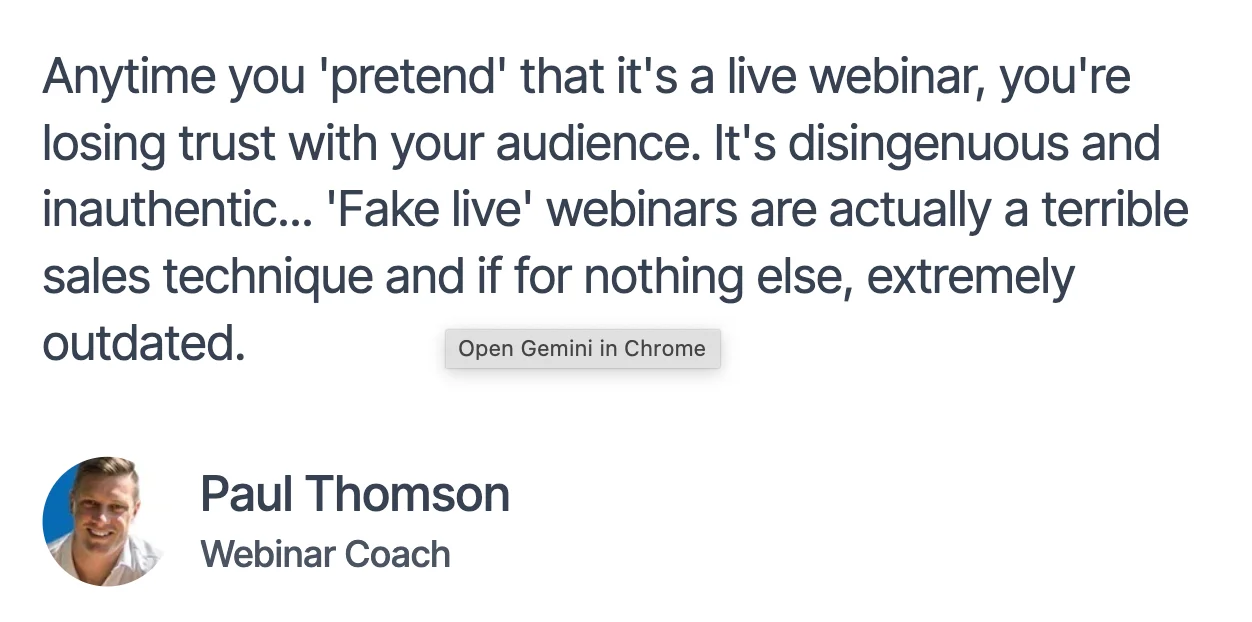
Here’s how one of our customers describes our product:
Top 8 Demio Alternatives: Full Comparison Table
# | Tool | Best For | Format Focus | Setup Friction | Capterra Rating | Starting Price |
1 | eWebinar | On-demand demos, onboarding, and training | Automated | 100% Browser-based (Zero download friction) | ⭐ 4.9 | From $99/mo |
2 | EverWebinar | Marketers running pure evergreen sales funnels | Automated | 100% Browser-based (Zero download friction) | ⭐ 3.9 | From $99/mo |
3 | EasyWebinar | Entrepreneurs who need an all-in-one hybrid platform | Hybrid | 100% Browser-based (Zero download friction) | ⭐ 4.4 | From $80/mo |
4 | Zoom Webinars | Large-scale live events | Live | App Download Required (High friction) | ⭐ 4.7 | From $79/mo |
5 | Webex Webinars | Enterprise-grade, highly secure corporate broadcasts | Live | App Download Required (High friction) | ⭐ 4.4 | Custom |
6 | Livestorm | Browser-based, data-driven B2B webinars | Hybrid | 100% Browser-based (Zero download friction) | ⭐ 4.7 | From $99/mo |
7 | WebinarJam | Marketers in need of aggressive sales features during live events | Live | 100% Browser-based (Zero download friction) | ⭐ 3.9 | From $49/mo |
8 | GoTo Webinar | Traditional corporate communications and compliance training | Live | App Download Required (High friction) | ⭐4.5 | From $59/mo |
Demio Alternatives for On-Demand Webinars
1. eWebinar
Best for: On-demand demos, onboarding, and training
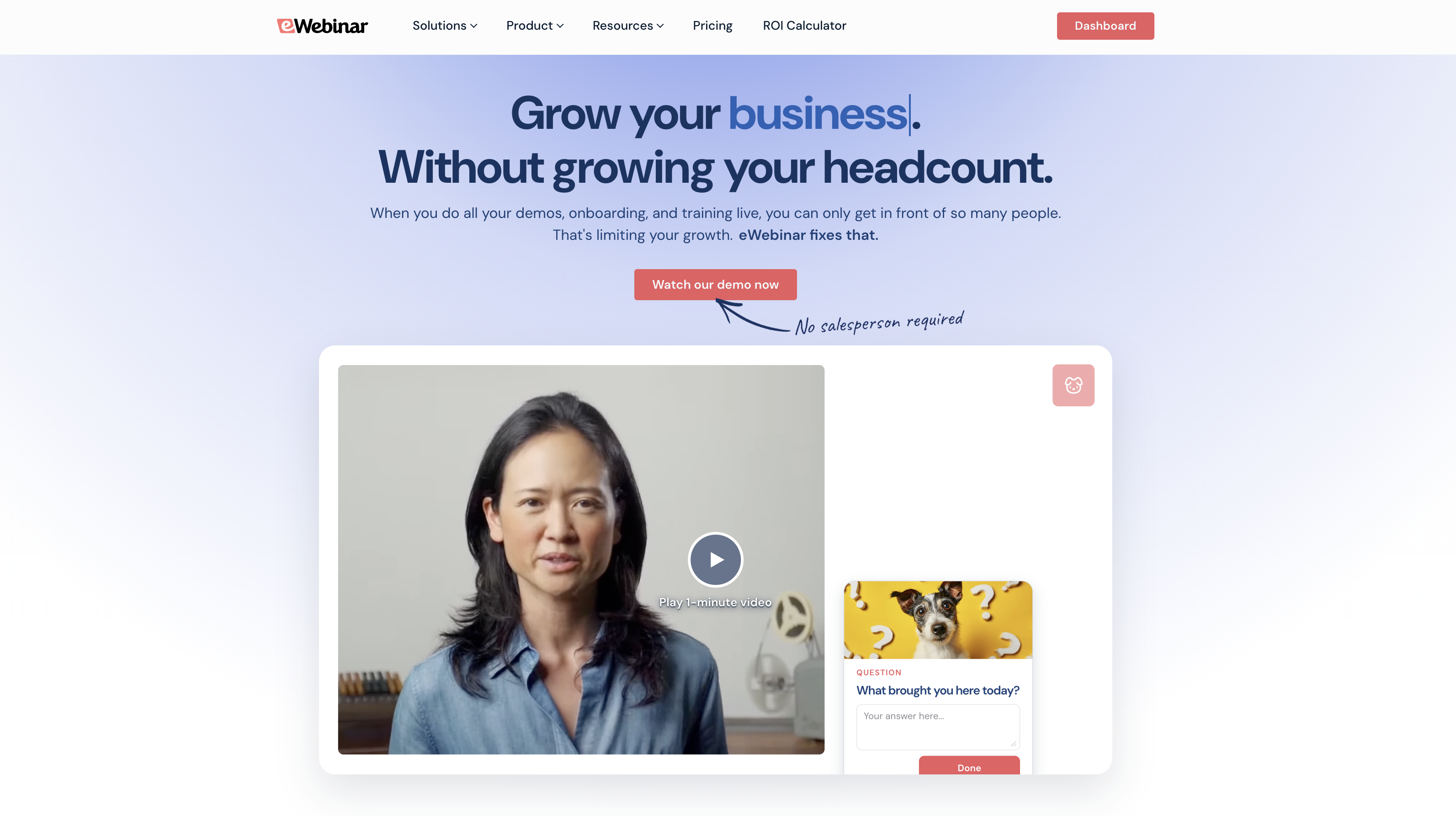
eWebinar is an on-demand video platform with chat, purpose-built for teams that deliver demos, onboarding sessions, and training on repeat. Unlike Demio, which treats on-demand webinars as a secondary feature bolted onto a live platform, we designed eWebinar from day one for exactly this use case.
The core differentiator is chat. Demio’s on-demand sessions either require a moderator to be present or chat gets disabled entirely, which defeats the points. Our async chat works whether or not a moderator is available. When an attendee sends a message, the team gets notified via email, browser notification, or Slack and they can respond in real-time. If the team responds later, the attendee will get an email. Every question gets a real answer regardless of when the session runs.
Our average on-demand attendance rate is 83%, compared to the live webinar average of 40%. Flexible scheduling options lets you run on-demand, just-in-time, recurring sessions, and fixed dates on the same webinar. We designed eWebinar to accommodate any schedule you can dream of.
Key Features:
- Asynchronous chat with personalized welcome message, auto-responder, and timed private messages to encourage conversation
- 25+ pre-programmed interactions, including polls, quizzes, CTAs, special offers, and contact forms
- AI-powered interaction suggestions that recommend engagement points based on your content
- Webinar Series for multi-session onboarding or training journeys with minimum required watch times, quizzes, and completion certificates
- Per-attendee analytics and heatmaps showing exactly when viewers dropped off and which interactions they engaged with
- Customizable registration pages, reminder emails, and follow-up sequences
- Integrations with HubSpot, Salesforce, ActiveCampaign, Mailchimp, and more
Pros:
- The only platform in this category with async chat that works like it’s supposed to
- 83% average on-demand attendance vs the live average of 40%
- Any scheduling type you can run simultaneously on one webinar
- 25+ interaction types, more than any solutions
- No fake chat and no simulated attendee counts; integrity and honesty is important to us because it helps you build crediblity and trust
Cons:
- Not built for live webinars, dedicated live tools handle that better
- $99/month entry point is higher than some budget alternatives
Capterra Rating
⭐ 4.9
Pricing
- Level 1 ($99/month): 1 active webinar, 1k registrants/month
- Level 2 ($199/month): 5 active webinars, 3k registrants/month
- Level 3 ($299/month): 15 active webinars, 5k registrants/month
14-day free trial.
See how eWebinar works by joining our on-demand demo here.
2. EverWebinar
Best for: Marketers running pure evergreen sales funnels
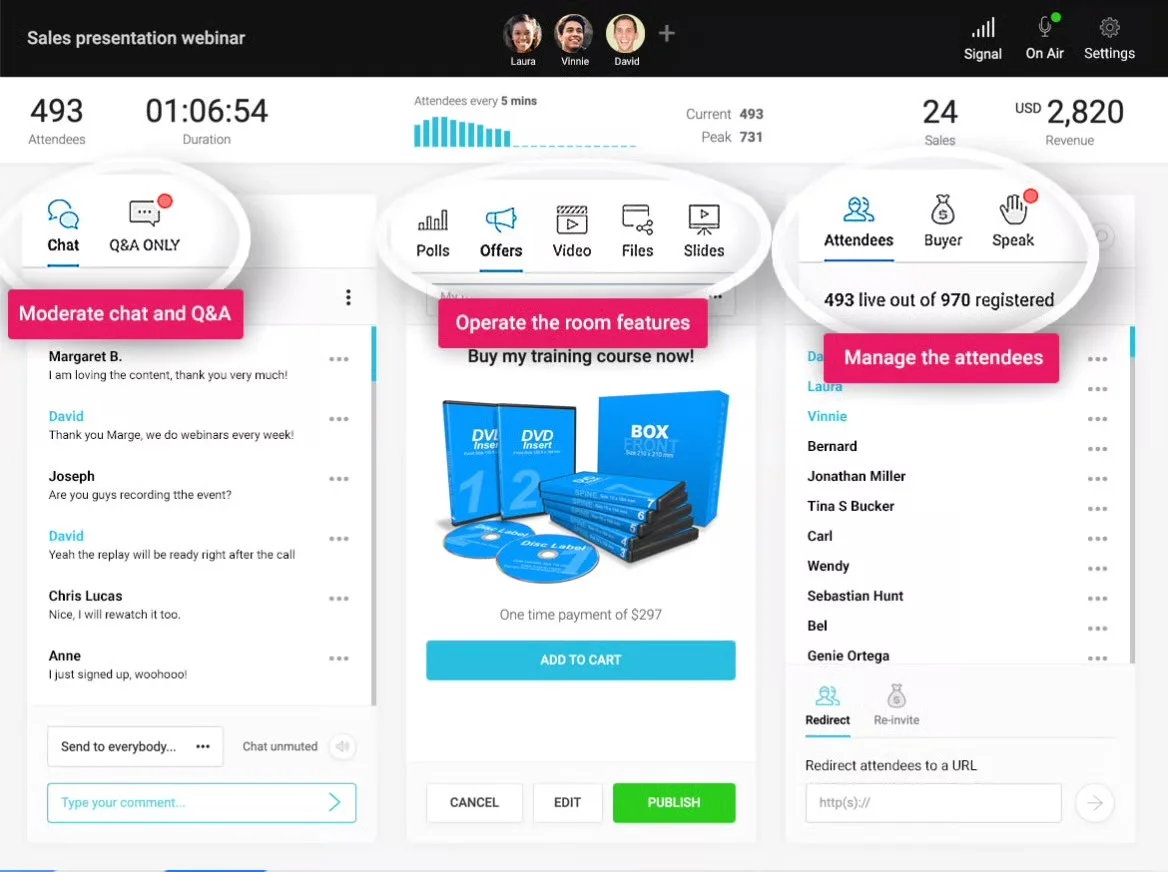
EverWebinar is the sister product of WebinarJam, but it is automated instead of live. EverWebinar has some similarities to eWebinar, such as its scheduling options, but takes a different approach when it comes to chat.
Key features:
- Recurring and just-in-time scheduling options
- Replica Replay converts WebinarJam sessions
- Simulated chat with preset attendee messages
- Email question box for post-session follow-up
- Polls, surveys, and countdown timers
Pros:
- Seamless WebinarJam Replica Replay integration
- Purpose-built for automated webinars funnels
- Solid scheduling flexibility across all session types
Cons:
- Chat is entirely simulated, not real
- No real-time attendee conversations possible
- Expensive relative to the feature set
Capterra Rating
⭐ 3.9
Pricing
There are three EverWebinar plans to choose from:
- Monthly. The monthly plan starts at $99/month making it the most expensive option overall
- Yearly. The yearly plan starts at $499/year but you have to pay for the full year upfront
- Biennial. The biennial plan averages out to $437/year but you'll be locked in for two years
Note: EverWebinar does not offer a free trial, instead only providing a paid trial.
3. EasyWebinar
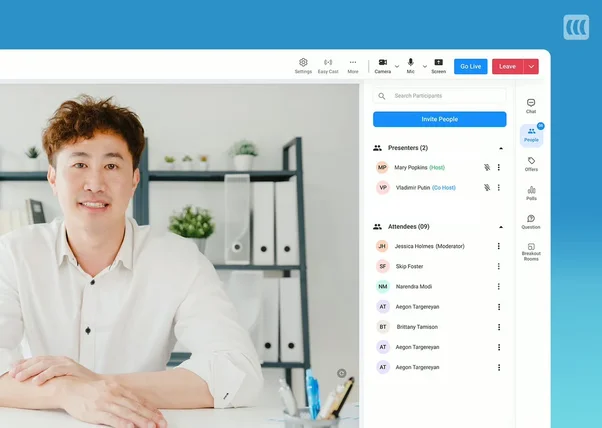
Best for: Entrepreneurs who need an all-in-one hybrid platform
EasyWebinar is a hybrid platform like Demio and lets you host unlimited live webinars but limits the number of automated webinars you can have active based on your plan.
Key features:
- Live and automated webinar hosting
- EasyCast for multi-platform live streaming
- Contact box for attendee questions
- Behavior-based email segmentation included
- Breakout rooms for live sessions
Pros:
- Live and automated under one roof
- EasyCast streams to YouTube and Facebook simultaneously
- Strong CRM and email automation integrations
Cons:
- No live chat during automated sessions
- Manual timestamp entry for interactions
- Automated features locked behind Pro plan
Capterra Rating
⭐ 4.4
Pricing
There are three EasyWebinar plans to choose from:
- Standard. Starts at $80/month for 100 attendees, four presenters, and a four-hour time limit.
- Pro. Starts at $197/month for 500 attendees, four presenters, and an eight-hour time limit.
- Enterprise. Uses quote-based pricing for six presenters and a 12-hour time limit.
Note: The Enterprise plan can accommodate up to 500,000 attendees but the cost of your subscription will increase based on maximum capacity.
Demio Alternatives for Live Webinars
4. Zoom
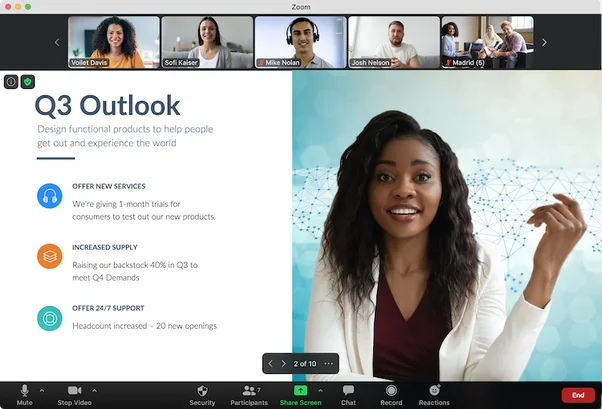
Best for: Large-scale live events
Most people think of video conferences when they hear Zoom. However, the platform supports webinars in addition to its video conferencing capabilities at an additional cost. Certain Zoom features from virtual meetings have even made their way into webinars, such as breakout rooms.
Key features:
- Live webinars with breakout rooms
- YouTube and Facebook live streaming
- Polls, Q&As, and post-webinar surveys
- 350+ marketplace app integrations
- Automated registration and reminders
Pros:
- Familiar to almost every attendee
- Strong 350+ app integration ecosystem
- Reliable and scalable for large audiences
Cons:
- Webinar features cost extra beyond meetings
- Price quadruples past 500 participants
- Simulive is limited versus dedicated platforms and expensive for feature set
Capterra Rating
⭐ 4.7
Pricing
Zoom Webinars only has one plan which starts at $79/month for 500 participants. However, the price more than quadruples to $340/month once you exceed 500 participants and continues to increase as your audience grows. As such, you could end up paying thousands of dollars per month down the line.
5. Webex
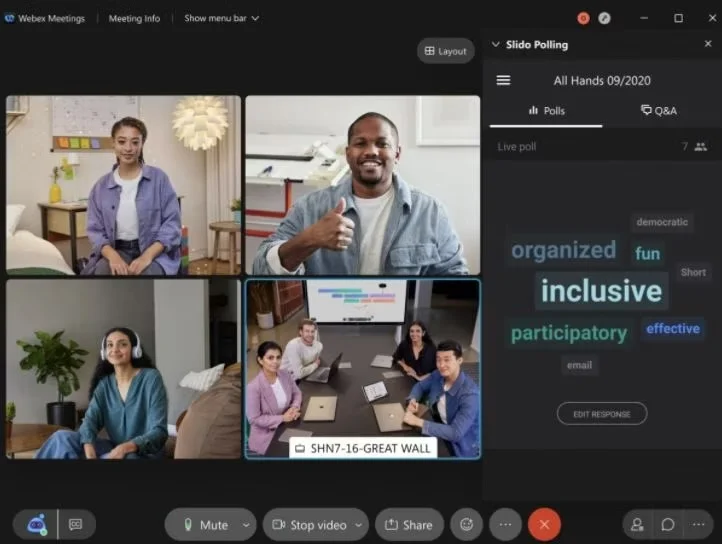
Best for: Enterprise-grade, highly secure corporate broadcasts
Like Zoom, Webex supports both meetings and webinars. This makes the platform ideal for internal events so that employees can attend webinars on the same software they use for meetings. Webex is also equipped for large-scale webinars as it's able to handle 100,000 concurrent attendees.
Key features:
- Hosts up to 100,000 concurrent attendees
- AI background and noise filtering
- Real-time captions in 100+ languages
- Hand-raising, reactions, polls, Q&As
- Combined meetings and webinars platform
Pros:
- Handles massive audiences up to 100,000
- Strong AI audio and video features
- Real-time captions for global audiences
Cons:
- No public pricing, requires a custom quote
- Better suited for enterprise live events
- Poor on-demand or automated capabilities
Capterra Rating
⭐ 4.4
Pricing
Webex Webinars is priced on a quote basis and doesn't list prices publicly on its website.
6. Livestorm
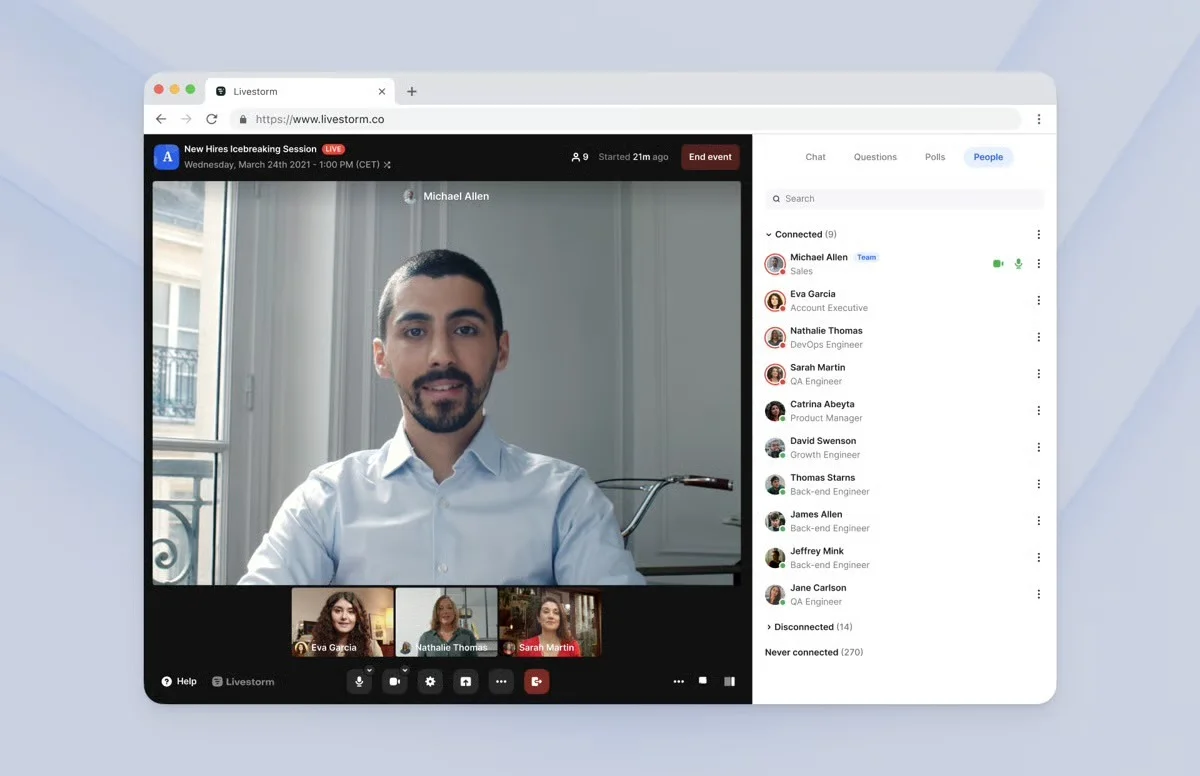
Best for: Browser-based, data-driven B2B webinars
Livestorm is a full-suite video engagement platform for businesses hosting live events and having virtual meetings. In addition to being a potential Demio alternative for live webinars, it's also a solid alternative to Zoom for those looking for a webinar platform that supports online meetings.
Key features:
- Live and on-demand webinar hosting
- Fully browser-based, no downloads needed
- Custom registration and email sequences
- HubSpot and Salesforce integrations
- GDPR compliant out of the box
Pros:
- Fully browser-based for hosts and attendees
- Strong HubSpot and Salesforce integrations
- Clean interface for B2B product demos
Cons:
- No async chat for automated sessions
- Interactions must be manually triggered
- Per-attendee pricing scales quickly at volume
Capterra Rating
⭐ 4.7
Pricing
There are three Livestorm plans to choose from:
- Pro. Starts at $99/month for 100 attendees and a four-hour time limit.
- Business. Uses quote-based pricing for up to 3,000 attendees and a four-hour time limit.
- Enterprise. Uses quote-based pricing for up to 3,000 attendees and a 12-hour time limit.
Note: Livestorm also offers a free version but this carries strict limitations such as a 20-minute time limit and 30-person attendee cap.
7. WebinarJam
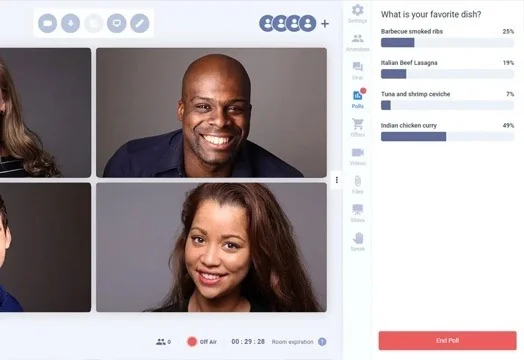
Best for: Marketers needing aggressive sales features during live events
WebinarJam is a live webinar platform that lets you add sidebar offers with a countdown timer, stock counters, and CTA buttons, making it an attractive choice for sales webinars. You can set your webinar chat to public, private, or both, depending on what type of event you're hosting.
Key features:
- Live webinars with sidebar CTAs
- Countdown timers and stock counters
- Public, private, or mixed chat
- Automated registration and email reminders
- EverWebinar integration for automated replays
Pros:
- Strong sales features with countdown timers
- Flexible chat settings for any event
- Easy EverWebinar conversion for automation
Cons:
- Low review ratings versus competitors
- No free trial, paid trial only
- Requires separate subscription for automation
Capterra Rating
⭐ 3.9
Pricing
There are four WebinarJam plans to choose from:
- Starter. Starts at $49/month for 100 attendees, one host, and a one-hour time limit.
- Basic. Starts at $99/month for 500 attendees, two hosts, and a two-hour time limit.
- Professional. Starts at $299/month for 2,000 attendees, four hosts, and a three-hour time limit.
- Enterprise. Starts at $499/month for 5,000 attendees, six hosts, and a four-hour time limit.
Note: WebinarJam does not offer a free trial, instead only providing a paid trial.
8. GoTo Webinar
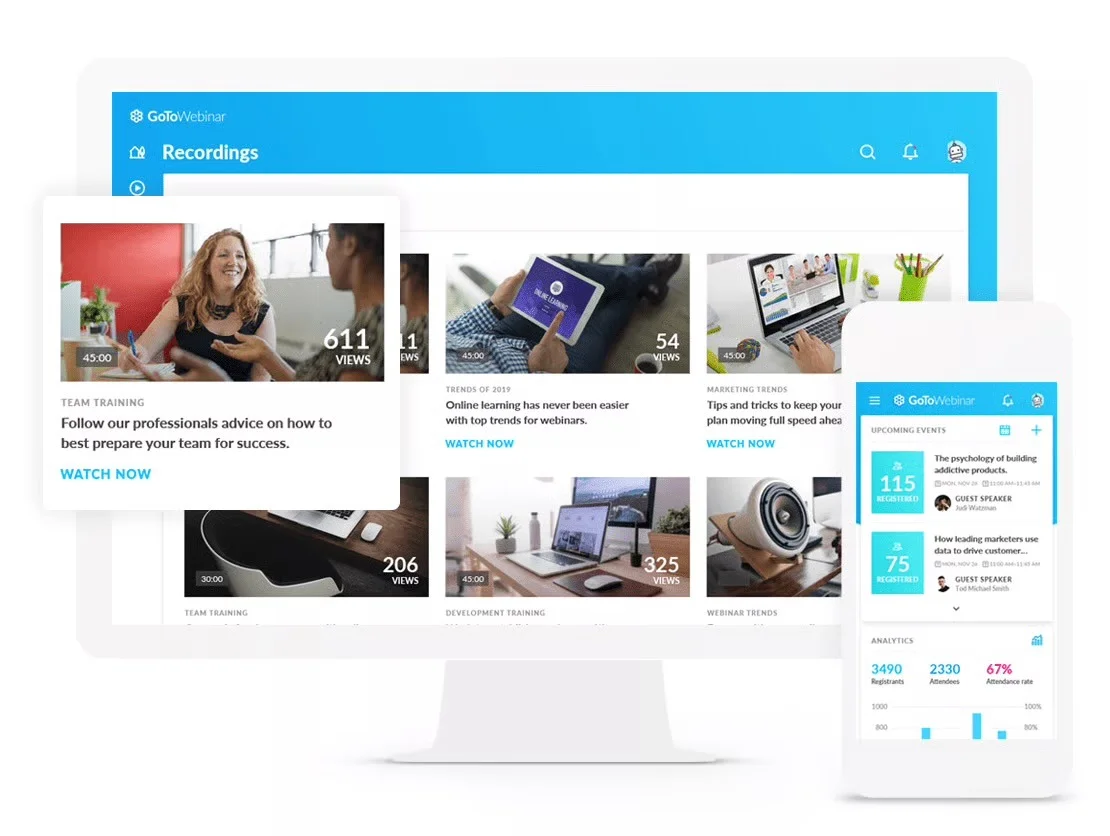
Best for: Traditional corporate communications and compliance training
GoTo Webinar costs significantly more than GoTo Meeting but supports more participants on its webinars compared to video calls and meetings. It also contains additional features like remote control access, so you can pass keyboard and mouse control to co-presenters during webinars.
Key features:
- Remote control for co-presenters
- Polls, surveys, and Q&As
- Attendance certificates for compliance
- Salesforce and HubSpot integrations
- Video library for recordings
Pros:
- Remote control access for co-presenters
- Attendance certificates for compliance use cases
- Strong CRM integrations with major platforms
Cons:
- Significantly more expensive than GoTo Meeting
- Limited automation versus dedicated platforms
- No async chat for on-demand sessions
Capterra Rating
⭐ 4.5
Pricing
There are four GoTo Webinar plans to choose from:
- Lite. Starts at $59/month for 250 attendees
- Standard. Starts at $129/month 500 attendees
- Pro. Starts at $249/month 1,000 attendees
- Enterprise. Starts at $499/month 3,000 attendees
Note: On the Standard plan or higher, your subscription includes one license for GoTo Meeting.
How We Evaluated the Best Demio Alternatives
Demio claims to balance live and on-demand webinars perfectly. In reality, most hybrid platforms treat automation as an afterthought. We evaluated each alternative based on four critical criteria:
Chat quality: We prioritized platforms offering asynchronous chat over basic contact forms. If a tool simply forwards messages to an email inbox hours later, it isn't chat. It’s just a support ticket dressed up like one.
Scheduling flexibility: Top tools let you run on-demand, just-in-time, and recurring options simultaneously on a single webinar. Forcing users to choose a single schedule type artificially limits attendance.
Interaction depth: Polls, CTAs, and quizzes should fire automatically. If an interactive feature requires a live host to manually trigger it during a recorded session, it defeats the purpose of automation.
Value for price: We assessed what each platform delivers at every pricing tier, not just what is locked behind the highest plan. We penalized tools charging premium rates for incomplete features.
How to Choose the Right Demio Alternative
Start by identifying your primary use case.
- On-Demand and Automation: For recurring demos, onboarding, or training that runs without anyone present, eWebinar is the only platform purpose-built for this. If you use WebinarJam and want automation that syncs directly, EverWebinar is the natural next step. For live and automated under one roof, EasyWebinar handles both.
- Large-Scale Live Events: For enterprise-grade infrastructure and big audiences, Zoom, Webex, and GoTo Webinar are the strongest options. Zoom is most familiar to attendees. Webex handles 100,000 concurrent attendees. GoTo Webinar adds compliance features like attendance certificates.
- B2B Sales and CRM: For sales-driven sessions needing deep CRM connectivity, Livestorm integrates cleanly with HubSpot and Salesforce. WebinarJam adds conversion features like countdown timers and sidebar offers.
Conclusion
As you can see, many of the platforms you use to run virtual conferences already support live webinars in the form of add-ons or sister products. Some webinar platforms even try to do both live and automated on a single tool but end up treating automation as an afterthought.
Which Demio alternative you choose will ultimately depend on your budget, tech stack, and whether you'll be automating webinars or hosting every session live. If you do go the automated route, use a platform like eWebinar so you can still engage attendees and chat with them live.
Still on the fence about how interactive automated webinars can really be? Just watch our on-demand demo to see for yourself!
Join our on-demand demo to see how it works.
FAQs
Why do teams consider switching away from Demio?
The most common reasons are the limited entry-level plan, the lack of real chat during on-demand sessions, and the cost relative to what competitors offer at the same price point. Teams running recurring automated sessions find Demio’s on-demand capabilities too restricted to achieve their goals.
What is the difference between a live and an on-demand webinar platform?
Live platforms are built around real-time streaming, where the host is present for every session. On-demand platforms let you record once and deliver the same session automatically on any schedule. Most hybrid platforms do one well and treat the other as a secondary feature bolted on afterward. The best webinar strategy has a mix of live and on-demand content; live for when content is unique and on-demand for when content is repeated.
Can I run automated webinars on Demio?
Yes, but with limitations. Demio supports recurring and on-demand sessions, but disables chat for on-demand viewers unless a moderator is present, which defeats the purpose. For teams that need attendees to ask questions and get real answers without someone hosting live, that limitation creates a significant gap in the experience.
What should I look for in a Demio alternative?
Start with chat. If attendees watching on-demand cannot reach a real person and get a genuine response, the platform is delivering a passive recording experience, regardless of what else it offers. After chat, evaluate scheduling flexibility, interaction depth, and whether the pricing reflects the actual feature set at each tier.
Curious to see how eWebinar can help run your demos, onboarding, and training sessions on autopilot?
Watch a one-minute explainer video for a quick overview of the eWebinar platform. Or, better yet, join our on-demand demo to learn more!