
SaaS Customer Onboarding Webinar Template

This customer onboarding webinar template was designed to give your new customers an overview of the key features of your SaaS product — so they experience its benefits in the shortest amount of time possible — while making an amazing first impression!



Webinar Templates FAQ
eWebinar's webinar templates were specifically designed for the eWebinars you create. Each comes with suggested copy, images, and/or layouts for the following items, which are all customizable:
Schedule
- Recommended recurring schedule
- Various options for on-demand viewing
Registration Pages
- Landing page
- Registration form
- Registration thank you page
Email Notifications & Chat
- Registration confirmation emails (2)
- Reminder emails (2)
- Follow-up emails (2)
- Automated chat messages (3) to welcome attendees
- Chat auto-response for when moderators are slow to respond
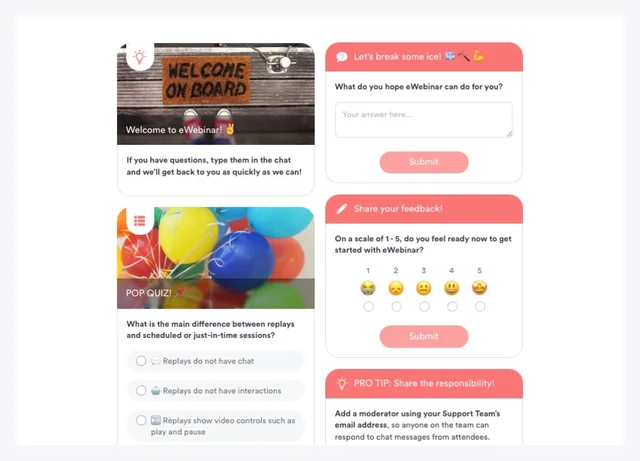
Customizable Interactions
- Polls
- Questions
- Quizzes
- Links
- Tips
- Feedback
- Contact forms
- Special offers
- And more!
Script Templates, Slide Decks, Tutorials, and More
Many webinar templates also come with:
- A video tutorial explaining how to get the most out of the template
- An example video presentation to use as a model when creating your own
- An outline, structure, or fill-in-the-blanks script template to use when crafting your presentation
- A customizable slide deck
When you create a new eWebinar, you are required to start by picking a template. From there, simply customize the template as you go through the eWebinar creation process by updating the copy/text you find and making it your own — from the notifications to the registration pages.
NOTE: Our standard templates are the most general and require the least amount of customization.
Adapt what you like, delete what you don't like, and add anything you think is missing. The templates are meant to give you a bunch of ideas and a head start so you don't have to begin with nothing.
Specifically look for copy located between [>> brackets <<] and replace or delete it.
NOTE: When you go to publish your eWebinar, if there is still bracketed text somewhere that you missed, the system will warn you and tell you where to find it so you can fix it.
You may also add your logo, brand colors (one primary + one action color), and font to any template.
Yes, we do!
Although there are only a handful of standard templates in different languages, eWebinar supports more than 25 languages, which means you can create an eWebinar in your language of choice by starting with any one of our existing templates and customizing it accordingly. All you need to do is change the Language on the Settings tab while creating your eWebinar.
Uneditable elements of your eWebinar (i.e. certain buttons, link text, etc.) will be translated for you automatically. You will then need to write the rest of the text yourself in the language of your choice. (The advantage of the standard templates that we do have in different languages – English, Spanish, and Dutch at time of writing – is that the copy has already been written for you in that language.)
Read this article on our Help Center to learn more about the languages we support and how to set things up.
NOTE: We are open to publishing new standard templates in other languages. If you are interested in having one created, contact us at support@ewebinar.com. We may ask that you help with the translation.
Experience the magic first hand.
We use eWebinar to run our demo!