
Keep in mind you can not use Twilio's WhatsApp features with a trial account. You must deposit at least $20 USD into your Twilio account to use the WhatsApp features.
eWebinar's Twilio integration sends registration confirmations, reminders and follow-ups to registrants by SMS or WhatsApp. This article covers WhatsApp, which needs pre-approved message templates. Plain SMS is a shorter setup: see the callout at the end of the first section.
Setting up the integration
First, you need to create a Twilio account and get it set up with a phone number and WhatsApp Sender. You can read Twilio's own help article if you need any help.
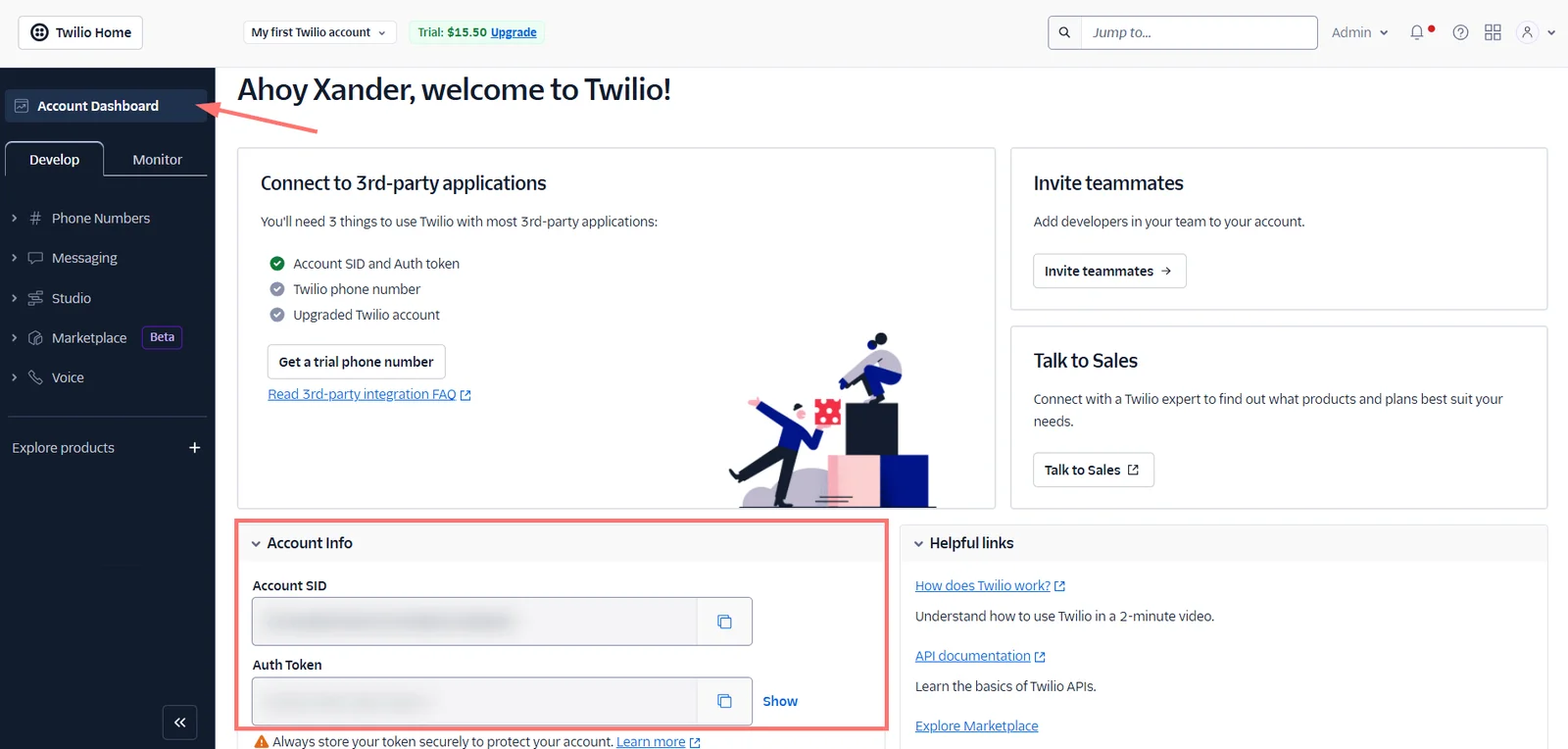
In Twilio, click the Account Dashboard in the top-left of your screen below Twilio Home, then scroll to Account Info. Copy your Account SID and Auth Token.
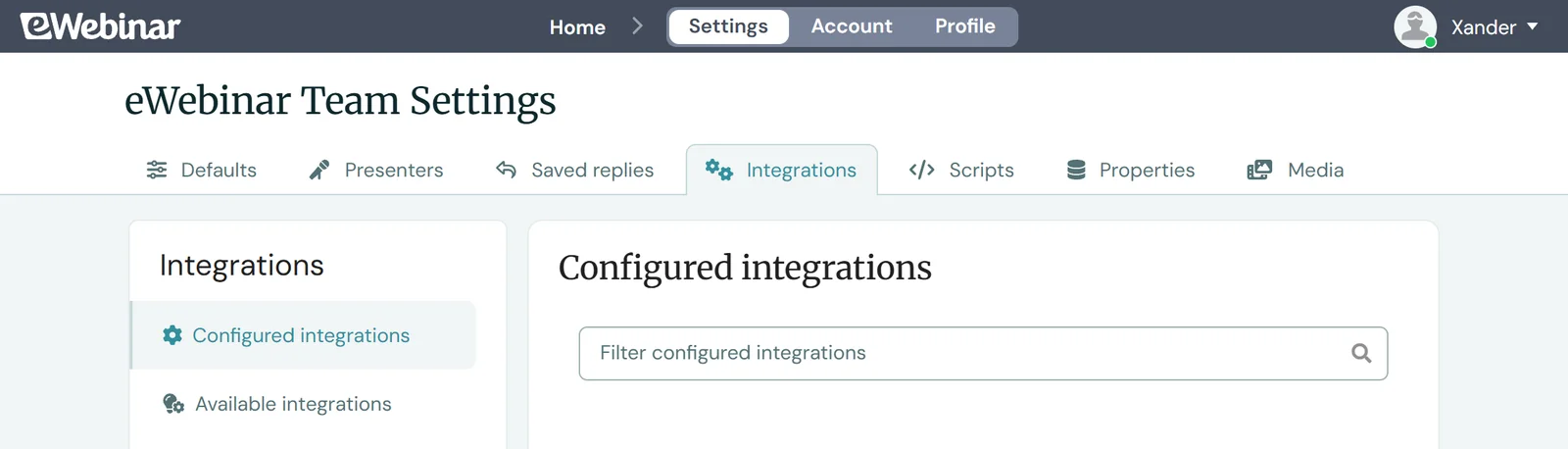
In eWebinar, click Settings in the top navigation, then open the Integrations tab.
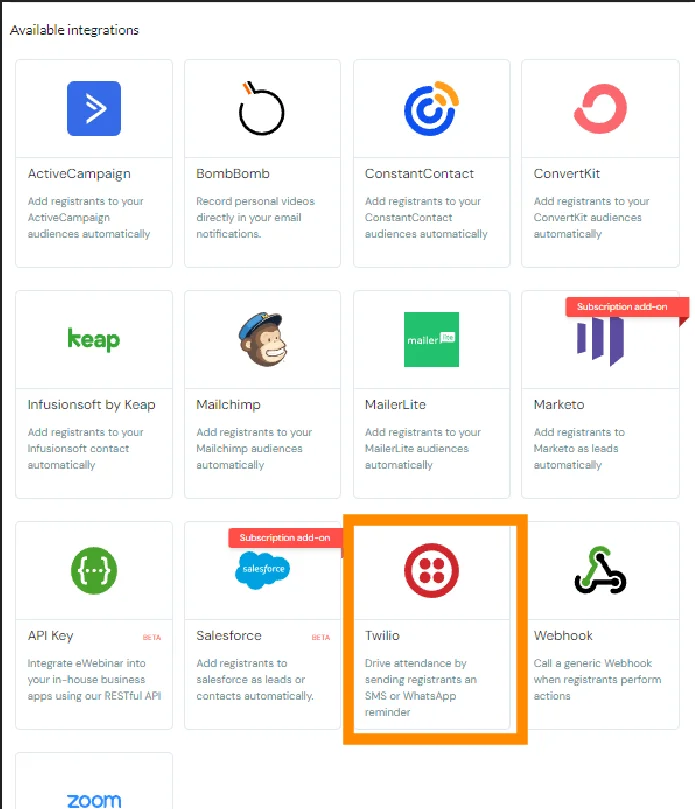
Under Available Integrations, find and click on Twilio.
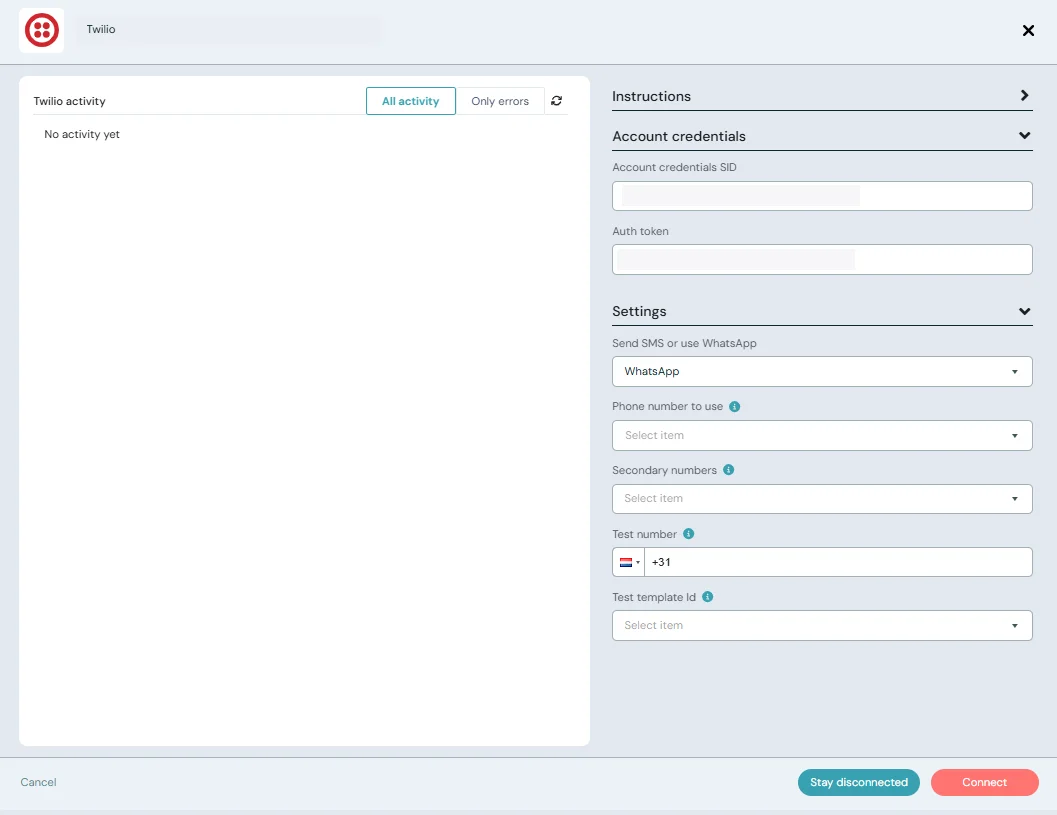
Open Account credentials and paste your Account SID and Auth token. Then open Settings and select WhatsApp in the Send SMS or use WhatsApp dropdown.
Pick your WhatsApp Sender in the Phone number to use dropdown. If the number is hosted in Twilio and does not appear in the list, type it in and choose Add a hosted number. Enter a Test number (your own phone works) and, once you have an approved template, select it as the Test template. eWebinar uses that template for the test messages it sends to your Test number.
Optional: under Secondary numbers, add senders in other countries. When a message goes to a registrant whose country code matches one of them, eWebinar sends from that number instead of your main one.
Press Connect, and the settings modal should close.
Sending SMS instead of WhatsApp? Choose SMS in the same dropdown, pick the number you bought, and enter a Response message: the automatic reply eWebinar sends when a registrant texts back. For replies to work, set the number's A message comes in webhook in Twilio (Phone Numbers → Manage Numbers → your number → Messaging) to https://api.ewebinar.com/v1/sms with HTTP POST. SMS notifications are written directly in eWebinar, no template needed. The Instructions panel at the top of the integration window walks through the SMS setup step by step.
Setting up message templates in Twilio
In Twilio, click on Messaging → Content Template Builder → Create your first content template.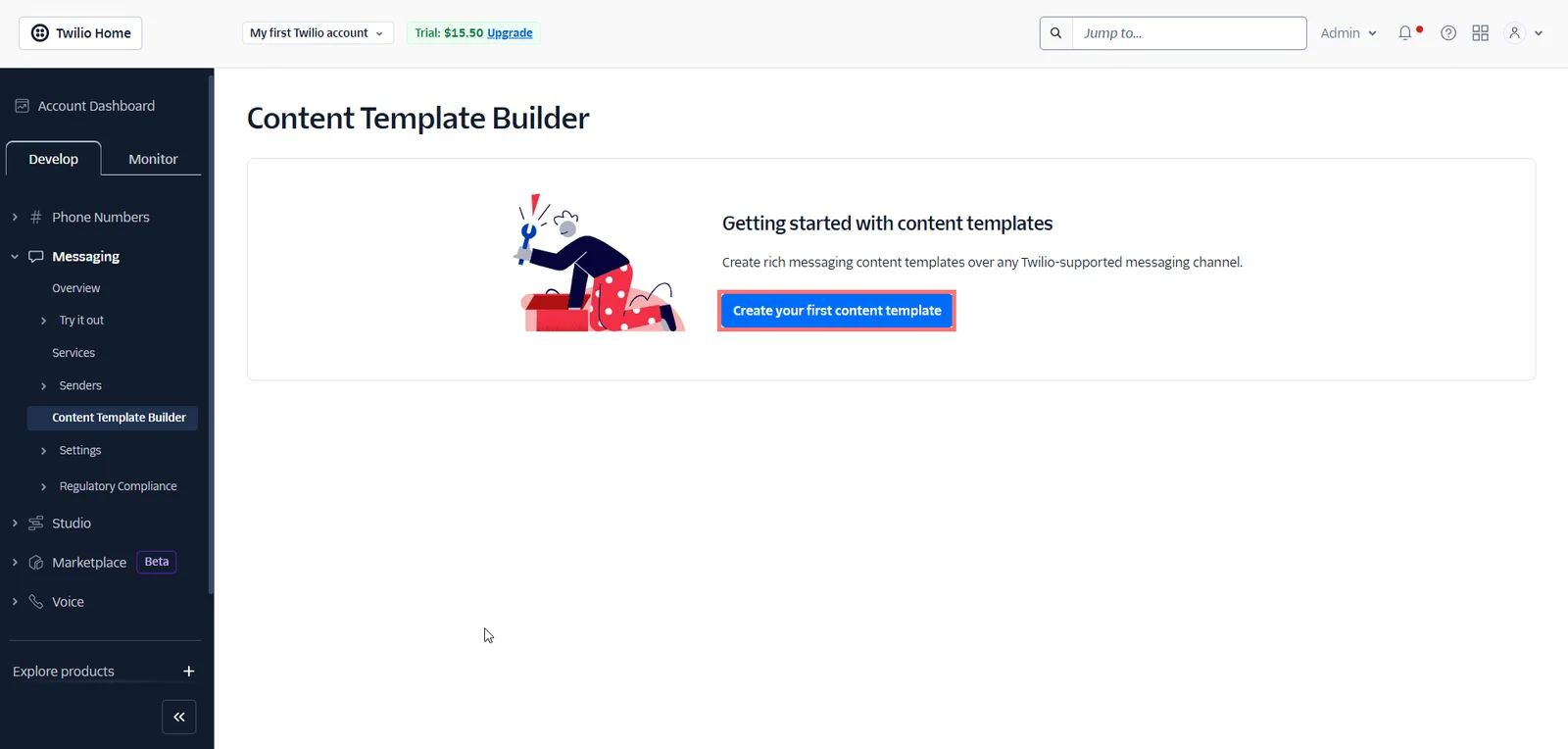
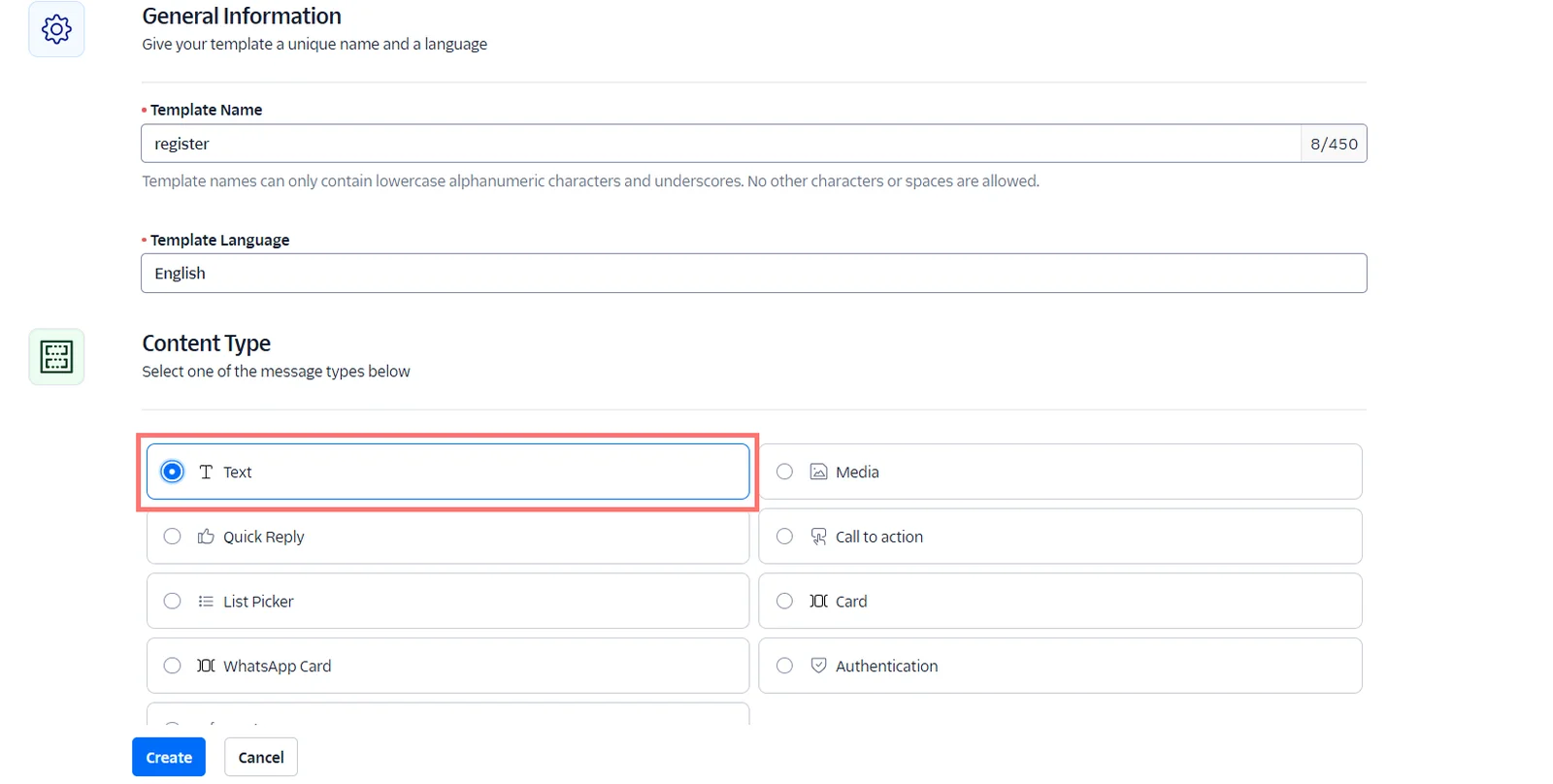
Give the template a relevant name, select the language, set the Content Type as Text and hit Create.
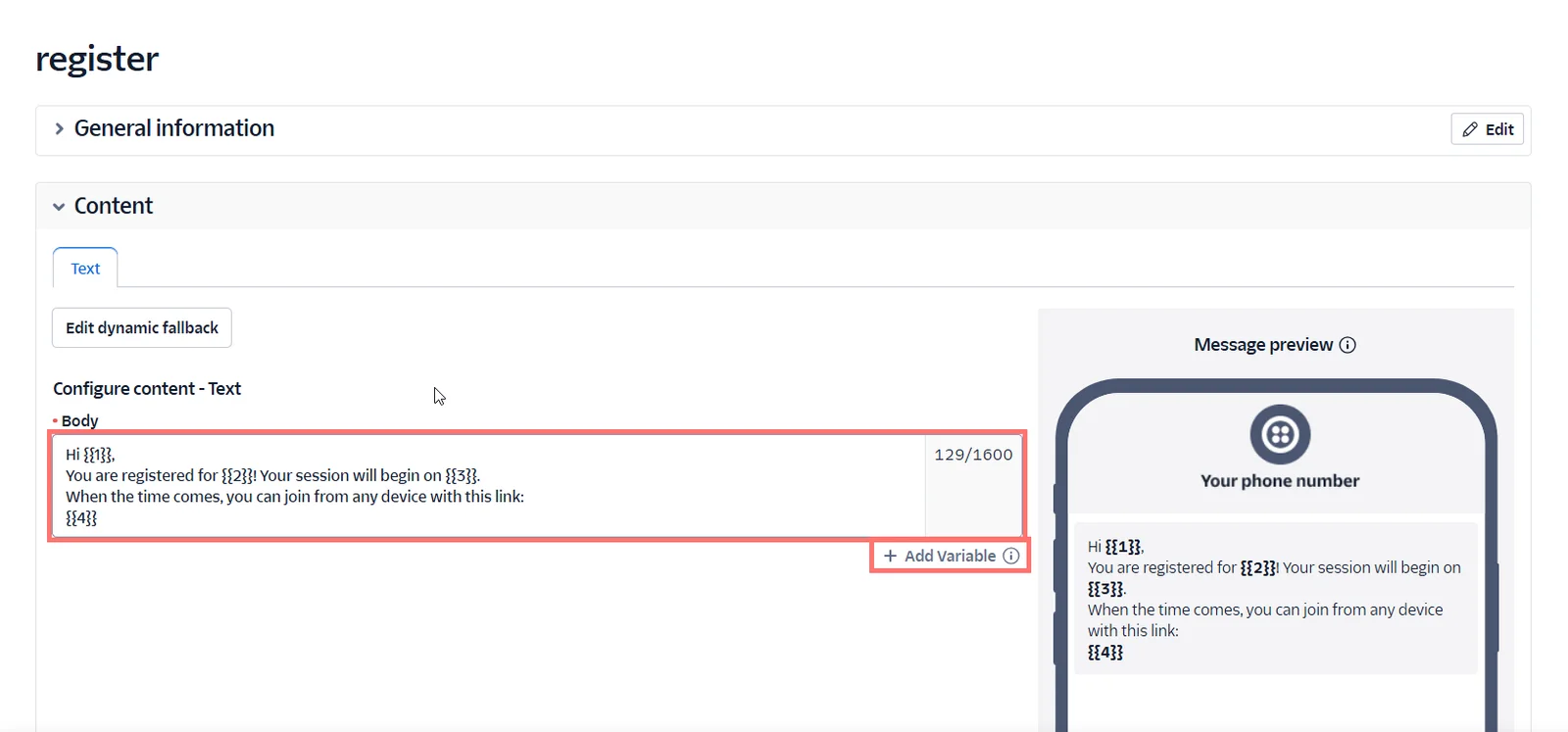
Type/paste the notification message into the Body. You will need to replace the properties with Twilio's dynamic content braces. You can see what our notifications should look like in Twilio in the boxes below. Feel free to copy these for pasting, or use the Add Variable button to utilize Twilio's variables in whatever message you write.
Whatsapp Message Templates
You can copy and paste these templates directly into Twilio and then customize them accordingly.
Reminder
Hi {{1}},
You are registered for {{2}}! Your session will begin on {{3}}.
When the time comes, you can join from any device with this link:
{{4}}
See you soon!
Registration confirmation
Hi {{1}},
{{2}} is starting {{3}}! Join now with this link: {{4}}
See you very soon!
Follow-up (Attended)
Hi {{1}},
Thanks for attending {{2}}! If you have questions, feedback, or want to know more about what was covered, please let me know. It'd be great to hear from you!
Here is a link to watch a replay: {{3}}
Thanks again for attending!
Follow-up (Did not attend)
Hi {{1}},
We missed you at {{2}}! Here is a link if you'd like to watch a replay:
{{3}}
Enjoy!
Click Save and submit for WhatsApp approval.
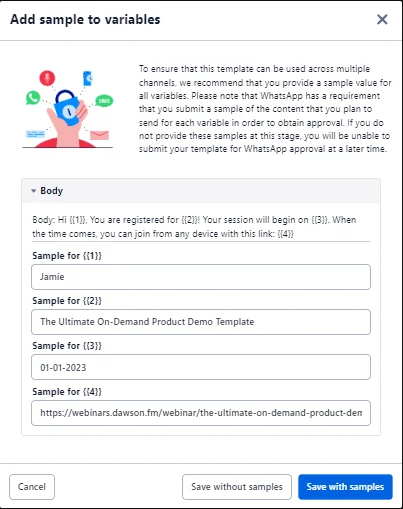
Add in samples to the variables, these should be as close to what the end message will end up looking like when it's sent to a user. Click Save with samples.
Select the template category that fits your template the best, and hit Submit.
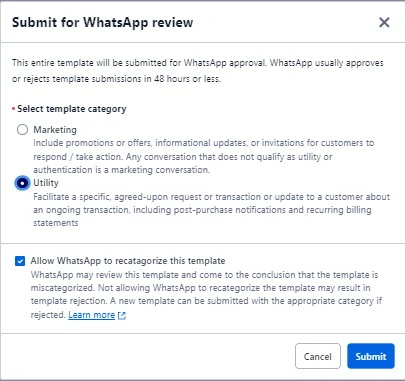
Wait for the message template to be verified by Twilio.

The verification process usually takes only a few minutes, but it can take up to 48 hours, so be patient. Twilio can reject your template, in which case you will have to submit a new template from scratch. Contact them directly if you have trouble getting a template verified. Read Twilio's docs on template approval here to make sure you will get approved.
Setting up Messaging
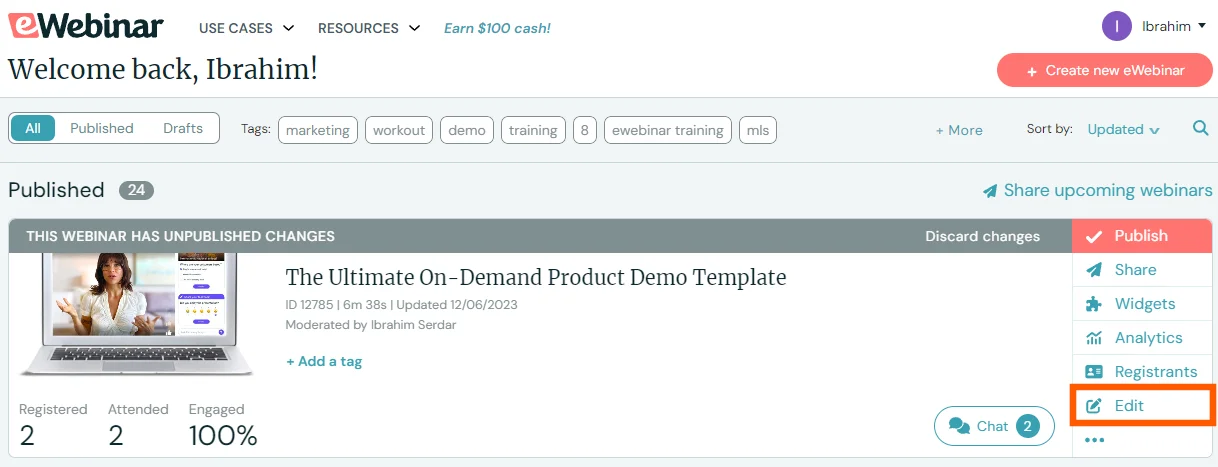
On your eWebinar home page, find the eWebinar you want to set up WhatsApp messages for and click Edit.
Switch to the Notifications tab and find the notification you would like to send via WhatsApp, or create a new one with Add a confirmation, Add a reminder or Add a follow-up.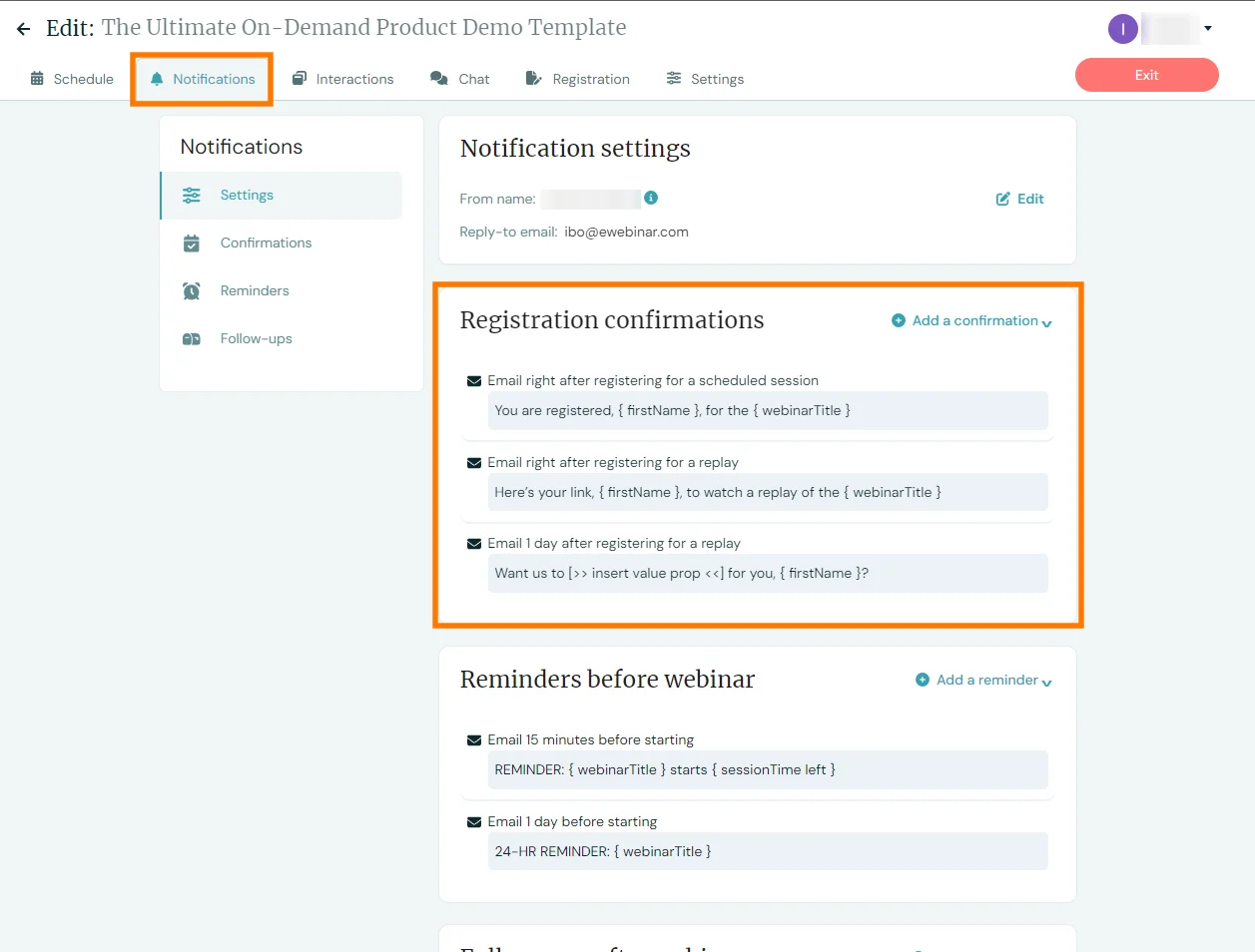
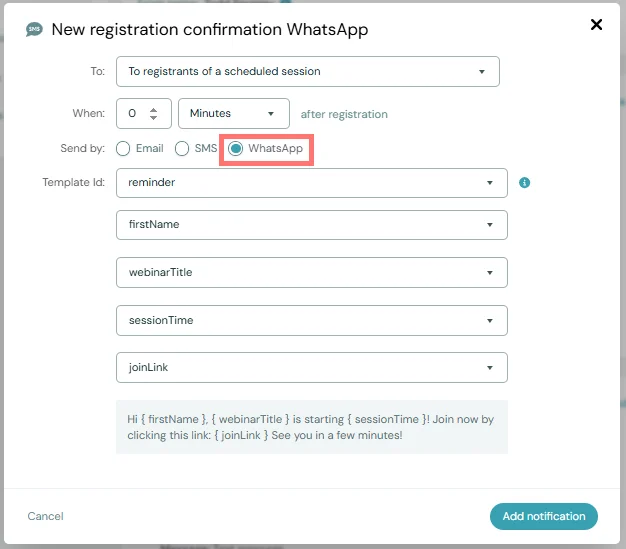
In the message editor modal, switch Send by to WhatsApp. When you add a reminder, you are asked to choose SMS or WhatsApp up front instead. If the editor says the Twilio integration is currently configured for SMS, use its Switch to WhatsApp link to change the integration first.
Select the approved template you made previously from the Template Id dropdown. It lists your Twilio templates by name with the message text underneath. For each variable in the template ({{1}}, {{2}}, {{3}}, etc.), select the eWebinar property you want to use in its place. For reminders, the sessionTime left property inserts a relative time such as "in 15 minutes". A preview shows what the message will look like.
WhatsApp message text is fixed by the approved template, so the AI rewrite option is not available for WhatsApp notifications. To change the wording, edit the template in Twilio and submit it for approval again.
Click Add notification.
In the notification settings of your eWebinar, hover over the notification you want to test, and click Send test message.
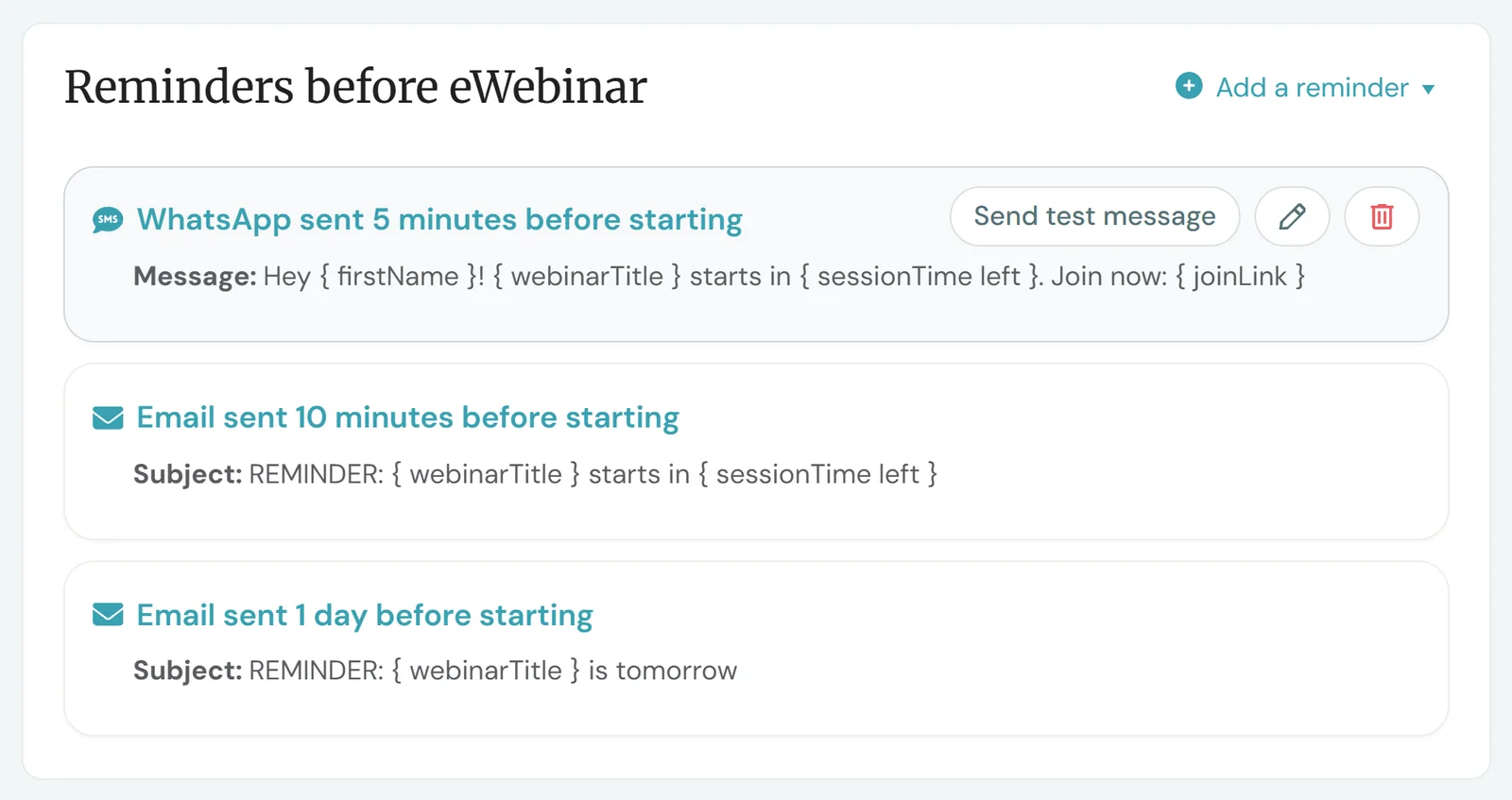
The test is sent to the phone number saved on your eWebinar profile, so add one there first if it is empty. You will receive the message in WhatsApp, confirming that your template works.
Due to certain restrictions set by Meta, Twilio can not send business messages to Turkish phone numbers.