

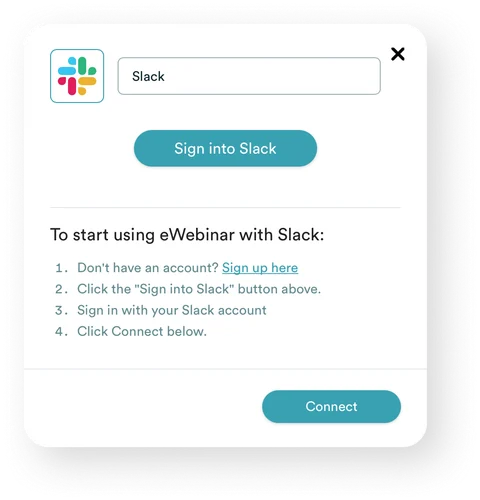
1. After you sign up you will see the Slack integration card. Click Sign into Slack to begin.
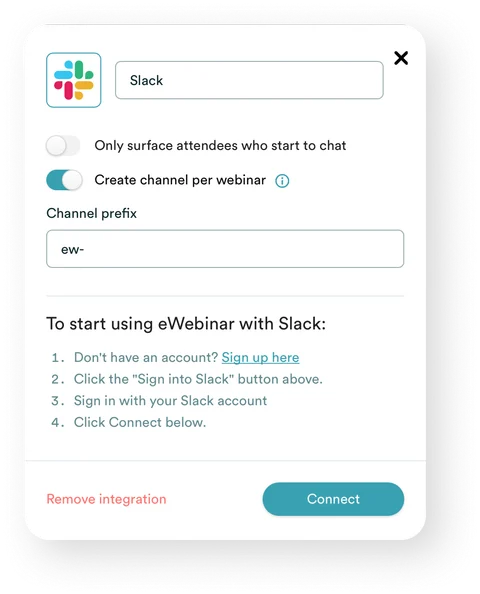
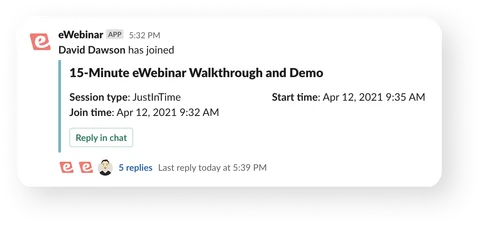
With eWebinar + Slack you deliver the same high quality video over and over while providing attendees live chat your team can respond to directly from Slack threads.

QUESTION
What brought you here today?
Your answer here...
🙏
Thanks!
POLL
What team are you on?

CALL TO ACTION
Ready to move forward?
 Hi David! I’m here to help…
 Yes you’ll get a replay link!
 Send us a message

Quick & easy setup
Mobile-friendly live chat
Interactive presentation room
Comprehensive analytics
Flexible scheduling options
Top tier integrations
Sell 24/7
Automate onboarding
Train at scale

CEO & Cofounder, W&R Studios

Greg Robertson
CEO & Cofounder, W&R Studios
You can record the perfect sales demo and onboarding session and promote it like a webinar, complete with real-time interactions like polls, links, and CTAs. No technical issues, and no time wasted on doing the same webinar over and over again. Productivity through the roof! This will at least double our trainer's productivity.
We use eWebinar to run our demo!